
Internal Transcription Tool: Build vs Buy, Then Build
Summarize this article with:
Build vs Buy, Honestly
Building an internal transcription tool pays off when your team has enough volume that per-seat SaaS costs clearly exceed what a metered API and a few weeks of engineering time would cost. That crossover is usually around 10-15 active users. Below that, paying for Otter or Fireflies is almost always the right call. Above it, you gain real advantages: your data stays in your own systems, access is controlled by your existing SSO, and you can build exactly the workflow your team needs instead of adapting to someone else's product.
This guide covers the architecture, the build-vs-buy calculus, and the core code for a production-grade internal tool.
When Buying Still Wins
Before writing any code, be honest about what you are actually buying when you pay per seat.
Meeting-bot auto-capture is the hardest thing to replicate. Otter and Fireflies send a bot into your Zoom or Meet calls automatically, with no one remembering to hit record. Building that requires integrating a third-party recall API, managing bot lifecycle, handling GDPR/disclaimer requirements, and surviving meeting-platform API changes. That is weeks of work and ongoing maintenance.
SOC 2 and compliance posture is another real cost. Enterprise customers asking whether your internal tool is compliant shifts the question to whether your team wants to own that audit. Off-the-shelf tools come with their own compliance docs; your internal tool does not.
The genuine cases where building beats buying:
- You have a high volume of audio files that do not come from meetings (interviews, field recordings, customer calls, podcasts, legal depositions).
- You need deep integration with your internal systems (case management, CRM, document store) that no native integration covers.
- You have strict data residency requirements that require audio to stay on your own infrastructure.
- Your team is large enough that per-seat costs add up materially.
Otter.ai Business runs $19.99 per user per month billed annually (or $30 monthly). Fireflies Business runs $19 per user per month billed annually (or $29 monthly). At 30 users, that is roughly $570-600 per month. A metered API like Deepgram Nova-3 costs $0.0077 per minute for pre-recorded audio. A team of 30 people each submitting one hour of audio per month pays about $14 in transcription API fees. The gap is real.
| Otter Business | Fireflies Business | Internal Tool (API) | |
|---|---|---|---|
| 10 users | $200/mo | $190/mo | API cost + eng overhead |
| 30 users | $600/mo | $570/mo | ~$50-100/mo at typical volume |
| 50 users | $1,000/mo | $950/mo | ~$80-160/mo at typical volume |
| SSO/SAML | Enterprise only | Enterprise only | You build it |
| Meeting bots | Yes, native | Yes, native | Requires third-party API |
| Data residency | Vendor's infra | Vendor's infra | Your infra |
Per-seat prices verified from otter.ai/pricing and fireflies.ai/pricing, July 2026. API cost estimates use Deepgram Nova-3 at $0.0077/min pre-recorded (verified from deepgram.com/pricing), not including hosting or storage.
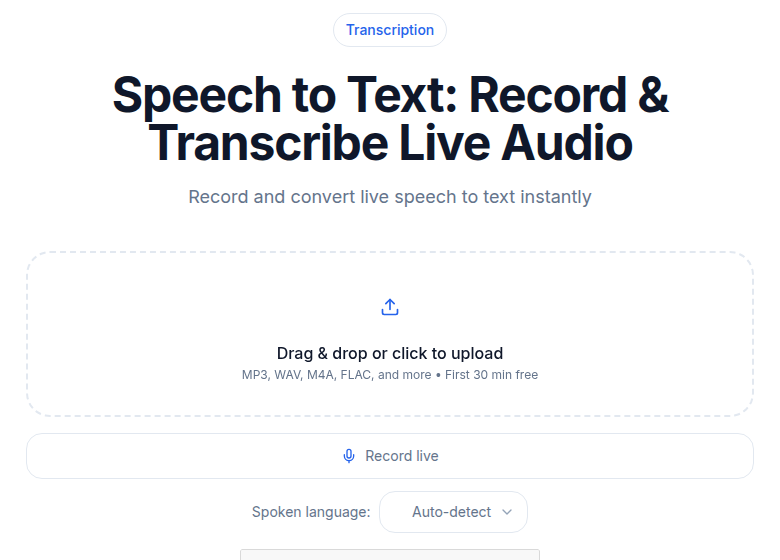 The build target: upload, process, deliver, retain per policy
The Architecture
The minimum useful internal tool has four parts:
- Upload endpoint. Files go to your object storage (S3, R2, or GCS).
- Transcription API integration. Submit jobs, receive completion via webhook or polling.
- Database. Store transcripts, job metadata, and user attribution.
- Search and dashboard. Find transcripts by user, project, content, or date.
Stack choices that keep it simple:
- Frontend: Next.js or your existing internal-tool framework (Retool also works for rapid prototyping).
- Backend: Node.js, Python, or Go REST service.
- Database: Postgres with full-text search built in.
- Storage: S3 or R2 for audio files.
- Auth: Google OAuth first, then SAML/OIDC when IT asks for it.
The Data Model
Three core tables cover the essential use case:
CREATE TABLE users (
  id UUID PRIMARY KEY,
  email TEXT UNIQUE NOT NULL,
  role TEXT NOT NULL DEFAULT 'member',
  department TEXT,
  created_at TIMESTAMPTZ DEFAULT NOW()
);

CREATE TABLE transcription_jobs (
  id UUID PRIMARY KEY,
  user_id UUID REFERENCES users(id),
  audio_filename TEXT NOT NULL,
  audio_s3_key TEXT NOT NULL,
  external_job_id TEXT UNIQUE,
  status TEXT NOT NULL,
  language TEXT,
  duration_seconds INT,
  project TEXT,
  tags TEXT[],
  created_at TIMESTAMPTZ DEFAULT NOW(),
  completed_at TIMESTAMPTZ
);

CREATE TABLE transcripts (
  job_id UUID PRIMARY KEY REFERENCES transcription_jobs(id),
  full_text TEXT NOT NULL,
  metadata JSONB,
  summary TEXT,
  search_vector tsvector GENERATED ALWAYS AS (
    to_tsvector('english', full_text)
  ) STORED
);

CREATE INDEX idx_search ON transcripts USING gin(search_vector);
CREATE INDEX idx_jobs_user ON transcription_jobs(user_id);
CREATE INDEX idx_jobs_project ON transcription_jobs(project);
The tsvector column gives you Postgres full-text search across the entire transcript corpus without adding another service. For very large corpora (hundreds of thousands of transcripts), Meilisearch or Elasticsearch are worth considering.
Add user_id to jobs from the start. Six months in you will want to know who uploaded what. Adding it retroactively is painful.
The Upload Flow
Frontend collects the file plus metadata (project, language, tags), sends a multipart POST. The backend uploads to S3, then submits to your transcription API:
import express from 'express';
import multer from 'multer';
import { S3Client, PutObjectCommand } from '@aws-sdk/client-s3';

const app = express();
const upload = multer({ storage: multer.memoryStorage() });
const s3 = new S3Client({ region: process.env.AWS_REGION });

app.post('/api/transcribe', requireAuth, upload.single('audio'), async (req, res) => {
  const { project, tags, language } = req.body;
  const user = req.user;

  const s3Key = `audio/${user.id}/${Date.now()}-${req.file.originalname}`;
  await s3.send(new PutObjectCommand({
    Bucket: process.env.S3_BUCKET,
    Key: s3Key,
    Body: req.file.buffer,
    ContentType: req.file.mimetype,
  }));

  const audioUrl = `https://${process.env.S3_BUCKET}.s3.amazonaws.com/${s3Key}`;

  // Replace with whichever transcription API you choose.
  // This example uses a URL-based submission (no re-upload needed).
  const apiRes = await fetch('https://api.example-transcription.com/v1/transcribe', {
    method: 'POST',
    headers: {
      'Authorization': `Bearer ${process.env.TRANSCRIPTION_API_KEY}`,
      'Content-Type': 'application/json',
    },
    body: JSON.stringify({
      source: 'url',
      input_url: audioUrl,
      language: language || 'auto',
    }),
  });

  const { job_id: externalJobId } = await apiRes.json();

  const result = await db.query(
    `INSERT INTO transcription_jobs
     (user_id, audio_filename, audio_s3_key, external_job_id, status, language, project, tags)
     VALUES ($1, $2, $3, $4, 'queued', $5, $6, $7) RETURNING id`,
    [user.id, req.file.originalname, s3Key, externalJobId,
     language || 'auto', project, tags ? JSON.parse(tags) : []]
  );

  res.status(201).json({ job_id: result.rows[0].id });
});
Webhook Handler
Webhooks beat polling for user experience and server load. When the transcription API finishes, it POSTs to your endpoint with a signature you verify before trusting the payload.
The exact header name and signature format vary by API. Verify them in your chosen vendor's docs before writing the handler. A generic pattern that works across most:
app.post('/api/webhooks/transcription',
  express.raw({ type: 'application/json' }),
  async (req, res) => {
    // Verify HMAC signature, header name varies by vendor.
    // Common patterns: X-Webhook-Signature, X-Signature-256, etc.
    const sigHeader = req.header('X-Webhook-Signature') || '';
    const sigValue = sigHeader.replace('sha256=', '');
    const expected = crypto
      .createHmac('sha256', process.env.WEBHOOK_SECRET)
      .update(req.body)
      .digest('hex');

    if (!crypto.timingSafeEqual(Buffer.from(sigValue), Buffer.from(expected))) {
      return res.status(401).send('Invalid signature');
    }

    const event = JSON.parse(req.body.toString());

    if (event.event === 'job.completed') {
      const { job_id: externalJobId, result_url, duration } = event.data;

      // Fetch the actual transcript from the result URL.
      const transcriptRes = await fetch(result_url, {
        headers: { 'Authorization': `Bearer ${process.env.TRANSCRIPTION_API_KEY}` },
      });
      const transcriptData = await transcriptRes.json();

      await db.query(
        `UPDATE transcription_jobs
         SET status = 'completed', duration_seconds = $1, completed_at = NOW()
         WHERE external_job_id = $2`,
        [duration, externalJobId]
      );

      await db.query(
        `INSERT INTO transcripts (job_id, full_text, metadata, summary)
         SELECT id, $1, $2, $3 FROM transcription_jobs WHERE external_job_id = $4
         ON CONFLICT (job_id) DO UPDATE
           SET full_text = EXCLUDED.full_text,
               metadata = EXCLUDED.metadata,
               summary = EXCLUDED.summary`,
        [
          transcriptData.text,
          JSON.stringify(transcriptData.metadata || {}),
          transcriptData.summary || null,
          externalJobId,
        ]
      );
    }

    res.sendStatus(200);
  }
);
Two things to get right here: fail closed on a missing or invalid signature (do not process the payload), and respond with 200 quickly. Any slow processing should be offloaded to a queue. For a deeper comparison of webhook versus polling tradeoffs, see webhook vs polling for transcripts.
Full-Text Search
Postgres full-text search across your corpus, with match snippets:
app.get('/api/search', requireAuth, async (req, res) => {
  const { q, project, user_id, from, to } = req.query;

  const result = await db.query(`
    SELECT
      j.id, j.audio_filename, j.created_at, j.project,
      u.email AS user_email,
      ts_headline(
        'english', t.full_text,
        plainto_tsquery('english', $1),
        'StartSel=**, StopSel=**, MaxWords=30'
      ) AS snippet
    FROM transcripts t
    JOIN transcription_jobs j ON j.id = t.job_id
    JOIN users u ON u.id = j.user_id
    WHERE t.search_vector @@ plainto_tsquery('english', $1)
      AND ($2::text IS NULL OR j.project = $2)
      AND ($3::uuid IS NULL OR j.user_id = $3::uuid)
      AND ($4::timestamptz IS NULL OR j.created_at >= $4)
      AND ($5::timestamptz IS NULL OR j.created_at <= $5)
    ORDER BY ts_rank(t.search_vector, plainto_tsquery('english', $1)) DESC
    LIMIT 50
  `, [q, project || null, user_id || null, from || null, to || null]);

  res.json(result.rows);
});
The GIN index on search_vector keeps this fast on a corpus of tens of thousands of transcripts. The snippet shows the match in context, which is what makes search actually usable.
Access Control
Two patterns cover most teams.
Department-scoped: Each user only sees their department's transcripts. Add a department column to the jobs table and filter every query by the requesting user's department. Simple and hard to misconfigure.
Project-scoped: Users belong to projects and see all transcripts in their projects. More flexible, requires a join table:
CREATE TABLE user_projects (
  user_id UUID REFERENCES users(id),
  project TEXT NOT NULL,
  role TEXT NOT NULL DEFAULT 'member',
  PRIMARY KEY (user_id, project)
);
Every query then joins against user_projects to enforce visibility. Enforce this server-side, never in client code. A front-end flag is a hint, not a gate.
For teams above 20 people, start planning for SSO. Most IT departments will eventually require that any internal tool that handles sensitive audio integrates with your identity provider (Okta, Azure AD, Google Workspace). Build the user store decoupled from the authentication method from the start, so you can add a SAML adapter later without restructuring the data model.
The Dashboard UI
The 90% solution needs five views:
- Upload form with project, tags, and language fields.
- Job list showing recent transcriptions, status, and quick actions (view, download, delete).
- Transcript view with the full text, speaker labels, timestamps, and copy/download buttons.
- Search page with full-text query and filter dropdowns by project, user, and date range.
- Admin view showing usage per user and department, for cost attribution and tier sizing.
Retool or Internal.io can get you the dashboard in an afternoon if you already have the API. Custom Next.js is a week if you want a polished UI that non-technical teammates can use comfortably.
Data Retention and Storage Costs
Set a retention policy before you ship, not after. Audio files are large; transcripts are tiny. A 60-minute interview at 128kbps is roughly 60MB. A text transcript of the same interview is under 100KB.
A practical default: keep audio for 30-90 days (long enough for people to go back and check, short enough to keep storage costs controlled), keep transcripts indefinitely. For legal, healthcare, or financial compliance contexts, longer audio retention may be required. Build the retention period as a configurable field on the workspace or department record so you can set different policies for different teams.
Never rely on manual deletion. Write a cleanup job that runs on a schedule and deletes audio files whose retention period has expired.
For the internal tool cost model to hold, storage needs to stay cheap. Cloudflare R2 and Backblaze B2 are both meaningfully cheaper than S3 for pure storage and egress. Worth considering if audio volume is high.
Things Worth Adding Later
Slack or Notion notifications. Auto-post a summary to a project channel when a transcript completes. For Slack, a webhook URL per channel is simple and does not require an app review. See integrating transcription with Slack and integrating transcription with Notion.
Audit logs. Who accessed which transcript, when. Important for regulated industries and useful in every org. Add an access_log table that records reads, not just writes.
Custom output templates. Run your own prompts against the transcript text for company-specific outputs (structured meeting notes, case summaries, sales call analysis) beyond what the transcription API returns. See the batch processing patterns in batch transcription for large projects.
Voice enrollment for speaker labels. If your API supports speaker diarization, you can improve label accuracy by enrolling short voice samples for team members. This turns "Speaker 0 / Speaker 1" into real names automatically.
TOTP or hardware key 2FA. Once you have sensitive audio on your internal tool, the auth layer matters. Add a second factor before the tool handles anything genuinely confidential.
Common Pitfalls
Skipping the database for "simple" projects. A JSON file or spreadsheet works at tiny scale and becomes impossible at 50 transcripts. Use Postgres from day one. The full-text search alone is worth it.
Not tracking user_id on jobs from the start. Six months in you will want to know who transcribed what for cost attribution, compliance, or debugging. Adding it retroactively means a migration and a gap in historical data.
Missing language tracking. Multilingual teams need this. Capture it on submission, store it on the job, include it in search filters. Transcription accuracy varies significantly by language across different APIs.
Building meeting-bot auto-capture yourself. This is harder than it looks. If your primary use case is recording Zoom or Meet calls, evaluate Otter or Fireflies first, even if you build a wrapper around them later.
Assuming the transcript is in the webhook payload. Most production APIs (including the ones modeled here) send a result_url in the webhook, not the full transcript text. Your handler needs to fetch the result as a second step after verifying the signature.
The Practical Next Step
Stand up the minimum version (upload + webhook handler + transcript view) in a day. Get three or four team members using it before adding search or dashboard polish. The first real users tell you what to build next.
If you just need a clean transcript without building anything, ConvertAudioToText handles file uploads directly in the browser, the first 30 minutes of any file are free with no account required, and a free account keeps transcribing up to 30 files a day, up to 30 minutes each, with reading and copying always free.
Common Questions
How much does it cost to run an internal transcription tool versus paying per seat?
At 30 users, Otter.ai Business runs roughly $600/month and Fireflies Business roughly $570/month. An internal tool built on a metered API (like Deepgram Nova-3 at $0.0077/min) shifts cost to actual usage. A team averaging one hour of audio per person per month pays about $14 in API fees for 30 users, plus your hosting and storage. The crossover where building wins typically happens around 10-15 active users.
What access control patterns work best for team transcription tools?
Two patterns cover most cases. Department-scoped: each user only sees their department's transcripts, enforced via a department column on the jobs table and filtered queries. Project-scoped: users can transcribe to any project they belong to, enforced via a join table. The project-scoped model is more flexible and easier to expand later. Both require server-side enforcement, not client-side flags.
Do I need SSO to build an internal transcription tool?
Not at first, but plan for it. Most IT teams will block a new internal tool above 20 users if it requires a separate password. Build your auth layer so that the user store is decoupled from the authentication method from day one. Google OAuth is fast to ship and covers most teams. SAML/OIDC (for Okta, Azure AD, etc.) can be added later as an adapter without touching the data model.
How should I handle audio file retention to control storage costs?
Set a policy from day one, not later. Audio files are large; transcripts are tiny. A practical default: keep audio for 30-90 days, keep transcripts indefinitely. For regulated industries (healthcare, legal), longer audio retention may be required, so make the retention period configurable per workspace or department. Never rely on manual deletion.
Sources
- Otter.ai Pricing (verified July 2026)
- Fireflies.ai Pricing (verified July 2026)
- Deepgram Pricing (verified July 2026)
- ConvertAudioToText Pricing (verified July 2026)
Try transcription free
Convert any audio or video to clean, unwatermarked text — speaker labels, timestamps, and AI summaries included. First 30 minutes free, no account.
Related Articles
Best Transcription Tools with API Access (2026)
Which transcription SaaS tools actually give you API keys, and on which plan? Verified pricing and plan gates for Descript, Sonix, Fireflies, Happy Scribe, AssemblyAI, and more.

Building with a Transcription API: First Integration
A practical developer walkthrough for integrating a transcription API: auth, job submission via upload or URL, polling, webhooks, export formats, and error handling.