
Transcription to Slack: The Paths That Actually Work
Summarize this article with:
There are three ways to get transcripts into Slack: use a tool with a native Slack app (Otter.ai or Fireflies), wire any webhook-enabled transcription service to Slack yourself, or enable the built-in Slack notification in ConvertAudioToText. Native apps are faster to set up but lock you into their meeting-bot model. A custom webhook approach works with any service but takes an afternoon to build.
Getting transcripts into Slack is a solved problem in 2026, but the right path depends on your tool. Otter.ai and Fireflies have native Slack apps that post meeting notes automatically. Every other transcription service, including ConvertAudioToText, reaches Slack through either a built-in webhook notification setting or a handler you build yourself. This guide covers all three paths.
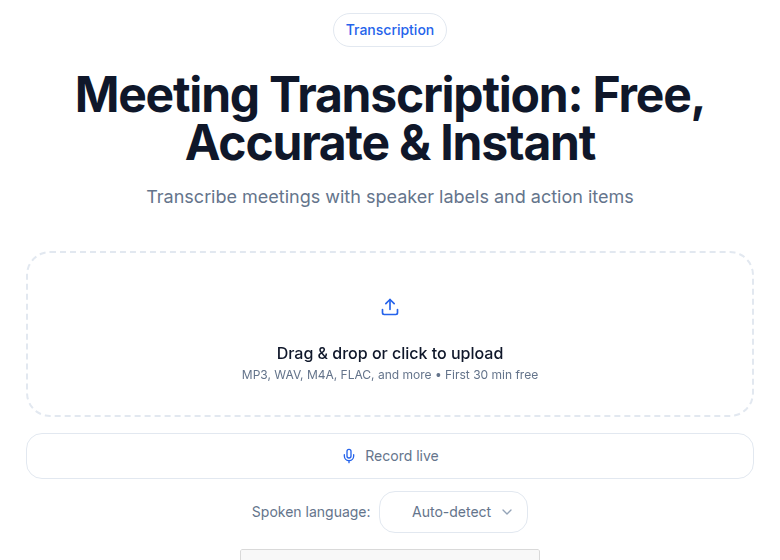 The transcript is the payload: generate it first, then route it to Slack
Who Has a Native Slack App
Two tools have verified installs in the Slack Marketplace:
| Tool | Slack integration | What it posts | Plan required |
|---|---|---|---|
| Otter.ai | Native app (marketplace) | Meeting notes, summary, action items | All plans |
| Fireflies.ai | Native app (marketplace) | Transcript, summary, action items | All paid plans; Integration Rules need Business+ |
| Most others | Incoming webhook or Zapier | Varies by setup | Depends |
Otter.ai posts a meeting reminder before a call, writes notes in real time, and sends the completed notes with an AI summary to a designated Slack channel after the meeting ends. When someone shares an Otter link in Slack, the app unfurls it with meeting metadata. This all works on the free Basic plan. Otter's app is listed in the Slack Marketplace.
Fireflies.ai posts transcripts, summaries, and action items to a public channel, private group, or direct message. You can also configure keyword alerts: get a Slack ping if a competitor name or specific phrase comes up on a call. Fireflies has added Slack Huddle transcription (beta as of early 2026), which captures and logs Huddle conversations back to your Fireflies dashboard. Available from the Fireflies integrations page.
My take: if your team runs meetings through Zoom, Google Meet, or Teams and wants Slack notes without touching a line of code, Otter or Fireflies covers you. The tradeoff is that both tools work as meeting bots, so they fit meeting-centric workflows rather than general audio or uploaded files.
The CATT Built-in Slack Notification
ConvertAudioToText has a Slack notification setting in the dashboard, under Settings. Paste an Incoming Webhook URL from your Slack workspace, enable "Notify on completion," and CATT posts to that channel every time a transcript finishes.
The notification includes the filename, audio duration, a direct link to the transcript, and the AI summary (capped at 400 characters) as an attachment. This covers the most common team use case: someone uploads a recording, the team gets a Slack ping when the transcript is ready.
This works for any audio or video file uploaded through the transcription tool. No code required. The only thing this does not do is automatically transcribe files that are shared in Slack, which needs the custom webhook approach below.
The Developer Path: CATT Webhooks to Slack
CATT has outbound webhooks (Business plan). When a transcription job finishes, CATT POSTs a signed payload to any HTTPS URL you register. You receive the event and forward it to Slack.
Register a webhook through the dashboard or the API:
curl -X POST https://api.convertaudiototext.com/api/v1/dashboard/webhooks \
  -H "Authorization: Bearer <your-api-key>" \
  -H "Content-Type: application/json" \
  -d '{"url": "https://your-server.com/webhooks/catt", "events": ["job.completed"]}'
The response includes a secret field. Store it. Every delivery will be signed with it.
When a job completes, the payload looks like this:
{
  "event": "job.completed",
  "timestamp": "2026-07-01T10:23:45Z",
  "data": {
    "job_id": "550e8400-e29b-41d4-a716-446655440000",
    "status": "completed",
    "duration": 342,
    "completed_at": "2026-07-01T10:23:44Z",
    "result_url": "https://api.convertaudiototext.com/api/v1/result/<job_id>"
  }
}
The signature arrives in the X-Webhook-Signature header as sha256=<hmac-hex>.
Receive the Webhook and Post to Slack
import crypto from 'crypto';
import express from 'express';
import fetch from 'node-fetch';

const app = express();

app.post('/webhooks/catt',
  express.raw({ type: 'application/json' }),
  async (req, res) => {
    const rawSig = req.header('X-Webhook-Signature') ?? '';
    const [algo, receivedHex] = rawSig.split('=');
    if (algo !== 'sha256' || !receivedHex) {
      return res.status(401).send('Bad signature format');
    }

    const expected = crypto
      .createHmac('sha256', process.env.CATT_WEBHOOK_SECRET)
      .update(req.body)
      .digest('hex');

    if (!crypto.timingSafeEqual(Buffer.from(receivedHex), Buffer.from(expected))) {
      return res.status(401).send('Signature mismatch');
    }

    const event = JSON.parse(req.body.toString());
    if (event.event !== 'job.completed') return res.sendStatus(200);

    const { job_id, duration, result_url } = event.data;
    const durationMin = (duration / 60).toFixed(1);

    // Optionally fetch the full transcript text from result_url
    // using your API key before posting to Slack.

    await fetch(process.env.SLACK_WEBHOOK_URL, {
      method: 'POST',
      headers: { 'Content-Type': 'application/json' },
      body: JSON.stringify({
        text: `Transcript ready (${durationMin} min). View: ${result_url}`,
        attachments: [{
          color: '#2563eb',
          title: 'ConvertAudioToText',
          text: `Job ID: ${job_id}`
        }]
      })
    });

    res.sendStatus(200);
  }
);
For a deeper look at when polling beats webhooks and vice versa, see webhook vs polling for transcripts.
If you want the full transcript text in the Slack message, fetch it from result_url using your API key before posting. For long transcripts, posting a summary plus a link to the full result is cleaner than dumping 30,000 characters into a Slack message.
The No-Code Alternative: Zapier and n8n
Both tools can wire Slack to a transcription API without code.
Zapier has a "New File" trigger for Slack. The limitation: catching a completion webhook from an external service requires Zapier's paid webhook trigger. If your transcription service sends a webhook on completion, Zapier can receive it and post to Slack. The Zapier-to-Slack direction (post a message) is available on all plans.
n8n supports Slack file-shared events as a trigger node, and can send requests to external APIs. Self-hosted n8n is free. For teams with a developer who has a few hours, the custom webhook approach above is more flexible. For teams with no developer at all, n8n is worth evaluating. See automating transcription with Zapier for a step-by-step.
Practical Notes
Slack file size limits. Slack accepts files up to 1 GB on all plans. For audio or video files near that limit, expect a noticeable upload time inside Slack before any workflow can pick them up.
Slack message rate limits. The chat.postMessage API allows roughly 1 message per second per channel, with burst headroom. In practice this only matters if many transcriptions complete at once and all notify the same channel.
Slack file upload API. If you want to upload a transcript text file to Slack via the API, use the files.getUploadURLExternal plus files.completeUploadExternal flow, or the uploadV2 method in the official Slack Node SDK. The older files.upload endpoint stopped working in November 2025.
CATT without a meeting bot. If you need transcripts for audio files, podcasts, or uploaded recordings rather than live meetings, ConvertAudioToText handles those without installing a meeting bot. Configure the built-in Slack webhook for notifications, or use the developer webhooks (Business plan) to build a tighter integration.
Getting Started
The fastest path to working Slack transcripts:
- If you run meetings and already use Otter or Fireflies, install their Slack app from the marketplace. Done in under 10 minutes.
- If you use CATT for audio uploads, enable the Slack notification in dashboard settings and paste your Incoming Webhook URL.
- If you want a custom build that reacts to Slack file uploads or custom routing logic, register a CATT webhook endpoint and wire it using the handler above.
FAQ
Do I need to write code to get transcripts into Slack?
Not always. Otter.ai and Fireflies both have Slack apps in the Slack Marketplace that post meeting notes automatically with no code. If you are using a service without a native Slack app, you have two no-code options: Zapier (with a paid plan for webhook triggers) or n8n (self-hostable). Writing your own webhook handler gives you the most control and is roughly 100-150 lines of Node.js.
Does ConvertAudioToText have a native Slack app?
There is no Slack Marketplace app. CATT has a built-in Slack notification setting: paste your Incoming Webhook URL in dashboard settings and CATT posts a completion notice with a link and AI summary when any transcript finishes. Developers on the Business plan can also register outbound webhooks that fire on job.completed, and post those payloads to Slack in a handler they control.
Which plan does Fireflies require for Slack integration?
Per Fireflies documentation, the Slack integration is available on all paid plans. Advanced Integration Rules (which filter which meetings post to Slack based on title, host, or attendees) require the Business plan or higher.
What is the correct header for verifying CATT webhooks?
The signature is sent in the X-Webhook-Signature header as sha256=<hmac-hex>. Compute HMAC-SHA256 of the raw request body using your webhook secret, prepend 'sha256=', and compare with crypto.timingSafeEqual to avoid timing attacks.
Sources
Try transcription free
Convert any audio or video to clean, unwatermarked text — speaker labels, timestamps, and AI summaries included. First 30 minutes free, no account.
Related Articles

Transcription into HubSpot: Verified Integration Paths
How to get call transcripts into HubSpot: what Conversation Intelligence covers natively, and the API recipe for external recordings, dialers, and languages it misses.

Integrating Transcription With Notion: API Recipe (2026)
How to auto-save transcripts to Notion databases using the ConvertAudioToText webhook API. Verified schema, Node.js code, Zapier/n8n paths, and Notion API limits.