Handling Room Noise in Recording: Acoustic Prevention
Summarize this article with:
Room noise falls into three types that need different fixes: steady-state hum from HVAC and fans, intermittent noise from doors and phones, and reflective noise from hard surfaces. Treating the room acoustically before you press record is faster than trying to clean up noise after the fact. This guide covers prevention at the source: turning off HVAC, adding soft materials to kill echo, and a quick room setup checklist that eliminates most common transcription problems.
Most transcription accuracy problems start in the room, not the file. When AI models produce dropped words, doubled syllables, or phrases that look almost-but-not-quite right, the culprit is usually echo from hard surfaces, HVAC hum raising the noise floor, or an intermittent noise that stepped on a word at exactly the wrong moment. Fixing the room before you record is faster than cleaning up audio afterward.
 The room decides the transcript quality before the upload does
This post covers acoustic prevention: what to do in the room, at recording time. If you have a recording that already exists and needs cleanup, see dealing with background noise in transcription. For a full room setup guide including gear, see recording environment for best results.
Three Categories of Room Noise (Different Fixes for Each)
Treating all noise the same leads to wrong fixes. AI transcription models react differently to each type:
Steady-state noise (HVAC, fans, refrigerators, traffic) is constant. Models can adapt to a stable noise floor, but only if the speech level sits clearly above it. The fix is lowering the noise floor at the source.
Intermittent noise (doors slamming, phones, sirens, pets) causes the model to lose track of speech at the exact moment the noise hits. No post-processing recovers a word that was physically masked. Prevention is the only fix.
Reflective noise (echo, reverb, hard surfaces) makes the model hear each word twice with a delay. Confidence on both copies drops, words get mislabeled or skipped. The fix is adding soft material to absorb reflections before they reach the mic.
HVAC and Climate Control
HVAC is the largest single noise source in most home and office recordings. A typical furnace or air handler operating indoors runs around 50-60 dBA, which puts it in the same range as normal conversation.
Specific moves:
- Turn off the HVAC 5 minutes before recording. Most thermostats let you pause the fan separately from the heating or cooling.
- Smart thermostats (Nest, Ecobee) support scheduled fan-off windows. Set one around your recording time.
- For office recordings you do not control, time sessions around HVAC cycles. Most systems cycle on a 15-30 minute pattern.
- If you cannot turn it off, move the mic and speaker as far from vents as possible and orient a cardioid mic so the null side faces the vent.
The 15 dB or more drop in noise floor from turning off the HVAC moves most recordings from "needs cleanup" to "ships clean."
Computer Fans and Hard Drives
Your laptop is one of the loudest objects in an otherwise quiet room. The built-in mic sits inches from the fan.
- Use an external mic positioned away from the computer.
- Close applications that drive CPU load: video calls, browser tabs running video, software synths. Less CPU load means lower fan speed.
- For long sessions, put the laptop on a cooling pad so the fan does not spin up mid-recording.
- Place the computer on a soft surface or the far side of the desk so the table does not conduct vibration to the mic stand.
Other Steady-State Sources
Refrigerators, air purifiers, aquarium pumps, dehumidifiers. These run compressors or pumps at constant speeds. Unplug them for the duration of the session. A 60-minute aquarium power-off will not harm the fish.
For a room facing a busy road or train line: record at off-peak times (early morning, late evening), close windows, draw heavy curtains, and pick a room on the opposite side of the house. A cardioid mic angled away from the windows gives the noise more rejection from the null side.
Killing Echo: The Reflective Noise Problem
Echo and reverb cause a specific failure mode in transcription: the model hears the direct sound, then hears the reflection arriving 30-200ms later from the wall behind you. Both copies get scored, confidence drops on each, and the transcript shows gaps or scrambled words in rooms that sound fine to human ears.
The Hand-Clap Test
Stand where you will record. Clap once sharply. Listen for a tail, flutter, or a clear bounce off the far wall. Hard-surface rooms fail this test almost universally. A carpeted living room with furniture and curtains often passes without any treatment at all.
Rooms that consistently need treatment: kitchens, bathrooms, garages, empty offices with tile or hardwood, conference rooms with glass walls.
Where to Add Absorption
Target surfaces in order of impact:
- The wall directly behind you (kills the first reflection back into the mic)
- The wall directly in front of you (kills the second reflection)
- The ceiling above the mic position (often ignored, often a major source)
- The desk or table the mic rests on (a folded towel under the mic stand reduces tabletop bounce)
Cheap Treatment Options That Work
Heavy curtains or moving blankets: Hang them on bare walls behind and in front of your recording position. Moving blankets are not purpose-built acoustic products, but their mass absorbs a reasonably broad frequency range. They are cheaper and easier to reposition than acoustic foam panels and do not leave adhesive residue on walls.
Bookshelves full of books: Irregular surfaces scatter reflections rather than bouncing them cleanly. A floor-to-ceiling bookshelf on one wall makes a real difference.
A rug under your desk: Hard floors are a significant reflection source. Even a small area rug under the recording position helps.
A sofa or upholstered chairs: Fabric-covered furniture does more acoustic work than most people realize. Recording in a furnished living room is often better than recording in an empty, dedicated "studio" room.
Acoustic Foam vs. Heavy Blankets
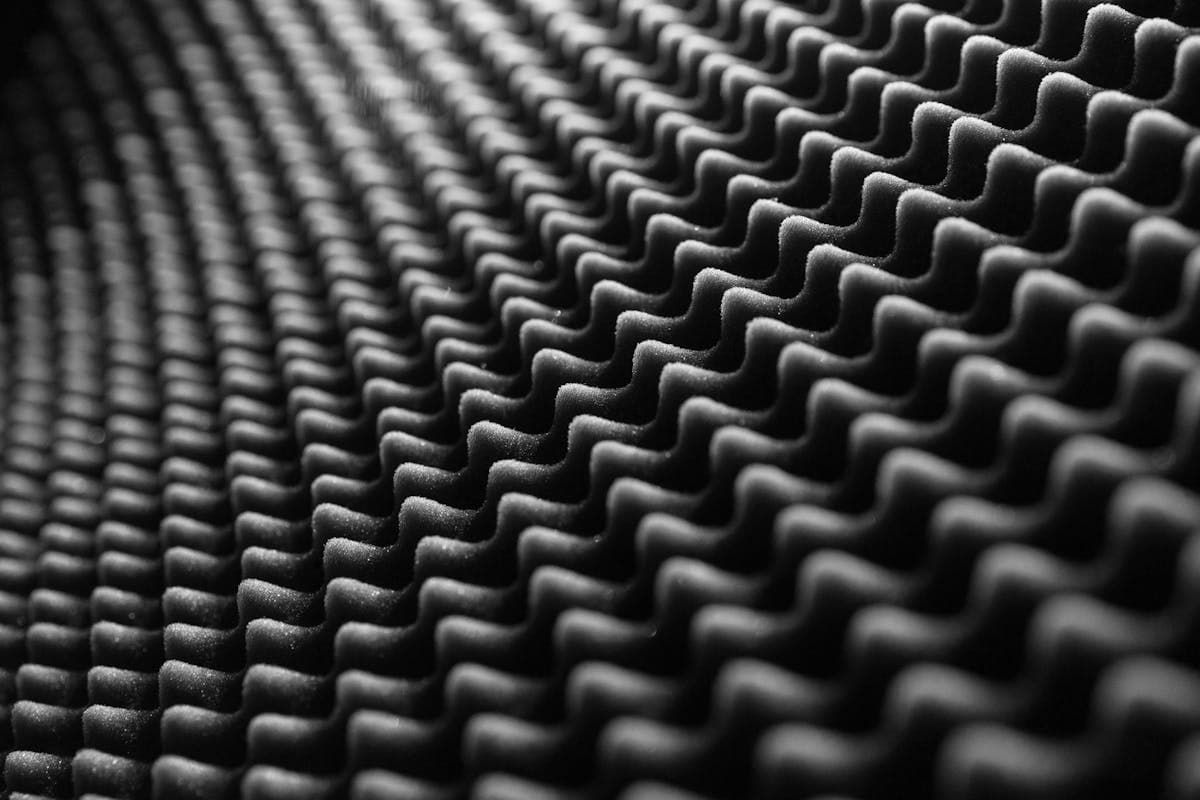
Acoustic foam panels (brands like Auralex) work, but thin 1-2 inch panels mostly absorb frequencies above 1000 Hz. They can leave low-mid frequencies largely untreated, which sometimes produces a recording that sounds odd to human ears while still having measurable noise problems.
Heavy sound blankets absorb a broader frequency range because mass matters for low-mid absorption. They also will not crumble or oxidize over years the way open-cell foam does. For pure speech recording on a budget, purpose-built acoustic blankets beat thin foam panels per dollar spent. If you can afford both, the practical combination is blankets on the walls and foam on the ceiling.
A clothes-filled closet absorbs echo effectively, and some voice artists record in them for this reason. The risk is an overly dead, boxy sound. A practical alternative: open the closet, place the mic just outside facing into the clothes, and record from there. You get most of the absorption benefit without the enclosed acoustic character.
Handling Intermittent Noise
This category rewards prevention the most, because no software recovers a word that was physically masked by a door slam.
Pre-Recording Checklist
- Sign on the door
- Phones in airplane mode, not silent (vibration is audible on hard surfaces)
- System-wide Do Not Disturb enabled (notifications, system sounds)
- Pets in a different room
- Smart speakers unplugged or fully muted (not just on standby)
- Check for scheduled noise: trash collection, delivery vehicles, gardening services, construction on nearby streets
When You Cannot Avoid It
Keep recording rather than stopping and restarting. Continuity breaks create worse editing problems than the noise itself. Note the timestamp of the noise on paper. For interviews, briefly pause speaking until the noise ends rather than talking over it. If a word was clearly masked by the noise, ask the speaker to repeat the affected sentence before moving on. That is faster and cleaner than trying to reconstruct it from context.
What AI Transcription Can Handle Without Fixes
Modern models are more forgiving than people assume. Steady HVAC at normal background levels, light reverb in a furnished home office, and ambient room noise are tolerable. What degrades transcription noticeably: multiple people speaking at once with competing background noise, speech that is physically quieter than the room noise, and heavy reverb in tile or empty rooms where the reflection delay is long.
The cases where room treatment genuinely matters for transcription are echo-heavy rooms and recordings where the speaker is too far from the mic. Mic distance is often the real variable: at 4-6 inches, the direct sound dominates and room reflections become secondary. At 18 inches or more, the room takes over.
For understanding what makes accuracy drop and how to recover from it, transcription accuracy explained goes into the model-level detail.
Room Setup That Prevents 80% of Problems
Running through this before a session takes about 5 minutes:
- Cardioid mic 4-6 inches from the speaker, angled slightly off-axis
- HVAC off, fan off
- Phone in airplane mode
- Computer fan load minimized by closing unnecessary apps
- Soft material behind you (blanket, duvet)
- Soft material under the mic (folded towel on desk)
- System Do Not Disturb enabled
- Sign on the door
Do this setup once when you establish a recording spot and the recordings inherit the work. For a 30-minute deep-dive on the full environment, including gear selection and room choice, the recording environment guide covers it.
If you need a clean transcript from a file that already exists and you cannot re-record it, ConvertAudioToText handles noisy uploads well and gives you a test pass in under a minute for a short clip. That is also how to check whether your room treatment is actually making a difference: record 60 seconds before and after adding a blanket and compare the transcripts.
Common Questions
Does acoustic foam actually work for voice recording?
It depends on which foam you buy. Thin 1-inch panels mostly absorb high frequencies above 1000 Hz and leave low-mid frequencies untreated. Thicker 2-3 inch panels work better. For a small budget, heavy moving blankets or sound blankets cover a broader frequency range and are easier to reposition. A hybrid approach works well: foam on the ceiling for vertical reflections, blankets on walls behind and in front of the speaker.
Will turning off my HVAC really make a difference to transcription accuracy?
Yes, noticeably. A typical home HVAC fan operates around 50-60 dBA. Turning it off drops the noise floor by 15 dB or more, which moves the speech-to-noise ratio from borderline to comfortable for AI models. It is the single highest-impact thing you can do in a home or office recording setup.
How do I know if my room has too much echo?
The hand-clap test: stand where you record and clap once sharply. If you hear a tail, flutter, or a clear bounce off the opposite wall, the room needs treatment. Hard-surface rooms like kitchens, bathrooms, or empty offices almost always fail this test. A furnished living room with carpet, curtains, and a couch often passes without any extra treatment.
Can I just record in my closet instead of treating my room?
A clothes-filled closet absorbs echo well and many voice actors record audiobooks this way. The risk is a boxy, overly-dead sound. The better approach is to open the closet door, position your mic facing the clothes, and record just outside it. You get the absorption without the claustrophobic acoustic character. For interviews or multi-person setups, closet recording is not practical and proper room treatment is the right path.
Sources
- HVAC noise level ranges: SS&B Heating and Cooling - HVAC Noise Levels and Trane - Decibels and HVAC Sound Levels
- Acoustic foam vs. blankets: Second Skin Audio - Moving Blankets vs. Sound Blankets and Differ Blog - Acoustic Foam vs. Sound Blankets
- Closet recording technique: Sweetwater - How to Record Vocals in Your Closet
- Auphonic pricing: Auphonic Pricing
Try transcription free
Convert any audio or video to clean, unwatermarked text — speaker labels, timestamps, and AI summaries included. First 30 minutes free, no account.
Related Articles
Background Noise and Transcription: Fix Existing Audio
How to diagnose background noise in existing recordings, which software tools actually help, and when re-recording beats repair for cleaner transcripts.
Transcribing Poor Audio: What Can Be Saved (2026)
Realistic guidance for transcribing degraded audio: cassette tapes, speakerphone calls, distant mics. What AI handles, what prep helps, and when to hire humans.