 YouTube Transcript
YouTube Transcript Generator: Free, No Signup
Paste a YouTube link, get the full transcript
アカウントがない場合、最初の30分間は無料エンジンで処理されます。単語を間違えたり、発言されていない単語を追加したりすることがあります。 · 無料アカウントを作成すると、最初のファイルはプレミアムエンジンで処理されます。
 Spotify
 Apple PodcastsYouTube
 TikTokVimeoLoomGoogle DriveDropbox
99以上の言語で文字起こしと要約
 English
 Español
 Français
 Português
 Deutsch
 日本語
日本語 Italiano
 中文
中文 हिन्दी
 العربية他89以上
学生・研究者・クリエイターのために
講義の録画からインタビュー、ウェビナーまで、どんな動画も検索・引用・共有できるノートに変換します。





- 99%
- プレミアムエンジンの精度
- 99+
- 言語
- いつでも
- 解約自由・契約なし
- 無料
- 30分間、登録不要
YouTube Transcript Generatorを使う理由
Just Paste the Link
Drop in any YouTube video URL. We pull the video's audio and transcribe it: no downloads, no browser extensions.
Speaker Labels & Timestamps
Speakers are detected and labeled with timestamps, so you can follow along and pull exact quotes.
AI Summary
Get a concise AI summary of the video alongside the full transcript, ready for notes or video descriptions.
Export & Search
Download as TXT or SRT, copy to your notes, and search every word across the video.
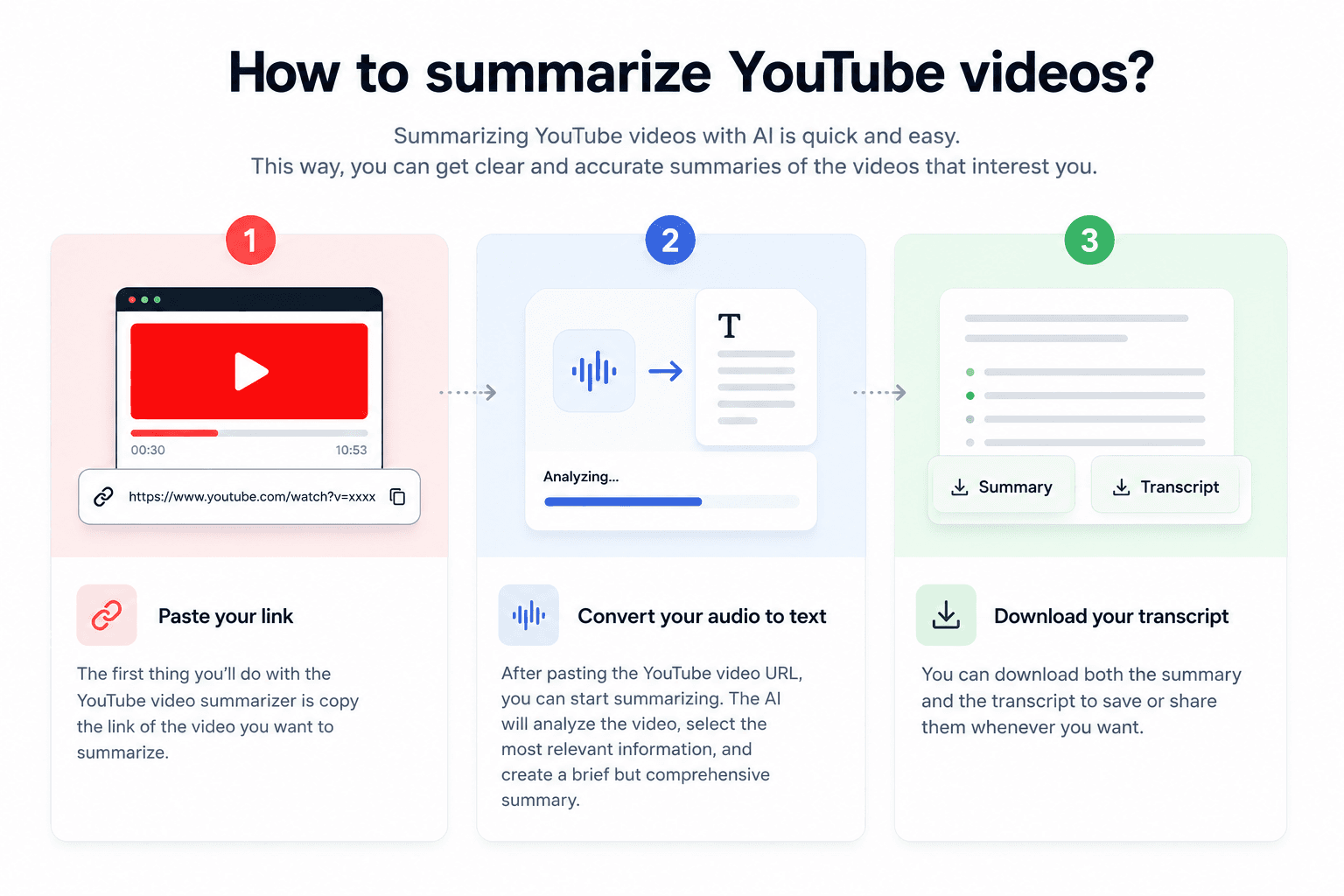
使い方
Paste the YouTube Link
Copy a video link from YouTube (Share -> Copy) and paste it in.
We Fetch & Transcribe
We pull the video's audio and transcribe it with speaker labels and timestamps.
Read, Summarize, Export
Read the full transcript, grab the AI summary, and export to TXT or SRT.
YouTube Transcript Generator vs 手動入力
アップロードが手動文字起こしより常に優れている理由。
| 機能 | CATT | 手動文字起こし |
|---|---|---|
| 最初の下書きまでの時間 | ファイルあたり数分 | 音声1時間あたり8〜10時間 |
| 精度 | クリアな音声で99%、プレミアムエンジン | 担当者の能力による |
| 話者ラベル | 自動 | 手動でタグ付け |
| 言語 | 99言語以上対応 | あなたが話せる言語のみ |
| エクスポート | TXT、DOCX、PDF、SRT、VTT | 手動で作成したもの |
| コスト | 最初の30分間無料 | 毎回あなたの時間 |
文字起こしサービスを比較検討中ですか? CATT と Otter.ai の詳細比較を読む
よくある質問
Copy the video link from YouTube (Share -> Copy), paste it here, and click Get Transcript. We pull the audio and return a full transcript with speaker labels and timestamps.
It works for any public or unlisted YouTube video. Private or age-restricted videos that can't be accessed return a clear message.
Usually yes. We run dedicated speech-to-text with speaker diarization and punctuation, which is typically cleaner than YouTube's auto-generated captions, especially with multiple speakers.
99+ languages with automatic language detection, including English, Spanish, French, German, Portuguese, and Japanese.
No. You can paste a YouTube link and get a transcript without signing up or logging in. Creating a free account keeps your transcript history; longer files come with Pro.
Most videos are transcribed in a fraction of the video's runtime — a 10-minute video typically takes under a minute. Longer videos take a few minutes.
Yes. You can copy the transcript text for free. Downloading as a TXT or SRT file is available on paid plans and the 7-day free trial.