Podcast Clips for Social Media: The Transcript Workflow
Summarize this article with:
A 90-minute conversation contains maybe 4 to 6 moments that will actually land on social media as standalone clips. Finding those moments in the audio takes hours. Finding them in the transcript takes 15 minutes. Here is the workflow.
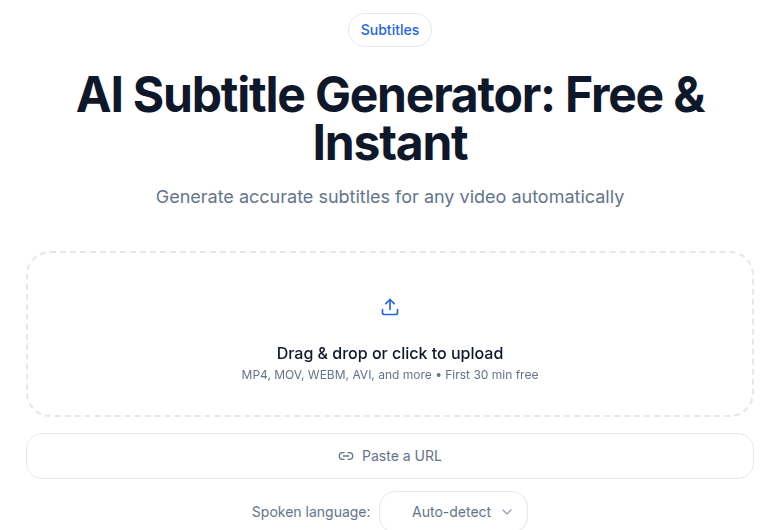 Burned captions make clips watchable with sound off
The 3-Step Clip Workflow
The three steps are: transcribe with timestamps, hunt the transcript for hook lines, then cut and caption for each platform. Everything else in this post is detail inside those three steps.
Step 1: Get a Timestamped Transcript and Search It
Upload your episode to ConvertAudioToText. The transcript that comes back has timestamps on every paragraph. That is the raw material.
Now search it, literally. Open the transcript in any text editor and use Cmd+F or Ctrl+F to find the words that tend to appear in strong clip moments:
Search for superlatives and absolutes. Words like "never," "always," "the real reason," "most people don't," "the problem is," "here's what actually" almost always appear in or near a strong standalone claim. Run each of those searches and read the surrounding sentence.
Search for numbers. "18 months," "three times," "$40,000," "95 percent" are specific and specific is shareable. Every number in the transcript is a candidate.
Search for short sentences. Scroll to any place where the speaker's paragraph is unusually short. Short sentences in a long conversation usually mean the speaker landed a sharp point.
This approach takes 10 minutes on a 60-minute episode and reliably surfaces 6 to 10 candidate moments. You are not reading for meaning. You are pattern-matching for clip anatomy.
What makes a moment a clip
Three features predict whether a 60-to-90 second clip will travel:
Standalone comprehension. The clip makes sense without context. If a viewer needs to know what came before, the clip will not travel.
Specific claim. "Productivity is important" is not a clip. "Most calendar advice fails because it treats email as a separate system" is a clip. Specificity is what makes content shareable.
Emotional register. Surprise, counter-intuition, humor, or vulnerability. Information without emotional payload is forgettable on a scroll.
Clips that check all three are rare, maybe one or two per hour of conversation. Those are worth producing for every platform. Clips that check two of three are worth producing for one or two platforms. Clips that check only one are not worth the time.
Step 2: Define Cut Points From the Timestamps
For each shortlisted moment in the transcript, note the paragraph timestamp. Then listen to that section, 30 to 60 seconds before and after the marked moment, to confirm:
- The audio quality holds up (background noise, crosstalk, stumbles)
- The speaker's delivery is engaged, not flat
- There is a clean entry point and a clean exit point
About 30 to 40 percent of transcript candidates fail this audio check. The text reads well but the audio is flat or the speaker stumbles. Drop them.
For the survivors, define exact in and out timecodes:
- Cut a beat or two before the strong statement so the viewer does not land mid-thought
- Cut immediately after the statement ends; do not let the clip trail
- Never cut mid-sentence
- Cut on a breath out rather than a breath in
These small cut-point decisions separate professional clips from amateur ones. The 3-second rule applies: if the clip does not hook within the first 3 seconds, trim your in-point until it does.
Step 3: Caption and Format Per Platform
Captions first, always
Auto-captions on every major platform are inaccurate enough to hurt perceived quality. They miss proper nouns, technical terms, and any speaker talking faster than about 130 words per minute. You have the transcript already. Use it.
The fastest path: export your transcript from ConvertAudioToText as an SRT file, import it into your video editor, and adjust timing against the clip's start timecode. The words are already spelled correctly. You are only adjusting the cue timing, which takes 3 to 5 minutes per clip.
For burning captions into the video, the subtitle generator handles this step without needing a full desktop editor. For more styling control, CapCut works well for animated word-by-word highlights (free tier, though some caption styles have been gated behind a subscription in 2026). Descript's Creator plan ($35/month) includes AI clip selection and animated caption templates if you are already editing in Descript.
Animated captions, where one or two words highlight at a time, consistently show higher retention than static captions. The karaoke-style approach works because it gives the viewer's eye something to track.
Platform formats and lengths (verified 2026)
The same clip content gets reformatted, not re-recorded, for each platform. The work is cut points and aspect ratio, not new content.
| Platform | Aspect ratio | Technical max | Algorithm sweet spot | Caption style |
|---|---|---|---|---|
| Instagram Reels | 9:16 vertical | 15 minutes (uploaded) | Under 90 seconds for discovery | Animated, burned in |
| TikTok | 9:16 vertical | 60 min (uploaded), 10 min (in-app) | 21-34 seconds for FYP reach | Animated, burned in |
| YouTube Shorts | 9:16 vertical | 3 minutes | 50-60 seconds | Burned in or SRT |
| 1:1 or 16:9 | 15 min (desktop), 10 min (mobile) | 1-2 minutes | Burned in | |
| X (Twitter) | 16:9 or 1:1 | 140 seconds (free accounts) | 15-45 seconds | Burned in |
A few things worth noting from these numbers:
YouTube Shorts extended its limit to 3 minutes in October 2024. The old 60-second cap no longer applies, but data from studies of thousands of Shorts still shows the 50-to-60-second range earning the most views relative to effort.
TikTok's technical limit is now 60 minutes for uploaded videos, but the For You Page algorithm is ruthless at the 30-second mark. If your clip loses a viewer before 30 seconds, it stalls. Design your in-point accordingly.
LinkedIn's algorithm in 2026 rewards videos under 2 minutes for organic reach. Longer than that is fine for thought leadership in a niche audience, but expect narrower reach.
X has a hard 140-second wall for free accounts. If you are not on X Premium, 2 minutes and 20 seconds is your ceiling. Practically, 15 to 45 seconds performs best regardless.
One clip, five formats
For one piece of source content, expect to produce:
- A 9:16 vertical cut for Reels and TikTok (same file, same aspect ratio)
- A 9:16 vertical cut for Shorts (may need a different in/out for the 50-to-60-second sweet spot)
- A 1:1 or 16:9 cut for LinkedIn
- A 16:9 cut for X, trimmed under 140 seconds
The content is the same. The in/out points and the aspect ratio crop change. Total time per clip across these four formats: 25 to 40 minutes including captions. For 4 clips per episode across 4 platforms, that is roughly 2 to 3 hours per week. Know that going in.
Tools for Each Part of the Workflow
Transcription with timestamps: ConvertAudioToText produces a timestamped, speaker-labeled transcript in a few minutes. If you just need a clean transcript without a meeting bot or a heavy monthly subscription, it covers the transcription step without friction.
AI clip discovery: Opus Clip ($0 free for 60 min/mo, $15/mo Starter for 150 min at 720p, $29/mo Pro for 300 min at 1080p with auto-posting) scans your audio or video for high-virality moments and scores them. It works well as a second pass after your own transcript scan. The overlap between what you flag and what it flags is usually high. The candidates it catches that you miss tend to be moments with strong audio energy. The candidates you catch that it misses tend to be moments where the clip works because of subtle delivery.
Caption burn-in and editing: CapCut (free, with some caption styles behind a subscription in 2026) is the default for Reels and TikTok creators. Descript (Creator plan, $35/month billed monthly) integrates transcription, editing, and animated captions in one place. The subtitle generator handles SRT-to-burned-video without a desktop editor.
Distribution: If you are producing 5 or more clips per week, a distribution layer like Repurpose.io takes one clip file and auto-formats and posts it across platforms. Below that volume, manual posting is faster than the setup cost.
What Actually Travels and What Does Not
After looking at a lot of podcast clips that moved and many more that did not, three patterns show up consistently:
Counter-intuitive claims travel. "Most productivity advice is wrong about this" performs better than "Here are productivity tips."
Concrete numbers and examples travel. "I tried this for 18 months and tracked the results" performs better than "I tried this approach." The number makes the claim verifiable, even if the viewer never verifies it.
Strong delivery travels. A clip where the speaker is visibly engaged with the idea performs better than the same words delivered flatly. This is why the audio check in Step 2 matters. Great content in a flat delivery is a bad clip. Good content in a great delivery is a good clip.
The implication: you are not just hunting for interesting content. You are hunting for interesting content delivered with energy that lands without context.
Three Mistakes That Waste the Effort
Clipping the moments that meant something in the conversation. What was significant in context is often weak out of context. The story the guest told in minute 47 that the host called "amazing" may need 20 minutes of setup to land. Strip that setup and the clip means nothing. Only clip moments that are self-contained.
Using platform auto-captions without correction. They will misspell your guest's name, your show's niche terminology, and any proper noun that is not generic. One visible misspelling in the first 5 seconds of a clip hurts the credibility of the clip for its entire run.
Spreading across too many platforms at once. Better to do 2 platforms well than 5 platforms badly. The audience that finds you via LinkedIn clips and the audience that finds you via TikTok are often different people with different expectations. Pick the two platforms where your actual audience spends time and do those properly before expanding.
For Non-English Podcasts
The workflow is identical for non-English shows. ConvertAudioToText supports transcription in 99+ languages with speaker diarization. The transcript-search step works the same way, the cut-point logic is the same, and the caption workflow is in the original language.
For shows that want to reach English-speaking audiences with non-English content, the standard approach is English subtitles over the original audio. This preserves delivery authenticity while opening up the clip to a broader audience. Animated bilingual captions, original language on top and English below, perform particularly well for language learners and curiosity-driven viewers.
For more on the broader post-production workflow, the transcription for podcasters complete guide covers where clips fit inside the full episode workflow. For automated show notes from the same transcript, see the how to create podcast show notes automatically guide.
FAQ
How long should a podcast clip be for social media in 2026?
It depends on the platform. For TikTok, the For You Page algorithm favors 21-34 seconds. For Instagram Reels, under 90 seconds maximizes discovery reach. For YouTube Shorts, 50-60 seconds consistently earns the most views per upload. For LinkedIn, 1-2 minutes works for organic reach. For X (Twitter), 15-45 seconds outperforms longer clips, and free accounts are hard-capped at 140 seconds total. The safe universal target for a clip that will work across all five platforms is 45-60 seconds.
Do I need to burn captions into podcast clips?
Yes, for any platform where the clip may autoplay without sound, which is most of them. Captions are not accessibility-optional on social media clips. They are table stakes. Platform auto-captions are inaccurate enough to hurt quality, so always generate your own from the transcript and either burn them in or import the SRT file into your editor. Animated captions where one or two words highlight at a time consistently show higher retention than static captions.
What is the fastest way to find the best moments in a long podcast episode?
Transcribe the episode first and search the text. Use Ctrl+F or Cmd+F to find trigger words: "never," "always," "the real reason," "most people don't," any number or dollar figure, and any very short sentence. These patterns appear in or near strong standalone moments. This text-search approach takes 10-15 minutes on a 60-minute episode. Compare your shortlist against an AI clip tool like Opus Clip for a second pass. The overlap tends to be high; the gaps in each direction are informative.
Should I post the same clip on every platform?
Not without reformatting. The same content works across platforms, but the aspect ratio, in/out timing, and clip length need to be adjusted per platform. TikTok and Reels want 9:16 vertical and under 90 seconds for discovery. YouTube Shorts want 9:16 and 50-60 seconds. LinkedIn wants 1:1 or 16:9 and 1-2 minutes. X wants 16:9 and under 45 seconds for free accounts. Posting a horizontal clip to TikTok or a 3-minute clip to X (free account) means the platform will not serve the content. The reformatting takes 5-10 minutes per clip per platform once you have the source clip ready.
Sources
- Instagram Reels length limits 2026: https://www.kontentino.com/q-and-a/how-long-can-instagram-reels-be/
- TikTok video length guide 2026: https://sociality.io/blog/tiktok-video-length/
- YouTube Shorts length guide 2026: https://piktochart.com/blog/how-long-youtube-shorts/
- LinkedIn video specs 2026: https://www.linkboost.co/blog/linkedin-video-specs-requirements-2026/
- X (Twitter) video length limits 2026: https://www.dmpro.ai/blog/twitter-video-length-limit
- Opus Clip pricing 2026: https://www.opus.pro/pricing
- Descript pricing 2026: https://www.descript.com/pricing
- CapCut captions 2026: https://www.capcut.com/tools/add-subtitles-to-video
- Podcast clip engagement data 2026: https://quso.ai/blog/social-media-video-length-best-practices
Try transcription free
Convert any audio or video to clean, unwatermarked text — speaker labels, timestamps, and AI summaries included. First 30 minutes free, no account.
Related Articles
How to Create Podcast Show Notes Automatically (2026 Workflow)
Turn any podcast recording into complete show notes in under an hour. Step-by-step automation pipeline: transcript, AI summary, timestamps, links, and final polish.
How to Promote a Podcast With Transcripts: 8 Tactics (2026)
Transcripts unlock podcast promotion beyond SEO: quote graphics, guest-shareable excerpts, newsletter pull-quotes, and community answers that actually grow your audience.