
How to Create Podcast Show Notes Automatically (2026 Workflow)
Summarize this article with:
You can generate a complete first draft of podcast show notes from raw audio in four steps: transcribe the episode, pass the transcript to an AI model with a structured prompt, edit for accuracy and voice, then add links manually. The AI handles roughly 80 percent of the work. The 20 percent you add is what makes the notes feel human.
You can turn a raw podcast recording into complete show notes in under an hour using a transcript-first automation pipeline. The steps are: transcribe the episode, run the transcript through an AI model with a structured prompt, edit for accuracy, then add links. That is the whole workflow. Everything below is the detail that makes each step work.
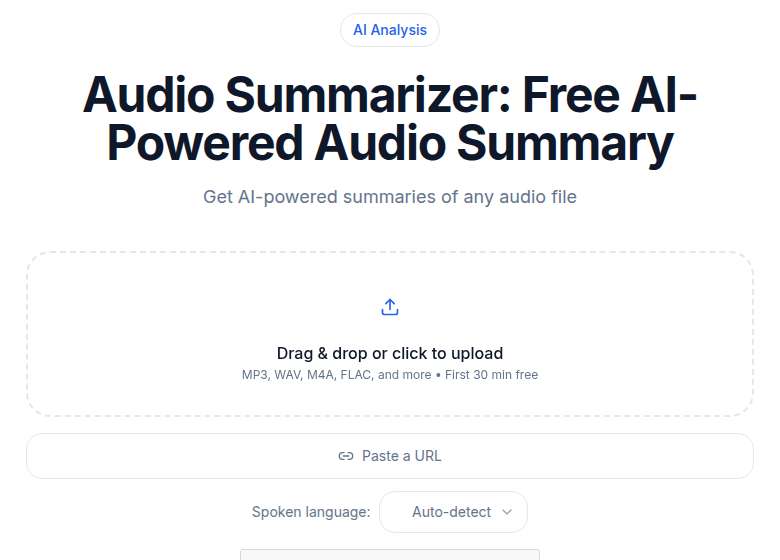 An AI summary of the episode is the raw material for show notes
Why the Transcript Comes First
Every reliable show notes automation workflow starts with a transcript, not with audio fed directly into a show notes tool. A transcript gives you a fixed, searchable text artifact you can verify, edit, and reuse. It is also what powers timestamped chapters with real accuracy: tools that generate timestamps from audio alone tend to drift; tools that read word-level timing data from a transcript hit within a few seconds.
If your episode contains technical terms, unusual names, or specialized vocabulary, read the raw transcript for errors before passing it to the AI. Fixing "Dr. Ramachandran" before the AI draft saves you from correcting it in five places afterward.
ConvertAudioToText transcribes audio and video in 99+ languages with speaker labels included. For English episodes, it also generates an AI summary you can use as the seed for your episode description. Upload the finished edit, not the raw recording, to keep the transcript clean.
The Four-Step Automation Pipeline
Step 1: Transcribe
Upload your edited episode file. A 45-minute episode processes in roughly one to five minutes depending on the service. You want speaker labels turned on, and you want the output in plain text that you can copy easily. Export as TXT for the next step.
Step 2: Prompt an AI Model for the Draft
Open ChatGPT, Claude, or a similar model. Paste the transcript and use a prompt that specifies the exact output structure you want. A prompt that works:
You are a podcast producer. Using the transcript below, write structured show notes with these sections:
1. Episode summary (150 words, written for a listener deciding whether to play the episode)
2. Topics covered with timestamps (bullet list, format: [MM:SS] Topic description, one sentence)
3. Key quotes (3-5 standalone quotes with speaker attribution)
4. Resources mentioned (book/tool/person/URL, list everything you can identify)

Transcript:
[paste here]
The output will cover roughly 80 percent of what you need. Claude handles long transcripts particularly well; hour-long episodes paste in without truncation issues.
Save this prompt somewhere you can paste it every week. A saved prompt is the single highest-leverage time investment in this workflow.
Step 3: Edit for Accuracy and Voice
Read every line of the AI draft. The common failure points are:
Generic topic descriptions. AI often writes "discusses productivity strategies" when the actual argument was "argues that to-do lists create false urgency and should be replaced by time-blocking." Make the description specific.
Wrong speaker attribution on quotes. When two voices are acoustically similar, the transcription or the AI can swap them. Verify each quoted speaker against your memory of the conversation.
Missed nuance on specialized topics. Medical, legal, financial, and technical episodes often have distinctions that matter to the audience. The AI summary will flatten them. Restore the specificity for the parts your listeners care about most.
Guest name and affiliation errors. Always verify spelling of the guest's name, their current title, and their company before publishing.
Budget 10-15 minutes for this pass.
Step 4: Add Links Manually
Go through the resources section line by line and add a URL to every book, tool, person, study, and company mentioned. This is the most manual part of the workflow and there is no reliable way to automate it fully. AI models hallucinate URLs at a meaningful rate, so verify every link before publishing.
A plain text file of your most frequently referenced resources saves time across episodes. If you discuss the same three productivity apps every month, one lookup is enough.
What the AI Gets Right
AI show notes generation is genuinely reliable on three tasks.
Timestamp extraction. Given a transcript with word-level timing, AI produces chapter markers at the right level of granularity: specific enough to be useful for navigation, not so granular they become noise.
Summary writing. A well-prompted model produces an episode summary that captures the actual argument made, not just the surface topic. This is the section listeners read when deciding whether to play the episode, and good AI output here rivals what most humans write in a hurry.
Entity recognition. Books, tools, people, and companies mentioned in the episode get pulled out reliably. The remaining work is just adding links.
What the AI Gets Wrong
Three failure patterns come up consistently.
Hallucinated URLs. AI models confidently invent URLs that do not exist. Never publish a link from AI output without checking it.
Vague topic descriptions. "Talks about email" instead of "explains why inbox-zero is a time trap for knowledge workers." Fix every generic description.
Misattributed quotes in multi-speaker episodes. The more speakers in the episode, the higher the error rate. A transcript with good speaker labels reduces but does not eliminate this.
The Show Notes Structure That Works
Your AI output should map onto a consistent structure. For the full section-by-section template with formatting guidance, see the podcast show notes template post. The short version: a 150-word summary, timestamped topics, three to five key quotes, a resources list, and the full transcript. That structure serves three audiences at once: listeners deciding whether to play, search engines indexing the page, and returning listeners looking for a resource they heard mentioned.
On word count: effective show notes run 800-2000 words before the transcript. One paragraph serves nobody.
SEO in One Paragraph
The full transcript is the page's primary SEO asset, not the summary. Publish it. Use specific long-tail phrases in your topic descriptions ("ADHD task management for remote workers" outranks "productivity tips"). Link each new episode to two or three related episodes to build internal link structure over time. For deeper mechanics, the transcription for podcasters complete guide covers what actually moves rankings.
Adapting the Workflow by Genre
Interview podcasts. Put more weight on the guest bio and the quotes section. The AI draft of the guest bio is usually generic; add one specific credential that is relevant to this particular conversation.
Solo podcasts. Skip the guest bio section. Expand the resources list, since solo episodes often cite more material.
News and commentary. The resources section becomes a linked sources section. The transcript is especially important here because listeners return to verify facts.
Educational and tutorial. The timestamped topics list is the most valuable section. Make each timestamp description specific enough that a listener can jump directly to the concept they want to review.
The interview podcast workflow covers the specific editing and publishing patterns for interview shows.
The Compounding Math
A weekly podcast publishes 50 episodes a year. If the automation workflow saves 60 minutes per episode compared to writing show notes manually, that is 50 hours recovered annually. At 100 episodes, the time savings is enough to produce a full second season.
The systems you set up now compound. A saved prompt, a resources reference file, a consistent structure, a reliable transcription source: each one takes 30 minutes to create once and saves 10 minutes every week indefinitely.
My take: the weakest link in most podcasters' show notes workflow is not the AI model and not the transcription quality. It is the habit of skipping the link-adding step because it feels tedious. Those resource links are what past listeners come back for, and they are what drives referral traffic from authors and companies you mention. Do not skip step four.
If you want a transcript without a meeting bot or a subscription to a full suite, ConvertAudioToText's audio-to-text tool processes files directly with speaker labels and exports a clean TXT you can paste straight into your AI prompt.
FAQ
What is the fastest way to create podcast show notes automatically?
Transcribe the episode, then paste the transcript into an AI model (ChatGPT, Claude, or Gemini) with a prompt specifying the sections you want: summary, timestamped topics, key quotes, and resources. A 45-minute episode typically produces a usable draft in under five minutes. Plan 15-20 minutes for editing and adding links.
Do I need a dedicated show notes tool, or can I use a general AI?
General AI models work well once you have a clean transcript. Purpose-built tools like Podsqueeze, Riverside, and Cleanvoice combine transcription and note generation in one step, which removes the copy-paste step. If you already have a transcription workflow, a general AI with a saved prompt is often faster and cheaper.
How accurate are AI-generated timestamps in podcast show notes?
Accuracy depends on whether the underlying transcript has word-level timestamps. When the transcription engine returns word-level timing data, AI-generated chapter markers are usually accurate within a few seconds. When timestamps are estimated from paragraph position, they can drift by 30-60 seconds on longer episodes.
Should I publish the full transcript alongside the show notes?
Yes. The transcript is the page's primary SEO asset. Listeners who want audio listen; readers who want text read. Adding a full transcript expands your audience rather than cannibalizing it, and it makes the episode accessible to people who are deaf or hard of hearing.
How long should podcast show notes be?
Show notes that serve listeners, search engines, and returning readers typically run 800-2000 words. That includes the summary, timestamped topics, a key quotes section, a resources list, and the full transcript. One-paragraph show notes serve none of those audiences well.
Sources
- ConvertAudioToText tools page - feature verification
- ConvertAudioToText meeting transcription - AI summary and export format confirmation
- Riverside show notes feature - feature scope verification
- Podsqueeze - show notes generation feature verification
- Cleanvoice AI podcast summarization - feature verification
- Fello AI: 50 Essential AI Prompts for Podcasters 2026 - prompt patterns research
Try transcription free
Convert any audio or video to clean, unwatermarked text — speaker labels, timestamps, and AI summaries included. First 30 minutes free, no account.
Related Articles

Podcast Show Notes Template: 4 Formats, Copy and Fill
Copy-paste show notes templates for interview, solo, panel, and narrative podcasts. Pick your format, fill in the fields, publish in under 30 minutes.
Podcast Transcription for Show Notes: A Faster Workflow for Hosts and Producers
Learn how hosts and producers use CATT to turn podcast episodes into accurate transcripts, AI summaries, and timestamped show notes for faster publishing.