
Podcast Show Notes Template: 4 Formats, Copy and Fill
Summarize this article with:
Grab a Template
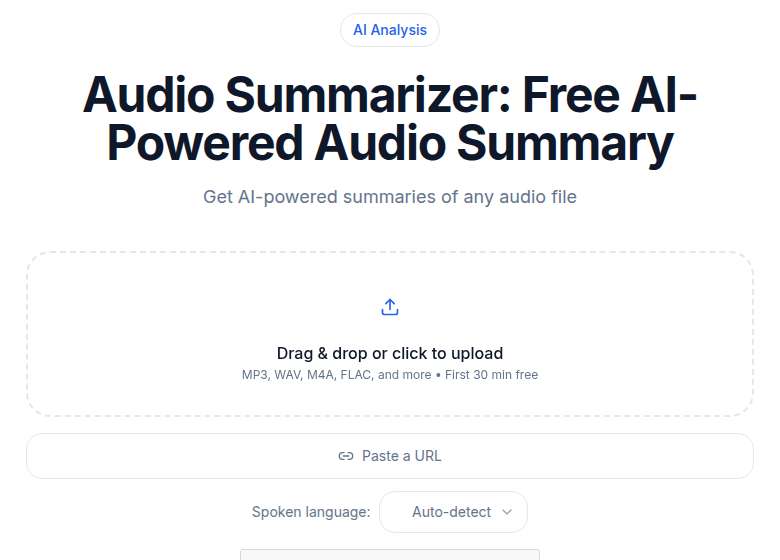 The summary block seeds the template fields
Four templates below, one for each common show format: interview, solo, panel, and narrative. Pick the one that matches your show, copy the code block, fill in the bracketed fields, and you have a complete set of show notes. The automation workflow that turns a transcript into a first draft lives in a separate guide on creating show notes automatically. This post is strictly the structures.
Template 1: Interview Show
The most common format. Each episode brings a different guest, and the show notes have to do two jobs at once: tell new listeners who the guest is and tell returning listeners what this conversation specifically covered.
The guest bio section is not optional. People decide whether to listen based on the guest's credibility, not the topic headline alone.
[Episode title - Guest Name: Specific Topic or Claim, 60 chars max]

## Episode Summary

[2 paragraphs, 100-180 words total. First paragraph introduces the
guest and the central topic of this conversation. Second paragraph
describes what listeners will specifically learn or take away from
this episode - not what the show covers in general.]

## About [Guest Name]

[1 paragraph, 60-100 words. Guest's relevant background, current
role, and 1-2 specific credentials that matter for this conversation.
Skip generic bios - include only what makes this guest authoritative
on today's topic.]

Connect with [Guest Name]:
- Website: [link]
- LinkedIn: [link]
- X/Twitter: [link]

## What We Cover

- [00:00] Introduction and background
- [MM:SS] [Topic 1 - specific, 5-8 words]
- [MM:SS] [Topic 2]
- [MM:SS] [Topic 3]
- [MM:SS] [Topic 4]
- [MM:SS] [Topic 5]
- [MM:SS] [Topic 6]

[Aim for 8-15 timestamps on a 60-minute episode. Each label should
describe the specific argument or story, not just the subject area.]

## Key Insights

1. [Insight 1 - one specific, quotable claim from the guest, 1-2
   sentences]
2. [Insight 2]
3. [Insight 3]
4. [Insight 4]
5. [Insight 5]

## Quotes

> "[Direct quote from the guest]" - [Guest Name]

> "[Direct quote from the guest]" - [Guest Name]

> "[Direct quote from the guest]" - [Guest Name]

## Resources Mentioned

- [Book, tool, or article 1](link)
- [Book, tool, or article 2](link)
- [Book, tool, or article 3](link)

## Full Transcript

[Full speaker-labeled transcript. Speaker format: "GUEST NAME: text"
or "HOST: text" on a new line before each speaker change.]
Template 2: Solo Show
Solo episodes are structured differently because there is no guest to introduce. The notes have to carry the content load. Listeners scan them to decide if the episode covers the specific sub-topic they need, so the outline section matters more here than anywhere else.
Specific learning outcomes outperform generic topic labels. "You'll be able to do X" beats "we discuss X."
[Episode title - Specific Topic or Claim, 60 chars max]

## Episode Summary

[2 paragraphs, 100-180 words. First paragraph frames the topic and
the specific reason it matters right now. Second paragraph describes
what listeners will take away - a decision they can make, a skill
they can apply, a perspective shift.]

## What You'll Learn

- [Specific, concrete outcome 1]
- [Specific, concrete outcome 2]
- [Specific, concrete outcome 3]
- [Specific, concrete outcome 4]

## Episode Outline

- [00:00] Introduction
- [MM:SS] [Section 1 label]
- [MM:SS] [Section 2 label]
- [MM:SS] [Section 3 label]
- [MM:SS] [Section 4 label]
- [MM:SS] [Section 5 label]
- [MM:SS] Wrap-up and next steps

## Key Points

1. [The most important substantive point from the episode, 2-3
   sentences]
2. [Second point]
3. [Third point]
4. [Fourth point]
5. [Fifth point]

[Aim for 5-8 key points. Each one should be self-contained enough
that a reader who never listens gets value from the list.]

## Resources

- [Resource 1](link)
- [Resource 2](link)
- [Resource 3](link)

## Related Episodes

- [Past episode title](link to episode page)
- [Past episode title](link to episode page)
- [Past episode title](link to episode page)

## Full Transcript

[Full transcript here.]
Template 3: Panel Show
Panel episodes have multiple guests or co-hosts contributing opinions throughout, which creates a specific problem: listeners cannot tell from a generic summary who said what. The template solves this by surfacing the cast up front and using speaker attribution in the transcript.
A panel show's value is the friction between perspectives. Show notes that surface where panelists disagreed do better than notes that give a neutral summary of "topics discussed."
[Episode title - Topic or Debate Framing, 60 chars max]

## Episode Summary

[2 paragraphs, 100-180 words. First paragraph introduces the central
topic or question the panel addresses and briefly names all
participants. Second paragraph summarizes the range of views or the
main points of contention - not just what was discussed, but where
the panel agreed and where they pushed back.]

## Panelists

**[Name 1]** - [Title, company, or relevant credential. 1 sentence.]
**[Name 2]** - [Title, company, or relevant credential. 1 sentence.]
**[Name 3]** - [Title, company, or relevant credential. 1 sentence.]
[Hosted by: [Host Name]]

## Segment Breakdown

- [00:00] Introductions and framing the question
- [MM:SS] [Segment 1 - name the argument, not just the topic]
- [MM:SS] [Segment 2]
- [MM:SS] [Segment 3]
- [MM:SS] Open debate / audience Q&A [if applicable]
- [MM:SS] Closing positions

## Points of View

**[Name 1] argues:** [1-2 sentences on their core position]
**[Name 2] argues:** [1-2 sentences on their core position]
**[Name 3] argues:** [1-2 sentences on their core position]

## Key Quotes

> "[Quote]" - [Speaker Name]

> "[Quote]" - [Speaker Name]

> "[Quote]" - [Speaker Name]

## Resources Mentioned

- [Resource 1](link)
- [Resource 2](link)
- [Resource 3](link)

## Full Transcript

[Full speaker-labeled transcript. Use consistent speaker labels:
"SPEAKER NAME: text" before each speaker change. This is especially
important for panels - listeners use the transcript to find who
said what.]
Template 4: Narrative or Documentary
Narrative podcasts tell a story across an episode. The show notes serve a different purpose: they frame the story without spoiling it, signal the emotional tone, and give the production team credit. A guest bio section makes no sense here; chapters and credits do.
Content warnings belong here, not buried in the audio intro. Listeners deserve the option to opt out before they start.
[Episode title - Story Hook or Episode Number: Title, 60 chars max]

## About This Episode

[2 paragraphs, 100-180 words. First paragraph introduces the story
or subject of this episode without giving away key turns. Second
paragraph describes the emotional or thematic territory - what kind
of story this is and who it matters to. Avoid plot spoilers.]

[Content warning if applicable: "This episode contains discussion
of [topic]. Listener discretion is advised."]

## Chapter Guide

- [00:00] Cold open
- [MM:SS] [Chapter 1 title or scene label]
- [MM:SS] [Chapter 2]
- [MM:SS] [Chapter 3]
- [MM:SS] [Chapter 4]
- [MM:SS] Credits

[Use evocative chapter titles that build interest without spoiling.
"The call that changed everything" works. "Phone call" does not.]

## Key Figures

[For documentary-style shows only: brief 1-sentence identification
of each real person featured in the episode.]

- [Person 1]: [Role or relevance, 1 sentence]
- [Person 2]: [Role or relevance, 1 sentence]

## Credits

Reported and written by: [Name]
Produced by: [Name]
Sound design: [Name]
Additional reporting: [Name]
Music: [Title/Composer or license source]
Original air date: [Date]

## Sources and Further Reading

[For documentary and investigative shows: list primary sources,
reports, books, or documents referenced.]

- [Source 1](link)
- [Source 2](link)
- [Source 3](link)

## Full Transcript

[Full transcript. For narrative audio, include sound design cues
in brackets: [MUSIC FADES], [ARCHIVAL AUDIO], [AMBIENT SOUND].
This makes the transcript a complete document for accessibility,
not just a word-for-word text dump.]
Format Variations for Specific Niches
The four templates above cover most shows. A few niches need specific additions.
Technical podcasts. Add a Code and Commands section if the episode discusses specific implementations. Listeners often return to episode pages to find a command or configuration they heard months ago.
Health and medical podcasts. Add a disclaimer paragraph before the episode summary. Reference any studies mentioned with full citations in the Resources section.
Legal podcasts. Add a legal disclaimer. Cite any cases or statutes mentioned.
True crime and investigation. Add content warnings prominently above the fold, before the episode summary. Some listeners want to decide before they start.
Where Show Notes Actually Render
Before you spend time formatting, it helps to know what survives distribution.
| Platform | Character limit | HTML supported |
|---|---|---|
| Apple Podcasts | ~4,000 characters | p, ul/li, a href |
| Spotify | No published hard limit | p, ul/li, a href, h1/h2, br |
| Your website/CMS | No limit | Full HTML/MDX |
Apple Podcasts and Spotify both render basic HTML: paragraphs, bullet lists, and links. Bold and italic tags are inconsistently supported across apps. The safest formatting uses paragraph breaks and bullet points only. Keep the first 155 characters of your description clean and specific; many apps treat them as a meta snippet.
The full transcript section belongs on your website page, not in the RSS feed. Most hosting platforms let you publish extended show notes on your site that are separate from what ships in the RSS description. Put the long-form notes and transcript on the page; put the 1,000-to-2,000-character summary in the RSS field.
See the podcast accessibility transcripts guide for the accessibility case for transcripts, and the podcast chapter markers guide for how chapter timestamps translate across apps.
Generating the First Draft
If you want to fill these templates from a transcript rather than from memory, that workflow lives in the companion post on creating podcast show notes automatically. The short version: transcribe the episode, run the transcript through an AI prompt shaped around whichever template above applies, then edit the output for accuracy and voice. If you just need a clean transcript without an automated workflow, ConvertAudioToText handles the transcription step for any audio or video file.
The transcription for podcasters complete guide covers where show notes fit inside the broader post-production workflow.
Common Questions
How long should podcast show notes be?
Apple Podcasts displays up to 4,000 characters of episode description text. Spotify has no published hard limit but aligns with that industry standard. For your website, longer is better for SEO, especially if you include a full transcript. Keep the first 155 characters tight because many apps treat them as a meta description snippet.
What HTML tags work in podcast show notes?
Apple Podcasts supports paragraphs (p), unordered lists (ul/li), and hyperlinks (a href). Spotify supports the same tags and also renders headers (h1/h2) and handles plain line breaks. Bold and italic tags are inconsistently rendered across apps, so avoid relying on them. Your podcast hosting platform may convert these tags before distributing to directories.
Do I need a full transcript in my show notes?
Not strictly required, but it is the single highest-impact addition you can make to a show notes page. Search engines index transcript text, which turns each episode page into a long-form document that can rank for dozens of specific phrases. Without it, your episode page typically has fewer than 300 words of indexable text.
How do I generate timestamps for show notes quickly?
Transcribe the episode first. A speaker-labeled transcript makes it straightforward to scan for topic shifts and note the time. From a transcript you can pull timestamps manually in a few minutes, or use an AI prompt to scan the text and output a timestamped topic list. The transcript is the foundation; everything else builds on it.
Sources
Try transcription free
Convert any audio or video to clean, unwatermarked text — speaker labels, timestamps, and AI summaries included. First 30 minutes free, no account.
Related Articles
How to Create Podcast Show Notes Automatically (2026 Workflow)
Turn any podcast recording into complete show notes in under an hour. Step-by-step automation pipeline: transcript, AI summary, timestamps, links, and final polish.
Podcast Transcription for Show Notes: A Faster Workflow for Hosts and Producers
Learn how hosts and producers use CATT to turn podcast episodes into accurate transcripts, AI summaries, and timestamped show notes for faster publishing.