
Transcription for Customer Support: QA to Knowledge
Summarize this article with:
Where Transcripts Fit in Support
Every support call is a timestamped record of what your product is actually doing to real people. The transcript of a customer calling at 11pm about a broken export flow tells you things that no survey will: the exact phrasing they used, the workarounds they attempted, how their tone shifted when the agent said "we'll look into it." Most of that disappears the moment the call ends because nobody writes it down completely. Transcripts capture it, and they make it searchable.
This guide is for support managers and ops leads, not individual agents. The workflow topics here are QA sampling, escalation review, knowledge-base mining, and the honest limits of CSAT correlation via sentiment. It assumes you already have call recordings and you want to make them useful.
Why Agent Ticket Notes Miss the Point
Standard support tickets contain a paragraph written by the agent after the call, filtered through what they remembered, thought was important, and had time to type. The things that vanish consistently:
- The customer's exact wording for the problem. This differs from how agents describe it, often significantly. "The button doesn't do anything" and "the export fails silently" describe the same bug differently.
- Workarounds the customer tried before calling. Each workaround is a UX failure that made it to production. Most never reach the product backlog because agents mark the ticket resolved once the issue is handled.
- Competitor or tool mentions. A customer referencing a competing product mid-call is signaling something about how your product fits, or doesn't, in their workflow.
- Tone at specific moments. A ticket marked "resolved" can still hide a customer who is technically unblocked but angry about how long it took.
A transcript tied to the ticket changes the fidelity of your support data. It does not replace agents, it extends what they capture.
The Four Workflow Stages
Stage 1: Recording and Ingest
Most call center platforms record by default. Aircall, Talkdesk, Five9, and Dialpad all offer built-in recording. For teams running support escalations over Zoom or Google Meet, the recordings export as MP4 or MP3 files.
The important thing at this stage is consent language. In most jurisdictions, a recording disclosure at the start of the call is required: "This call may be recorded for quality and training purposes." The transcript does not change your legal obligations. The recording does. Get this right before you scale anything.
PII is the other ingest concern. Customers share names, account numbers, and occasionally payment details during support calls. Your transcript storage needs to reflect your privacy policy. Know where files land and how long they stay.
Stage 2: QA Sampling
Traditional QA reviews one to three calls per agent per month. At that rate, a support team handling 50 calls a day generates roughly 1,000 calls in the time a QA reviewer listens to two of them. The sampling is statistically thin, and agents know it.
Transcripts make QA faster, not different. A reviewer who can skim a transcript finds the relevant section in 90 seconds instead of scrubbing through audio for 12 minutes. That speed multiplier means you can review more calls without adding headcount.
A reasonable starting target: review five transcripts per agent per week instead of one call per agent per month. That is still not full coverage, but it moves you from statistically noise to something you can act on.
What QA reviewers should look for in transcripts:
- Adherence to script and escalation protocol. Did the agent follow the documented process for this issue type?
- Empathy markers. Did the agent acknowledge the customer's frustration before jumping to a solution?
- Resolution accuracy. Was the fix actually correct, or did the agent give an answer that will generate a follow-up call in two days?
- Hold time and transfer handling. Transcripts often reveal how agents explain holds and transfers. "Let me put you on hold real quick" versus "I'm going to get you to the billing team who handles this directly" is a measurable difference in customer experience.
Stage 3: Escalation Review
Escalations are the highest-signal subset of your call archive. A customer who asks to speak to a manager or who calls three times about the same issue in a week is telling you something product notes and ticket tags will not capture.
Pull escalation transcripts separately. Search them for:
Severity language. "Cost me," "lost data," "missed deadline," "broken for days." These phrases mark calls where the damage extends beyond inconvenience. If these appear repeatedly against the same product area, you have a severity cluster that deserves a Slack message to engineering.
Cancellation precursors. "Looking at alternatives," "evaluating other tools," "we might have to switch." Customers who say these in support calls have a meaningfully higher churn rate than those who do not. Most support systems do not tag for this explicitly. A simple weekly search of your transcript archive for these phrases costs about 20 minutes and surfaces at-risk accounts before they show up in your churn report.
Repeat issue patterns. If the same customer is escalating on the same issue across multiple calls, that is a CRM data problem as much as a product problem. Transcripts let you trace the full arc of the issue across time.
Stage 4: Knowledge Base Mining
This is the highest-leverage, most underused application of support transcripts.
Support agents develop institutional knowledge about how to fix things. That knowledge lives in their heads and in the occasional internal Slack message. When an agent leaves, it goes with them. When a new agent joins, they re-learn everything through shadowing.
Transcripts make that institutional knowledge extractable. The workflow:
- Tag calls where the agent successfully resolved a non-trivial issue.
- Pull the transcript. The agent's explanation, step by step, is in there.
- Draft a knowledge base article from the resolution section of the transcript.
- Have a senior agent review it for accuracy.
- Publish it internally (for agents) and externally (for customers) if appropriate.
This is not complicated, but it requires making someone responsible for it. A support manager who reviews 10 transcripts a week and converts two good resolutions into KB articles creates an accelerating documentation library. After six months, new agents are onboarding against real resolutions from real calls instead of wiki pages no one has updated since 2023.
The searches that surface good KB candidates:
- "Here's what you need to do" or "the steps are" (agent explaining a fix)
- Issue type tags plus "resolved" status in your ticketing system
- Call topics where repeat ticket volume is high (the ones you already know about but haven't documented properly)
Tools for Post-Call Transcription
For most small-to-medium support teams, post-call transcription is the right starting point. Real-time agent assist (Cresta, Balto) is powerful but starts at roughly $100 per agent per month for Balto and $60,000 to $150,000 per year for Cresta at scale. Those costs require high call volume to justify.
Post-call transcription costs significantly less and gives you 80 percent of the analytical value.
| Tool | Best For | Pricing Model | Key Limit |
|---|---|---|---|
| Fireflies.ai | Teams with meeting-heavy support | $10/seat/mo (annual) Pro; $19 Business | 8,000 min/seat storage on Pro; unlimited on Business |
| Otter.ai | Structured meetings, Zoom/Meet | $8.33/seat/mo (annual) Pro; $19.99 Business | 1,200 min/month on Pro; 90-min meeting cap |
| Rev | High-accuracy needs, sensitive accounts | $25.49/seat/mo Essentials (annual); $1.99/min human | 5,000 AI min/seat on Essentials |
| ConvertAudioToText | File-based uploads, API pipelines | $14.99/mo Pro; $59.99/mo Business (API access) | No meeting bot; upload-based |
The platform tools (Fireflies, Otter) deploy a meeting bot that joins calls automatically, which suits teams running support on video conferencing. Rev's human transcription tier at $1.99 per audio minute is worth considering for sensitive enterprise accounts where accuracy on specific technical terminology matters.
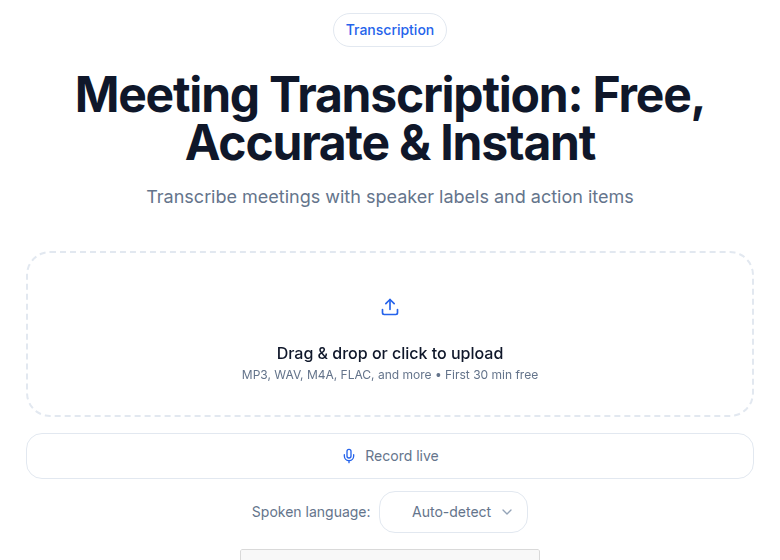 ConvertAudioToText meeting transcription tool
If your team exports recordings from Aircall, Talkdesk, or a similar platform as audio files, ConvertAudioToText's meeting transcription tool handles the upload-and-transcribe step without a bot or calendar integration. It fits well into a manual-review workflow where a support manager uploads recordings in batches. The Business plan at $59.99/month adds API access for teams that want to automate ingestion from their call platform.
See the transcription pricing comparison for a full breakdown across services.
The CSAT Correlation Question
Support managers often ask whether transcript sentiment can predict CSAT scores, and therefore whether you can skip sending surveys.
The honest answer: sentiment from call transcripts correlates with CSAT, but the correlation is weak. Research from multiple teams puts the correlation between end-of-call sentiment and survey CSAT at roughly 0.2 to 0.4, depending on methodology. That is real signal, not noise, but it is not a CSAT replacement.
What sentiment analysis from transcripts does well:
- Flagging calls with sharply negative tone that did not generate a survey response (customers who are frustrated often do not bother filling out a survey)
- Identifying the moment in a call when customer tone shifted, which helps pinpoint exactly where the interaction went wrong
- Surfacing patterns across hundreds of calls that manual review would miss
What it does not do well:
- Predicting individual CSAT scores with enough accuracy to act on at the ticket level
- Accounting for outcome satisfaction. A customer who was frustrated during a call can still rate it highly if the resolution was fast and complete.
The practical approach: use transcript sentiment to prioritize which calls your QA team reviews, not to replace surveys. Calls flagged as high-negative-sentiment are the ones where a QA reviewer's 90 seconds of skimming is most likely to surface something actionable.
Sharing Patterns Across the Company
The most underused output of support transcript analysis is cross-functional sharing. The pattern that works:
Weekly product digest. A support manager sends the product manager three to five transcript clips from the past week, each with a two-sentence context note. "Four customers this week mentioned the export button not working on Safari, and two had been experiencing it for over a week. Clips attached, timestamps marked." This is harder to deprioritize than a ticket count.
Monthly phrase report. Aggregate the most common search terms across all transcripts for the month. "Customers mentioned 'slow' 47 times in June, up from 22 in May" is a data point product and engineering can act on. This takes about two hours of work to compile manually, or less if you have search tooling.
Quarterly customer voice document. The most representative customer quotes from the transcript archive, organized by product area. Use this in roadmap planning and quarterly reviews. Verbatim customer language is more persuasive in internal meetings than survey percentages. People argue about percentages. It is harder to argue with "the way I got around it was to download it, edit it locally, and re-upload it, which took an extra 45 minutes."
For B2B customer success teams, transcript excerpts from support calls strengthen account reviews. When a CSM presents an account before renewal, showing the actual support call transcripts alongside the health score gives the conversation specificity.
A Real Example
A B2B SaaS team started transcribing their support calls at the start of a year. By the end of the first quarter, they had found two product bugs that had been in the ticket database for months but had never surfaced clearly enough to reach the product backlog.
The first was a Safari-specific export bug affecting roughly three percent of users. The second was a confusing default setting in the onboarding flow. Both appeared in dozens of transcripts as resolved tickets: agents had walked customers through workarounds. The pattern was only visible across the transcript archive, not in any single ticket.
Both got fixed in Q2. Repeat tickets on those issue types dropped.
The time investment: one hour per week of transcript review by the support manager. The patterns were always in the data. They just were not visible.
Common Questions
How do we handle PII in call transcripts?
Customers share names, account numbers, and sometimes partial payment details during support calls. Your transcript storage and access controls need to reflect your privacy policy and, where applicable, regional data protection law. At minimum, restrict transcript access to the people who need it for QA and product review. For financial services or healthcare accounts, consult your compliance team before storing transcripts alongside ticketing data. Check whether your transcription vendor trains on uploaded audio or deletes it after processing.
Can transcript sentiment replace our CSAT surveys?
Not reliably. End-of-call sentiment correlates with CSAT at roughly 0.2 to 0.4, which is real but noisy. A customer who sounded frustrated during a call can still rate it positively if the issue was fully resolved. Use sentiment as a filter for prioritizing QA review, not as a substitute for direct feedback. CSAT surveys give you the customer's own rating. Sentiment gives you a signal about the call's emotional shape.
Do we need a real-time agent assist tool, or is post-call transcription enough?
For most teams under a few hundred agents, post-call transcription is the right starting point. Real-time tools like Cresta start at six-figure annual contracts and assume high call volume. Balto is more accessible at around $100 per agent per month. If your primary goals are QA, knowledge base building, and product feedback, post-call transcription covers those well and costs significantly less.
How do we get support transcripts into our knowledge base without creating extra work?
Assign one person to review 10 transcripts per week, flag the ones where an agent handled a non-obvious issue well, and draft a short KB article from the resolution section of that transcript. Do not try to automate the first draft fully until you know which issue types generate the best KB articles. Start manual, identify the highest-value categories, then decide whether automation adds enough speed to justify the integration work.
Sources
- Otter.ai pricing: https://otter.ai/pricing (checked 2026-07-01)
- Fireflies.ai pricing: https://fireflies.ai/pricing (checked 2026-07-01)
- Rev.com pricing: https://www.rev.com/pricing (checked 2026-07-01)
- ConvertAudioToText pricing: https://convertaudiototext.com (checked 2026-07-01)
- Cresta agent assist pricing: https://cresta.com/agent-assist (checked via third-party research 2026-07-01)
- Balto pricing range: https://www.balto.ai/blog/best-ai-agent-assist-software-for-support-teams/ (checked 2026-07-01)
- Aircall transcription: https://aircall.io/call-center-software-features/call-transcription/ (checked 2026-07-01)
- CSAT/sentiment correlation: https://aclanthology.org/2023.acl-industry.62.pdf (academic, 2023)
Try transcription free
Convert any audio or video to clean, unwatermarked text — speaker labels, timestamps, and AI summaries included. First 30 minutes free, no account.
Related Articles

Multilingual Meeting Transcription: What Works
Learn how to transcribe mixed-language meetings accurately. Covers code-switching, per-language accuracy, speaker diarization, and a tool comparison for multilingual teams.

Transcription for Sales Calls: Consent to Coaching
How sales teams use call transcripts to mine objections, log CRM notes, coach reps faster, and close more deals. Consent rules, workflow, and tool comparison included.