
Transcription for Sales Calls: Consent to Coaching
Summarize this article with:
Transcribing sales calls turns 60-minute recordings into searchable text you can skim in minutes, letting you catch the budget signal at minute 14, the competitor mention in passing, and the objection the buyer half-voiced. This post walks AEs, SDRs, and sales managers through consent requirements, a post-call workflow that takes under 15 minutes, what to search for in transcripts, how to build an objection library, and how to use transcripts for rep coaching. Tools covered include Gong, Fireflies.ai, Otter.ai, and Salesloft Conversations, with honest notes on cost.
Sales call transcripts let you find the budget signal at minute 14 that you missed while you were thinking about your next question. The best reps review recordings the same day, not to hear themselves talk, but to catch the details that determine whether the deal moves. The competing vendor named offhand. The decision criteria buried in a single sentence. The objection raised softly and never revisited. A transcript turns a 60-minute recording into 8,000 words of searchable text you can skim in five minutes.
This guide covers the full revenue-team pipeline: recording consent, the post-call workflow, what to search for, building an objection library, coaching reps from transcripts, and CRM logging. It includes an honest look at the tools most sales teams actually use.
Recording Consent: What You Must Do Before Any of This
Before you record a single call, you need to know which consent standard applies.
Twelve US states require all-party consent, meaning every person on the call must agree to recording before it starts: California, Connecticut, Delaware, Florida, Illinois, Maryland, Massachusetts, Montana, New Hampshire, Oregon, Pennsylvania, and Washington. The other 38 states (plus Washington DC) follow one-party consent, where only the person doing the recording needs to be aware.
The complexity is that the strictest rule applies when any party is in an all-party state. A rep in Texas calling a prospect in California falls under California's law.
The simplest universal solution is to announce recording on every call:
"Just so you know, I record my calls so I can review the details afterward. Is that okay with you?"
Almost every buyer says yes. The few who decline are usually comfortable with written notes instead. For Zoom, Teams, and Google Meet calls, the platform's built-in recording indicator satisfies legal notice in most states, but your legal counsel should confirm this if you sell into regulated industries or to enterprise buyers with their own recording policies.
The Post-Call Workflow: 15 Minutes or Less
Sales reps do not have time for a lengthy debrief after every call. The workflow has to fit in the gaps between meetings.
Step 1: Record. Dedicated conversation intelligence platforms like Gong and Salesloft Conversations record automatically when you run calls through them. If you run calls through Zoom or Google Meet directly, you record through the platform and upload the file afterward for transcription.
Step 2: Capture your live impression. In the two minutes right after the call ends, while the details are fresh, note your honest read: what was the buyer's energy, what did they seem to prioritize, and what is your gut close probability. This impression is subjective and time-sensitive. The transcript captures what was said; your immediate reaction captures something the transcript cannot.
Step 3: Skim the transcript within 24 hours. Most transcription services return results quickly, often within minutes for file uploads. Pull out three things: any budget or pricing signal, any objection (direct or indirect), and the exact wording of any next-step commitment the buyer made.
Step 4: Update your CRM. Paste the relevant verbatim excerpts into the opportunity notes, not a paraphrase. The buyer's exact words "we're going to need board sign-off for anything over $100K" is more useful to a future reader than "mentioned executive approval needed."
This cycle runs 10 to 15 minutes per call. Done consistently, it means every opportunity has a verbatim record of every customer conversation, searchable across your entire pipeline.
What to Search For
Once you have a transcript, the searches that actually pay off:
Budget signals. Search for: "budget," "cost," "ROI," "expensive," "spend," "investment," "what does this cost," "ballpark." When a prospect says any of these, the next 30 seconds usually contains the most important pricing signal in the call. Buyers rarely state budget directly; they mention it in passing when they're thinking about something else.
Decision authority signals. "I need to check with," "my boss," "procurement," "the committee," "the team will need to weigh in." Each phrase tells you the actual decision process. A transcript lets you map the buying group accurately rather than relying on what the buyer told you when you asked directly.
Competitive signals. Any vendor name mentioned, especially in passing. "We're also looking at [competitor]" tells you the deal is in a comparison process. These mentions often happen while the buyer is answering a different question, and reps frequently do not register them in the moment.
Timing signals. "By end of quarter," "before our renewal," "ahead of our launch," specific dates or company milestones. These give you the real close timeline, which often differs from what the buyer says when you ask "when do you need to decide?"
Objection language. Both direct ("this is too expensive") and soft ("we'd need to think about how this fits with our current initiatives," "not sure it's the right time"). Indirect objections are the ones most commonly missed during the call and most valuable to catch afterward.
Building an Objection Library From Transcripts
Individual call review is valuable. Systematic review across your whole team is where transcripts shift from a rep tool to a revenue operations asset.
The pattern: search the same terms across 50 or 100 transcripts and look at what comes right after. If "too expensive" appears in 40% of your deals and only 15% of those advance to close, you have a pricing-objection problem that needs a better response, not just better reps.
Data from conversation intelligence vendors consistently shows that five objection categories account for the majority of all sales pushback: price, timing, authority (need to check with someone), status quo (we're fine with what we have), and competitive fit. Transcripts let you see which category dominates your specific deals and which responses actually correlate with advancement.
A practical way to start: have a RevOps or enablement person pull 30 lost deals from the last quarter and search each transcript for objection language. Tag each by type and note the rep's response. You will quickly see whether the same objection is being handled differently across reps, and which handling style correlated with closer advancement.
For an overview of how objection extraction connects to broader speaker diarization features, the linked post explains what to look for when choosing a transcription tool for this use case.
The Discovery Call: Highest-Leverage Transcript to Study
Discovery calls shape the rest of the deal, which makes their transcripts the most valuable to review carefully.
The "tell me about your current workflow" answer. When you ask a buyer how they handle something today, the answer contains their real vocabulary, their real pain points, and the metrics they care about. That language is gold for personalizing follow-up emails, proposals, and demos. The transcript captures all of it verbatim.
The slowdown moments. Search for "hmm," "let me think," "actually," "that's a good question." Buyers often slow down right before sharing something important. The transcript surfaces these moments so you can go back and listen to the 30 seconds that follow.
The aside. Buyers frequently share the most useful information when they go off-script, after the main question has been answered. "Oh, and by the way, the other thing we're dealing with is..." Those asides often contain the real decision criteria. They are easy to miss in the moment because you are already preparing your next question.
Talk-time ratio. Research analyzing large call samples places the optimal rep-to-buyer talk ratio for discovery at roughly 43% rep to 57% buyer. Transcripts with speaker diarization let you measure your actual ratio per call. Reps who consistently talk more than 60% of a discovery call tend to lose deals they should win, not because they lack product knowledge, but because they leave too little room to learn what the buyer actually needs.
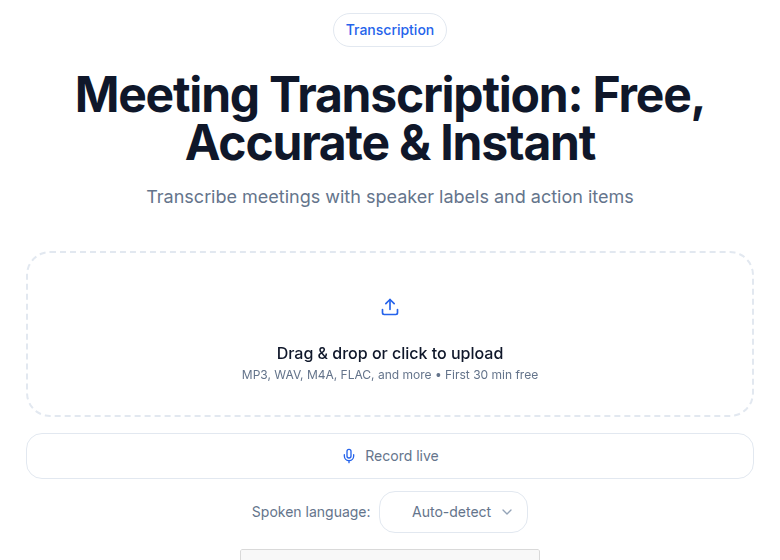 Upload your recorded sales call for a fast transcript
Coaching Reps With Transcripts
Sales managers cannot listen to every call live. Transcripts change that calculus.
With 30 minutes, a manager can skim 10 discovery call transcripts and identify the patterns that a one-call coaching session would miss entirely:
Talk-time distribution. Does this rep dominate the call? Are they letting the buyer lead once the question is asked, or jumping in before the buyer finishes?
Question quality. Skim for question marks. Count the open-ended questions ("How do you currently handle X?") versus leading questions ("Would you agree that Y is a problem?"). Both have a place, but the ratio tells you a lot about how a rep is running discovery.
Demo discipline. In demonstration calls, watch for whether the rep ties features back to the buyer's stated needs from the discovery call. A transcript shows whether the rep said "You mentioned X was a priority, here's how we solve that" or ran a generic feature tour.
Objection handling. Pull three calls where the same objection came up and compare how the rep handled each. You will see the variance quickly. The transcript makes the coaching conversation specific: "On the call with [company], when they said [exact objection], you said [exact response] and then moved on. What did you think about that moment?"
That level of specificity is impossible from memory and hard to get from a live listening session. Transcripts make it routine.
Tool Landscape: What Sales Teams Actually Use
The tools fall into two categories: conversation intelligence platforms built for sales, and general transcription tools you can adapt.
Conversation intelligence platforms (Gong, Chorus by ZoomInfo, Salesloft Conversations) record calls automatically, tag speakers, surface keywords, and push data to your CRM. They are purpose-built for the workflows described in this post. The trade-off is cost: Gong pricing is custom and not published, with third-party estimates typically placing it in the range of $100 to $200 or more per user per month plus a mandatory platform fee that can run $5,000 to $50,000 per year depending on company size. Chorus by ZoomInfo follows a similar bundled-pricing model, with third-party estimates starting around $8,000 per year base plus per-seat costs. These tools make sense for teams with enough volume and budget to justify the investment.
Fireflies.ai is the strongest entry-level option for sales teams that want CRM integration without the enterprise price. Its Pro plan runs $10 per user per month (billed annually) and includes unlimited transcription, a HubSpot and Salesforce integration, and 8,000 minutes of meeting storage per seat. The Business plan at $19 per user per month (annual) adds conversation intelligence features and unlimited storage. Note that AI credits (used for summaries and action items) are capped per month across plans and can add to costs for heavy users.
Otter.ai is widely used for its meeting bot and live transcription. Pro is $8.33 per user per month (annual billing) with 1,200 minutes per month. Business at $19.99 per user per month (annual) removes the minute cap and adds CRM push for Salesforce and HubSpot, though native sales analytics are only available on the Enterprise tier.
For teams that do not need a meeting bot and just want clean transcripts from uploaded recordings, ConvertAudioToText handles call audio directly without requiring a bot to join your calls. Useful if your calls are already recorded through your dialer or video platform and you need a structured transcript quickly.
The hidden costs of transcription services post covers what to check before committing to any platform, including credit limits, storage fees, and integration surcharges.
CRM Integration: The Goal Is Searchable Deal History
The transcript is most valuable when it lives next to the opportunity in your CRM, not in a separate folder that a future rep will never find.
HubSpot native transcription is built into HubSpot's Conversations module, but only for calls made through HubSpot's dialer and only for users with Sales Hub Professional or Enterprise seats. Note that starting July 31, 2026, HubSpot is changing how meeting integrations log calls, Notetaker-sourced meetings will only create a meeting record, not a separate call record, so check how your setup is affected.
Fireflies.ai HubSpot integration automatically pushes transcripts, summaries, and action items to contact and deal records after each meeting. This is the most direct automation path for HubSpot users who want transcripts from all call sources, not just HubSpot's dialer.
Manual paste is always free and works with any CRM. Copy the key verbatim excerpts, not the full transcript, into the deal's notes field. Three to five bullet points with the buyer's exact words on budget, authority, and next steps is more useful to a future reader than a 5,000-word dump they will not read.
The goal is a deal record where a new rep, a solutions engineer, or a CSM can spend 20 minutes and understand the complete history of the customer's stated situation, concerns, and commitments. That context reduces handoff friction dramatically.
What This Looks Like in Practice
A consistent pattern among reps who adopt transcript review: they stop being surprised at the end of a deal cycle. Competitive mentions they caught in week two become the basis for a specific comparison they address in week four. Budget signals they logged in discovery shape how they structure the proposal. Objections they missed in the moment become coaching material for the next discovery call.
Start with one active deal. Transcribe every remaining meeting on it. After three meetings, check whether you have a clearer picture of the buyer's situation than you would have had without the transcripts. If yes, extend the workflow to your full pipeline.
FAQ
Is it legal to record sales calls without telling the other person?
It depends on the states involved. Twelve US states require all-party consent before recording: California, Connecticut, Delaware, Florida, Illinois, Maryland, Massachusetts, Montana, New Hampshire, Oregon, Pennsylvania, and Washington. In the remaining 38 states (plus DC), one-party consent applies, meaning only the person doing the recording needs to know. The safest universal practice is to announce recording at the start of every call. If a buyer is in California or another all-party state, you need their explicit consent regardless of where your office is.
What is a good talk-to-listen ratio for discovery calls?
Research analyzing large samples of recorded discovery calls consistently places the optimal ratio at roughly 43% rep talk time to 57% buyer. The average rep talks about 60% of the call; in closed-won deals that drops to 57%, and in lost deals it climbs to 62%. Transcripts with speaker diarization let you measure your actual ratio per call rather than estimating.
How do I get sales call transcripts into my CRM automatically?
Several routes exist. Fireflies.ai has a native HubSpot and Salesforce integration that pushes summaries and transcripts after each meeting. Otter.ai Business and above includes CRM sync for Salesforce and HubSpot. HubSpot's own Conversation Intelligence feature transcribes calls made through its dialer, but only for Sales Hub Professional or Enterprise seats. Salesloft's Conversations module includes CRM logging as part of its sales engagement platform. Manual paste into the deal's notes field is always a free fallback and works with any CRM.
What should I search for when reviewing a sales call transcript?
The highest-signal searches: budget words ("budget," "cost," "ROI," "expensive," "spend"), decision authority words ("I need to check with," "my boss," "procurement," "committee"), competitive signals (any vendor name mentioned in passing), timing words ("by end of quarter," "before our renewal," "ahead of our launch"), and objection phrases ("we'd need to think about," "not sure it fits," "too expensive"). The 30 seconds following any of these phrases usually contains the most valuable information in the call.
Which tool is best for sales call transcription on a small budget?
Fireflies.ai Pro at $10 per user per month (billed annually) offers unlimited transcription, CRM integrations, and 8,000 minutes of storage, making it the strongest entry-level option for sales teams. Otter.ai Pro at $8.33 per user per month (annual) is cheaper but limits you to 1,200 minutes per month and lacks native CRM push on the Pro tier. Both are meeting-bot-style tools that join calls automatically. If you only need clean transcripts for calls you already record, ConvertAudioToText handles file uploads without requiring a meeting bot.
Sources
- Otter.ai pricing (verified July 2026): https://otter.ai/pricing
- Fireflies.ai pricing (verified July 2026): https://fireflies.ai/pricing
- Two-party consent states (verified July 2026): https://www.recordinglaw.com/party-two-party-consent-states/
- Talk-to-listen ratio research: https://salesprep.ai/blog/talk-listen-ratio-sales-calls
- Gong pricing estimates: https://tldv.io/blog/gong-pricing/
- HubSpot call transcription documentation: https://knowledge.hubspot.com/calling/review-call-recordings-and-transcripts
- HubSpot Notetaker logging change (July 31, 2026): https://knowledge.hubspot.com/meetings-tool/configure-conversation-recording-and-transcription-options
Try transcription free
Convert any audio or video to clean, unwatermarked text — speaker labels, timestamps, and AI summaries included. First 30 minutes free, no account.
Related Articles

Multilingual Meeting Transcription: What Works
Learn how to transcribe mixed-language meetings accurately. Covers code-switching, per-language accuracy, speaker diarization, and a tool comparison for multilingual teams.

Transcription for Customer Support: QA to Knowledge
How support teams use call transcription for QA sampling, escalation review, knowledge base mining, and CSAT correlation. Tools, workflow, and honest limits.