
Speaker Diarization Explained: How Transcripts Know Who Spoke
Summarize this article with:
Speaker diarization is the transcription step that answers who is speaking when. It groups audio segments by voice similarity and labels them Speaker 1, Speaker 2 and so on. The usual pipeline has 4 stages: voice activity detection, segmentation, speaker embeddings and clustering. Overlapping speech is the hardest case, and a better recording setup removes more errors than any fix afterward.
Speaker diarization is the transcription step that answers "who is speaking when?" It groups audio segments by voice similarity and assigns labels such as Speaker 1 and Speaker 2. The usual pipeline has 4 stages: voice activity detection, segmentation, speaker embeddings and clustering. Without it, a conversation reads like one continuous voice.
The result is a transcript with speaker labels, not an identity file. The system can label a voice Speaker 1; you assign the name after listening.
If you want to try it, transcribe a file. On ConvertAudioToText, speaker labels come with the premium engine: your first file on a free account, the Weekly Pass, or a paid plan.
What speaker diarization means
Diarization answers "who is speaking when?" It detects speech, splits the recording into segments, groups segments that sound like the same voice, and labels each group.
A speaker-labeled transcript looks like this:
Speaker 1: Welcome to the interview. Can you tell us about the project?

Speaker 2: Yes. The project started with a small group of researchers.

Speaker 1: What changed during the first year?
The labels are temporary. Identify each voice once, rename it, and the name carries through the whole transcript.
Diarization is not speaker identification
| Task | What it answers | What it needs |
|---|---|---|
| Speaker diarization | Who is speaking when? | Voice patterns within the recording |
| Speaker identification | Is this voice Alice or Bob? | Enrolled voice samples |
| Voice activity detection | Is anyone speaking at all? | Audio with speech and silence |
Diarization separates voices. Identification matches a voice to a known person. Most interview and meeting work needs diarization first, then a human to add names.
How speaker diarization works: 4 stages
1. Voice activity detection
The first stage finds the parts of the recording that contain speech and sets aside silence, music and noise. Later stages need clean speech regions; comparing a sentence with a cough makes the result less reliable.
2. Segmentation
Speech is cut into short windows. Each window needs enough speech to represent a voice, but not so much that it spans a speaker change.
3. Speaker embeddings
Each segment becomes a speaker embedding: a list of numbers that captures the character of the voice, such as pitch range, resonance, speaking rate and pause patterns. Two segments from the same person land close together; segments from different people land farther apart.
4. Clustering and labels
The system groups similar embeddings into clusters, and each cluster gets a label. The output is a sequence of speaker turns:
Start    | End      | Speaker
00:00:00 | 00:00:08 | Speaker 1
00:00:08 | 00:00:15 | Speaker 2
00:00:15 | 00:00:22 | Speaker 1
A separate speech-to-text step produces the words; diarization decides which speaker each part belongs to.
Why voice embeddings can separate speakers
The key idea is similarity in vector space. Voices keep recognizable traits even when the words change, so segments from the same person tend to sit near each other. That is why diarization works without knowing anyone's name: it only asks whether two segments sound like the same person in this recording.
It struggles when that assumption breaks: two people talking at once, similar voices, or very short turns.
Where speaker diarization fails
Overlapping speech
Overlap is the hardest case. When two people talk at once, many systems give the segment to one speaker and lose the other. Systems that allow more than one active speaker at a time handle overlap better, but hearing two voices at once is still hard.
If you control the recording, ask people to speak one at a time.
Similar voices
Speakers with similar pitch, accent and pace can end up in one cluster. Separate microphones or separate channels are the most direct fix.
Short replies
"Yeah", "Right" and "Exactly" carry little voice evidence. They are often given to the wrong person or merged into the previous turn. Check short replies near quick exchanges.
Background voices
A television or a nearby conversation can create extra speakers. A two-person interview can show four speakers if background voices run through the file.
Speaker count errors
Some systems estimate the number of speakers; others accept a count as a hint. Only give a count when you are sure of it, because a wrong hint forces the transcript to fit the wrong shape.
Diarization Error Rate explained
Diarization Error Rate, or DER, measures how far a result is from a human-labeled reference. It combines three errors:
- Speaker confusion: speech detected, but given to the wrong speaker
- Missed speech: real speech treated as silence
- False alarm: silence or noise treated as speech
DER = (false alarm + missed speech + speaker confusion)
      / total reference speech duration
A DER of 10% means roughly 1 second in 10 is affected by one of those errors. On a 60-minute recording, that is about 6 minutes of misattributed or mishandled speech.
DER is useful for comparing systems on the same test set. It does not tell you whether a result is good enough for your project: a rough summary tolerates more error than a legal or research transcript.
How to improve speaker labels
1. Use one microphone per speaker
A microphone per person gives each voice a cleaner signal. Lavalier microphones and headsets both help.
2. Record separate channels when you can
Separate channels give each participant a distinct stream. Keep the original tracks even if you publish a mixed file.
3. Leave brief pauses between turns
A short pause makes speaker boundaries easier to find, especially in fast interviews and panels.
4. Cut background sound
Close doors, mute televisions and keep other conversations out of the room.
5. Review the first minute
If Speaker 1 and Speaker 2 are swapped at the start, the mistake can carry through the file. Use the first clear exchange as your naming reference.
6. Assign names once
Rename Speaker 1 to Alice and Speaker 2 to Bob in the editor, and the rest of the transcript follows. Speaker labeling is part attribution, part editing: the system builds the structure and a person confirms it.
What to do when the recording already exists
- Run it through a transcription workflow that supports diarization.
- Listen to the first minute and identify the main speakers.
- Search for short replies, overlaps and places where a label seems to change mid-thought.
- Correct the labels in the editor.
- Export the final version, with or without speaker names.
On ConvertAudioToText, uploads on the premium engine are diarized automatically, and the meeting transcription tool is built for multi-speaker recordings. Rename a speaker once and every line updates, including downloads.
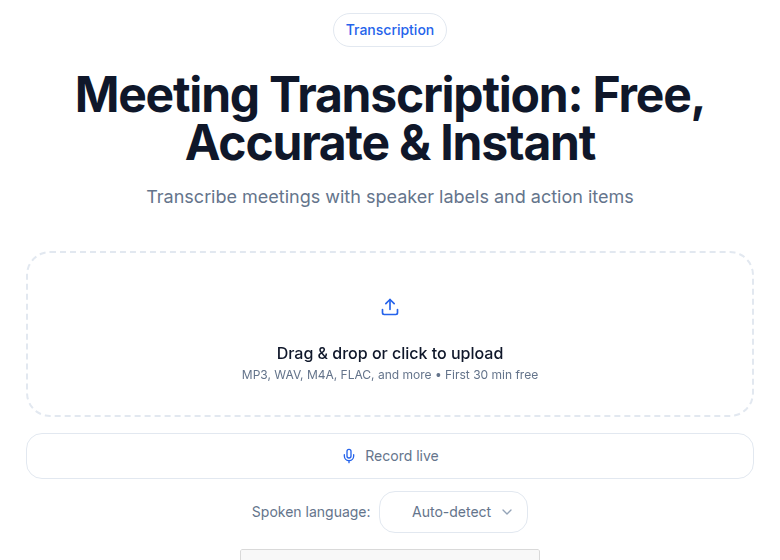 Speaker label view in the ConvertAudioToText meeting transcription tool
What speaker-labeled transcripts make possible
- Per-speaker review: read what one person said without scanning everything.
- Clearer summaries: a summary can say who proposed what.
- Quote extraction: collect every contribution from one speaker.
- Easier correction: find and fix a misattributed quote by its time range.
When you do not need diarization
A voice memo, a solo lecture or a one-host podcast does not need speaker labels. For two or more voices, labels almost always make the transcript easier to read, and the value grows with the length of the recording.
For a comparison of tools, see the best transcription with speaker detection, and for live dictation with speaker separation, try speech to text.
Conclusion
Speaker diarization turns a mixed recording into a transcript with speaker turns and clear attribution. It relies on voice activity detection, segmentation, embeddings and clustering. The most reliable results come from clean audio, little overlap, separate microphones or channels, and a final human review of the first minute and every quick exchange.
FAQ
What is speaker diarization?
Speaker diarization divides a recording into speaker turns and labels them, for example Speaker 1 and Speaker 2. It answers who is speaking when, based on voice patterns within the recording. It does not know anyone's real name.
What does diarization mean in speech to text?
In speech to text, diarization adds speaker attribution to the transcript. The system detects speech, separates the voices and attaches a label to each section, which makes multi-speaker recordings easier to read, edit, summarize and search.
Can AI transcribe multiple speakers?
Yes. A transcription workflow with speaker diarization transcribes several speakers and separates their turns. The labels are usually anonymous, so you assign real names after listening to the recording.
What is Diarization Error Rate?
Diarization Error Rate, or DER, adds up missed speech, false alarms and speaker confusion, then divides by the total duration of reference speech. A lower DER means the result is closer to a human-labeled reference.
Why are my speaker labels getting mixed up?
Labels mix up when people talk over each other, have similar voices, give very short answers, or when background voices are in the recording. Check the first clear exchange, listen around speaker changes and correct the labels in the editor.
How can I improve transcription accuracy for accented speakers?
Start with the cleanest recording you can: one microphone per speaker where practical, low background noise and no overlapping speech. Then review names and accented passages by ear. No setup guarantees a fixed accuracy gain.
How do I remove speaker labels from a transcript?
Turn off speaker names in the export options before you download. On ConvertAudioToText, the clean text, TXT, DOCX and PDF exports can be downloaded with or without speaker names on plans that include those formats.
How should I transcribe a focus group or panel discussion?
Give each participant a separate microphone or channel where possible, ask people to say their name before speaking, and keep side conversations out of the room. After transcription, check overlapping sections and short replies carefully before you assign names.
Try transcription free
Convert any audio or video to clean, unwatermarked text — speaker labels, timestamps, and AI summaries included. First 30 minutes free, no account.
Related Articles
How to Transcribe Multiple Speakers and Label Them
Learn a practical workflow for transcribing audio with multiple speakers, assigning speaker labels, reviewing and exporting clean transcripts using CATT.
Best Transcription with Speaker Detection (2026)
Compare speaker diarization across Rev, Otter, Descript, Happy Scribe, Fireflies, Trint, and CATT. Verified pricing, honest tiers, and real accuracy expectations for 2026.