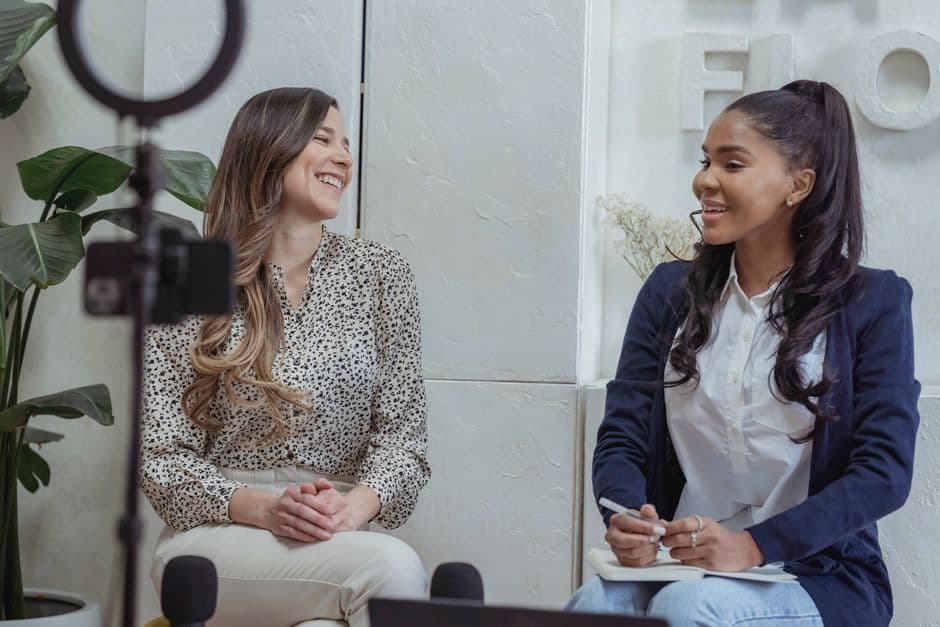
How to Transcribe an Interview Recording 2026
Summarize this article with:
Transcribing a one-hour interview by hand takes about four to six hours. AI transcription gets you a draft in a few minutes, then you spend 15 to 30 minutes editing proper nouns, numbers, and speaker labels before quoting. The accuracy difference between tools is mostly decided by your mic and consent setup, not the software. Pick clean verbatim for journalism, keep the original audio, and verify every quote against the recording before it goes to print.
TL;DR. A one-hour interview takes four to six hours to transcribe by hand and about five minutes plus a 15 to 30 minute edit pass with AI. Most of your final accuracy is decided before you hit record: mic choice, room, and consent. Pick clean verbatim for journalism, run the audio through a transcription tool, fix proper nouns and numbers in a quick edit pass, and verify every direct quote against the recording before you publish. Keep the original audio.
A typical interview produces 30 to 60 minutes of audio that has to become accurate quotes, themes, and analysis. The transcript is the foundation. Get it right and the writing flows. Get it wrong and you lose hours chasing misquoted words back through the recording, or worse, you publish a phantom quote and run a correction.
I build ConvertAudioToText, so I read transcripts and edit them all day. The workflow below is the one that holds up under deadline pressure for journalists and qualitative researchers. It is not about which logo is "the best tool." The setup decisions you make before the interview move accuracy far more than the software does. Journalists specifically should also check the transcription tools for journalists page, which covers the newsroom workflow end to end.
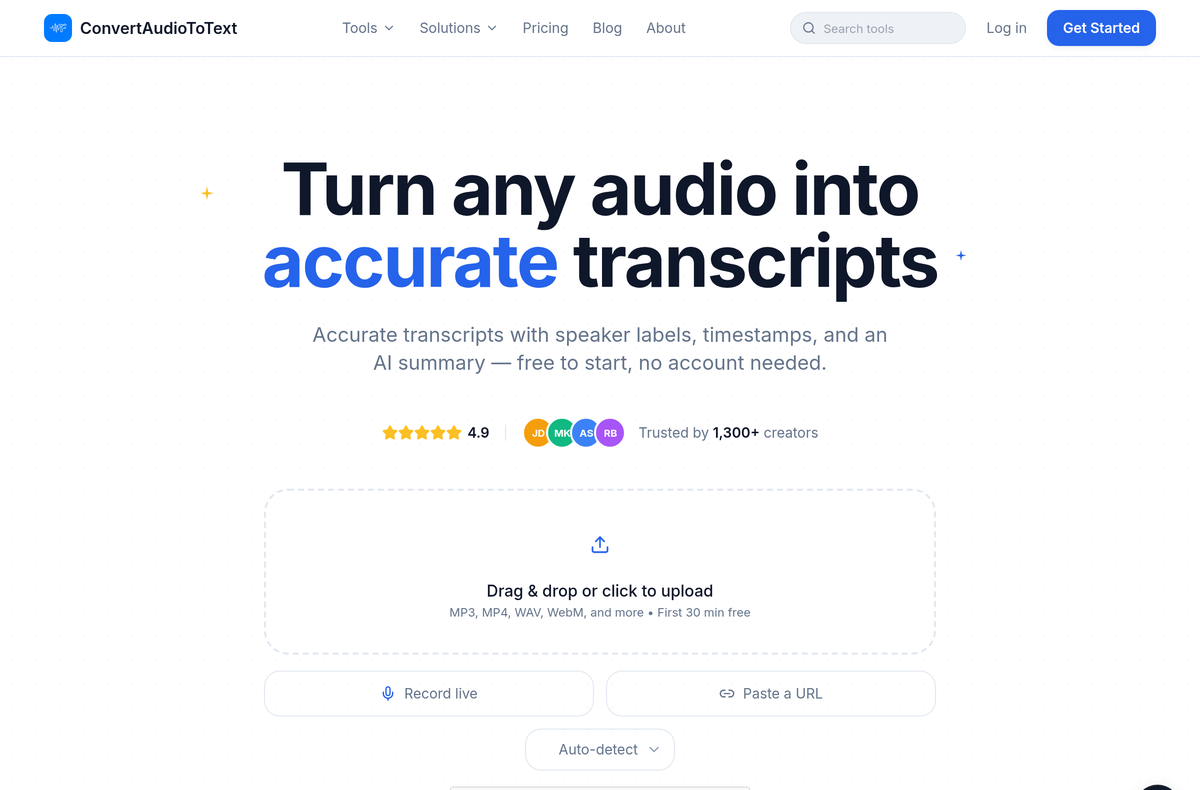 Uploading an interview recording to ConvertAudioToText: drag and drop a file, record live, or paste a URL. The first 30 minutes are free with no account.
How much time AI actually saves
The honest version of the pitch. Manual transcription follows a well-documented ratio: experienced transcriptionists work at roughly four hours of typing per one hour of audio, and poor audio or multiple speakers can double or triple that (GMR Transcription). Your brain follows speech at 125 to 175 words per minute, but most people type 60 to 90, so you pause and rewind constantly.
AI flips the math. A 60-minute interview transcribes in about three to five minutes, and you spend the saved time on the part that needs a human: editing and reporting.
| Approach | Time for a 1-hour interview | Cost | Best for |
|---|---|---|---|
| By hand | 4 to 6 hours | Your time | Tiny clips, legal-grade verbatim, max control |
| AI draft, then you edit | 5 min run + 15 to 30 min edit | Free to a few dollars | Most interviews |
| Human transcription service | 12 hours to a few days turnaround | ~$1.50 to $2 per audio minute | Heavy accents, courtroom-grade accuracy, you have budget |
The break-even is obvious for almost every interview. Hand-transcription only wins when the recording is so messy that an AI draft would take longer to fix than to type from scratch, which usually means the source audio was bad. That is a recording problem, and recording is where we start.
Before you record: the part that decides your accuracy
The cleanest transcript comes from the cleanest audio, and clean audio is a setup decision, not a post-production fix. No model recovers words that the mic never captured.
Match the mic to the format
- In-person. Two lavalier mics, or one shotgun mic positioned between you and the subject. A field recorder like the Zoom H-series can capture each speaker on a separate track, which makes speaker labels far more reliable.
- Remote video call. Record each speaker locally where possible (Riverside, Zencastr, or similar do this), so every voice has its own clean file instead of one compressed call-quality stream.
- Phone. Use a phone-recording app or a dedicated recorder, not speakerphone picked up by a room mic two feet away.
What to avoid: the laptop's built-in mic across a desk, or both people leaning toward a single phone on a table. Both produce mid-quality audio that an AI model will still transcribe, just with more errors you then have to hunt down by ear. For a deeper look at gear, see the best recorders for journalists and how to handle background noise in a recording.
Get consent on the record
Recording-law rules vary by jurisdiction and they matter. A core group of US states require all-party consent (every person consents before you record), and California, Florida, Illinois, and Pennsylvania are among the strictest. Several states are genuinely contested or hybrid (Nevada and Michigan are read differently by different courts), so do not trust a flat list you found online, including this paragraph. Check the specifics for your state in recording interviews legally by state and the Justia 50-state survey.
Even in one-party-consent states, recorded consent is good practice and protects you if the interview is later disputed. The standard opening: "I'm recording this for accuracy, is that OK?" Wait for the verbal "yes." That on-record line goes into the transcript and becomes your documented authorization.
Pick the verbatim style first
Decide before the interview how literal the transcript should be. The choice changes how you edit and how you can quote.
- Strict verbatim keeps every "um," false start, and pause. Required for legal evidence, voice analysis, and some qualitative research.
- Intelligent verbatim drops fillers and false starts, keeps the grammar as said. Standard for academic research.
- Clean verbatim drops fillers and lightly smooths false starts. Standard for journalism.
- Edited rewrites into clean prose. Use this only for the final published quote, never as your archived transcript.
For journalism, clean verbatim is almost always right: it keeps the speaker's voice intact while removing the noise that makes anyone look bad on the page. The trade-offs are laid out in verbatim vs. clean transcription.
During the interview: three habits that pay off later
- Let the subject finish. Cross-talk is the single biggest source of transcription errors, because no model and no diarizer cleanly separates two people talking over each other. The half-second pause feels long in the room and reads cleanly on the page.
- Repeat unusual names and terms. "Just to confirm, that's spelled C-O-O-L-I-F-Y?" gives the transcript a clean anchor and saves you a fact-check later.
- Note the timestamp of any standout quote. Writing "23:17, mission statement" in your notebook turns a later quote hunt into a 10-second seek.
The transcription pass
1. Trim and convert
Cut dead air at the start and end. If the file is video (Zoom or Riverside MP4), audio-only is fine and uploads faster:
ffmpeg -i interview.mp4 -vn -acodec mp3 -ab 192k interview.mp3
This drops file size by roughly 80 percent with no meaningful accuracy loss for speech.
2. Upload and configure
Drop the file into your transcription tool. The free English transcriber handles short interviews with no account, and the journalism interview template is the right entry point when you want structured output (pull-quotes, claims to fact-check, lede candidates) instead of a raw wall of text.
Three settings that move accuracy:
- Language. Specify it rather than relying on auto-detect, especially for non-English audio.
- Speaker count. Set the actual number (2 for one-on-one, 3 for a reporter plus two subjects). Diarization is more accurate when it is not guessing how many voices to find.
- Vocabulary or keyword boost. Pass any unusual names, jargon, or proper nouns. A five-word list catches the brand-name and surname errors that otherwise show up on every first pass.
3. Run
A 60-minute interview typically processes in three to five minutes and scales roughly linearly. Modern AI transcription lands around 8 to 12 percent word error rate on real-world conversational audio, better on clean recordings and worse on noisy call-quality ones (Whisper WER benchmarks). That is why the edit pass exists, and why your mic setup matters: a clean recording lands at the good end of that range.
4. The 15-minute edit pass
This is the most important step and the one people skip. Pull up the transcript with the audio in sync (CATT's editor links text to audio so you can click any word to seek there):
- Play at 1.5x and skim the text while listening.
- Pause to fix the things that get you in trouble:
- Proper nouns. Almost always wrong on the first pass.
- Numbers. A misstated dollar figure or date is publishable as-is and embarrassing.
- Speaker labels. Verify the first minute is correct, the rest usually follows.
- Meaning-changing errors. A dropped "not," or "their" vs. "there."
- Skip stylistic preferences, filler-word debates (if you chose clean verbatim), and minor punctuation.
A 60-minute interview should take 15 to 30 minutes to edit. If it takes longer, the source audio was bad and you are rewriting, not editing. More on closing the accuracy gap in why transcription accuracy varies.
Pulling and verifying quotes
The transcript exists. Now you need quotes, and you need them to be exactly what was said.
Find the quotes
- Search and skim for short pieces where you already know the angle: search keywords, lift the passages.
- Highlight pass for longer pieces: read the whole transcript once, mark anything quotable, then pick the strongest three to five per theme.
- Structured output when you want a head start: the journalism interview template returns themes, candidate quotes, and lede suggestions. Treat it as a draft and verify everything against the audio. The full method is in how to extract quotes from an interview.
Verify before you publish
Before any direct quote goes to print:
- Find the quote in the transcript.
- Click to seek to that moment in the audio.
- Listen to the surrounding context.
- Confirm the wording, including emphasis and tone.
With a click-to-seek editor this is about 30 seconds per quote. Skipping it has caused more journalism corrections than any other single workflow gap. AI gets words subtly wrong in ways that read as plausible, which is exactly why a quick listen catches what a re-read does not.
Honest comparison: where the tools actually differ
The tool matters less than the setup, but it is a fair question, so here is the straight version with current pricing. Specialist interview and research tools cluster around three trade-offs: how much editing they do for you, whether they offer a human-grade option, and how they price.
| Tool | Model | Free tier | Paid entry | Notable for interviews |
|---|---|---|---|---|
| ConvertAudioToText | AI, flat monthly | First 30 min of any file, no account; free account: first file on premium, then up to 30 files a day, up to 30 min each on standard | From $14.99/mo or $99.99/yr; Weekly Pass $9.99 one-time for 1,200 min | Speaker labels, click-to-seek editor, structured journalism/research templates, African + non-English language coverage |
| Otter.ai | AI, real-time | 300 min/mo (Basic) | Pro $8.33/user/mo (annual) | Live meeting capture and notes (otter.ai/pricing) |
| Descript | AI, editor-first | 1 hour/mo | Hobbyist $16/mo (10 hrs) | Edit audio/video by editing the transcript (descript.com/pricing) |
| Trint | AI, newsroom | None | Starter ~$52/mo | Collaboration and translation for editorial teams |
| Rev | AI + human | 45 AI min/mo | Essentials $29.99/mo; human ~$1.50 to $2 per audio min | Human transcription when 99% accuracy is non-negotiable (rev.com/pricing) |
My take in one sentence: for most interviews, any competent AI tool plus a disciplined edit pass beats paying for human transcription, and the only reason to pay Rev's per-minute human rate is when a courtroom, a heavy accent, or a legal exposure makes the last few percent of accuracy worth roughly 20 times the cost. If you want the full breakdown of when the human premium is worth it, see AI vs. human transcription. Prices above are current as of mid-2026 and move, so check each vendor's page before you commit.
Multi-speaker and panel interviews
Panel-style interviews with three or more subjects are harder, and being honest about that saves you from trusting a bad label:
- Plan for some misattribution. Verify the speaker label on every quote you actually use.
- Cross-talk gets worse. Some lines from one mic will be unintelligible. Per-speaker mics fix most of this if you control the setup.
- Set the speaker count in the tool so diarization is not guessing.
How the underlying labeling works is covered in speaker diarization explained.
Non-English and translated interviews
If the interview is in Spanish, French, Portuguese, Arabic, or another language, transcribe in the original language first. The output is more accurate than asking the model to translate as it transcribes, and you keep a faithful record to quote from.
Then translate the transcript as a separate step (DeepL, Google Translate, or a human translator depending on the stakes). Quote in the original where it matters, translated when you publish in English. For Wolof, Swahili, and Hausa, CATT covers West and East African languages that many older tools simply do not handle.
Handling sensitive material
Some interview content needs careful treatment:
- Off-the-record passages. Mark them in the transcript ("OTR start" / "OTR end"). Do not delete them from your archive, because you may need to verify later what was actually said, but do not quote from them.
- Background passages. Same handling, available for context but not attribution.
- Anonymous sources. Replace the name with a pseudonym before the transcript goes to an editor. Keep the keyed original separate and secure.
- Vulnerable subjects. Survivors, minors, whistleblowers. Treat the recording itself as sensitive, and limit who can access it.
The research interview template and press conference template handle structured output for other reporting contexts.
Store the audio, the transcript, and your notes together
Keep everything for an interview in one folder with a consistent name:
2026-05-26_alice-jones-interview/
  ├── audio.mp3
  ├── transcript.txt
  ├── transcript.docx
  ├── consent-line-timestamp.txt
  ├── notes-during-interview.md
  └── pull-quotes.md
For long-running research, nest by project: project-alpha/2026-05-26_alice/.... The transcripts become a searchable corpus, and six months later you can find any interview in under a minute. Never discard the original audio. Disk is cheap, and the recording is the only thing that lets you defend a quote if it is ever challenged.
Three mistakes that cost reporters the most time
- Transcribing by hand out of habit. Four to six hours of typing replaced by five minutes plus a short edit. The saved time goes into reporting and writing.
- Skipping the edit pass. Publishing direct quotes from a raw AI transcript is how phantom quotes get printed. Always edit before you quote.
- Not keeping the audio. Without the recording you cannot verify a contested quote, and that is the one situation where you most need to.
Do this with your next interview
If you have an interview sitting on your drive, run it through the free English transcriber, then through the journalism interview template, and compare the structured output to what you would have produced from a manual read. Most interviews have at least one strong quote in the template's output that you would have skimmed past on a first read. That is the case for letting the machine do the typing while you do the reporting.
Frequently asked questions
How long does it take to transcribe a one-hour interview?
By hand, four to six hours for clear audio, and double or triple that for poor recordings or multiple speakers. With AI, about three to five minutes to generate the draft, then 15 to 30 minutes to edit before you quote from it.
How accurate is AI interview transcription?
Modern AI lands around 8 to 12 percent word error rate on real-world conversational audio, better on clean recordings and worse on noisy or heavily accented ones. That is good enough for a working draft but not for unedited direct quotes, which is why the edit pass and quote verification exist.
Should I use AI or a human transcription service?
Use AI for almost every interview: a clean recording plus a short edit pass gets you publishable quotes for free or a few dollars. Pay for human transcription (around $1.50 to $2 per audio minute) only when the audio is very difficult or the accuracy stakes are legal-grade, such as a deposition or a courtroom record.
Which verbatim style should I choose for journalism?
Clean verbatim. It drops fillers and lightly smooths false starts while keeping the speaker's actual words and voice. Use strict verbatim only for legal evidence or voice analysis, and reserve fully edited prose for the final published quote, never for your archived transcript.
Is it legal to record an interview?
It depends on your jurisdiction. A core group of US states require consent from everyone in the conversation, and a few states are genuinely contested. Recording on-record verbal consent at the start protects you everywhere. Check the specifics in our state-by-state guide and the Justia 50-state survey before you record.
How do I transcribe an interview in another language?
Transcribe in the original language first, then translate the text as a separate step. Translating during transcription is less accurate and loses the faithful record you need to quote from. CATT supports Spanish, French, Arabic, and African languages including Wolof, Swahili, and Hausa.
Why does my transcript misattribute who said what?
Speaker labeling (diarization) struggles with cross-talk and with two voices that sound similar, and it is worse on panels of three or more. Recording each speaker on a separate mic and setting the speaker count in the tool both help. Always verify the speaker label on any quote you publish.
Can I transcribe a Zoom or video interview without a separate audio file?
Yes. Upload the MP4 directly, or extract audio-only first with FFmpeg to shrink the file and speed up the upload. Audio-only loses nothing for transcription accuracy.
Frequently Asked Questions
How long does it take to transcribe a one-hour interview?
By hand, four to six hours for clear audio, and double or triple that for poor recordings or multiple speakers. With AI, about three to five minutes to generate the draft, then 15 to 30 minutes to edit before you quote from it.
How accurate is AI interview transcription?
Modern AI lands around 8 to 12 percent word error rate on real-world conversational audio, better on clean recordings and worse on noisy or heavily accented ones. That is good enough for a working draft but not for unedited direct quotes, which is why the edit pass and quote verification exist.
Should I use AI or a human transcription service?
Use AI for almost every interview: a clean recording plus a short edit pass gets you publishable quotes for free or a few dollars. Pay for human transcription (around $1.50 to $2 per audio minute) only when the audio is very difficult or the accuracy stakes are legal-grade, such as a deposition or a courtroom record.
Which verbatim style should I choose for journalism?
Clean verbatim. It drops fillers and lightly smooths false starts while keeping the speaker's actual words and voice. Use strict verbatim only for legal evidence or voice analysis, and reserve fully edited prose for the final published quote, never for your archived transcript.
Is it legal to record an interview?
It depends on your jurisdiction. A core group of US states require consent from everyone in the conversation, and a few states are genuinely contested. Recording on-record verbal consent at the start protects you everywhere. Check the specifics in our state-by-state guide and the Justia 50-state survey before you record.
How do I transcribe an interview in another language?
Transcribe in the original language first, then translate the text as a separate step. Translating during transcription is less accurate and loses the faithful record you need to quote from. CATT supports Spanish, French, Arabic, and African languages including Wolof, Swahili, and Hausa.
Why does my transcript misattribute who said what?
Speaker labeling (diarization) struggles with cross-talk and with two voices that sound similar, and it is worse on panels of three or more. Recording each speaker on a separate mic and setting the speaker count in the tool both help. Always verify the speaker label on any quote you publish.
Can I transcribe a Zoom or video interview without a separate audio file?
Yes. Upload the MP4 directly, or extract audio-only first with FFmpeg to shrink the file and speed up the upload. Audio-only loses nothing for transcription accuracy.
Try transcription free
Convert any audio or video to clean, unwatermarked text — speaker labels, timestamps, and AI summaries included. First 30 minutes free, no account.
Related Articles
Ethics of Interview Transcription: Core Obligations
A practical guide to the ethics of interview transcription for researchers: IRB consent scope, anonymization vs pseudonymization, cloud processing disclosure, retention, and participant review.

Fact-Checking From Transcripts: A Practical Workflow (2026)
How journalists and researchers fact-check from interview transcripts. Covers claim extraction, timestamp citation, ASR homophone errors, and audio verification workflow.