
Fix Wrong Speaker Labels in Your Transcript (2026 Guide)
Summarize this article with:
Wrong speaker labels are usually one of three problems: the model labeled correct speaker clusters with the wrong names, it collapsed two similar voices into one speaker, or it split a single speaker into multiple labels. Most cases resolve in under 20 minutes with a systematic correction pass. Recording setup matters more than tool choice, and switching to a stronger diarization engine solves the rest.
Wrong speaker labels are fixable. The diagnosis usually takes two minutes; the fix takes between 10 seconds and 30 minutes depending on how deep the problem goes.
Identifying Which Failure Actually Happened
Before reaching for a fix, confirm which of the three failure modes you are dealing with:
Label swap: the model correctly identified Speaker A and Speaker B as two distinct people, but named them backwards. Every line attributed to "Speaker 1" actually belongs to Speaker 2. If you see a clean reversal, this is the fast case.
Speaker merge: two people who sound similar were collapsed into one speaker. A single label runs through a section of dialogue that you know came from two different people.
Speaker split: one person was assigned two or more labels at different points in the recording. You will see "Speaker 1" for the first 10 minutes, then "Speaker 3" takes over partway through, but it is clearly the same voice.
For a deeper explanation of why diarization works the way it does, the speaker diarization explainer covers the underlying mechanics. Here, the focus is on repairing what is already broken.
Why These Errors Happen
Diarization works by building a voice fingerprint from the first few seconds of each speaker's audio and clustering subsequent segments by acoustic similarity. Several conditions push that clustering off:
- Similar voices. Two speakers with overlapping pitch range, similar cadence, or matching accent give the model high-ambiguity segments that flip between clusters.
- Narrowband phone audio. Traditional phone calls compress audio to roughly 300-3400 Hz, flattening voice differences that would separate speakers on full-bandwidth recording.
- Quiet or distant speakers. Low signal-to-noise ratio means the model has less voice data to fingerprint.
- New speakers joining mid-recording. The model has already settled its clusters; it tends to assign the new voice to the nearest existing cluster rather than opening a new one.
- Single microphone for multiple speakers. A conference room with one central mic at varying distances from each participant is the hardest single-channel scenario.
Fix 1: Rename the Labels (Label Swap Case)
For a label swap, the model already identified the right clusters. You just need to correct the names.
Most transcript editors let you click a speaker label and rename it. The rename applies everywhere that label appears in the document. This takes about 10 seconds per speaker. If you have a clean swap across two or three speakers, this is the entire fix.
Check: after renaming, read the first two minutes of the transcript while listening to the audio. If the attribution now matches the voices, you are done.
Fix 2: Manual Correction Pass (Merge and Split Cases)
For merged or split speakers, renaming alone will not fix it. You need to reassign individual segments.
The efficient workflow:
- Open the transcript in your editor alongside the audio player.
- Listen to the first 60-90 seconds while reading. Note the error pattern: is a single speaker being split across two labels? Are two speakers both appearing under one label?
- Identify one speaker you can anchor clearly. Find a segment you are certain belongs to them, note the label, and use that as your reference.
- Scan forward. Reassign any paragraph that does not match its label. Most editors let you click a segment and switch its speaker.
- Use the audio timeline for any boundary you are unsure about. The timestamp display usually shows where one speaker segment ends and the next begins.
- After the first full pass, re-read the corrected transcript. A second error often surfaces once the first is fixed.
For a 60-minute meeting with three speakers, plan on 10-20 minutes. More speakers or heavier errors push that toward 30 minutes.
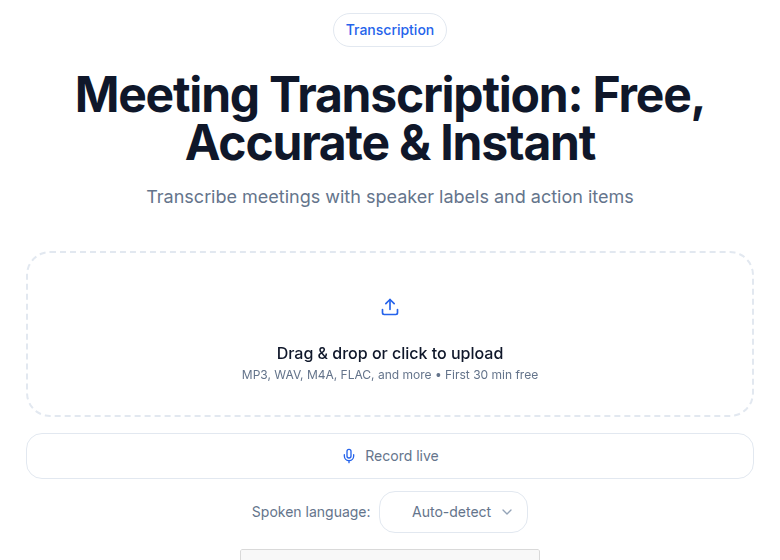 Meeting transcription tool showing speaker labels in the ConvertAudioToText editor
Fix 3: Provide Voice Samples (For Tools That Support Enrollment)
Some tools let you pre-train speaker recognition on known voices.
Otter.ai supports voiceprint enrollment via Settings > Speakers > Add New Speaker. You provide a 30-60 second clean voice sample per person. Once enrolled, Otter matches that speaker automatically in future recordings. Per Otter's documentation, accuracy runs at roughly 90-95% with two to four distinct speakers and drops to 70-85% when six or more speakers are present. The practical cap is 10 enrolled speakers.
AssemblyAI handles speaker identification differently: instead of voice samples, it uses the transcript's conversational context to infer speaker identities (such as "John Smith" or "Agent") and substitutes those for generic labels. This works without pre-enrollment but is less reliable when the conversation does not contain clear identity signals.
Enrollment is most valuable for recurring formats: podcast interview shows with returning guests, weekly team standups, or regular client calls where the same voices appear repeatedly.
Fix 4: Re-transcribe with a Stronger Diarization Engine
If errors are systematic rather than occasional, the tool itself is the problem.
Diarization quality varies meaningfully across services in 2026:
| Tool | Notable Diarization Feature | Speaker Count Limit |
|---|---|---|
| AssemblyAI | 2.9% speaker count error rate; real-time streaming support | 10 (streaming), 20 (async) |
| Deepgram Nova-3 | Compatible with all Nova batch models; auto-detects speaker count | Not published |
| Pyannote 4.0 (Community-1) | Open-source; state-of-the-art on standard benchmarks; self-hosted | Varies by config |
| Speechmatics | Claims 25% accuracy advantage; cloud and on-premise options | Not published |
| Otter.ai | Workspace voiceprint enrollment; best for recurring speakers | 10 enrolled speakers |
Tools based on vanilla Whisper without an added diarization layer do not include speaker attribution at all. Whisper transcribes words but does not segment by speaker. Most deployments add Pyannote on top to get diarization. If your current tool is producing systematically bad labels on multi-speaker audio, it may be using a weak or unconfigured diarization module rather than a purpose-built one.
For the accuracy and cost trade-offs across these APIs, the best speech-to-text APIs comparison for 2026 covers them in detail.
Fix 5: Change How You Record Going Forward
For any recording you already have, the fix options are Fix 1 through 4 above. For future recordings, one change eliminates most diarization problems:
Record per-speaker tracks. When each person's voice is isolated to its own audio file, diarization is trivial: the tool maps one track to one speaker. There is no cross-contamination to confuse the clustering algorithm.
How to enable it:
- Zoom: In your Zoom web portal under Settings > Recording, enable "Record a separate audio file for each participant." This applies to cloud recordings on Pro and higher plans, and supports up to 200 participants. The output is one .m4a file per speaker.
- Riverside.fm: Per-track recording is on by default. Every participant's audio is captured locally and uploaded as a separate WAV file at 48 kHz. The free plan includes 2 hours of multi-track recording; the Pro plan (currently $24/month billed annually) includes 15 hours.
- In-person interviews: Lavalier microphones on each speaker feed into separate recorder tracks or channels, which you export individually before transcribing.
If per-track recording is not possible, have speakers introduce themselves at the start. "I'm Sarah, head of design" and "I'm John, head of engineering" gives the diarization model clean, anchored voice samples before the main conversation begins. This is a 30-second habit that measurably improves label accuracy for the rest of the recording.
When Audio Makes Diarization Genuinely Unreliable
Some scenarios push beyond what current AI handles well:
Phone calls with multiple speakers. The compressed 300-3400 Hz frequency range of traditional telephony flattens voice characteristics. Two people with similar voices on a narrowband call may be indistinguishable to the model. If you have access to per-channel call recordings (common in call center infrastructure), use them. For consumer phone calls, a manual correction pass is often the only path.
Conference rooms with one microphone. Distance variation, ambient room noise, and similar voice ranges combine into the hardest single-channel scenario. Future recordings should use per-speaker microphones. For existing recordings, Fix 2 (manual correction) is the route.
Five or more speakers in an unstructured discussion. AssemblyAI handles up to 20 speakers in async mode, but accuracy degrades above four or five in noisy, unstructured audio. Above that threshold on a single channel, plan for a correction pass regardless of which tool you use.
Overlapping speech segments. When two people speak simultaneously, the diarization model has to split the segment by acoustic features, which it does with limited reliability. The handling overlapping speech guide covers this from the recording and tool-choice angle. The fix for overlapping speakers addresses repairing existing transcripts where overlaps caused attribution errors.
Recovery Workflow at a Glance
For a recording that already has bad diarization:
- Identify which failure mode applies (swap, merge, or split) using the first 2 minutes.
- If it is a swap, rename the labels. Done.
- If it is merge or split, run the manual correction pass in the editor.
- If errors are too dense to fix manually, re-transcribe through a tool with stronger diarization.
- For future recordings, enable per-speaker tracks or at minimum add self-introductions at the start.
If you need a clean transcript without setting up a meeting bot or account, ConvertAudioToText accepts uploaded audio from any source and applies speaker diarization on the premium engine for multi-speaker files.
FAQ
Why does diarization mix up speakers with similar voices?
Diarization models build a voice fingerprint from the first few seconds of each speaker's audio and then match subsequent segments by acoustic similarity. When two voices share similar pitch, cadence, or accent, the fingerprint overlap is high enough that the model assigns segments to the wrong cluster. Phone audio makes this worse by compressing the frequency range to roughly 300-3400 Hz, flattening the acoustic differences that would otherwise distinguish speakers.
How many speakers can AI diarization handle reliably?
Accuracy drops noticeably above three to four speakers on a single-channel recording. AssemblyAI handles up to 20 speakers in async mode and up to 10 in real-time streaming. Deepgram Nova-3 does not publish a hard cap, but its documentation notes diarization is compatible across all Nova batch models. In practice, beyond five or six speakers on one microphone, even the best tools start making assignment errors and a manual correction pass becomes necessary.
Does Otter.ai support speaker voice enrollment?
Yes. Otter lets you build a voiceprint by providing a 30-60 second voice sample per speaker via Settings > Speakers > Add New Speaker. Once enrolled, Otter recognizes that speaker in future recordings automatically. Accuracy is reported at 90-95% with two to four distinct speakers and drops to roughly 70-85% when six or more speakers are present. There is a practical cap of 10 enrolled speakers per workspace.
What is the fastest fix for wrong speaker labels in an existing transcript?
If the model identified distinct speaker clusters correctly but named them wrong, renaming the labels takes about 10 seconds per speaker and propagates through the entire transcript instantly. If the clusters themselves are wrong (speakers merged or split incorrectly), the manual correction pass in a transcript editor is the most reliable path: listen and read the first minute, note the patterns, reassign misattributed paragraphs, and verify questionable boundaries against the audio timeline. A 60-minute meeting typically takes 10-20 minutes to correct this way.
Sources
- AssemblyAI speaker diarization features: https://www.assemblyai.com/features/speaker-diarization (checked 2026-07-01)
- AssemblyAI top diarization tools roundup: https://www.assemblyai.com/blog/top-speaker-diarization-libraries-and-apis (checked 2026-07-01)
- Deepgram diarization documentation: https://developers.deepgram.com/docs/diarization (checked 2026-07-01)
- Pyannote 4.0 Community-1 changelog: https://www.pyannote.ai/changelog/community-1-now-available (checked 2026-07-01)
- Otter.ai speaker identification overview: https://help.otter.ai/hc/en-us/articles/21665587209367-Speaker-Identification-Overview (checked 2026-07-01)
- Zoom separate audio file recording settings: https://support.zoom.com/hc/en/article?id=zm_kb&sysparm_article=KB0064676 (checked 2026-07-01)
- Riverside.fm per-track recording and pricing: https://riverside.com/pricing (checked 2026-07-01)
- Voice frequency range: https://en.wikipedia.org/wiki/Voice_frequency (checked 2026-07-01)
Try transcription free
Convert any audio or video to clean, unwatermarked text — speaker labels, timestamps, and AI summaries included. First 30 minutes free, no account.
Related Articles
How to Transcribe Multiple Speakers and Label Them
Learn a practical workflow for transcribing audio with multiple speakers, assigning speaker labels, reviewing and exporting clean transcripts using CATT.
Best Transcription with Speaker Detection (2026)
Compare speaker diarization across Rev, Otter, Descript, Happy Scribe, Fireflies, Trint, and CATT. Verified pricing, honest tiers, and real accuracy expectations for 2026.