
Handling Overlapping Speech: Prevention First, Tools Second
Summarize this article with:
The most reliable way to handle overlapping speech in transcription is to prevent it at the recording stage, not to fight it in post. Separate microphones feeding separate tracks eliminates the problem entirely. When you cannot re-record, moderation discipline (one speaker at a time, explicit floor-passing) cuts overlap frequency by a large margin. If the audio is already recorded with heavy crosstalk, accept information loss, mark overlaps with [crosstalk], and repair the transcript manually, the fix-overlapping-speakers post covers that workflow.
The most reliable way to handle overlapping speech in transcription is to prevent it before the recording starts. No AI engine reliably recovers verbatim content from two people talking at full volume simultaneously, and none is likely to in the near term. If you design your recording and facilitation so overlap barely happens, the transcription problem mostly disappears. If the audio is already recorded, the path is repair, not re-transcription, that workflow lives in the post on fixing overlapping speakers in an existing transcript.
Why Engines Fail on Heavy Overlap
When two voices occupy the same audio frame, the model sees a mixed spectrogram where both speakers contribute to every sample. It must choose which speech to transcribe. On brief backchannels ("mm-hmm," "right") most modern engines correctly favor the primary speaker and either skip or briefly include the listener's response. On polite interruptions with under two seconds of overlap, output is usually adequate, though speaker labels sometimes flip at the boundary.
Heated debate, where both speakers continue at full volume for multiple seconds, is where output becomes unreliable. Words from one speaker get dropped, partial words appear, and the speaker-label assignments can flip mid-sentence. Three or more speakers overlapping is effectively unrecoverable for general-purpose tools. Per Deepgram's own documentation, diarization "works best with clearly separated speakers and may struggle with overlapping speech," even on Nova-3.
The honest constraint: no tool escapes this. The solution is upstream.
For a deeper look at how engines handle multi-speaker audio generally, the speaker diarization explained post covers the acoustic modeling in detail.
Prevention at the Recording Stage
Set explicit moderation rules before you start
The cheapest, fastest fix requires no equipment. State the ground rules out loud at the start of every session, even with familiar collaborators.
"One speaker at a time. I'll pass the floor by name. If two people start at once, we'll stop and restart."
Name-passing is particularly effective: "Jordan, then Maria" signals to Maria that her turn is coming, so she does not need to cut in. A host or moderator who consistently enforces this dramatically reduces the frequency of multi-second overlap, the type that breaks transcription, without eliminating the natural conversational flow that makes interviews and panels worth recording.
For remote calls, mute-by-default or push-to-talk takes enforcement out of individuals' hands. Each participant is muted unless actively speaking. The friction of unmuting is usually enough to stop backchannels from becoming full overlap. Zoom, Teams, and Google Meet all support push-to-talk via the space bar.
Panel discussions benefit from a visible hand-raise queue. Many platforms have this built in. Using it consistently compresses the overlap window from seconds to near-zero at the transition points where engines most often fail.
Headphones prevent audio bleed before it starts
Every remote participant should wear headphones. When speakers come from a laptop's speakers rather than headphones, the far-end audio bleeds back into the local microphone and creates a secondary mixed signal on top of any genuine overlap. Headphones eliminate this class of problem entirely.
This is one of the lowest-cost changes available and often has the largest single impact on transcript quality in remote interview and podcast recordings.
Wired connection reduces dropouts that look like overlap
A wired Ethernet connection on the recording machine (rather than Wi-Fi) reduces packet-loss dropouts. Dropouts cause sudden volume drops and restarts that confuse diarization engines into treating one speaker as two, and can create apparent overlaps in the transcript even when speakers took turns cleanly. This matters most in longer recordings where accumulated artifacts compound.
Multitrack Recording: The Technical Solution
For controlled recording setups where you have influence over the equipment, multitrack recording eliminates the problem at the source. Each speaker gets their own microphone, and each microphone records to its own audio channel. You run transcription on each channel independently. The engine sees only one speaker per file and produces clean output. Timestamps are then merged to produce the full transcript.
This approach works for:
- Podcasts (co-host in studio, each on a dynamic mic into separate channels)
- Remote interviews (using a platform that records per-participant tracks)
- Panel discussions (one mic per panelist, fed to a multitrack recorder)
- In-person meetings (lavalier mics for each participant)
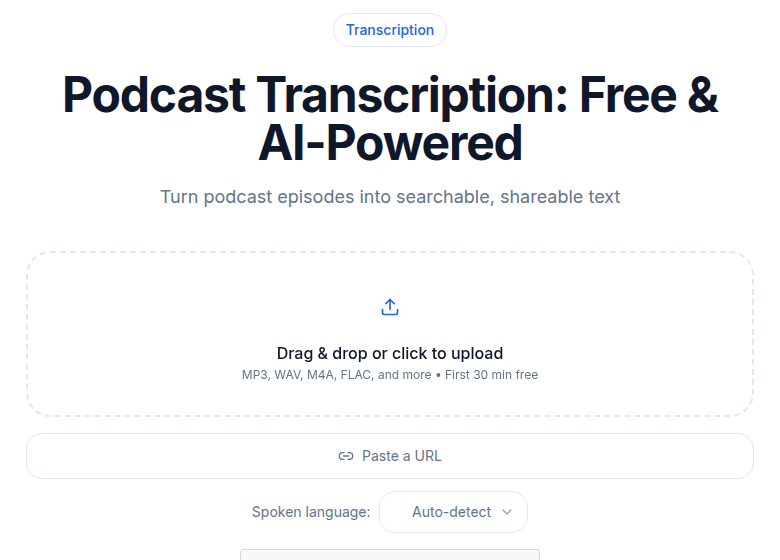 ConvertAudioToText podcast tool processes per-speaker tracks for clean overlap-free transcripts
Remote recording platforms that separate tracks automatically
Three platforms record each participant to a separate local track, then sync and upload after the session. Internet quality during the recording does not degrade the audio quality because each participant's file is captured locally.
Riverside records each remote guest to a separate audio and video track at up to 4K/48kHz. The free plan includes a one-off two-hour multitrack recording allowance. The Pro plan at $24 per month (billed annually) unlocks five hours of multitrack track downloads per month. Grow at $34 per month adds 20 hours and a second studio (pricing per Riverside's page, checked July 2026).
Zencastr also records each participant on a separate local track and offers enhanced export (leveled, noise-reduced, normalized per participant) on paid plans. The platform is browser-based and requires no download from guests.
Descript Rooms is Descript's native remote recording feature, which captures each participant's feed on a separate track in up to 4K. Recording time counts against the plan's Media Minutes allocation. SquadCast, which Descript acquired and which previously appeared on lists like this one, is being wound down as a standalone product and folded into Descript Rooms (per Descript's Season 5 and Season 7 announcements). If you were using SquadCast, Descript Rooms is its successor.
In-person multitrack recording
For in-person setups, the path is a USB audio interface (Focusrite Scarlett 2i2 or similar) plus two or more dynamic microphones, one per speaker. The interface appears to recording software as a multi-channel input device. Audacity, GarageBand, and most DAWs record each channel as a separate track. Export the tracks as individual mono WAV files and transcribe each one.
The equipment outlay for a two-person setup is in the $150 to $250 range for a decent interface and two entry-level dynamic microphones. That cost is paid once and applies to every recording afterward.
When You Cannot Control the Setup
Some recordings cannot be redone: a deposition where witness testimony overlaps, an archival interview, a panel captured on a single room mic. In these cases the workflow shifts from prevention to acceptance and repair.
Accept information loss. The AI will drop some words during heavy overlap, pick the louder speaker, or produce phantom words. For research or journalism, the audio is the source of truth; the transcript is the searchable text. Mark uncertain segments with [crosstalk] or [inaudible] so downstream readers know where to check the recording.
Use human transcription for sections that matter. For legal depositions in particular, human transcription remains the standard for overlapping testimony. The AI vs. human transcription post covers when the cost difference is worth it.
If you need a transcript file quickly without a bot joining your meeting, ConvertAudioToText's meeting transcription tool handles audio upload directly. It produces clean output on well-separated speakers; for heavy overlap, build a manual review step into the workflow.
Setup Comparison
| Recording setup | Overlap in transcript | Cost |
|---|---|---|
| Single shared mic, no moderation | Heavy, frequent | Low equipment |
| Single shared mic, strict moderation | Reduced at boundaries | Low equipment, time investment |
| Per-participant headphones, mute-by-default | Reduced, audio bleed gone | Minimal |
| Multitrack remote platform (Riverside, Zencastr, Descript Rooms) | Near-zero | Platform subscription |
| Per-participant wired mics, audio interface | Near-zero | $150-$250 one-time |
| Human transcription on overlap-heavy archive audio | Post-hoc; handled by transcriptionist | Per-hour human rate |
Common Questions
Does any transcription tool handle overlapping speech reliably?
No current off-the-shelf tool produces reliable verbatim transcripts of heavy crosstalk in 2026. Tools including Deepgram Nova-3 and AssemblyAI UltraSonic degrade on sustained overlap, even with diarization enabled. The durable fix is preventing overlap at recording time, not choosing a better engine.
What is the single best technical change for overlapping-speech transcription?
Record each speaker on a separate microphone to a separate audio track. When you run AI transcription on a single-speaker channel, there is no overlap to handle. Riverside, Zencastr, and Descript Rooms all do this automatically for remote sessions.
What can I do if I already have a recording with heavy crosstalk?
Transcribe what comes through cleanly, mark the overlapping segments with a [crosstalk] placeholder, and use the raw audio to clarify any critical moments. For the full repair workflow, see the post on fixing overlapping speakers in an existing transcript.
Does Riverside's free plan support separate track recording?
Yes, but with a cap. Riverside's free plan includes two hours of multitrack separate-track recording as a one-off allowance. Paid plans starting at $24 per month (billed annually) unlock monthly multitrack hours.
Sources
- Riverside pricing page, checked July 2026
- Zencastr: How Zencastr Records, checked July 2026
- Descript Season 5: SquadCast joins Descript, checked July 2026
- Descript Season 7: Rooms, Zoom and Automatic Multicam, checked July 2026
- Deepgram: Introducing Nova-3, checked July 2026
- Otter.ai: Speech and transcription accuracy FAQ, checked July 2026
Try transcription free
Convert any audio or video to clean, unwatermarked text — speaker labels, timestamps, and AI summaries included. First 30 minutes free, no account.
Related Articles
How to Transcribe Multiple Speakers and Label Them
Learn a practical workflow for transcribing audio with multiple speakers, assigning speaker labels, reviewing and exporting clean transcripts using CATT.
How to Transcribe a Discord Voice Call
Discover the exact steps to record, upload, and automatically transcribe a Discord voice call with speaker labels, AI summaries, and multiple export options.