
Fix Overlapping Speakers: Repairing Crosstalk Sections
Summarize this article with:
Repairing Crosstalk Sections
When two people talk at once, AI transcription engines face a hard acoustic problem: two sound streams mixed onto one channel. The result shows up in your finished transcript as garbled word-salad, dropped sentences, or a label flip where Speaker 1's words get attributed to Speaker 2. This post is about repairing that transcript after the fact. If you want to prevent overlap at the recording stage next time, that belongs to the handling overlapping speech lane; the two problems call for different tools.
Diagnosing the Crosstalk Damage
Before you start fixing, you need to know exactly where the damage is and what kind it is. Crosstalk damage has specific signatures that distinguish it from other transcription problems.
Look for these symptoms in the transcript:
- A single run-on line that mixes words from two speakers without a speaker-change label, usually surrounded by otherwise clean attribution on both sides.
- A gap in the text at a moment you can hear both voices clearly in the audio.
- A label flip: Speaker 2 gets a sentence that clearly belongs to Speaker 1 by topic or vocabulary, immediately after a moment of overlap.
- A cluster of low-confidence or garbled words in one region of an otherwise accurate transcript. Tools like AssemblyAI and Deepgram expose confidence scores per word; a sudden drop to below 0.5 for a run of words is a reliable marker.
[inaudible]or[crosstalk]auto-tags inserted by the engine, which confirm the tool gave up on that segment.
To locate these regions systematically:
- Export your transcript with timestamps if the tool supports it. Most transcription tools let you download a TXT or SRT with start times per segment.
- Search for known auto-tags:
[inaudible],[crosstalk],[overlapping]. Each one is a verified problem region. - For tools that expose word-level confidence, look for runs where confidence drops sharply.
- Listen back to the audio in the minute before and after any speaker-label flip. If a flip coincides with a place where both voices were audible, that is your crosstalk damage.
Write down the start and end timestamps of each damaged region before you start editing. A clean list saves time; trying to find problems while simultaneously fixing them is slow.
The Repair Decision: Reconstruct or Mark
Once you have the list of damaged timestamps, you need to decide what to do with each segment. The choice is binary.
Reconstruct when:
- Both voices are distinguishable in the audio if you listen carefully.
- The content is important: testimony, a key decision, a factual claim.
- You can confidently attribute each phrase to a speaker.
Mark as [crosstalk] when:
- The voices are truly inseparable in the audio.
- The segment is procedural filler ("Yeah, right, I know...") that does not affect the substance.
- Reconstruction would require guessing.
The standard convention is: [crosstalk 00:14:32] with the timestamp of the segment start. Some editorial styles use [overlapping speech] or [talking simultaneously]. Pick one and use it consistently across the document. A marked [crosstalk] with a timestamp is honest and searchable. A fabricated reconstruction that gets attribution wrong is worse than a blank.
My take: for anything going into a legal record, journalistic article, or formal meeting minutes, mark every uncertain segment rather than reconstruct it. For a podcast show notes file or a casual team meeting summary, reconstructing the gist from audio is usually fine if you note it is paraphrased.
The Audio-Referenced Reconstruction Pass
For segments you are reconstructing, the workflow is:
Step 1: Isolate the damaged timestamp in your audio player. Use a tool with fine-grained scrubbing. VLC, Audacity, or your DAW. Set the loop to replay just that 5-20 seconds until you can parse the voices separately.
Step 2: Listen for the dominant voice first. Most overlap has one speaker who is louder or clearer. Transcribe that voice completely in one pass, leaving blank brackets where you cannot hear them.
Step 3: Listen for the second voice. In a second pass, focus on the lower or quieter signal. A pair of closed-back headphones helps significantly. What the engine hears as a single noise stream often separates into two recognizable voices when you know to listen for them.
Step 4: Assign timestamps and speaker labels. If two speakers were genuinely simultaneous, you have two options: use a note like [Speaker 1 and Speaker 2 simultaneously] followed by both lines, or pick the speaker who finished the thought and note the interruption inline.
For a 60-minute meeting with 5-10 short overlap segments, this pass takes 15-20 minutes. That is a reasonable investment for high-stakes content.
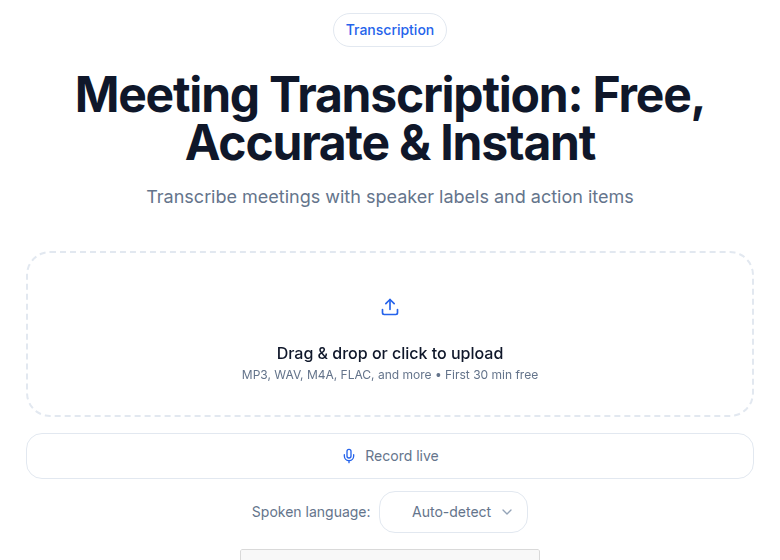 Meeting transcription tool on ConvertAudioToText
The output panel on ConvertAudioToText shows speaker-attributed segments with timestamps, which you can use to locate crosstalk regions before doing your manual repair pass.
Re-running Through a Stronger Engine
Before doing manual work, it is worth re-running your worst segments through a different transcription engine. Engines differ in how they handle overlap: some pick the dominant voice and drop the other cleanly; some mix words together; some skip the segment entirely. Switching engines sometimes recovers a segment that your original tool dropped.
Per Deepgram's documentation, Nova-3 maintains "high accuracy even in environments with significant speaker-to-microphone distance, overlapping speech, and background noise." AssemblyAI's documentation states their recent model improvements achieved "30% better performance in noisy audio and overlapping conditions" with speaker diarization. These are general claims and results vary with your specific audio, but re-running a problem segment through a second engine costs only a few cents and can save 20 minutes of manual work.
If you want to compare multiple engines on a tricky recording, the best speech-to-text APIs in 2026 covers what each engine prioritizes.
You can also try ConvertAudioToText's audio-to-text tool to re-run specific clips without uploading your full recording again.
Source Separation as a Rescue Tool
For recordings where the overlap is dense and the manual pass is not working, audio source separation tools can sometimes split two voices from a single mixed channel. Demucs is the most widely used open-source option. Spleeter (Deezer) and AudioSep are alternatives.
The honest picture: source separation works best for two clearly distinct voices with different pitch ranges. For three or more speakers, quality drops sharply. For overlapping voices of similar pitch, the output can be worse than the original. This is a try-it-and-listen approach, not a guaranteed fix.
The workflow:
- Export just the damaged timestamp as a short clip (Audacity does this in seconds).
- Run the clip through the separator.
- Transcribe each separated output independently.
- Compare against what you originally had.
If the separated output is cleaner, use it. If it introduces more artifacts, go back to manual.
When to Send the Clip to a Human Transcriber
For a small number of segments where AI consistently fails and the content is important, sending just those clips to a professional human transcription service is often the most cost-effective fix.
Per current vendor documentation (checked July 2026): Rev charges $1.99 per audio minute for human transcription. GoTranscript's interactive pricing calculator starts around $0.99-$1.02 per audio minute for standard turnaround, varying by language and timeline. You are not paying for an hour: you are paying per minute of the specific clips you cannot recover otherwise.
A five-minute collection of overlap clips from a 90-minute meeting costs roughly $5-10 at GoTranscript rates or about $10 at Rev. For legal, journalistic, or executive-level content, that is a straightforward decision. For a casual team sync, it probably is not worth it.
See AI vs human transcription for a fuller breakdown of when to escalate to human services.
Diarization-Related Problems vs. True Crosstalk
Not every speaker-attribution problem is a crosstalk problem. Two things can look the same in a transcript but have different causes and different fixes.
True crosstalk damage: Two voices were actually overlapping in the audio at the same time. The audio is mixed. The engine had no clean source to work from.
Diarization error: The audio is fine. One speaker spoke, then another speaker spoke, but the engine labeled them wrong, or assigned a sentence to Speaker 3 that belongs to Speaker 1. This is a labeling error, not a content error. The words are usually correct; only the speaker tag is wrong.
If you fix the label and the words are right, that is a diarization error. See the fix wrong speaker labels guide for that workflow.
If the words themselves are garbled or missing, that is true crosstalk damage and you are in the right place.
When the Recording Is Beyond Recovery
Some recordings have overlap so severe that no repair is practical. Five people talking over each other in a conference room, captured on a single ceiling mic, with the heating system running, is not going to produce a clean transcript regardless of what you do downstream.
For these cases, the options are:
- Accept a partial transcript. Mark all unrecoverable regions as
[crosstalk]with timestamps, and use the document as a rough record with acknowledged gaps. - Pay for human transcription of the full recording. A professional transcriber listening on good headphones will recover more than any AI pass, but cannot recover acoustically impossible segments either.
- Change how you record future sessions. The handling overlapping speech post covers recording-time solutions like per-track capture in Zoom and remote recording platforms.
Option 3 is the highest-leverage choice. Fixing recording infrastructure once eliminates all future repair costs. The repair pass described in this post is for what you have today.
FAQ
How do I find the crosstalk segments in a long transcript?
Search for auto-tags that engines insert at problem segments: [inaudible], [crosstalk], [overlapping], or [unintelligible]. Then cross-reference with timestamps: export your transcript as SRT or TXT with timestamps, look for speaker-label flips, and listen back to the audio around each suspected region. If your engine exposes confidence scores, look for runs of words below 0.5 confidence, which tend to cluster around overlap moments.
When should I mark [crosstalk] instead of trying to reconstruct the text?
Mark [crosstalk] with a timestamp when the voices are truly inseparable on the audio, when reconstruction would require guessing, or when the segment is filler that does not affect the substance of the record. Reconstruct only when both voices are distinguishable on careful listening and you can confidently attribute each phrase. In legal or journalistic work, when in doubt, mark rather than guess.
Can re-running through a different engine recover dropped crosstalk segments?
Sometimes, yes. Different engines handle overlap differently: some pick the dominant voice cleanly, others mix both, others skip the segment. A segment your original engine dropped entirely might come through partially on a second engine. It is worth trying on your worst segments, since running a 30-second clip is cheap. Results depend on your specific audio and the two voices involved; there is no guarantee.
Is it worth paying a human transcriber for just the overlap segments?
For high-stakes content, yes. You do not need to send the whole recording: export just the damaged clips as short audio files and submit only those. At rates around $1-2 per audio minute (per current vendor documentation from Rev and GoTranscript), a five-minute collection of problem clips costs $5-10. A professional transcriber with good headphones will recover more than repeated AI passes, though they also cannot separate acoustically blended audio that was never recorded separately.
Sources
- Deepgram, "Introducing Nova-3: Setting a New Standard for AI-Driven Speech-to-Text": https://deepgram.com/learn/introducing-nova-3-speech-to-text-api (checked July 2026)
- AssemblyAI, "Using multichannel and speaker diarization": https://www.assemblyai.com/blog/multichannel-speaker-diarization (checked July 2026)
- Rev pricing page: https://www.rev.com/pricing (checked July 2026)
- GoTranscript pricing and cost estimate: https://gotranscript.com/pricing-and-cost-estimate (checked July 2026)
- Deepgram product page, speech-to-text: https://deepgram.com/product/speech-to-text (checked July 2026)
Try transcription free
Convert any audio or video to clean, unwatermarked text — speaker labels, timestamps, and AI summaries included. First 30 minutes free, no account.
Related Articles
Fix Foreign Words in Your Transcription (2026 Guide)
Your AI transcript mangled every French phrase and German place name. Here is the systematic fix for foreign words in English transcripts, from tool choice to custom vocabulary.

Fix Missing Punctuation in Your Transcript (2026 Guide)
Your transcript is a wall of text with no periods or commas. This guide explains why punctuation goes missing and how to fix it fast, with per-engine honesty.