How Voice Activity Detection (VAD) Works in Transcription
Summarize this article with:
What VAD Decides
Voice activity detection answers one question for every short slice of audio: is speech happening here, or not? The answer determines which frames reach the transcription model and which get discarded. Get it wrong and you either hallucinate text over silence or clip the start of real words.
Why VAD Exists in the Pipeline
A transcription model takes audio in and produces text out. It has no inherent concept of "no one is talking." Feed it silence, background noise, or hold music, and it will still try to produce text, because that is what it was trained to do. VAD is the gate that sits upstream and decides what reaches the model at all.
Three concrete effects follow from that gate.
It Stops Hallucination on Silence
Whisper Large-v3 has a well-documented tendency to generate phantom text during silent or non-speech audio. Because the model was trained on internet data dominated by YouTube videos, it learned to associate audio with transcribable speech. When it encounters silence, it draws on the most common endings in its training data: phrases like "thanks for watching" or "subscribe to my channel" appear in Whisper output over stretches of audio that contain neither. This has been documented in multiple independent analyses and is not an occasional edge case. Researchers have found that a small subset of decoder attention heads accounts for the majority of non-speech hallucinations.
VAD prevents this by removing non-speech regions before the model sees them. The model cannot hallucinate over silence it never receives.
It Reduces Processing Cost
Running a transcription model over silence is not free. The model still processes the full spectrogram for every frame it receives. For audio that contains long stretches of non-speech, skipping those frames saves meaningful compute. Researchers have noted savings ranging from 50 to 70 percent on mostly-silent recordings. A 90-minute lecture with extended pauses, a field recording with ambient sound between bursts of relevant speech, a call-center audio where agents wait on hold: these all benefit proportionally to how much of the audio is not speech.
For low-volume use cases this is a minor concern. For production deployments that process thousands of hours per month, it becomes a real cost lever.
It Gives Timestamps a Better Foundation
When the transcription model receives clean speech segments with accurate start times, its word-level timing is anchored to real audio events rather than stretched across silence. The result is more reliable word timestamps and cleaner subtitle output. This matters most in workflows that depend on precise cuts: subtitle generation, meeting notes indexed by topic, or transcripts paired with video.
How VAD Works Under the Hood
The technical approach has evolved from simple signal processing to neural inference. Three generations are still in use today.
Energy-Based VAD
The earliest and simplest approach. Measure the energy (volume) of each audio frame. Frames above a threshold are labeled speech; frames below are silence.
This works in a silent studio. In any real environment it fails: background noise at 60 decibels masks quiet speech at 55 decibels, and a loud ventilation hum triggers false positives everywhere. Energy-based VAD is rarely used in modern transcription pipelines, but it still appears in resource-constrained embedded systems where compute cost matters more than accuracy.
Statistical VAD (WebRTC VAD)
A step up from raw energy. Instead of a single energy threshold, a Gaussian Mixture Model (GMM) is fit over multiple acoustic features per frame: energy, spectral shape, zero-crossing rate, pitch. The GMM assigns a probability that the frame matches the learned "speech" distribution versus the "non-speech" distribution.
WebRTC VAD, the open-source implementation from Google's WebRTC project, uses this approach. It is around 158 KB, processes 30 ms chunks in under 1 ms on CPU, and is permissively licensed. It is widely deployed in voice communication pipelines (video calls, VoIP) where latency matters more than accuracy.
Its weakness is that the GMM was trained on specific audio conditions. Music with vocals, speech in highly reverberant rooms, and very noisy environments all produce misclassifications. In a benchmark by Picovoice (who sell a competing product, so treat the numbers as directional), WebRTC VAD achieved roughly a 50 percent speech detection rate at a 5 percent false-positive rate, a result that illustrates its limitations in noisy conditions rather than quiet ones.
Neural VAD
The current standard for transcription pipelines. A small neural network is trained on labeled audio spanning thousands of hours and many background conditions, learning to detect speech in the raw waveform or spectrogram without hand-crafted features.
Silero VAD is the most widely adopted open-source neural VAD in production transcription pipelines. Released in December 2020 and maintained through 2026 (current version 6.2.1), it uses a PyTorch and ONNX-backed architecture with a model size of around 2 MB. It supports 8000 Hz and 16000 Hz sampling rates, was trained on data spanning over 6,000 languages, and processes each 30 ms chunk in under 1 ms per CPU thread. The MIT license means no registration or vendor dependency.
In the same Picovoice benchmark, Silero reached approximately 87.7 percent speech detection at a 5 percent false-positive rate, a substantial improvement over the GMM approach. Neural VAD handles music with vocals, reverb, and variable mic quality far better than statistical methods, though no single model eliminates all edge cases.
| VAD type | Technical basis | Latency | Noise robustness | Example |
|---|---|---|---|---|
| Energy-based | Volume threshold | Under 1 ms | Low | Legacy embedded systems |
| Statistical (GMM) | GMM over spectral features | Under 1 ms | Medium | WebRTC VAD (Google) |
| Neural | Deep neural network | 1-5 ms | High | Silero VAD, proprietary models |
VAD in the Whisper Pipeline
OpenAI's reference Whisper implementation does not include external VAD by default. The model contains an internal "no speech" probability token, but in practice it is unreliable enough that production deployments add a dedicated VAD pass upstream.
The typical architecture, used by WhisperX and similar Whisper wrappers, runs like this:
- Audio is passed through Silero VAD or Pyannote, which returns a list of speech-active time segments.
- Adjacent segments separated by short gaps (typically 0.5 seconds or less) are merged.
- The resulting speech regions are chunked into Whisper's processing window (30 seconds maximum).
- Each chunk is transcribed by Whisper Large-v3.
- Timestamps are adjusted back to the original timeline before the chunks are concatenated.
This design is meaningfully more reliable than feeding Whisper raw audio, especially for recordings with extended silence or ambient background. For a deeper look at the model itself, see Whisper Large-v3 explained.
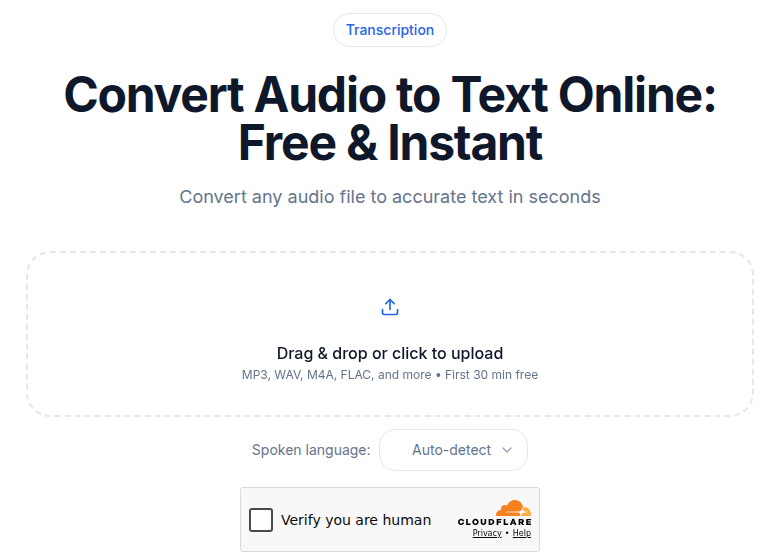 CATT audio uploader; after upload, VAD runs server-side before the audio reaches the transcription model
VAD in the Deepgram Pipeline
Deepgram Nova-3 integrates voice activity detection directly into the end-to-end model pipeline. Users do not configure a separate VAD stage. This is operationally simpler: one model, one API call, no VAD tuning. Nova-3's built-in VAD specifically improved over previous Deepgram models that sometimes transcribed music-only or near-silent audio as phantom text.
The tradeoff is transparency. You cannot inspect the VAD boundary decisions separately from the transcription output, which makes debugging edge cases harder. If your workflow depends on auditing exactly which frames were classified as speech, an explicit external VAD is preferable. For most users the integrated approach is the better default. The full breakdown is in Deepgram Nova-3 explained.
What VAD Cannot Do
Three limits worth knowing before you expect too much from it.
VAD does not identify speakers. It distinguishes speech from non-speech. Speaker A and Speaker B both produce frames labeled "speech." Separating them is a separate problem covered in speaker diarization explained.
VAD does not clean up noise within speech frames. It only determines which frames reach the model; the audio in those frames is unchanged. A noisy recording is still noisy inside the VAD-selected segments. VAD prevents silence-related hallucinations, but transcription errors caused by background noise inside speech regions require different handling.
VAD does not distinguish types of non-speech. Laughter, music, crowd noise, and dead silence all typically produce a "not speech" label. Specialized systems separate these categories, but standard VAD used in transcription pipelines does not.
For a broader map of what causes transcription errors, why transcription makes mistakes covers the full failure mode taxonomy.
Tuning VAD: Three Parameters That Matter
For most users, VAD is invisible. The pipeline ships with defaults and the defaults are usually fine. For developers integrating transcription into their own systems, three parameters have the most impact.
Sensitivity (the speech-probability threshold). A high threshold requires stronger evidence of speech before labeling a frame as active. This reduces false positives (noise labeled as speech) but risks dropping quiet or breathy speech. A low threshold catches more speech but also lets through more noise. Production systems typically tune this on a small sample of representative audio before deploying at scale.
Minimum segment duration. A filter that discards detected speech segments shorter than a set duration, typically 250 ms. Without it, a brief click or impact noise gets passed to the transcription model as a "speech" segment, producing a single spurious word or syllable in the output.
Padding. Most VAD systems extend each detected speech segment by a fixed amount before and after the detected boundaries. Without padding, the first phoneme of an utterance is often clipped because the VAD trigger fires a few milliseconds after speech onset. A padding value of 300 ms is a common default for ASR transcription; TTS training pipelines use longer values of 400 to 500 ms to preserve natural prosody.
These parameters interact. Aggressive sensitivity with short minimum duration and tight padding maximizes the amount of non-speech that gets removed, at the cost of occasionally clipping real speech. Permissive sensitivity with long padding preserves more speech at the cost of passing more noise to the model.
When VAD Has the Most Impact
VAD matters most in proportion to how much non-speech is in the audio.
Long recordings with significant pauses benefit the most: lectures, podcast interviews with thinking pauses, meetings with active back-and-forth that leaves one speaker's channel mostly silent. These are also the recordings most likely to produce phantom text without VAD, because Whisper has more silence to fill.
Voice memos and dictation benefit because speech-pause-speech patterns are the sharpest hallucination trigger: the model has nothing to anchor to in the pause, so it generates something.
Field recordings with ambient sound between bursts of relevant speech are often unusable without VAD. The ratio of non-speech to speech can be very high in naturalistic audio.
My take: for consumer uploads from a phone or laptop in a normal room, VAD is invisible plumbing. The transcript either works or has accuracy problems from noise or accent, and VAD is not the bottleneck. The cases where VAD visibly changes the output are long-form recordings, files with frequent silence breaks, and anything recorded in an environment with sustained background sound.
If you want to see how a VAD-included pipeline handles your specific audio, CATT's audio-to-text tool processes the first 30 minutes free with no account. Try a file that has caused phantom text in other tools.
Common Questions
What frame size does VAD typically use?
Most production VAD systems process audio in chunks of 10 to 30 ms. Smaller frames detect speech onset faster but misclassify more often in noisy conditions. Larger frames are more accurate but add a few milliseconds of detection lag. Silero VAD was trained on 30 ms chunks and can handle longer chunks natively. WebRTC VAD supports 10, 20, and 30 ms modes; 30 ms is the most commonly used in transcription pipelines.
Does VAD affect transcription accuracy inside speech regions?
No. VAD changes which portions of audio reach the model, not how the model processes them. The model's word error rate on a given speech segment is unaffected by whether VAD was used to find that segment. The accuracy benefit of VAD is indirect: it prevents hallucinated text in silence and gives the model cleaner segment boundaries to work with.
Why does Whisper hallucinate over silence without VAD?
Whisper was trained on internet-sourced audio, primarily YouTube transcripts. YouTube videos commonly end with outro segments, hold music, and filler audio accompanied by spoken phrases like "thanks for watching" or "subscribe to my channel." The model learned to associate these non-speech audio patterns with that text. When it receives silence or music, it draws on those associations and generates text that was never spoken. External VAD removes the silent frames before Whisper sees them, eliminating the trigger.
Is neural VAD always better than WebRTC VAD?
For transcription pipelines, yes in almost all cases. Neural VAD like Silero handles noisy environments, music with vocals, and reverb far better than WebRTC's GMM. WebRTC VAD has the advantage of near-zero compute cost and a smaller footprint, which makes it a good choice for real-time voice communication applications where latency is tightly constrained and audio quality is controlled (a video call in a quiet room). For transcription of real-world audio, the neural approach is worth the slightly higher overhead.
Sources
- Silero VAD repository: https://github.com/snakers4/silero-vad
- WhisperX VAD pipeline documentation: https://deepwiki.com/m-bain/whisperX/4.1-voice-activity-detection
- Picovoice VAD comparison (2026): https://picovoice.ai/blog/best-voice-activity-detection-vad/
- Picovoice complete VAD guide (2026): https://picovoice.ai/blog/complete-guide-voice-activity-detection-vad/
- Deepgram VAD overview: https://deepgram.com/learn/voice-activity-detection
- Whisper hallucination research (arxiv 2402.08021): https://arxiv.org/html/2402.08021v2
- Investigation of Whisper hallucinations on non-speech audio (arxiv 2501.11378): https://arxiv.org/html/2501.11378v1
- Calm-Whisper hallucination reduction research (2025): https://arxiv.org/html/2505.12969v1
- WebRTC VAD source: https://chromium.googlesource.com/external/webrtc/+/518c683f3e413523a458a94b533274bd7f29992d/webrtc/modules/audio_processing/vad/voice_activity_detector.h
- VAD parameter guidance (WhisperX paper): https://arxiv.org/pdf/2303.00747
Try transcription free
Convert any audio or video to clean, unwatermarked text — speaker labels, timestamps, and AI summaries included. First 30 minutes free, no account.
Related Articles

Acoustic Models vs Language Models in Speech Recognition
What acoustic models and language models do in ASR, why the split mattered historically, how end-to-end systems absorbed it, and why it still explains the errors you see today.
Fix Jargon Errors in Transcription: The Glossary Pass
Your transcript turned "Kubernetes" into "cuban itties." Here is the systematic fix for technical jargon in AI transcripts, from quick find-replace to custom vocabulary APIs.