
Transcription Study Guide: Transcripts into Materials
Summarize this article with:
Transcribing a lecture trades a slow audio file for a searchable text document, which you can then process into real study materials in far less time than re-listening. The leverage comes not from reading the transcript but from what you build from it: outlines, active-recall questions, and spaced-repetition flashcard decks. This guide walks through the complete workflow, from recording to Anki-ready cards, and is honest about what transcription tools do and do not do for long-term retention.
Transcription turns a lecture recording into a searchable text document you can process in a fraction of the time it would take to re-listen. That is its actual job. The study work happens after the transcript exists: you build outlines, write active-recall questions, and load the hardest concepts into a spaced-repetition app. This guide covers that full process.
Why a Transcript Is Not a Study Method (But It Enables One)
Before getting into the workflow, one honest framing note: reading a transcript is still passive study. Research on the testing effect is unambiguous that passive re-reading and passive re-listening produce weaker retention than active recall, where you are forced to retrieve information without looking at it. Students who rely on re-reading overestimate their mastery by a significant margin.
What transcription actually does is compress the input stage. A 75-minute lecture becomes a 10,000-word document you can read in about 15 minutes and search in seconds. That frees you to spend the remaining study time doing retrieval practice instead of scrubbing an audio timeline. The transcript is the raw material. What you build from it is the study method.
Step 1: Record the Lecture
Before recording any class session, check your institution's policy. Most universities require the instructor's advance written consent before a student records a lecture. Students with registered disability accommodations may have a recording right that overrides a professor's no-recording policy. When in doubt, ask before the lecture, not after.
Once you have permission, the setup is simple. Place a phone or dedicated recorder near the front of the room. For online lectures on Zoom or Teams, the meeting platform's own recording feature is your cleanest source. Save files with a consistent naming convention: COURSE_LECTURE-NUMBER_DATE.mp3. Inconsistent names create friction during exam prep.
Step 2: Transcribe in Batches, Not Immediately
You do not need to transcribe every lecture the day it happens. Transcribing in weekly batches or before each major assignment is enough for most workflows.
A 90-minute lecture takes 5 to 10 minutes to process through a modern AI transcription tool.
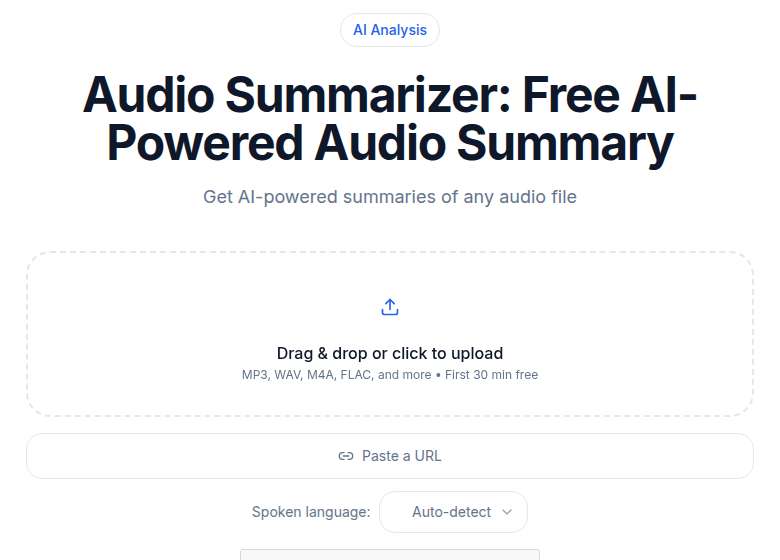 The AI summary is the outline seed; the transcript is the source of truth
If you just need a clean, searchable transcript without any additional software to manage, ConvertAudioToText processes lecture audio and video in 99+ languages and returns speaker-labeled text with timestamps. A free account transcribes your first file on the premium engine (up to an hour), then up to 30 files a day, up to 30 minutes each; the Pro plan at $14.99 per month is unlimited.
After each transcript comes back, skim it at reading speed. You are looking for misspelled proper nouns and domain terms the model got wrong. Correcting those before building materials prevents errors from propagating into your flashcards.
Step 3: Build a Structured Outline First
The outline is the bridge between raw transcript and usable study material. It is also where you first engage actively with the content instead of just reading.
The outline method works as follows. Working from the transcript, identify the main topics the lecture covered. Write those as top-level headings. Under each heading, write subtopics. Under each subtopic, add the key supporting details: definitions, examples, formulas, or experimental results that appeared in the lecture.
The Cornell method, developed at Cornell University in the 1950s, pairs well with transcripts. You take notes in the main column, write a cue question for each major concept in the left column, and write a brief summary at the bottom. Within 24 hours of transcribing, fill in the cue-question column. That act of turning concepts into questions is the first retrieval practice pass.
| Material type | Best for | Retention driver |
|---|---|---|
| Outline | Seeing lecture structure at a glance | Active reorganization of content |
| Cornell cue questions | Repeated self-quizzing | Retrieval practice |
| Flashcard deck | Definitions, formulas, vocabulary | Spaced repetition |
| Written summary | Confirming you can explain the concept | Generation effect |
| Practice question bank | Exam simulation | High-stakes retrieval |
Step 4: Generate Flashcards From the Outline
Once your outline exists, flashcard creation is fast. The rule for a good flashcard is one concept per card, phrased as a question on the front and an answer on the back. Do not photograph the outline and call it flashcards.
Practical process: Take each cue question you wrote in your Cornell column and paste it directly into Anki or Quizlet as a card front. Write the answer from memory first, then check the transcript. Cards you had to look up are your weakest points.
AI tools can accelerate this step. Paste a section of the outline into ChatGPT or a dedicated tool like RemNote and ask it to generate 20 flashcards in question-answer format. Skim every card the model produces, delete the ones that test trivia instead of concepts, and rewrite any that are ambiguous. Aim for 25 to 40 cards per chapter-sized lecture.
Step 5: Use Spaced Repetition Honestly
Spaced repetition is the scheduling system that shows you a flashcard right before you would otherwise forget it. The underlying principle is Ebbinghaus's forgetting curve: without review, roughly 67 percent of new material is gone within 24 hours.
Anki, the most widely used free spaced-repetition tool, schedules reviews based on how you rate each card after recall. An easy card might not reappear for weeks; a difficult one comes back the next day. A 2025 meta-analysis covering over 21,000 learners found a significant overall effect in favor of spaced repetition compared to standard study techniques.
My take: spaced repetition works, but it is often sold with unrealistic expectations. The system only helps if you actually do the daily reviews. Missing a week means the due cards pile up and the schedule breaks. For most students, 15 minutes of Anki per day per course is realistic and sufficient. More than that tends to collapse outside of medical school or high-stakes language exams.
A simple semester schedule:
- Transcribe and outline each week's lectures within 3 days
- Add new flashcards from each outline the same session
- Review Anki cards daily for 10 to 15 minutes
- Do a full concept-map review 1 week before each exam, using your outlines as the source
Studying From Transcripts With Learning Differences
For students with ADHD, dyslexia, or auditory processing differences, transcription removes the medium-switching problem of listening and writing simultaneously. The transcript can be read at the student's own pace, re-read without re-listening, searched instantly, and piped to a text-to-speech tool for audio playback in a controlled setting.
Many university disability services provide transcription as a registered accommodation. If yours does, use it. If not, a personal transcription workflow achieves the same result.
The Three Mistakes That Kill the Workflow
First: transcribing without processing. A folder full of transcripts that never became outlines or flashcards produces no study benefit. Build the processing step into your weekly calendar, not just the week before exams.
Second: treating the transcript as the final product. A 12,000-word lecture transcript is raw input. The 1-to-2-page outline derived from it, and the 30-card Anki deck built from the outline, are what you actually study.
Third: skipping the cross-reference. Lecture transcripts rarely surface where your understanding is weakest. That only becomes visible when you compare the transcript's claims against your readings, problem sets, and practice exams. The cross-reference step is where studying actually happens.
Common Questions
Does transcribing a lecture actually help you remember it?
Transcription alone does not improve retention. A transcript is raw material, not a study method. The retention gains come from what you do with the transcript: converting it into questions, outlines, and flashcards that require active recall. Research consistently shows that retrieval practice outperforms passive re-reading, and a transcript that sits unprocessed is no different from an audio file that sits unlistened.
How accurate are AI transcripts of lecture audio?
For clean recordings with a single speaker, modern AI transcription tools reach 95 to 98 percent accuracy. Accuracy drops in noisy rooms, when multiple people speak at once, or when the lecture includes heavy domain-specific vocabulary that the model has not seen much of. Budget a few minutes to skim every transcript before building study materials from it, and correct anything that will confuse you later.
How many minutes of free transcription do you get per month on ConvertAudioToText?
There is no monthly meter on the free tier. A free account transcribes your first file on the premium engine (up to an hour), then up to 30 files a day, up to 30 minutes each. For students who want speaker labels, summaries and downloads on every lecture recording multiple lectures each week, the Pro plan at $14.99 per month gives unlimited transcription across 99+ languages.
Can I record my professor's lectures legally?
This depends on your institution's policy and, for some countries, on consent law. Most universities require the instructor's advance written consent before a student records a class session. Students with documented disabilities who have registered with disability services may have a recording accommodation that overrides a professor's no-recording policy. Check your institution's student handbook before recording. Nothing here is legal advice.
Sources
- ConvertAudioToText pricing page: https://convertaudiototext.com/pricing
- Anki background and spaced repetition algorithm: https://docs.ankiweb.net/background.html
- Ebbinghaus forgetting curve (Wikipedia, citing 1885 original): https://en.wikipedia.org/wiki/Forgetting_curve
- Cornell Note Taking System, Cornell Learning Strategies Center: https://lsc.cornell.edu/how-to-study/taking-notes/cornell-note-taking-system/
- "The Effectiveness of Spaced Repetition in Medical Education: A Systematic Review and Meta-Analysis," PubMed 2025: https://pubmed.ncbi.nlm.nih.gov/41601436/
- University of Toronto recording lectures policy: https://www.academicintegrity.utoronto.ca/smart-strategies/recording-lectures/
- Columbia University unauthorized recording policy: https://universitypolicies.columbia.edu/content/unauthorized-recording-policy
- AI transcription accuracy in 2026 (VoiceToNotes benchmark): https://voicetonotes.ai/blog/state-of-ai-transcription-accuracy/
Try transcription free
Convert any audio or video to clean, unwatermarked text — speaker labels, timestamps, and AI summaries included. First 30 minutes free, no account.
Related Articles
Best Transcription Tools for Students in 2026: Budget-Ranked
Ranked by real cost and verified free-tier limits: the best transcription tools for students in 2026, from free university options to paid picks for heavy lecture loads.

Exam Prep From Lecture Transcripts: The 3-Week Plan (2026)
Turn lecture transcripts into a study system that beats re-reading. A 3-week countdown plan using keyword search, past-paper mapping, and active recall.