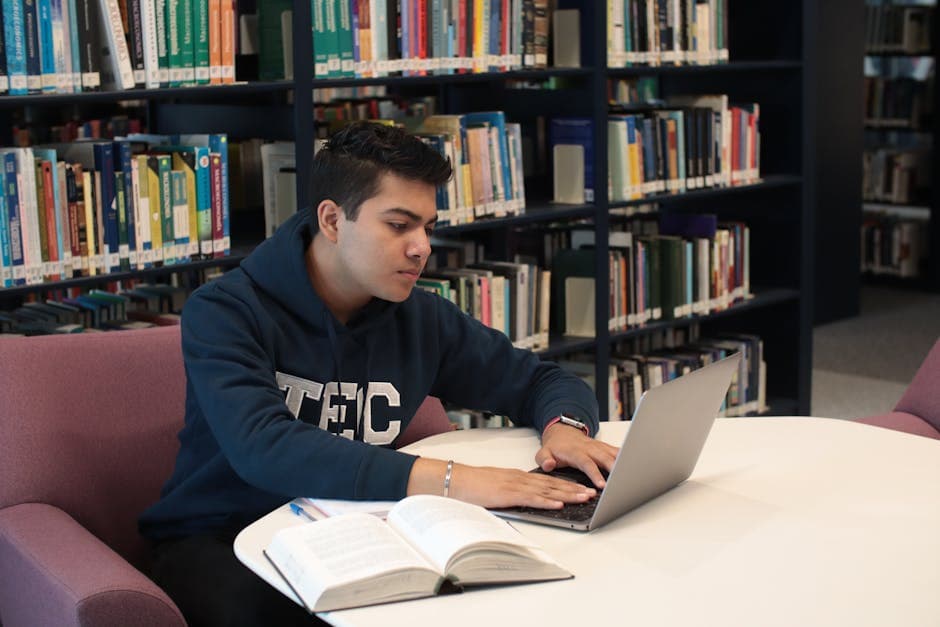
Best Transcription Tools for Students in 2026: Budget-Ranked
Summarize this article with:
The Student Short List
The best transcription tool for a student depends on one thing more than any other: how many lecture hours you need to cover per month. If your university provides Microsoft 365, start there for free. If you own an iPhone or Pixel, the built-in tools cost nothing and require no sign-up. For heavy course loads where free tiers cap out, TurboScribe Unlimited and Notta Pro are the most affordable paid options verified as of mid-2026. Below, each tool is ranked roughly by total cost to a typical student, with honest notes on where each one earns its place.
Before recording any lecture, check your institution's recording policy and ask permission where required. See recording lectures with permission for practical guidance.
1. Microsoft 365 Word Transcription (Free Through Most Universities)
Most universities bundle Microsoft 365, which includes Word's transcription feature at no extra cost to students. Upload a recorded audio or video file in Word Online, and it returns a speaker-labeled transcript. The verified monthly cap for institutional (education) accounts is 300 minutes, which covers roughly five hours of lecture content per month.
For students taking two or three courses with one-hour lectures each per week, that cap is tight but workable for uploading the most critical sessions. Students who also hold a Microsoft 365 Copilot license (some universities license it for students) see the monthly cap jump to 30,000 minutes, which is effectively unlimited.
Where it wins: Zero extra cost if your school already licenses it. Direct integration with Word for annotating and editing notes.
Where it struggles: The 300-minute monthly cap is the hard ceiling for standard institutional accounts. No mobile live-transcription. Speaker labeling is basic.
2. Apple Voice Memos Transcription (Free on iPhone 12 and Later, iOS 18)
If you already have an iPhone 12 or later running iOS 18, you have a capable transcription tool in your pocket with no subscription and no upload. Voice Memos auto-generates transcripts on-device, which means audio never leaves your phone. The feature is verified to work in English, Spanish, French, German, Portuguese, Italian, Japanese, Korean, Simplified Chinese, and Traditional Chinese, though regional availability varies.
This is the zero-friction path for most students: record the lecture, tap the transcript, search by keyword. The on-device approach also preserves privacy for sensitive interviews or research recordings.
Where it wins: Free. Always available. Offline and private. Works across 10 languages.
Where it struggles: No speaker diarization. Cannot import audio files from other devices or apps easily. Availability depends on your iPhone model, iOS version, and region.
3. Google Recorder (Free on Pixel Phones)
Pixel phone owners get on-device transcription for free through Google Recorder, with live transcription support in seven languages (English, French, German, Hindi, Italian, Spanish, and Traditional Chinese). A "Transcribe again" feature can retroactively transcribe recordings in up to 42 languages using cloud processing.
One distinctive feature: Recorder indexes transcript content so you can search across past recordings by spoken word, not just filename. For students accumulating weeks of lecture recordings, that is a real time-saver.
Where it wins: Free, on-device, fast. Searchable transcript archive across all recordings.
Where it struggles: Pixel-only. No cross-device import. Language coverage for live transcription is narrower than post-processing options.
4. TurboScribe (Generous Free Tier, Account Needed)
TurboScribe's free tier offers 3 transcriptions per day, up to 30 minutes each, once you create a free account. That is a generous allowance that refills every day. For students who need to transcribe a lecture or interview occasionally and do not want another subscription, TurboScribe removes almost all friction.
The paid Unlimited plan, verified at $20 per month or $10 per month billed annually ($120 per year), removes daily and per-file caps entirely, supports files up to 10 hours, and allows batch uploads of up to 50 files at once.
Where it wins: No payment for casual use, only a free account. Generous free tier for light lecture loads (up to 90 minutes of content per day in theory, though the 3-file daily cap is the real constraint).
Where it struggles: The 3-transcriptions-per-day cap blocks students with back-to-back lecture recordings on heavy class days. Less editing polish than Otter or Notta for refining transcripts into study notes.
5. Notta (Strongest for Real-Time Translation)
Notta's free plan includes 120 minutes per month with a 3-minute cap per recording, which is too tight for full lecture files. The Pro plan, verified at $13.99 per month or approximately $8.17 per month billed annually ($97.99 per year), unlocks 1,800 minutes per month with a 5-hour recording limit.
The standout feature for international students and language learners is real-time translation, available as a paid add-on. If your lectures are in English but you need notes in your native language, Notta is the most purpose-built option in this list.
Where it wins: Real-time translation support. Clean mobile app. Pro plan is affordable billed annually.
Where it struggles: The free-tier 3-minute per-recording cap makes it nearly useless for lecture files without upgrading. No verified student discount as of mid-2026.
6. Otter.ai (Best for Live In-Class Transcription)
Otter's mobile app transcribes live during lectures, which sets it apart from every upload-only tool on this list. The free plan gives 300 minutes per month with a 30-minute cap per conversation and 3 lifetime audio or video file imports. The Pro plan runs $16.99 per month or $8.33 per month billed annually.
Students with a .edu email address can claim 20% off Pro, bringing the annual plan to about $6.67 per month ($79.99 per year) and the monthly plan to $13.59 per month. UNiDAYS and Student Beans verification are also accepted. This is the only confirmed student discount among the tools in this list.
My take: Otter's live-transcription app is worth the premium for students who attend in-person lectures, especially with the .edu discount applied. For students who primarily deal with recorded files, the upload-only tools above offer more value per dollar.
Where it wins: Live lecture transcription on mobile. Real speaker labels. Exports to Notion, Evernote, and other study apps. Verified student discount for .edu holders.
Where it struggles: Free tier's 30-minute per-conversation cap means a 90-minute lecture needs to be split across three sessions. Only 3 lifetime file imports on the free plan.
 Otter.ai and upload-based tools handle different student workflows: live vs. async
7. Microsoft 365 Copilot (For Students Whose University Licenses It)
Copilot adds AI summary, key concept extraction, and study guide generation directly on top of Word transcripts. If your university licenses Copilot for students, it is the highest-value option in this list because it bundles transcription plus the downstream study-prep work you would otherwise do manually.
The catch: most universities have not yet rolled out Copilot for student accounts. Check your institution's Microsoft portal before counting on it.
Where it wins: AI-generated summaries and study guides built from transcripts. Free if your school covers it.
Where it struggles: No broad rollout to students yet. Check first.
Semester Cost Comparison
A student taking four courses with 90-minute lectures twice per week records roughly 180 hours of lecture content over a 15-week semester. Here is what each tool costs for that load, using verified prices.
| Tool | Semester cost (approx. 4 months) | Notes |
|---|---|---|
| Microsoft 365 (university-provided) | $0 | 300 min/month cap; works for selective uploads |
| Apple Voice Memos (iPhone 12+, iOS 18) | $0 | No cap; iPhone required; 10 languages |
| Google Recorder | $0 | No cap; Pixel only; 7 live languages |
| TurboScribe Free | $0 | 3 files per day cap; free account required |
| TurboScribe Unlimited (annual) | $40 ($10/mo x 4) | Removes all caps; 50-file batch |
| Notta Pro (annual) | $33 ($8.17/mo x 4) | 1,800 min/month; real-time translation add-on |
| Otter Pro, student discount (annual) | $27 ($6.67/mo x 4) | Live transcription; .edu required |
| Otter Pro (monthly, no discount) | $68 ($16.99/mo x 4) | Same features, no .edu required |
The free-tier ceiling of 300 minutes per month (Microsoft 365, Otter Basic) covers about 5 hours of audio. A full four-course semester generates far more than that, so students with heavy loads will eventually need a paid plan or a no-cap free tool like Apple Voice Memos or Google Recorder.
For a deeper breakdown of how per-minute vs. flat-rate pricing affects long-term costs, see transcription pricing models explained and free vs. paid transcription services.
Subject-Specific Recommendations
STEM Students (Engineering, CS, Math, Physics)
Technical jargon is transcription's hardest category. Acronyms, unit names, and equation-adjacent language cause the most errors in general-purpose models. No tool in the free tier handles custom vocabulary, so plan to spend time correcting terms. For undergrads, the most efficient fix is to export the transcript and do a quick Find/Replace pass on recurring errors before reading.
Medical and Pre-Med Students
Medical terminology, drug names, and anatomical terms produce frequent transcription errors across all consumer-grade tools. The workflow fix: keep a running correction list for your most-used terms and apply it to every export. Accuracy concerns matter more at clinical level than at pre-med, where standard tools still capture enough to build useful notes.
Law Students
Latin phrases, case names, and procedural terms often confuse general models. Transcripts are most useful here as a rough reference layer, not a word-for-word record. For law clinic interview work, transcription paired with careful manual review is more reliable than treating the output as a verbatim record.
Humanities and Social Sciences
Multi-language coursework is the main differentiator here. Notta's translation add-on and Otter's multi-language support are better fits than Apple Voice Memos if you are taking French literature, Arabic history, or similar courses in a non-English language.
International Students
If your lectures are in English but English is your second language, live translation during the lecture is a meaningful advantage. Notta's real-time translation add-on covers this. Otter also supports multiple input languages, though translation output is a premium feature. For read-after-the-fact workflows, any of the upload tools with multilingual support will do.
A Practical Workflow for Lecture-Heavy Semesters
- Record the lecture with whatever app is already on your phone (Voice Memos, Google Recorder, or a plain recorder app).
- Upload the recording to your transcription tool after class, or let Voice Memos/Recorder generate the transcript automatically.
- Read the transcript summary (if available) to get the lecture structure before reading the full text.
- Go through the full transcript alongside your handwritten notes, filling gaps and flagging confusing passages.
- Tag key concepts and definitions in your notes app for later recall.
This workflow turns a 90-minute lecture into roughly 20-30 minutes of focused review, which is more efficient than re-playing the recording. For more on building this habit, see how to transcribe a lecture for notes and exam prep from lecture transcripts.
If you need transcription on the go via your phone rather than a desktop upload flow, the best speech-to-text apps for students covers the mobile-first landscape in more detail.
If you just need a clean transcript of an audio or video file without a meeting bot or a subscription, ConvertAudioToText handles upload-based transcription with speaker labels, and paid plans handle long recordings (links and videos up to 24 hours). The first 30 minutes of any file are free with no account. Free accounts get their first file on the premium engine (up to an hour), then keep transcribing free: up to 30 files a day, up to 30 minutes each. Reading, editing and copying transcripts is free.
Frequently Asked Questions
Which transcription tool is completely free for students?
Several are free, depending on your setup. Microsoft 365 Word transcription is free through most university accounts (300 minutes per month for institutional accounts). Apple Voice Memos transcribes automatically on iPhone 12 or later running iOS 18, in 10 languages. Google Recorder is free and on-device for Pixel phone owners. TurboScribe's free tier gives 3 transcriptions per day (30 minutes each) once you create a free account.
Does Otter.ai have a student discount?
Yes. Otter offers 20% off the Pro plan for students and teachers with a .edu email address. That brings the annual Pro plan to about $6.67 per month (billed $79.99 per year) and the monthly plan to $13.59 per month. You claim it after signing up: go to Upgrade plan in your account settings and click the Student and Teacher Discount link. UNiDAYS and Student Beans verification are also accepted if you lack a .edu address.
Can I transcribe a 90-minute lecture with the Otter.ai free plan?
Not in a single session. Otter's free plan caps each conversation at 30 minutes and gives 300 total minutes per month. A 90-minute lecture would need to be split into three separate uploads or recordings, consuming 90 of your monthly 300 minutes. For long, unbroken lecture recordings, a tool without per-session caps will serve you better.
What is the cheapest paid transcription plan for heavy student use?
TurboScribe Unlimited at $10 per month (billed annually at $120 per year) and Notta Pro at around $8.17 per month (billed annually at $97.99 per year) are the most affordable unlimited paid options verified as of mid-2026. Both remove daily and per-file minute caps for full-semester lecture loads.
Does Apple Voice Memos transcription work offline?
Yes, on supported devices. Apple Voice Memos transcribes on-device on iPhone 12 or later running iOS 18, meaning no internet connection is required and the audio never leaves your phone. The feature is available in English, Spanish, French, German, Portuguese, Italian, Japanese, Korean, Simplified Chinese, and Traditional Chinese, though availability varies by region.
Sources
- Otter.ai pricing page: https://otter.ai/pricing
- Otter.ai Student and Teacher Discount help article: https://help.otter.ai/hc/en-us/articles/4402467517847-Student-Teacher-discount-program-for-the-Pro-plan
- TurboScribe pricing (confirmed via third-party review, direct page returned 403): https://thetoolsverse.com/tools/turboscribe
- Notta pricing (confirmed via third-party review, direct page truncated): https://flowith.io/blog/notta-pricing-2026-free-vs-pro-vs-business-transcription-minutes/
- Microsoft transcription limits (official support): https://support.microsoft.com/en-us/office/transcribe-your-recordings-7fc2efec-245e-45f0-b053-2a97531ecf57
- Microsoft Copilot limit increase: https://blog-en.topedia.com/2025/09/microsoft-boosts-office-transcription-quota-for-users-with-a-copilot-license/
- Apple Voice Memos transcription support page: https://support.apple.com/guide/iphone/view-a-transcription-iph00953a982/ios
- Google Recorder language support: https://support.google.com/pixelphone/answer/16267698
Try transcription free
Convert any audio or video to clean, unwatermarked text — speaker labels, timestamps, and AI summaries included. First 30 minutes free, no account.
Related Articles

Best Speech-to-Text Apps for Students 2026: Mobile Capture
The best mobile speech-to-text apps for students in 2026: live lecture capture with Otter, Apple Voice Memos, Google Recorder, Notta, and Eloquent compared honestly.

Transcription for Students: The Complete Use-Case Guide (2026)
How students use AI transcription for lectures, seminars, group projects, language learning, and disability accommodations. Verified tools, free-tier limits, and study workflows.