
Transcribe Lecture for Notes: Cornell Format in 4 Steps (2026)
Summarize this article with:
A raw lecture transcript is not the same as study notes. This guide covers the step between "I have a transcript" and "I have something I can study from", with a specific focus on format, structure, and condensing.
For the recording and transcription steps themselves, the how-to-transcribe-lecture guide covers permission, audio quality, vocabulary boosting, and file-length handling. Start there if you have not recorded yet.
Recording to Notes in Four Steps
The goal is a 1-2 page condensed summary per lecture you can study from in 10 minutes. Here is how to get there from a raw recording in under 45 minutes of actual effort (most of it hands-off).
Step 1: Record the lecture (1-2 minutes of setup). Position your recorder close to the speaker. Front row or just below the podium gives the clearest audio. Test recording levels before class. For Zoom or Panopto sessions already hosted on the course portal, you often have the recording automatically, check your LMS first.
Step 2: Transcribe (5-10 minutes, hands-off). Upload the recording to a transcription tool and let it process. A 75-minute lecture typically takes 5-8 minutes to process. The hands-off nature is the point: you are not re-listening at 1x speed. For the full step-by-step on tool selection and vocabulary customization, see how to transcribe a lecture.
Step 3: Structure the transcript into notes (15-25 minutes). This is the core of this guide. See the sections below for exactly how to do this.
Step 4: Condense into a 1-2 page study summary (10-15 minutes). Cross-reference with readings and syllabus. Cut to what matters.
Total active time for a 75-minute lecture: roughly 25-35 minutes.
Why Raw Transcripts Do Not Work as Study Notes
Professors speak at roughly 100-130 words per minute in a deliberate academic lecture. A 75-minute session produces 7,500 to 10,000 words of transcript. Reading that from top to bottom is not studying, it is closer to re-attending the lecture in slow motion.
The gap between "I transcribed it" and "I have study notes" is structural. Transcripts are chronological; study notes need to be conceptual. A lecturer does not say "here is definition one, here is definition two." They circle back, add examples mid-explanation, and connect ideas across 20-minute gaps. Your notes need to pull those connections together.
That is what this step is for.
Mapping the Transcript to Cornell Format
The Cornell system, developed at Cornell University, divides a page into three zones: a right-hand Notes column (main content), a left-hand Cue column (questions and keywords, filled after), and a Summary strip at the bottom.
It works well with AI-assisted transcription because each zone maps cleanly to a different pass through the transcript.
| Cornell zone | What to pull from the transcript | When to fill it |
|---|---|---|
| Notes column | Key points, definitions, examples, professor's exact phrasing of core concepts | First pass, during or right after transcription |
| Cue column | Questions each block of notes answers, keywords, potential exam prompts | Second pass, 30-60 minutes after class |
| Summary strip | 2-3 sentences in your own words covering the entire page | End of review session |
The Cue column is the highest-leverage part. If you can write a question that a specific note answers, you already understand the material well enough to be tested on it. Students who skip this step usually discover it on exam day.
If you use Notion, Obsidian, or any block-based tool, the three-column layout translates to a two-column table for Notes and Cues, with a callout block at the bottom for the Summary.
The First-Pass Read: What to Keep
Do not copy the transcript wholesale. Do one read-through with this filter:
Keep:
- Any definition the professor gave explicitly ("By X, I mean...")
- Any example used to teach a concept
- Any moment the professor repeated something or slowed down
- Any explicit signal ("this will be on the exam", "the key distinction here is", "make sure you understand why")
- Named frameworks, models, or theories
Cut:
- Transition filler ("so, as we saw last week...")
- Repeated hesitations or restated introductions
- The first 90 seconds and last 90 seconds of most lectures (administrative)
- Anything you already know from the assigned readings
For a 75-minute lecture, the keep list is usually 800-1,500 words. That fits on 2-3 Cornell pages.
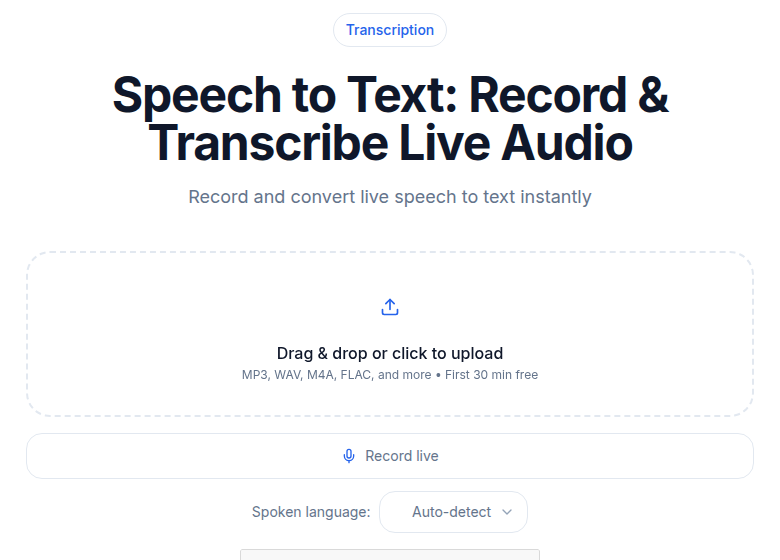 Long lecture files upload the same way: the notes work starts after
The Abbreviation System That Saves 40 Percent of Time
Notes taken from a transcript do not need the speed abbreviations handwriters use in real time. But a consistent personal shorthand still cuts review time significantly.
Build a course-specific symbol list at the start of the semester:
- A circle or box around any term defined for the first time
- An arrow (→) between a cause and its effect
- A question mark for anything you did not understand from the transcript alone
- A star or asterisk for anything the professor signaled as important
- "cf." (compare) linking two concepts the professor explicitly contrasted
Write this list at the top of your notebook or your Notion database for the course. After 2-3 weeks it becomes automatic.
The question marks are the most valuable. They tell you exactly where your knowledge gaps are before the exam. A transcript that is 98 percent accurate still leaves terminology ambiguous in context. Flag those gaps now.
Note Structure by Course Type
Different disciplines need different organizing logic.
STEM courses. Group notes around the worked example, not the definition. The definition without an example is usually unmemorizable. Structure: definition, formula or method, worked example, edge case. Flag where the professor's explanation deviates from the textbook (those deviations are often tested).
The transcript will not capture math notation written on a board. Leave a blank with "[ formula ]" as a placeholder and fill it in from your photo, the slides, or the textbook after class.
Humanities and social sciences. Group notes around claims and evidence. The structure is: claim, supporting evidence, counterargument or complication. The professor's own phrasing often matters (especially for law, philosophy, and literary analysis). Flag direct quotes from the transcript using quotation marks so you do not accidentally paraphrase and lose precision.
Professional programs (medicine, law, business). Group notes around the case or scenario used to teach the concept. The structure is: rule or principle, the case that illustrates it, the exception. Exam questions in these fields often involve applying concepts to new scenarios, so the link between principle and example is load-bearing.
The Condensing Pass: From Notes to Study Summary
After the first-pass notes are done, set them aside for at least a few hours. Then do the condensing pass.
The goal: one page (or one Notion block) per lecture, in your own words, covering only what you would need to reconstruct the lecture from scratch.
This is harder than it sounds. It forces active recall. You are not copying, you are recalling and reconstructing. That process is where most of the learning from this workflow actually happens.
A useful prompt for the condensing pass: "If someone who had not attended this lecture asked me what it was about, what are the five things I would tell them?" Write those five things. Then add any definitions, formulas, or proper nouns they would need to understand your answer.
For students using AI tools: you can ask an AI to summarize your Cornell notes at this stage, but the condensing pass is most effective when you do it yourself. The AI output is a useful check, if it misses something you consider critical, that is a signal your notes did not capture it clearly.
Cross-Referencing: Where Exam Material Reveals Itself
The final step is cross-referencing your condensed notes against two sources:
- The assigned readings for that week
- The course syllabus and stated learning objectives
Two patterns tell you what to study:
Overlap. When the lecture, readings, and syllabus all point at the same concept, that concept is almost certainly tested. Give it a star. It goes on your flashcard deck.
Gaps. When the professor spent significant time on something the readings barely touch, pay attention. That is original lecture content. It may be tested precisely because it is not in the textbook.
The exam prep from lecture transcripts guide covers how to turn this cross-referenced material into flashcards and practice test questions systematically.
Common Mistakes
Treating AI notes as final without editing. AI summaries are a strong draft. They miss the professor's emphasis signals and occasionally misfire on domain-specific terms. The editing pass is not optional, it is where the studying happens.
Skipping the Cue column. Writing questions for each block of notes is the most effortful part of Cornell. It is also what makes the system work. Without it, you have organized notes but not a self-testing tool.
Doing everything the same day. The condensing pass works better with a gap. Memory consolidation is real. Reviewing notes 24 hours after class catches things that felt clear in the moment but are not actually retained.
Transcribing but not condensing. The workflow is not "get a transcript." The workflow ends at the 1-2 page condensed summary. Students who stop at the transcript stage often find themselves re-reading 10,000 words the night before an exam.
When to Bring in AI Note-Taking Tools
If you use a tool that runs during the lecture and produces an AI summary automatically (many recording apps now do this), treat that output as a starting point for your Cue column and Summary strip, not as finished notes.
The AI does not know what your professor emphasized through tone, repetition, or explicit signaling. You do. That context is your contribution.
For students who want to automate more of the pipeline, note-taking with AI covers the current tool landscape for 2026.
If you just need clean, accurate transcripts without a meeting bot or a dedicated app installed, ConvertAudioToText processes long recordings on paid plans (links and videos up to 24 hours), with speaker labels and an AI summary. Anonymous use covers the first 30 minutes of any file with no account required. Free accounts run the first file on the premium engine, then keep transcribing free (up to 30 files a day, up to 30 minutes each). The Pro plan ($14.99/month) is unlimited.
Common Questions
How long does the full workflow take for a 75-minute lecture?
Total active time is roughly 25-35 minutes. Transcription processing runs in the background (5-8 minutes, hands-off) while you do something else. The first-pass notes take 15-25 minutes. The condensing pass takes 10-15 minutes but works best with a gap of a few hours, so many students split it across two short sessions rather than one long one.
Do I need to transcribe every lecture to make this work?
No. Start with the lectures where your in-class notes felt weakest, high-concept sessions, fast-moving material, guest speakers with unfamiliar accents. Once the habit is built, most students end up covering 3-4 lectures per week. Trying to do every lecture in every course at the start is a fast path to burning out on the system.
How is this different from just asking an AI to summarize the transcript?
An AI summary collapses the lecture into a paragraph or bullet list. It does not give you a self-testing tool. Cornell's Cue column, the left-hand column of questions, is what makes notes into a study tool. The AI can help draft an initial summary (and CATT's built-in summarizer will produce one from your transcript), but the questions and the condensing pass require your judgment about what is actually important in your specific course.
What do I do when the transcript misses technical terms or notation?
Flag every suspect term with a question mark on your first read-through. Keep a running list of course-specific vocabulary at the top of your notes for the semester. For math, chemistry, or any notation-heavy course, photograph or screenshot the board and link the image directly into your Notion page or paste it into your notes document next to the flagged section. Do not leave gaps unfilled, they compound across a semester.
Sources
- Cornell University Learning Strategies Center: Cornell Note-Taking System, lsc.cornell.edu
- VirtualSpeech: Average Speaking Rate and Words per Minute, virtualspeech.com
- ConvertAudioToText pricing page (verified 2026-07-02), convertaudiototext.com/pricing
- University of York Subject Guides: Cornell Method, subjectguides.york.ac.uk
Try transcription free
Convert any audio or video to clean, unwatermarked text — speaker labels, timestamps, and AI summaries included. First 30 minutes free, no account.
Related Articles

Best Transcription Tools for Students in 2026: Budget-Ranked
Ranked by real cost and verified free-tier limits: the best transcription tools for students in 2026, from free university options to paid picks for heavy lecture loads.

Exam Prep From Lecture Transcripts: The 3-Week Plan (2026)
Turn lecture transcripts into a study system that beats re-reading. A 3-week countdown plan using keyword search, past-paper mapping, and active recall.