
Note-Taking With AI: The Honest Stack in 2026
Summarize this article with:
What AI Notes Actually Do
AI turns audio into structured text you can search, skim, and act on. The workflow is: record the conversation, feed the audio to a transcription engine, pass the transcript to a language model with a prompt, get structured notes. Your attention during the conversation stays on the conversation instead of splitting between listening and typing.
That is the genuine benefit. It is worth being clear about the limits too, which this post covers alongside the workflow.
The Three Inputs That Feed the System
Every AI note workflow starts with audio or video from one of three sources.
Voice memos are the lowest-friction input. Record yourself thinking through a problem, planning a project, or capturing an observation you had while walking. Modern phones record in M4A or MP3 with decent quality from one meter away. No equipment required.
Meetings require consent before recording (recording laws vary by jurisdiction; check what applies where you and your participants are). The most common capture paths are the built-in recording feature on Zoom, Google Meet, or Microsoft Teams, or a dedicated external recorder.
Lectures and published audio include classroom lectures, conference talks, podcasts you want notes from, and webinars. If you control the source, record directly. If it is already published, download the audio.
Audio quality sets the ceiling for everything downstream. A recording made from three meters away with background noise will produce a transcript full of gaps and guesses. Get close to the speaker, minimize background noise, and use a decent microphone if the content matters.
Transcription: The Base Layer
No AI note workflow works without accurate transcription. Every summary, action item, and decision extracted by the model is only as reliable as the underlying text.
For voice memos and individual recordings, the audio to text tool at ConvertAudioToText handles 99+ languages with speaker detection. The free tier transcribes the first 30 minutes of any file with no account; a free account runs your first file on the premium engine, then keeps transcribing free: up to 30 files a day, up to 30 minutes each. Reading and copying transcripts stays free. Ongoing heavy use fits the paid plan.
For meetings, meeting transcription adds speaker diarization, which assigns each spoken turn to a named speaker. This matters the moment you have two or more participants and you need to know who committed to what. For a deeper look at how speaker attribution works, see speaker diarization explained.
A 30-minute voice memo typically transcribes in about 2 minutes. A 60-minute meeting takes 3 to 5 minutes. Speed is not the bottleneck.
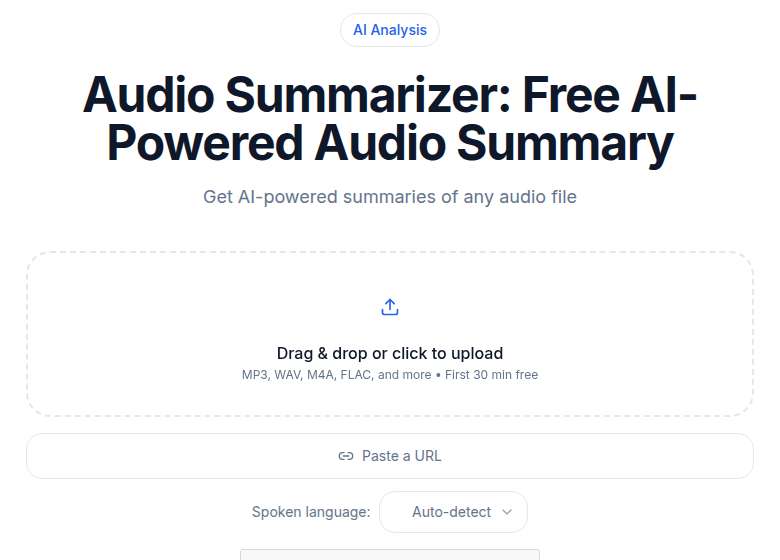 ConvertAudioToText audio summarizer tool for converting recordings to structured notes
Turning the Transcript Into Notes
The transcript is raw material, not finished notes. The next step is passing it to a language model with a prompt that specifies the output you want.
For personal voice memos, a prompt like this produces clean, usable output:
Convert this voice memo into structured notes in my own voice.

- One sentence capturing the core idea.
- Bulleted list of supporting thoughts in the order they appeared.
- Action items I mentioned.
- Open questions I flagged but did not resolve.

Do not introduce any concept I did not mention. Do not pad with framing language.

Transcript:
[paste transcript here]
For meeting notes, the structure shifts toward attribution and follow-up:
Convert this meeting transcript into structured notes.

- One-sentence summary of the meeting's purpose and outcome.
- Key decisions made (note who advocated for each).
- Action items with owner, action, and any timeframe mentioned.
- Topics raised but not resolved.
- Any notable direct quotes.

Attribute commitments to specific speakers by name.

Transcript:
[paste transcript here]
The quality of the output depends heavily on the specificity of the prompt. Generic prompts produce generic notes. If you find yourself editing the same sections every time, add the correction to the prompt as an explicit instruction. For more on how to transcribe an interview recording or creating meeting minutes from audio, those posts go deeper on those specific use cases.
All-in-One Meeting Bots: What They Add (and What They Cost)
Some tools collapse transcription, summarization, and storage into a single automated flow. A bot joins your meeting, records, transcribes, summarizes, and pushes the notes somewhere. Here is the honest picture on the main players.
| Tool | Free tier | Paid starts at | Notes |
|---|---|---|---|
| Otter.ai | 300 min/month, 30 min/session cap, 3 lifetime file imports | $8.33/user/mo (annual) | Pro adds 1,200 min/month, 90 min/session |
| Fireflies.ai | 400 min storage/team, 20 AI credits/month | $10/user/mo (annual) | Storage fills in weeks with regular use |
| Notion AI Meeting Notes | Trial on free plan; full access on Business tier | $19.50/user/mo (Business, EUR) | Custom agents billed per Notion credits |
| Mem.ai | No free plan | ~$8.33/month | Mem Chat queries across all your notes |
| Reflect | No free plan, 14-day trial | $10/month | Single plan, privacy-focused |
My take: the bots are convenient until they are not. Otter's free tier is genuinely useful for light use, but the 3-lifetime file import limit catches people off guard. Fireflies' 400-minute team storage fills in about three to four weeks of daily standups. Once the storage caps are hit, the convenience disappears unless you pay.
The transcript-first approach (record, transcribe separately, prompt an LLM) gives you more control and scales without per-minute limits. The tradeoff is that it requires a few manual steps.
Where Notes Live After Generation
A note you cannot find later is not a note. Common storage choices in 2026:
Obsidian stores Markdown files locally. Backlinks let you connect this week's meeting note to last month's voice memo about the same project. The plugin ecosystem now includes several transcription integrations that can pipe output directly into your vault. The main appeal is full data ownership and no subscription.
Notion is the most common team destination. Notes go into databases with properties, filters, and views. Notion AI (on the Business tier) can query across notes to surface related content. The limitation is that Notion AI's cross-note synthesis is useful but not precise: it can tell you "you discussed pricing in March" but it may miss the specific number or misattribute who said it.
Plain text files remain the most durable format. Markdown in a folder synced via iCloud or Dropbox is readable by any tool, forever.
Tagging is the highest-leverage habit regardless of which tool you use. A note tagged with the project, the date, and the key names mentioned is findable in two minutes. An untagged note is effectively lost within a month.
Cross-Note Synthesis: Where AI Is Still Inconsistent
The promise of tools like Mem, Notion AI, and Reflect is that the AI connects your notes for you: "Here is what you said about X three months ago." This works well enough for common references. It breaks on nuance.
If you said "I think we should consider raising prices" in a voice memo in February, a cross-note query in June might surface the memo. It will not tell you whether you ever acted on it, who else you discussed it with, or whether you changed your mind. The synthesis is pattern-matching on text, not reasoning about outcomes.
The practical workaround is a weekly review: search your notes for open questions, incomplete action items, and threads you meant to follow up. The AI cannot chase these for you. A weekly 20-minute scan can.
For longer-form knowledge management and building a searchable archive, how to transcribe lecture for notes and transcription accuracy explained are worth reading alongside this post.
What AI Notes Cannot Do
Visual content vanishes into the transcript. If someone shared a slide, drew on a whiteboard, or screen-shared a spreadsheet, the transcript captures what was said about it but not the visual itself. For meetings where visuals matter, screenshot or photograph them separately.
The political layer is invisible. A room where people agreed verbally while visibly uncomfortable produces notes that reflect the verbal agreement. Subtext, hesitation, and body language do not make it into audio.
Action items stay open unless you close them. The AI notes "we should look into X." It does not know whether you looked into X. That gap between capturing and acting is where most note-taking workflows fail, AI-assisted or not.
Hallucination is a real risk with summarization. LLMs sometimes drop qualifiers, swap names, or slightly rephrase commitments in ways that change the meaning. Always scan the generated notes against the original transcript for high-stakes meetings before sharing them.
The Daily Workflow That Works
For someone using voice memos for day-to-day thinking:
- Record memos when something occurs to you: 30 seconds to 5 minutes each. Do not self-edit during recording.
- At end of day, upload to a transcription tool. 10 minutes of memo audio transcribes in about 1 minute.
- Run the voice memo prompt on each transcript. 30 seconds each.
- Save to your note system with a descriptive title, date, and relevant tags.
- Two minutes of linking to related notes if your system uses backlinks.
Total: 10 to 20 minutes per day. That captures most of what you thought about during the day, in your own words, without interrupting the thinking to write.
When to Skip the Recording
A few cases where typing still beats recording:
You are already at a keyboard. Typing a quick note is faster than recording, transcribing, and prompting.
The content is visual. Equations, diagrams, code snippets, and tables belong in a text editor from the start.
The content is sensitive. Audio recordings have a different evidentiary weight than text notes. For personal or legally sensitive content, consider whether you want that audio file to exist.
The voice-first workflow shines away from a keyboard: walking, between meetings, or when the content is conversational rather than structured.
If you just need a clean transcript without a meeting bot, ConvertAudioToText handles the transcription step and lets you bring your own LLM for the note generation.
FAQ
Can AI replace human note-taking entirely?
Not yet, and probably not for most people. AI handles the mechanical part well: capturing what was said, structuring it into bullet points, and pulling out action items. What it misses is subtext. Tone of voice, body language, what was conspicuously not said, the political undercurrent of a meeting: none of that makes it into the transcript. Human review of AI-generated notes still catches the things that matter most.
What is the best AI note-taking app in 2026?
It depends on your primary use case. For meeting notes with a bot that joins automatically, Otter.ai (300 free minutes/month, up to 30 min per session) and Fireflies.ai (400 minutes team storage free) are the most widely tested options. For individual voice memos and personal capture, a transcript-first approach using a dedicated transcription tool paired with an LLM prompt tends to produce more tailored notes than any of the all-in-one apps.
How accurate is AI transcription for note-taking?
Accuracy varies by recording quality, accent, and technical vocabulary. Consumer-grade recordings in quiet environments with clear speech routinely hit 95% or better with modern models. Noisy environments, heavy accents, or domain-specific jargon (medical, legal, engineering) pull accuracy down noticeably. For the transcript to serve as a useful note base, the recording quality matters more than which tool you use. Speaker diarization adds another layer of complexity and is less reliable than basic transcription.
Do I need a separate app for AI note summarization?
No. If you have a transcript, any general-purpose LLM (ChatGPT, Claude, Gemini) can summarize it with a well-designed prompt. You only need a dedicated app if you want the summarization to happen automatically after each meeting, or if you want the notes to sync to a specific destination like Notion or a CRM. The value of dedicated tools like Otter or Fireflies is the automation and integration layer, not the summarization quality itself.
How do I store AI-generated notes so I can find them later?
The choice depends on whether you work alone or with a team. For individual use, Obsidian (local Markdown files with backlinks) and plain-text folders are popular. For teams, Notion is the most common destination. Whatever storage you choose, consistent tagging and a naming convention matter more than the tool itself. A note you cannot find in three months is worse than no note at all.
Sources
Try transcription free
Convert any audio or video to clean, unwatermarked text — speaker labels, timestamps, and AI summaries included. First 30 minutes free, no account.
Related Articles

How to Extract Action Items From Meetings: A 2026 Workflow
A practical workflow for pulling real commitments out of meeting transcripts: the language patterns that flag action items, how to capture owner and deadline, and how to close the loop.
How to Transcribe a Google Meet Recording
Turn a Google Meet recording into searchable text, speaker-labeled notes, action items, and subtitles with a clear step-by-step upload or URL workflow.