
How to Create Meeting Minutes from Audio Recordings in 2026
Summarize this article with:
Record the meeting, transcribe it with speaker labels, then extract the formal record: attendees, motions, exact vote tallies, decisions, and action items into a minutes template. Working from a verbatim transcript beats live note-taking on accuracy, and the whole pipeline takes under 30 minutes for a typical meeting. Keep the full transcript as an appendix rather than pasting it into the minutes, and have the board formally approve the result as usual.
The Minutes Pipeline
Record the meeting, transcribe it, extract the formal record. That three-step pipeline consistently produces more accurate meeting minutes than real-time note-taking, because it works from a complete verbatim source rather than one person's selective attention. For informal meeting notes, see how to transcribe meeting notes. This post covers formal minutes: the kind that document motions, votes, and approval cycles and may one day be read by a lawyer or auditor.
Step 1: Record the Meeting
Every platform handles recording slightly differently, and access is not always free.
Zoom offers two modes: local recording (free tier, saves to your machine as MP4) and cloud recording (paid plans, includes an automatic transcript). As host, click Record in the meeting toolbar or press Alt+R on Windows or Command+Shift+R on Mac. By default, only the host and co-hosts can record; hosts can grant a participant recording rights by hovering over their name in the Participants panel and selecting "Allow Record."
Microsoft Teams now routes recording through "More actions > Record and transcribe > Start recording," then Confirm. Note that recording requires a Microsoft 365 Business Basic plan or higher. The free Teams tier does not include recording.
Google Meet recording is available only on paid Google Workspace plans (Business Standard, Business Plus, and Enterprise tiers). Personal Gmail accounts do not have access to the native recording button. Recordings save to the meeting organizer's Google Drive.
In-person meetings can be captured with any smartphone placed in the center of the table. A voice memo app or browser-based recorder works fine. Audio quality matters more than video, so position the device near the primary speaker.
Once the meeting ends, download the recording file before it expires from cloud storage.
Step 2: Transcribe the Recording
Upload the audio or video file to a meeting transcription tool with speaker diarization enabled. Diarization assigns a label to each distinct voice, which is what lets you attribute motions and seconds to specific members by name.
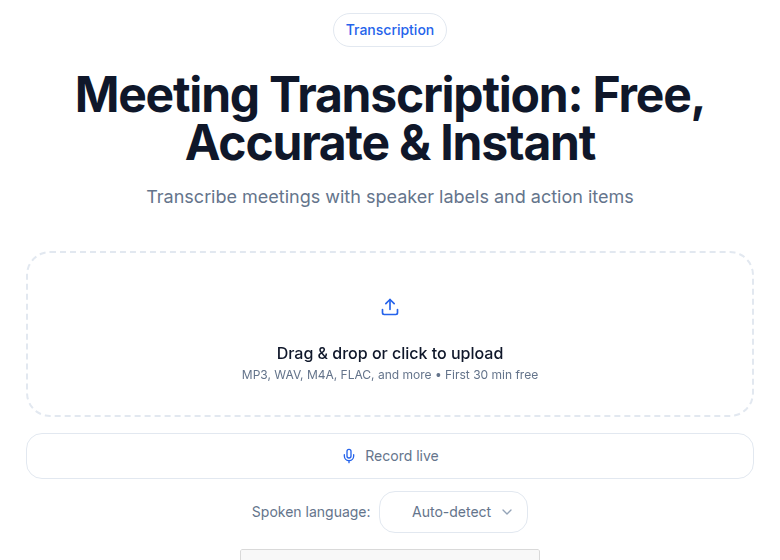
Processing time for a typical 60-minute meeting: 3 to 5 minutes. The output is a timestamped, speaker-labeled transcript that becomes the source for every downstream step.
If you need a plain audio upload without speaker labels first, audio-to-text handles that, but meeting minutes benefit significantly from the diarized version.
Building the Minutes Step by Step
Extracting Formal Minutes from the Transcript
With the full transcript open, work through these categories in order.
Quorum and roll call. Check the opening section of the transcript for attendance. Count present members against your organization's quorum requirement before drafting anything else. If quorum was not met, that is the most important fact in the minutes.
Approval of previous minutes. Look for the phrase "minutes of the previous meeting" or "last meeting." Record whether they were approved by general consent or by a formal motion, and note any corrections the board adopted.
Motions. Search the transcript for "I move," "I move that," and "motion to." For each motion, extract:
- Exact text of the motion (quote the transcript)
- Name of the member who made it (mover)
- Name of the member who seconded it (seconder)
- Vote count: For / Against / Abstain
- Result: Carried or Failed
Action items. Search for "[Name] will," "I will take," "action item," and "by [date]." Each action item needs an owner, a task, and a deadline. Vague commitments like "we should look into that" are not action items; flag them as open questions instead.
Adjournment. Note the time the meeting was formally adjourned and who called it.
Formal Minutes Template
Copy this template and fill it from your transcript. Every field marked with brackets is a required element for legally sound board minutes.
MEETING MINUTES
[Organization Name]
[Meeting Type, e.g., Regular Board Meeting]

Date: [Date]
Time: [Start Time] to [End Time]
Location: [Physical Address or Video Conference Platform]
Presiding Officer: [Name, Title]
Minutes Recorded by: [Name, Title]

ATTENDANCE
Members Present: [List names]
Members Absent: [List names]
Guests: [List names and roles]
Quorum Present: [Yes / No] ([X] of [Y] required members present)

CALL TO ORDER
The meeting was called to order at [time] by [Presiding Officer].

APPROVAL OF PREVIOUS MINUTES
The minutes of [previous meeting date] were [approved by general consent / approved as corrected].
Corrections noted: [List any corrections, or "None."]

AGENDA ITEMS

1. [Agenda Item Title]
Summary: [2-3 sentences on what was discussed.]
Motion: [Exact motion text.]
Moved by: [Name]
Seconded by: [Name]
Vote: For [X] / Against [X] / Abstain [X]
Result: [Carried / Failed]

2. [Agenda Item Title]
Summary: [2-3 sentences.]
Motion: [Exact motion text, or "No motion. Discussion only."]
Moved by: [Name]
Seconded by: [Name]
Vote: For [X] / Against [X] / Abstain [X]
Result: [Carried / Failed]

ACTION ITEMS
- [Owner]: [Task] - Due: [Date]
- [Owner]: [Task] - Due: [Date]

OPEN QUESTIONS
- [Item requiring follow-up]

NEXT MEETING
Date/Time: [Date and time]
Location: [Location]

ADJOURNMENT
The meeting was adjourned at [time].

Respectfully submitted,
[Secretary Name]
[Title]
[Date submitted]

APPROVED BY THE BOARD: [Date approved at next meeting]
Tips for Cleaner Minutes from Audio
Announce motions in complete sentences during the meeting. "I move that the board approve the Q2 budget as presented" produces a clean transcript line. "Yeah, let's do it" does not. A brief facilitator reminder at the start of each meeting pays dividends at the transcript stage.
Call each voter by name during roll-call votes. When the chair says "Jones, yes; Patel, no; Williams, abstain," the diarized transcript gives you an exact, attributable vote count. A simple "all in favor raise your hand" followed by silence is ambiguous in audio.
Introduce yourself on a roll call at the start of the meeting. Speaker diarization maps voices to labels, but those labels start as "Speaker 1" and "Speaker 2." A verbal roll call at the beginning gives the transcript model a clear voice-to-name sample to work from.
Assign a minutes owner, not a note-taker. The minutes owner's job begins after the meeting ends. They work from the transcript, not from memory. Everyone else participates fully during the meeting itself.
Outputs: When to Use Each Format
Different stakeholders need different levels of detail from the same meeting.
| Output | Typical Length | Best For |
|---|---|---|
| Full transcript | 5,000-15,000 words | Verifying exact wording of motions, dispute resolution, audit trail |
| Formal minutes | 500-1,500 words | Official board record, regulatory filing, approval by next meeting |
| Summary | 100-300 words | Board members who attended but want a quick refresher; stakeholders who were absent |
The most thorough approach is to produce all three and store them together. Archive the transcript as the evidentiary source. Distribute formal minutes for approval. Share a summary paragraph with anyone who needs the headline without the detail.
Minutes Requirements by Meeting Type
Board meetings. These minutes often carry legal weight. Courts, the IRS, and regulators treat approved board minutes as evidence of what was decided. Under most U.S. state corporation and nonprofit acts, boards are legally required to maintain accurate minutes. Record every motion exactly as spoken, name the mover and seconder, and capture the vote count. Many boards require the secretary's signature and approval by formal motion at the subsequent meeting.
Project status meetings. Focus on blockers resolved, decisions made about scope or resources, and who owns each next step. Keep them short. A two-column "Decision / Owner" table often works better than prose paragraphs.
Client meetings. These minutes serve as a shared record protecting both parties. Scope changes, agreed deliverables, and payment terms stated during the meeting all belong in writing. Distribute to the client for written confirmation within 24 hours.
Brainstorming sessions. Capture every idea, including the ones that were quickly passed over. The transcript is especially valuable here because it preserves ideas that were mentioned once and forgotten. Structure the minutes as an idea inventory, not a decision log.
All-hands and town halls. For large meetings, detailed minutes are rarely practical. Summarize key announcements, policy changes, and any formal votes taken. The meeting transcription tool can handle recordings of any length if you need a searchable archive.
My take: the formal minutes template above looks like more work than a casual notes doc, and it is. But the payoff is a document that can be read by a lawyer or a regulator three years from now and still be clear about exactly what was decided, who voted which way, and who committed to what. The transcript does the hard transcription work; the template just tells you what to do with it.
If you just need a clean transcript without the governance overhead, ConvertAudioToText handles the audio-to-text step in minutes.
Frequently Asked Questions
How long should it take to create meeting minutes from a recording?
With a full transcript in hand, drafting formal minutes for a 60-minute meeting takes 20 to 30 minutes. The bulk of that time goes to extracting motions, verifying vote counts, and formatting the approval section. Without a transcript, relying on memory or handwritten notes can push that to 60 to 90 minutes with lower accuracy.
Should I include the full transcript in the minutes?
No. The full transcript is your working source, not the deliverable. Store it alongside the minutes document (linked or attached) so members can verify exact wording if a motion is contested, but the distributed minutes themselves should stay under 1,500 words and focus on decisions, votes, and action items.
Who is responsible for taking meeting minutes?
In formal governance settings, the secretary or designated recording officer holds this responsibility. The key shift with audio transcription: the minutes owner works from the transcript after the meeting rather than writing in real time. This lets them participate fully during the meeting and produce more accurate minutes afterward.
Are AI-generated transcripts legally valid for board meeting minutes?
The transcript itself is a working document, not the legal record. The official minutes are the formatted, approved document that the board votes to accept at the next meeting. AI transcription gives you a highly accurate source to draft from, but the minutes still need human review, board approval, and the secretary's signature to carry legal weight.
How do I capture motions and vote counts accurately from a recording?
Search the transcript for motion language: "I move that," "I second," "all in favor," "opposed," "abstain." Speaker diarization labels each voice, so you can attribute the mover and seconder by name. For vote tallies, count each spoken vote in the transcript rather than relying on a show-of-hands summary. If the chair announces the result verbally, that announcement appears in the transcript and can be quoted directly in the minutes.
Sources
Try transcription free
Convert any audio or video to clean, unwatermarked text — speaker labels, timestamps, and AI summaries included. First 10 minutes free, no account.
Related Articles

How to Transcribe a 2-Hour Meeting Fast (Honest Workflow)
A step-by-step workflow for transcribing 2-hour meetings quickly with AI: file prep, speaker labels, AI summaries, and why your tool choice matters for long recordings.
Transcribe Meeting Recordings Automatically (2026)
How to transcribe meeting recordings automatically in 2026. Compare bot-based tools, native platform transcription, and watch-folder pipelines with honest scoping.