
How to Extract Action Items From Meetings: A 2026 Workflow
Summarize this article with:
Reliable action item extraction comes down to three moves: spotting the linguistic patterns that mark a real commitment (not a suggestion or hypothetical), capturing the owner and deadline at the moment of extraction, and building a follow-through habit so the list actually gets done. This post walks each step. For the automation and AI-prompt side of the same workflow, see the companion post on action items from meeting recordings.
The fastest way to get clean action items from a meeting is to transcribe it with speaker labels, scan for commitment language, and review the list before it leaves the room. That three-step pass takes under five minutes and produces a list that the team will actually act on, rather than the vague post-meeting summary email that everyone ignores.
This post covers the method: the language patterns that reliably identify commitments, how to capture owner and deadline, and what follow-through looks like in practice. For the AI-prompt and automation angle, the companion post on action items from meeting recordings goes deeper into automated extraction pipelines.
What Actually Counts as an Action Item
The first and most common mistake is too broad a definition. Not every "we should do X" is an action item. A reliable action item meets all four of these:
- It is a specific commitment, not a suggestion or a hypothetical.
- It has a named owner.
- It has a target timeframe, even a vague one ("this week," "by next sprint").
- It was committed to in this meeting, not carried over from a prior one.
By that definition, "We should probably talk to legal about this" is not an action item. "Alice will reach out to legal and have a response by Thursday" is.
The narrower definition pays off because action item lists that contain false positives lose credibility fast. Once the list has items nobody actually committed to, the team starts ignoring all of it.
The Language Patterns That Flag a Commitment
Scanning a transcript for commitments is pattern-matching work. These phrase shapes reliably mark real action items:
| Phrase pattern | Is it an action item? | Why |
|---|---|---|
| "I'll [verb] by [date]" | Yes | Explicit first-person commitment with timeframe |
| "[Name] will [verb]" | Yes | Third-person assignment, verify owner heard it |
| "Let me [verb] and get back to you" | Usually yes | Soft commit, note with confidence flag |
| "We should [verb]" | No | Suggestion, not a commitment |
| "We could maybe [verb]" | No | Hypothetical |
| "Like we agreed last week, [name] will [verb]" | No (stale) | Prior commitment, not from this meeting |
| "Can you [verb]?" followed by "Sure" | Yes | Implicit commit, capture both turns |
The last row is the most frequently missed case. A commitment triggered by a question and confirmed with a short affirmative ("sure," "yes," "will do") reads as two separate fragments in a transcript. Diarization is what lets you connect them: Bob asked, Alice answered, Alice owns it.
Why Diarization Is Load-Bearing
Without speaker labels, you can identify what was committed but not who committed to it. An action item without a named owner is a shared to-do that nobody picks up.
Good meeting transcription tools apply diarization automatically. The transcript output labels each turn by speaker, so when you hit "Let me check on that," the label tells you whose turn it was.
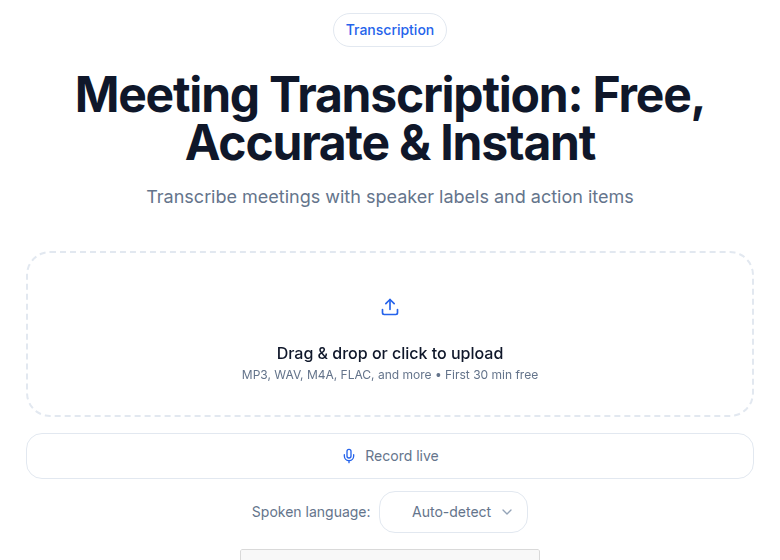 CATT meeting transcription tool showing a diarized transcript with speaker labels ready for action item extraction
For meetings recorded on Zoom, Google Meet, or Microsoft Teams, the platform-specific transcription guides cover how to get a diarized transcript from each:
- How to transcribe a Zoom meeting
- How to transcribe a Google Meet recording
- How to transcribe a Microsoft Teams meeting
Once you have the diarized transcript, the extraction pass takes minutes rather than hours.
The Extraction Pass: Scanning the Transcript
The extraction pass is a focused read of the transcript for commitment language, not a full re-read of the meeting. Here is how it works in practice:
Pass 1: Highlight commitment phrases. Search or scan for the signal words: "I'll," "will by," "let me," "I'll get back to you," "can you" (look at the response turn). Mark each one.
Pass 2: Confirm all four criteria. For each highlight, check: Is it specific? Does it have an owner? Does it have a timeframe? Did it originate in this meeting? If any criterion fails, drop it or flag it for clarification.
Pass 3: Format for output. For each surviving item, write: Owner, Action (active voice, verb first), Due, and the verbatim quote with timestamp. The quote is the audit trail. If someone disputes an item, you point to the exact moment.
This three-pass approach takes roughly 1 minute per 30 minutes of meeting for a practiced reader.
Output Format: Structured Table vs. Plain List
Two formats work in practice. The right one depends on what happens to the list after the meeting.
Plain list is best for Slack or email. Fast to read, no formatting overhead.
- Alice: Draft updated pricing proposal. Due Wednesday EOD.
- Bob: Schedule follow-up with legal. Due this week.
- Carol: Send customer interview transcripts to the team. Due Friday.
Structured table is better for review and tracking. Owner in one column, action in another, due in a third, source quote in a fourth.
| Owner | Action | Due | Source |
|---|---|---|---|
| Alice | Draft updated pricing proposal | Wed EOD | "I'll have the pricing proposal ready by Wednesday end of day." (00:34:12) |
| Bob | Schedule follow-up with legal | This week | "Let me get something on the calendar with legal this week." (00:41:55) |
| Carol | Send customer interview transcripts | Friday | "I'll send those transcripts over by Friday." (00:52:03) |
The structured table also imports cleanly into Notion, Airtable, or a spreadsheet if your team tracks tasks that way. For task management integrations, the meeting notes automation post covers the tooling side.
Failure Modes to Catch in Review
A quick review pass before sending the list catches the five patterns that produce bad action item lists.
Hypothetical inflation. "We could maybe reach out to the vendor" gets logged as "Reach out to vendor." Tighten by requiring an explicit ownership signal before logging.
Stale item inclusion. "Like we agreed last week, Bob will finalize the contract" is a reference to a prior commitment, not a new one. Flag items that were "agreed last week" as stale and exclude them unless they are being re-committed to in this meeting.
Speaker misattribution. Without good diarization, commitments get attributed to the person who asked rather than the person who agreed. Check the commitment phrase against its speaker label before logging the owner.
Missing implicit commits. "I'll look into it" and "let me check on that" are real commitments, just soft ones. Strict scanning catches explicit "I will X by Y" patterns but misses these. For high-accountability meetings, include them with a note that the timeframe is unspecified.
Decision vs. action confusion. "We decided to ship feature X next quarter" is a decision. The action item is "Alice will write the spec by Friday." Some notes conflate them. Keep decisions and action items in separate sections of the output.
My take: the review pass is the highest-leverage two minutes in the workflow. The extraction gets you 85 to 90 percent of the way there; the review closes the gap and prevents the list from eroding team trust.
Follow-Through: Closing the Loop
Extraction is only useful if follow-through happens. The step that most teams skip is the one that makes the list matter.
Send the list within an hour of the meeting. Lists sent the same day get acted on. Lists that arrive the next morning are already stale.
Open the prior list at the start of the next meeting. Before any new agenda item, spend two minutes marking what closed. This makes accountability visible without being punitive.
Assign a single owner per item, not a group. "Alice and Bob will..." means nobody owns it. If both need to be involved, one person leads and the other supports.
Track overdue items explicitly. An item that misses its due date should carry over to the next meeting's review, not disappear. A missed deadline is information; losing it is waste.
For board meetings and HR interviews where documentation precision matters more, the transcription for board meetings and transcription for HR interviews posts cover the specific conventions for those meeting types.
Action Items by Meeting Type
Different meetings have different commitment densities and patterns. What to watch for:
Project standups: Dense and short. Diarization quality matters most because commitments come fast and the meeting is over quickly. Focus on "I'll have X by tomorrow" patterns.
Sales calls: Two kinds of action items: internal (the rep follows up with materials or a proposal) and external (the customer agrees to a next step). Both should be tracked, separately.
Customer discovery and research interviews: Action items skew toward follow-up research. "Let me look at that metric" and "I'll talk to three more customers about this" are the common patterns. Capture them even when soft.
One-on-ones: Commitments are personal and bilateral. Both participants own items. Capturing the manager's commitments matters as much as the report's.
If You Just Need a Clean Transcript First
The workflow here assumes you already have a diarized transcript. If you are starting from a raw audio or video file, the meeting transcription tool at ConvertAudioToText handles the speech-to-text and speaker labeling step, after which the extraction pass above applies.
FAQ
What is the difference between an action item and a decision?
A decision is something the group agreed on. An action item is a specific task that flows from a decision, with an owner and a timeframe. 'We decided to migrate the database' is a decision. 'Alice will draft the migration plan by Friday' is the action item. Conflating them produces lists that nobody knows how to act on.
Do I need speaker diarization to extract action items?
Yes, in practice. Without speaker labels, you can identify what was committed but not who committed to it. Owner attribution is what makes an action item executable rather than a shared to-do that nobody picks up. Good meeting transcription tools apply diarization automatically.
What do I do when someone commits verbally but with vague language?
Log it with a confidence flag, note the verbatim quote, and verify ownership in the review pass before sending the list. Vague commitments ('I'll look into it') should be clarified in the meeting if possible, or followed up asynchronously. Do not invent a deadline; mark it 'timeframe: unspecified' so the owner has to confirm.
How do I track follow-through without a dedicated tool?
A shared doc or spreadsheet with four columns (Owner, Action, Due, Done) works well for small teams. The key habit is opening that doc at the start of the next meeting and marking off what closed. If your team uses Slack, paste the action item list there and ask owners to react with a checkmark when done. The mechanism matters less than the consistency.
Sources
Try transcription free
Convert any audio or video to clean, unwatermarked text — speaker labels, timestamps, and AI summaries included. First 30 minutes free, no account.
Related Articles

Draft a Follow-Up Email From a Meeting With AI (2026)
Turn any meeting recording into a polished follow-up email in under five minutes. Prompt templates, edit checklist, and privacy guidance for AI-drafted meeting emails.

Note-Taking With AI: The Honest Stack in 2026
How AI note-taking actually works in 2026: transcription as the base, where summarization helps, where human synthesis still matters, and which tools fit each stage.