
Action Items from Meeting Recordings: What AI Catches
Summarize this article with:
What AI Actually Catches
AI meeting tools reliably extract explicit, spoken commitments. When someone says "Sarah, can you send the revised deck by Friday?" the models catch that cleanly: owner Sarah, task send the deck, deadline Friday. Independent testing of Otter.ai found roughly 70-80% capture of commitments overall, with near-perfect accuracy on commitments stated in direct task language.
What they miss is the rest: implied work, hedged suggestions, and deadlines that get discussed but never attached to a named person. "We should probably update the onboarding doc" might surface in a summary, but the owner is blank and the date is missing. That gap is not a bug you can prompt your way out of with a generic setup. It reflects something real about how these models work.
This post looks at where each major tool succeeds, where it fabricates, and what the verification pass looks like in practice. If you want to write and run extraction prompts yourself on your transcript, the AI extraction prompt playbook covers that lane in detail.
The Commitment-Shaped Hole
Every AI meeting tool draws a line between "this was a commitment" and "this was a discussion." The line is fuzzier than vendor demos suggest.
What reliably gets caught:
- Direct assignments: "Alex will handle the vendor outreach"
- Accepted offers: "I can take the first draft, I'll have it by Tuesday"
- Named deadlines attached to named people
What gets missed or distorted:
- Implied ownership: "Marketing should review this before launch" (who in marketing?)
- Conditional tasks: "If legal clears it, we'll move to production" (action item? depends)
- Deadline-free commitments: "I'll circle back on that" (when?)
- Rejected suggestions that the model still logs as tasks
The practical consequence: after a 1-hour meeting, expect a raw AI action item list that captures most of the explicit assignments and drops or distorts 20-30% of the edge cases. For a team-planning session that produces 15 items, that is 3-5 items that need a human eye.
Fabrication Is a Real Risk
One documented failure mode is worth naming directly: these models sometimes fabricate. Zoom AI Companion 3.0 has been reported assigning action items to people who were never in the meeting. The model picks a plausible name from its context window, or fills a slot that the transcript left empty, and produces something that looks like an action item but is not.
This is not a Zoom-specific failure. It follows from how large language models work: they are optimized to produce fluent, coherent output, and an action item list without a named owner is incoherent to the model even when the meeting was genuinely ambiguous about ownership. The model guesses rather than flagging the gap.
That is why the verification pass exists. It is not optional polish.
Tool-by-Tool Quality
| Tool | Explicit commitments | Implied work | Owner/date accuracy | Fabrication risk | Pricing model |
|---|---|---|---|---|---|
| Otter.ai Pro | Strong (~70-80%) | Partial | Good when stated in meeting | Low | $8.33/user/mo (annual) |
| Fireflies.ai Pro | Good | Partial | Good, CRM sync on Business | Low-medium | $10/seat/mo (annual) |
| Zoom AI Companion | Good | Partial | Variable, occasional errors | Documented cases | Included with paid Zoom plans |
| Teams Copilot | Strong with calendar context | Better than average | Good with M365 stack | Low | M365 Copilot or Teams Premium license |
| Google Gemini (Meet) | Improving | Inconsistent | Improving | Low-medium | Requires Google Workspace with Gemini |
A few notes on this table. Otter.ai and Fireflies are meeting bot tools, which means they join calls, record, transcribe, and extract in one flow. Action items are available on Otter Pro and up; on Fireflies, action items require at least the Pro tier ($10/seat/month annual), not the free plan. Fireflies also uses an AI credit system on top of the base subscription, so the effective cost for heavy use of advanced summaries can run higher than the headline price.
Teams Copilot is the strongest for implicit work because it has calendar context, prior meeting summaries, and the broader Microsoft 365 graph. That context helps it infer what a vague commitment probably means. The trade-off is lock-in: the results live in Microsoft's ecosystem.
The built-in platform tools (Zoom, Teams, Google) have the advantage of zero setup. The disadvantage is less control over what gets extracted and in what format.
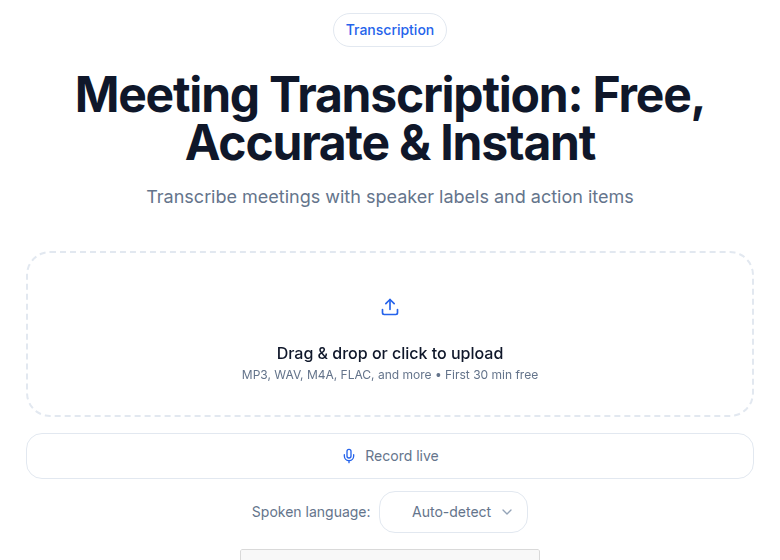 ConvertAudioToText meeting transcription tool showing transcript with speaker labels
The Verification Pass
Every team at some point tries to skip the review step. Almost every team regrets it within a few weeks.
The review pass should take 2-3 minutes for a standard meeting. Not because the extraction is usually wrong, but because the cost of acting on a wrong action item is high, and the review step is cheap.
What to check:
- Does every item have a named owner? Flag anything attributed to "the team" or left blank.
- Is the action specific enough to be actionable three weeks from now?
- Are implied deadlines captured? "I'll have it next week" needs a date attached.
- Are any items from previous meetings that got referenced in this one?
The research on dedicated extraction prompts found that going from a generic "summarize this meeting" instruction to a structured prompt improved capture of explicitly stated commitments from 22% to 100%, and dropped false positives from 14% to 3%. That improvement depends on a structured prompt. But even with the best prompt, the verification pass catches what the model couldn't: the items where commitment was implied rather than stated.
See the speaker diarization explained guide for why speaker labels matter here. An action item without a verified speaker attribution is a guess.
Building Trust With the Output
The hardest part of this workflow is not technical. It is getting the team to act on extracted items without second-guessing every one.
A staged approach works better than asking everyone to trust the AI on day one.
Phase 1: dual tracking for 2-3 weeks. The meeting owner takes notes as usual, and the AI runs extraction afterward. Compare the two lists. This gives concrete data about what your specific AI tool catches and misses for your specific meeting style. Some teams run fast and informal. Others are more structured. The gap will differ.
Phase 2: AI primary, human review. The AI extraction becomes the first cut, and the meeting owner spends 2-3 minutes verifying rather than producing from scratch. Most teams stay in this phase for recurring standups and project syncs.
Phase 3: selective trust. Low-stakes recurring meetings (status updates, team standups) may not need any review. High-stakes meetings, customer commitments, and cross-functional decisions should keep the review step.
Trying to jump directly to Phase 3 usually breaks the workflow. One fabricated action item assigned to someone who wasn't in the meeting is enough to make the team distrust the whole system.
Where the Items Need to Go
Extraction quality matters less than routing. An accurate list of action items that lives in a Google Doc nobody opens has no value.
The practical options, in order of reliability:
Project management integration. Otter and Fireflies both connect to tools like Asana, Slack, and Notion for pushing action items directly. Fireflies' Business tier adds Salesforce and HubSpot sync for revenue teams. This is the most reliable option for teams that already live in those tools.
Slack channel post. A Slack message with the extracted list hits where the team already works. Less friction than a project management task for informal teams.
Email digest. Works universally but is easy to miss. Better as a backup than a primary.
Copy-paste per owner. Breaks down at scale but works well for small teams where discipline is high.
My take: the best routing is where the team already tracks work. If that's Linear, get action items into Linear. If it's Notion, Notion. The AI extraction tool is the source, not the destination.
The Dropped-Item Problem
The original reason to automate this is the most durable one. A decision gets made in a meeting, someone agrees to handle it, the meeting ends, nothing is written down clearly, and three weeks later the work has not happened. The assumption that the work was happening blocked other work that depended on it.
Automated extraction doesn't eliminate that failure mode completely, but it makes it structurally harder. The commitment exists in the transcript. The extraction puts it in a list. The list goes somewhere. The dropped-item failure now requires that multiple steps fail, not just one.
That is worth the 2-3 minute review pass after each meeting.
If you need a clean transcript to run your own extraction, without a meeting bot joining the call, ConvertAudioToText handles speaker-labeled transcription from an uploaded recording. The extract-action-items-from-meetings playbook covers what to do with that transcript once you have it.
Common Questions
How accurate is AI action item extraction from meeting recordings?
For commitments stated explicitly in task language ("Alice will send the report by Friday"), accuracy is high. Independent testing of Otter.ai found about 70-80% of commitments captured overall, with near-perfect accuracy on direct assignments. Implied tasks, missing owners, and inferred deadlines are where the error rate rises. A 2-3 minute verification pass after extraction is the standard fix.
Do meeting bots like Otter and Fireflies include action items on free plans?
Otter.ai's free Basic plan does not include automated action item summaries. Fireflies.ai's free tier does not include action items either. Action items require at least the Pro tier on both platforms. Otter Pro starts at $8.33/user/month on annual billing; Fireflies Pro starts at $10/seat/month on annual billing.
Do Zoom, Teams, and Google Meet extract action items automatically?
Yes, with caveats. Zoom AI Companion, Microsoft Teams Copilot, and Google Gemini in Meet all offer some form of action item extraction. Teams Copilot performs best because it has Microsoft 365 calendar and task context. Zoom AI Companion has documented cases of assigning action items to people not in the meeting. Quality varies with meeting clarity and language. All three require paid plan tiers or add-on licenses.
Should I skip the human review if the AI extraction looks clean?
Not for high-stakes meetings. The review step takes 2-3 minutes and catches the cases the model handles worst: implied ownership, missing deadlines, and the occasional fabricated commitment. For low-stakes recurring standups, some teams skip review after building trust over several weeks. For planning sessions, customer calls, and cross-functional commitments, keeping the review is worth the time.
Sources
Try transcription free
Convert any audio or video to clean, unwatermarked text — speaker labels, timestamps, and AI summaries included. First 30 minutes free, no account.
Related Articles
How to Transcribe a Sales Call
Learn how to transcribe a sales call, label speakers, and pull action items with CATT. Turn a recording or meeting URL into clean notes and follow-ups.

How to Transcribe a Microsoft Teams Meeting (2026 Guide)
Transcribe Microsoft Teams meetings: license requirements, where files live, and the external-tool path when Teams transcription is locked.