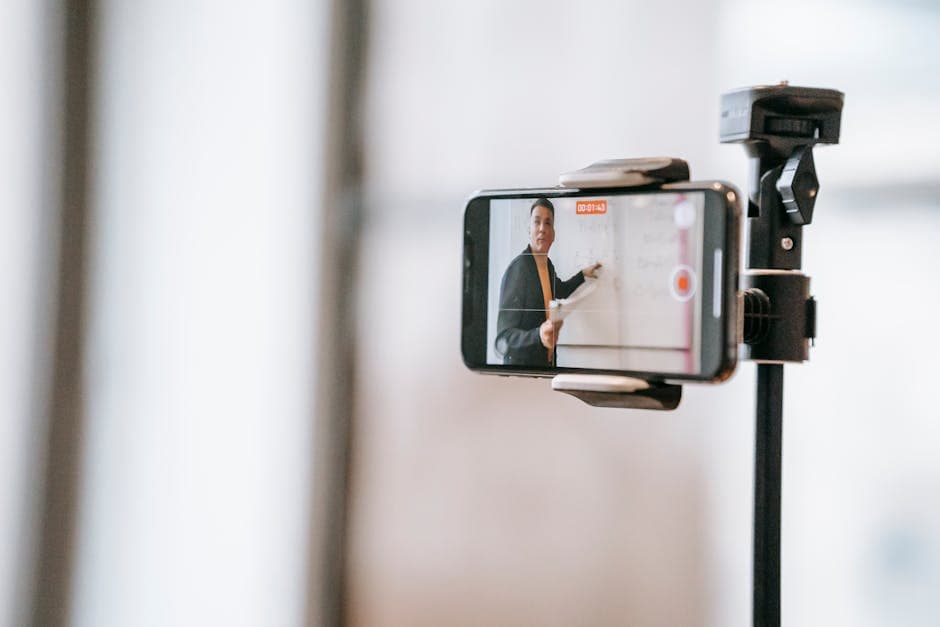
Recording Lectures with Permission: Scripts and Policy
Summarize this article with:
Recording a lecture without asking first is the most common mistake students make. In most US states you only need your own consent, but 11 or more states require everyone's agreement, and your university's policy layers on top regardless. Five minutes with your professor on day one clears all of this up and keeps you on solid ground for the rest of the term.
Most professors will say yes, and five minutes in office hours on day one is all it takes. But showing up to that conversation knowing which laws and policies apply to your specific situation means you can handle any follow-up question the professor has, and you know exactly what to do if they decline.
This guide covers the consent-law landscape (as of mid-2026), how to navigate your university's recording policy, practical scripts for asking permission, and what disability accommodations actually change.
This post is for general informational purposes only and does not constitute legal advice. Recording laws vary by state and change over time. If you have a specific legal question, consult a licensed attorney in your jurisdiction.
The Two Layers Every Student Needs to Know
Classroom recording is governed by two overlapping systems, and you need to satisfy both.
State consent law sets the floor. Most US states follow a one-party consent rule: if you are a participant in a conversation, you can record it without notifying anyone else. At least 11 states, however, require all-party (sometimes called two-party) consent, meaning everyone whose voice will be captured must agree beforehand. For a classroom of 20 students plus a professor, that means everyone.
As of mid-2026, the states with verified all-party consent requirements for in-person conversations include: California, Connecticut, Delaware, Florida, Illinois, Maryland, Massachusetts, Montana, New Hampshire, Oregon, Pennsylvania, and Washington. A few important nuances: Connecticut's all-party rule applies clearly to phone calls but courts have interpreted in-person conversations differently under its criminal statutes. Oregon treats in-person and electronic communications under separate rules. Michigan's statute is written as all-party, but Michigan courts have recognized that participants can record their own conversations, making it effectively one-party in practice, though the Michigan Supreme Court has not resolved the ambiguity definitively. Vermont has no state wiretap statute and defaults to federal one-party consent, so it does not belong on the all-party list despite appearing on some older summaries (including a previous version of this post).
If you are in one of the clearly all-party states, the clean solution is to get the professor's permission and ask them to announce on the first day that recordings are happening, giving any student who objects the opportunity to say so. Most universities in those states have a standard syllabus statement that handles this automatically.
University policy adds another layer on top of state law. Even in one-party states, your institution can restrict recording more than the law requires. Most universities allow recording with professor permission for personal study use. Some require written authorization. A few prohibit recording entirely in specific contexts (clinical rotations, practicum settings, seminars where student disclosure is expected). The place to check: your student handbook, your course syllabus, and the disability services page on your institution's website.
How to Ask the Professor
Do this in person, ideally during office hours or briefly after class in the first week of the term. Before any patterns or friction are established.
A script that works for most situations:
"Professor [Name], I wanted to ask whether it would be okay for me to audio-record your lectures this term. I would use the recordings only for my own studying, not share them with anyone, and delete them at the end of the semester. I find I retain the material better when I can listen back to parts I want to review."
Most professors say yes without hesitation. The ones who pause usually want to confirm two things: that the recording stays private, and that it does not extend to office hours or one-on-one conversations. Confirm both and the conversation is done.
If you plan to use a transcription tool, mention it: "I would also like to transcribe the audio using an AI tool so I can search the text when I study. The transcription happens on my own time after class and is not posted anywhere public." This answers the concern before the professor has to raise it, which makes yes easier.
If the professor asks for a written request, put it in an email that same day with the same language. Written confirmation is useful for both of you if a question comes up later.
When Professors Say No
A refusal is not the end. Work through it in order.
Ask for a partial compromise. "Would it be okay to record only the lecture portions, stopping when students share personal experiences or when discussion opens up?" Some professors who refuse general recording will agree to this narrower version.
Ask about institutional resources. Many universities fund note-taking services or have peer note-taker programs through the disability or student support office. These are not just for students with documented disabilities at every institution. Ask whether they exist and who qualifies.
Contact disability services if you have a documented condition. This is a different process from asking the professor, and it changes the equation significantly. See the next section.
Do not record over a direct refusal. Even in one-party consent states where the recording itself would be technically legal, getting caught after an explicit no is a student conduct matter, not just a legal one. The risk is a conduct hearing, grade consequences, and a strained relationship with that professor for the rest of the term.
Disability Accommodations Are a Different Conversation
If you have a documented disability, the disability services or accessibility office at your institution has authority under Section 504 of the Rehabilitation Act and the Americans with Disabilities Act to authorize recording as a formal accommodation. Once that letter is issued, professors are legally required to permit it even if their standard policy is no recording.
Section 504 specifically names audio recording as one example of a reasonable academic accommodation. Qualifying conditions include, but are not limited to:
- Hearing loss or auditory processing disorders
- ADHD
- Dyslexia and other reading-based learning differences
- Anxiety disorders that interfere with note-taking during class
- Chronic illness with unpredictable attendance impact
- Acute temporary conditions such as concussion recovery
The process typically involves submitting documentation from a licensed clinician, meeting with an accessibility coordinator, and receiving a formal letter that you share with professors at the start of each term. The accommodation usually extends to transcription: a student authorized to record for disability-related reasons can also run that audio through a transcription tool as part of their study workflow, since the transcript functions as a more complete set of notes than they could capture in the moment.
Start this process early. Documentation review takes time, and waiting until week three of the semester means losing weeks of coverage.
If you want to go deeper on turning lecture audio into structured study materials, how to transcribe lecture for notes covers the workflow end to end, and accessible lectures with transcripts addresses the accommodation-specific use case.
Practical Recording Etiquette
Getting permission is step one. Keeping it for the full semester is step two. The most common reasons students lose permission mid-term:
The recording becomes visible. A laptop open on a desk with a red recording indicator can make other students visibly uncomfortable, which then becomes the professor's problem. Use your phone tucked at the edge of your desk or in your bag. The audio quality is usually adequate, and it draws no attention.
The recording gets shared. Even casually. A friend texts asking for the recording from the class they missed. You send it without thinking. That is a breach of the agreement and, in some all-party consent states, a potential legal issue if the friend was not in the room. Make it a firm personal rule: the recording stays with you.
The wrong content gets recorded. The professor's permission covers the classroom lecture. It does not cover office hours, one-on-one tutoring sessions, hallway conversations, or informal discussions. Different context, different consent.
A transcript fragment surfaces publicly. This is almost always accidental: a student screenshots their notes app with the transcript visible, posts it, and the professor sees it. Even if the content is innocent, it signals that the recording has left the private study context the professor agreed to.
My take: treat lecture recordings the way you treat a borrowed textbook. Use it yourself, return it (or delete it) when you are done, and do not let it circulate.
Online Classes: Zoom and Teams
For classes conducted over Zoom or Microsoft Teams, the recording dynamics shift slightly. Both platforms display a recording-in-progress indicator to all participants when a recording begins, and Zoom's consent disclaimer (when enabled) prompts attendees to explicitly accept before the session continues. This built-in notification generally satisfies the notice requirement for consent-law purposes in most jurisdictions.
That said, check your institution's specific policy. Many universities require instructors to announce recordings verbally at the start of class regardless of the platform indicator, and some prohibit student-side recording of synchronous sessions even when the platform technically allows it.
The how to transcribe a Zoom meeting guide covers the mechanics of capturing and processing online class audio once permission is confirmed.
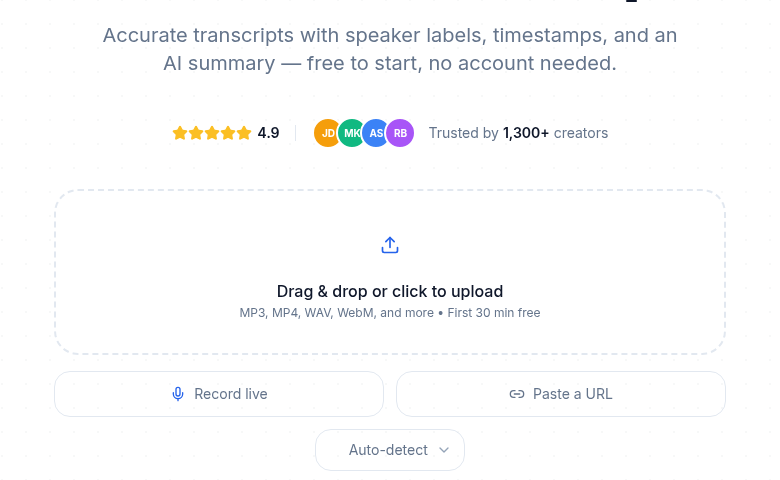 Once permission is sorted, the technical part takes minutes
ConvertAudioToText's audio upload tool handles lecture recordings in common formats. Audio is processed to generate the transcript and is not used for model training.
If you just need a clean transcript of a permitted lecture recording without connecting a meeting bot or configuring anything, ConvertAudioToText handles the file directly. The free tier covers short recordings, and paid plans cover longer sessions.
Discussion Seminars Raise Harder Questions
Lecture-format classes are the easy case. Discussion seminars, where most of the substantive content comes from student contributions, require more care even after you have permission.
Three principles that keep things clean:
First, make sure the permission you received explicitly covers the discussion format, not just the instructor's speaking portions. A professor who said "sure, go ahead" when imagining a chalk-talk lecture may not have been picturing a 20-person circle discussion.
Second, briefly announce at the start of each session you record: "Just letting everyone know I am recording for my own notes today." This is not legally required in most one-party states, but it gives anyone with concerns the chance to speak up before anything sensitive is said.
Third, if any participant asks you to delete a portion of the recording, do it. Open the file, find the timestamp, delete that segment. Confirm with them that you have done it. The small friction of accommodating one request is worth the trust it preserves for the rest of the term.
FAQ
Is it legal to record a lecture without asking?
In most US states, yes, because you are a participant in the conversation. But at least 11 states require everyone's consent for in-person recordings, and university policy can restrict recording even where state law permits it. Always check both layers before pressing record.
What if my professor says no?
Ask for a compromise (lecture-only recording, skip discussion segments), check whether your institution provides note-taking services, or contact disability services if you have a documented condition that qualifies for an accommodation. Do not record over an explicit refusal, even in a one-party consent state.
Can disability accommodations override a professor's no-recording policy?
Yes. Under Section 504 of the Rehabilitation Act and the ADA, if your disability services office authorizes audio recording as an accommodation, professors are required to permit it even if they have a general no-recording policy. Get the authorization letter at the start of the term.
What happens if other students object to being recorded?
In all-party consent states their objection has legal weight, not just a social one. In any state, the respectful and practical solution is to skip or edit segments where objecting students speak. For Zoom or Teams classes, the platform's built-in recording indicator typically satisfies notice requirements, but check your institution's policy.
Can I share lecture recordings with classmates?
Generally no. Most professor permission grants and accommodation letters explicitly limit recordings to your personal study use. Sharing with a classmate, even informally, breaks that agreement and can result in the permission being revoked. Treat lecture recordings like personal study notes.
Sources
- RecordingLaw.com, Two-Party Consent States (2026): https://www.recordinglaw.com/party-two-party-consent-states/
- Reporters Committee for Freedom of the Press, Vermont Recording Guide: https://www.rcfp.org/reporters-recording-guide/vermont/
- RecordingLaw.com, Michigan Recording Laws (2026): https://recordinglaw.com/party-two-party-consent-states/michigan-recording-laws/
- Kutztown University, Audio Recording as an Accommodation: https://www.kutztown.edu/about-ku/administrative-offices/disability-services-(dso)/faculty-and-staff/audio-recording-as-an-accommodation.html
- ADA National Network, Postsecondary Institutions and Students With Disabilities: https://adata.org/factsheet/postsecondary
- Zoom Support, Providing consent to be recorded: https://support.zoom.com/hc/en/article?id=zm_kb&sysparm_article=KB0059819
- Birkbeck University of London, Recording of Lectures Policy 2025-26: https://www.bbk.ac.uk/professional-services/registry-services/student-policies-2025-26/recording-of-lectures
- University of Illinois Chicago, Lecture Recording Privacy FAQ: https://registrar.uic.edu/uic-faculty-staff/student-records-policy/lecture-recording-privacy-faq/
Try transcription free
Convert any audio or video to clean, unwatermarked text — speaker labels, timestamps, and AI summaries included. First 30 minutes free, no account.
Related Articles
Best Transcription Tools for Research Papers and Interviews 2026
Academic researchers need transcription that handles long interviews, specialized vocabulary, and multiple speakers with citation-grade accuracy. Here are the eight tools that deliver.
Best Transcription Tools for Students in 2026: Budget-Ranked
Ranked by real cost and verified free-tier limits: the best transcription tools for students in 2026, from free university options to paid picks for heavy lecture loads.