
Best Transcription Tools for Research Papers and Interviews 2026
Summarize this article with:
Academic transcription is harder than most: interviews run 60-90 minutes, technical jargon trips up general AI models, and the output ends up cited in publications. This guide covers eight tools across cost, language coverage, accuracy tiers, and export compatibility with qualitative coding software like NVivo, MAXQDA, and Atlas.ti, with honest notes on where each tool wins and where it falls short.
The right transcription tool for research depends on three things: the language your participants speak, the accuracy your methodology demands, and how the output connects to your coding software. Academic interview transcription is harder than most transcription work because interviews run 60-90 minutes, disciplinary jargon trips up general AI models, and the resulting text ends up cited in publications.
This guide covers eight tools across those constraints, with verified July 2026 pricing and honest notes on where each one fits into a real research workflow.
What Makes Research Transcription Different
A journalist transcribing a 10-minute press briefing and a qualitative researcher transcribing a 90-minute semi-structured interview have very different requirements. Researchers need:
- Multi-speaker diarization for dyadic or group interviews
- Technical vocabulary handling (discipline-specific terms, institution names, participant pseudonyms)
- Long-file support (most interviews exceed 45 minutes)
- Export formats compatible with CAQDAS software (NVivo, MAXQDA, Atlas.ti, Dedoose)
- Consistent accuracy across multiple files in a dataset, not just one-off quality
The tools below are evaluated against those criteria, not generic transcription benchmarks.
Comparison Table
| Tool | Price | Best for | Language coverage | CAQDAS export |
|---|---|---|---|---|
| Otter.ai | Free / $8.33-$16.99/mo | Search across a corpus | English-first | DOCX, TXT |
| Trint | From ~$52/seat/mo | Multi-language media research | 54 languages via translation | DOCX, SRT |
| Sonix | $10/hr PAYG or from $25/mo | Clean editor workflow | 54+ languages | DOCX, SRT, TXT |
| Descript | Free / $16-$24/mo | Interview clip production | English-first | DOCX |
| Happy Scribe | Free trial / from ~$8.50/mo | European languages | 150+ languages listed | DOCX, SRT |
| Rev (human) | $1.99/min | Verbatim accuracy mandate | English focus for humans | DOCX |
| Microsoft 365 | Included (M365) | Word-integrated workflows | Limited | DOCX (direct) |
| ConvertAudioToText | $14.99/mo (unlimited) | Cost-sensitive, no-signup start | 99+ languages | TXT, SRT, VTT |
Otter.ai: Strongest for Corpus Search
Otter is the standard for researchers running multiple interviews who need to search across the full dataset. If you are coding 30 interviews and want to find every occurrence of "intersectionality" or a specific participant phrase across all files, Otter's transcript workspace handles that better than any other tool on this list.
The Pro plan costs $16.99/month (or $8.33/month billed annually), with 1,200 minutes and up to 10 file imports per month. Researchers with .edu email addresses get a 20% discount, bringing the annual rate to roughly $6.67/month. The free plan includes 300 minutes per month with a 30-minute per-session cap, which is enough to evaluate the tool before committing.
Where Otter falls short: accuracy on heavy accents and non-English languages is below the field average. Multi-speaker diarization is reliable for two speakers and noticeably weaker with three or more.
Trint: Strongest for Multilingual Research
Trint's primary advantage over Otter is multilingual coverage, including translation across 54 languages and a collaborative editor that handles RTL scripts cleanly. For international fieldwork or comparative studies across language groups, that breadth is meaningful.
The Starter plan runs approximately $52/seat/month on annual billing (7 files per month) or $80/seat on monthly billing. The Advanced plan is roughly $60/seat/month annually (unlimited files). Both tiers require per-seat pricing, which adds up for research teams. There is no permanent free tier, only a trial.
Where Trint struggles: at these prices, low-volume use is hard to justify. Five interviews a semester does not warrant $52-$80/month. The file cap on the Starter plan is also frustrating for researchers who need to process a dataset in batches.
Sonix: Strongest for Editor Workflow and CAQDAS Export
Sonix's transcript editor is the most polished in the category. Audio-aligned corrections, fast keyboard shortcuts, and batch find-and-replace across multiple transcripts make it the preferred tool for researchers who spend significant time cleaning transcripts before importing them into NVivo or MAXQDA. SRT export with preserved timestamps works directly in MAXQDA's timestamp-sync feature.
Pricing is the most flexible here. Pay-as-you-go is $10/hour, so a 90-minute interview costs $15. Subscription plans start at $25/month (Core, 5 hours) up to $80/month (Pro, 40 hours), with additional hours at $10/hour on any plan. The Core plan is the right entry point for a researcher running 3-4 interviews per month.
Where Sonix struggles: the per-hour PAYG model adds friction for large datasets. Running 50 interviews at 90 minutes each costs $750 at PAYG rates, which is when a subscription plan or a flat-rate alternative becomes more attractive.
Descript: Strongest for Researchers Who Also Produce Content
Descript blurs the line between transcription and audio/video editing. Edit the transcript and the audio simultaneously, removing filler words from both in one pass. For researchers who plan to share interview clips as part of public scholarship, podcast production, or multimedia dissertations, this integrated workflow removes a lot of steps.
The Hobbyist plan ($16/month annual) includes approximately 10 hours of transcription per month. The Creator plan ($24/month annual) adds fuller AI features and is suited to researchers doing regular content production alongside their interviews.
Where Descript falls short for pure research use: it is not designed for batch processing. If your primary goal is getting clean DOCX files into NVivo as quickly as possible, the editing-first interface works against you. See the Descript vs Otter comparison for a head-to-head on workflow differences.
Happy Scribe: Strongest for European Languages
Happy Scribe (Barcelona-based) has above-average accuracy on European languages, particularly Spanish, French, German, Italian, Portuguese, and Dutch. For researchers conducting fieldwork across EU member states or working with EU-funded projects that require documented accuracy, the optional human-review tier (from roughly 1.75 euros/minute) provides a certified output without switching platforms.
Plans run from about 8.50 euros/month (Basic, 120 AI minutes, billed annually) to 19 euros/month (Pro, 600 AI minutes) and 59 euros/month (Business, 6,000 AI minutes). Note that pricing is in euros, so USD costs will fluctuate with exchange rates. The free tier provides a 10-minute trial.
Where Happy Scribe falls short: language coverage outside Europe is spotty. The custom vocabulary feature exists but is less developed than Otter or Sonix.
Rev: Strongest When Verbatim Accuracy Is Non-Negotiable
For conversation analysis, discourse analysis, or any methodology where the transcript must capture every disfluency, false start, and overlap, human transcription via Rev remains the reliable option. AI transcription at 90-95% accuracy means roughly 10-15 errors per minute of speech, which is acceptable for thematic coding but not for line-by-line linguistic analysis.
Rev's human transcription is $1.99/minute. A 90-minute interview runs about $179. At 20 interviews, that is approximately $3,580 for one study. Factor that into your research budget before committing. The AI PAYG tier is $0.25/minute, or about $22.50 for 90 minutes, which is competitive with Sonix but without the polished editor.
My take: human transcription is still worth the cost for the specific methodologies that require it. For everything else, AI with a careful review pass is now the default, and Rev's AI tier is not differentiated enough to justify choosing it over Sonix or Otter on features.
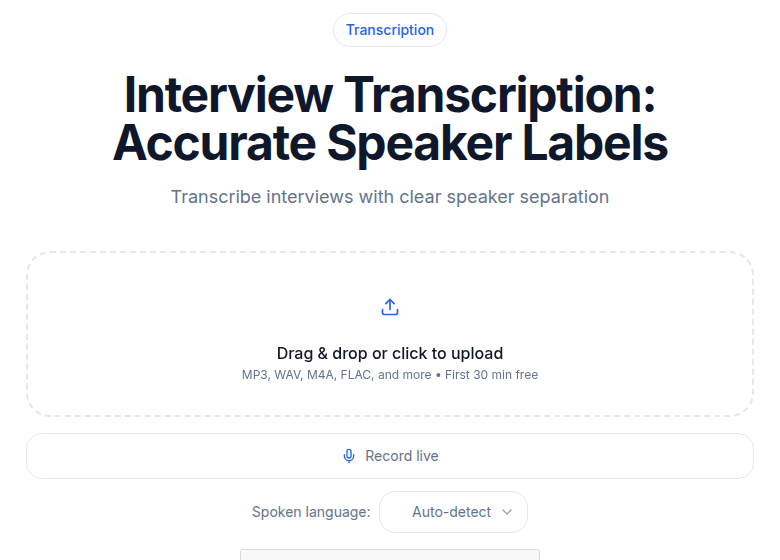 ConvertAudioToText interview transcription tool
Microsoft 365 Transcribe: Strongest for Word-First Workflows
If your institution has a Microsoft 365 subscription, Word's built-in transcription is a reasonable starting point for low-volume use at no additional cost. Standard M365 subscribers get 300 minutes per month. Microsoft 365 Copilot license holders received an increase to 30,000 minutes per month beginning in late 2025.
The integration is the primary advantage: transcription output lands directly in a Word document, ready for annotation. Quality is roughly on par with other general AI transcription tools for clean English audio.
Where it falls short: limited speaker diarization in some configurations, narrower language coverage than dedicated tools, and no timestamp export for CAQDAS sync. For a researcher already deep in a Word-centric workflow, it is worth testing. For anyone who codes in NVivo or MAXQDA, the export limitations quickly become blocking.
ConvertAudioToText: Strongest for Flat-Rate Cost and No-Friction Start
The Pro plan at $14.99/month covers unlimited transcription across 99+ languages, including AI summaries, speaker labels, and 11 structured templates, one of which is designed specifically for interview output. For researchers running a full interview dataset at a predictable monthly cost, that flat rate is the most affordable subscription on this list.
The tool also starts without requiring account creation for short files, which is useful when evaluating transcription quality on a sample clip. There is no per-file or per-minute meter to track once you are on the paid plan.
For a narrow honest assessment: pure English transcription of clean studio audio is handled equally well by Otter and Sonix. The advantage here is on languages with weaker commercial coverage and on cost per interview over a full academic year.
If you want to test the tool on an existing interview recording, the interview transcription tool accepts uploads without a required account.
How to Choose for Your Research Context
Language is the primary filter. English-dominant interviews with two speakers: start with Otter for corpus search features, Sonix if you spend a lot of time editing transcripts, or ConvertAudioToText if budget is the primary constraint. European languages: Happy Scribe or Trint. Languages with weaker commercial AI coverage: test multiple tools on a sample clip before committing to a dataset.
Volume determines pricing model. Under 10 interview-hours per year, Sonix's PAYG at $10/hour keeps costs manageable. 10 to 50 hours per year, a monthly subscription at $9.99-$25/month makes sense. Over 50 hours per year, a flat-rate subscription is almost always cheaper than per-minute or per-hour billing.
Methodology sets the accuracy floor. For thematic analysis, grounded theory, phenomenology, and similar interpretive approaches, 90-95% AI accuracy is sufficient. You are coding themes and patterns, not counting exact words. For conversation analysis or discourse analysis, human transcription via Rev or a specialized academic service is still the methodologically correct choice, regardless of cost.
CAQDAS export format matters more than researchers expect. DOCX works across NVivo, MAXQDA, Atlas.ti, and Dedoose. SRT and VTT enable timestamp synchronization in MAXQDA and Atlas.ti specifically, so you can click a code and jump to the audio. If timestamp sync is part of your workflow, check that your tool exports SRT with timecodes intact, not just plain text. See how to transcribe an interview recording for a step-by-step workflow that covers the full path from audio file to coded data.
A Practical Interview Transcription Workflow
The pattern most qualitative researchers use in 2026:
- Record on a dedicated audio device or a quiet environment with an external microphone, not a built-in laptop mic.
- Upload to your chosen transcription tool immediately after the interview while context is fresh.
- Get the first-pass AI transcript within minutes.
- Spot-check the first 60 seconds and the section with the densest technical vocabulary or participant names.
- Run a light cleanup pass for proper nouns, pseudonyms, and disciplinary jargon.
- Export in the format your coding software expects: DOCX for most tools, SRT if you need timestamp sync in MAXQDA or Atlas.ti.
For studies where the audio quality is consistently degraded (field recordings, phone interviews, strong background noise), escalate specific files to human transcription rather than processing the whole dataset that way. The cost is significant and the benefit is only needed where AI genuinely cannot recover. For more on the cost tradeoffs, see AI vs. human transcription.
The cost of transcription per hour and speaker diarization explained are useful next reads if budget planning and multi-speaker accuracy are the next questions on your list.
Common Questions
Is AI transcription accurate enough for qualitative research coding?
For most thematic and interpretive coding, yes. Modern AI transcription reaches 90-95% accuracy on clear audio with standard accents, which is sufficient for identifying themes, categories, and patterns. Conversation analysis and discourse analysis are exceptions: those methodologies require verbatim accuracy including disfluencies, overlapping speech, and silences, which still demands human transcription or careful manual correction of the AI output.
Which transcription format works best for NVivo, MAXQDA, and Atlas.ti?
DOCX is the most portable format across all four major CAQDAS tools (NVivo, MAXQDA, Atlas.ti, Dedoose). For timestamp synchronization that lets you click a quote and hear the original audio, MAXQDA and Atlas.ti additionally accept SRT and VTT files with timecodes preserved. Most tools in this guide export DOCX; check SRT support if timestamp sync matters to your workflow.
How should I handle non-English interviews or code-switching?
Start with a service that explicitly covers your target language rather than a general English-first tool that claims broad support. Happy Scribe covers European languages with above-average accuracy. Trint advertises translation support across 54 languages. For African languages, Southeast Asian languages, or recordings where speakers shift between a regional language and English mid-sentence, look for tools built on models with strong low-resource language training, and always verify against a short test clip before committing to a full dataset.
When does human transcription still make sense for research in 2026?
Three scenarios: (1) Conversation analysis or discourse analysis, where methodology demands verbatim accuracy with disfluencies marked, (2) legally sensitive fieldwork where the institutional review board or a funding body requires documented accuracy above 99%, and (3) heavily accented or degraded audio that AI tools consistently fail. At Rev's current rate of $1.99/minute for human transcription, a 90-minute interview runs roughly $179. For most qualitative research, that cost is now the exception rather than the default.
Sources
- Otter.ai pricing page: https://otter.ai/pricing (checked July 2026)
- Trint pricing (third-party verified): https://brasstranscripts.com/blog/trint-pricing-2025-premium-journalism-media-costs (checked July 2026)
- Sonix pricing page: https://sonix.ai/pricing (checked July 2026)
- Descript pricing: https://www.descript.com/pricing (third-party summary checked July 2026)
- Happy Scribe pricing page: https://www.happyscribe.com/pricing (checked July 2026)
- Rev pricing page: https://www.rev.com/pricing (checked July 2026)
- Microsoft 365 Word transcription limits: https://learn.microsoft.com/en-us/answers/questions/5276301/about-microsoft-365-word-transcribe (checked July 2026)
- ConvertAudioToText pricing: https://convertaudiototext.com/pricing (checked July 2026)
Try transcription free
Convert any audio or video to clean, unwatermarked text — speaker labels, timestamps, and AI summaries included. First 30 minutes free, no account.
Related Articles
Recording Lectures with Permission: Scripts and Policy
How to ask professors to record lectures, navigate two-party consent laws, use disability accommodations, and practice recording etiquette. Practical scripts included.

Transcription for Thesis Research: A Masters Student's Workflow
How masters students handle interview transcription on a tight budget and timeline. IRB compliance, AI tool selection, workflow steps, and defense prep from real transcripts.