YouTube SEO With Transcripts: What Actually Helps in 2026
Summarize this article with:
The Short Version
Captions help YouTube SEO primarily because they are indexed as text, so the words you actually say can appear in search results, and because accurate captions keep more viewers watching to the end. The workflow is: transcribe the audio, review and correct, export as VTT or SRT, upload to YouTube Studio, and use the same transcript to write chapters and a stronger description.
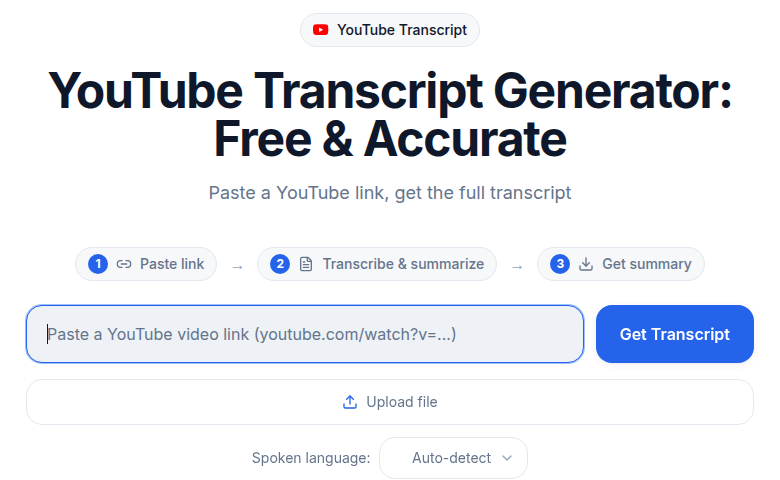 Paste a YouTube link to get the transcript that feeds captions and chapters
How YouTube Indexes Captions
YouTube's search uses text signals from multiple sources on each video. Of those signals, you directly control the title, description, tags, uploaded captions, and chapters.
The indexing mechanism for captions is well-established. A controlled study by Discovery Digital Networks, run with 3Play Media, tested a keyword phrase that appeared nowhere in a video's title, description, or tags, only in its closed caption file. The captioned video ranked fourth in YouTube search for that phrase. That is the most direct evidence that YouTube reads and indexes caption text as a separate signal, not just what is in the visible metadata fields.
Closed captions (uploaded as separate files) are indexed. Open captions (text burned into the video pixels) are not. YouTube cannot read text that is part of the image. If you bake captions into the video itself, they contribute nothing to search.
What Auto-Captions Get Right and Wrong
YouTube generates automatic captions using its own speech recognition. They appear if you have not uploaded your own.
Independent tests place auto-caption accuracy at 85-95% for clear English audio in controlled conditions, with studio-quality single-speaker recordings reaching 94-96%. Accuracy drops with accents, background noise, technical vocabulary, or multiple speakers. Google does not publish official accuracy figures.
The SEO consequence is direct: every error in an auto-caption file means a wrong word gets indexed. If you say "React hooks" and the auto-caption writes "reek hooks," the indexed keyword is wrong. Technical content and proper nouns are where errors cluster most.
YouTube's own help documentation notes that automatic captions "might misrepresent the spoken content due to mispronunciations, accents, dialects, or background noise," and the platform encourages adding professional captions first.
Uploading a corrected caption file replaces the auto-caption track. You get accurate keyword indexing and a better viewer experience at the same time.
The Workflow: Transcript to Published Captions
Step 1: Transcribe
Upload the audio or video file to a transcription tool. Audio to Text outputs a timestamped transcript; Video to Text accepts video files directly without audio extraction.
A 10-minute YouTube video produces roughly 1,400-1,500 words of transcript.
Step 2: Review and Correct
A human review pass takes 10-20 minutes on a 10-minute video. Focus on:
- Brand names and proper nouns the model may have phonetically misheard
- Technical terms specific to your content area
- Speaker labels if the content is multi-host
- Punctuation that reflects natural speech rhythm (affects caption readability)
Step 3: Export as VTT or SRT
Both formats include timestamps and are accepted by YouTube Studio. VTT is the native web format; SRT is the most widely compatible. Either works. The timestamps let YouTube sync the captions to the correct moment in the video.
YouTube also accepts SubViewer (.sbv), TTML, SAMI, and several broadcast formats, but VTT or SRT covers all practical use cases.
For caption editing before export, free tools such as Subtitle Edit (Windows) or Aegisub (cross-platform) let you refine timing and text before upload. CATT's Subtitle Generator exports directly to these formats.
Step 4: Upload to YouTube Studio
- Go to YouTube Studio and open the video
- Select Subtitles from the left menu
- Click Add Language and select the video's primary language
- Under Subtitles, click Add
- Choose Upload File, select "With timing"
- Upload your VTT or SRT file
- Review the preview, then click Publish
YouTube typically processes the uploaded captions within minutes and makes them available as a closed caption track with the CC button.
Step 5: Build Chapters From the Transcript
While editing the video description, add timestamps that mark where major topics begin. YouTube requires:
- At least three chapters
- First timestamp at 0:00
- Each chapter at least 10 seconds long
- Timestamps in ascending order
Format:
0:00 Introduction
1:30 Setting Up the Project
4:15 Common Mistakes
7:00 The Fix
9:30 Testing the Result
YouTube generates chapter markers on the video timeline from these timestamps. Each chapter title becomes additional indexable text for that video, and Google surfaces specific chapters as "Key Moments" in web search results. A video with six chapters has six potential entry points in search results for related sub-queries.
Pull the chapter titles from your transcript. Name each one the way a viewer would search for that specific piece of information.
Step 6: Use the Transcript to Write a Better Description
The description is one of YouTube's strongest text signals. A transcript makes it faster to write a useful one because you already have the words in order.
A strong description includes:
- A 200-300 word summary that uses the natural language of the video
- 3-5 key points covered
- The chapter timestamps (required for Step 5 to work)
- Related links
Mining the transcript for the specific terms and phrases you actually used in the video means the description reflects actual content rather than guessed keywords.
Captions and Engagement: The Indirect Path
The other way captions affect ranking is through engagement signals, which YouTube measures directly.
A 2019 Verizon Media and Publicis Media study (5,616 U.S. adults) found that 69% of people watch video with sound off in public settings, and 80% are more likely to watch a full video when captions are available. The numbers are from social platforms broadly, but the behavior carries to YouTube. Viewers who cannot or will not turn on audio either stay on a captioned video or leave an uncaptioned one.
Watch time and completion rate are first-class YouTube ranking signals. Captions keep more viewers watching by making the content followable regardless of audio conditions. The captions themselves are not what YouTube's ranking algorithm measures, but they produce the watch time that the algorithm does measure.
This is the mechanism that explains why captioning consistently shows a positive effect on views in controlled tests (Discovery Digital Networks saw a 7.32% increase in views and 13.48% increase in watch time for captioned videos) even when the direct SEO benefit of caption indexing is small.
Manual vs. Auto-Captions: The Practical Comparison
| Factor | Auto-Captions | Manually Uploaded Captions |
|---|---|---|
| Accuracy on clear audio | 85-95% | 99%+ after human review |
| Accuracy on technical content | 60-80% | 99%+ after human review |
| Keywords indexed | Some wrong, some missing | Correct words indexed |
| Effort | Zero | 10-20 min review per video |
| Viewer CC button | Yes | Yes |
| Available immediately | Yes | Within minutes of upload |
For casual content with clear audio, auto-captions are acceptable. For anything technical, accented, multi-speaker, or brand-specific, manual upload is worth the 20 minutes.
Multi-Language Captions
YouTube has separate search indexes for different languages. A video with a Spanish caption track can rank in Spanish-language YouTube searches for the same content. A video without one generally does not.
The practical triage:
- Caption the original language manually first, highest priority, most viewers
- Add professionally translated caption tracks for major target languages on cornerstone content
- Skip YouTube's auto-translate for markets where translation accuracy matters
Auto-translation quality is lower than professionally translated captions. For a market that represents real traffic, a human-reviewed translation of the caption file is the appropriate standard.
When Captions Are Not Worth the Effort
For videos under 60 seconds, the content is too short for caption indexing to affect search meaningfully. Auto-captions are fine here.
For private or unlisted videos, captions serve only an accessibility purpose because the content does not appear in search.
For one-off announcements that will not have ongoing search relevance, caption for accessibility if the content matters, skip if it is ephemeral.
For everything public and longer than 60 seconds, the 20-minute review cost per video is worth the years of compounded search benefit.
The Compounding Effect
YouTube SEO from captions accumulates. The first 5-10 properly captioned videos with accurate captions and chapters show modest effects. At 30-50 videos, engagement patterns become measurable. At 100+ videos, the gap between a consistently captioned channel and an uncaptioned one in the same niche becomes visible in analytics.
The one-time work of backfilling captions on your top 20-30 historical videos (by current views or search traffic) is the highest-leverage starting point if you have not been captioning. After that, making captions and chapters part of the publish checklist for every new video keeps the advantage growing.
For more on using transcripts across content types, see ranking podcasts with transcripts, SEO benefits of transcripts, and content repurposing from audio.
FAQ
Do YouTube captions improve search rankings?
Yes, but through two distinct paths. First, caption text is indexed by YouTube, so words said in the video can appear in search results even if they are not in the title or description. Second, accurate captions improve watch time and completion rate by keeping viewers engaged when audio is unclear or unavailable. Both effects benefit ranking, but the engagement effect is likely larger for most videos.
Are manually uploaded captions better than YouTube auto-captions for SEO?
The primary difference is accuracy. Auto-captions on clear audio reach 85-95% accuracy, with errors clustering on proper nouns, technical terms, and accented speech. Those errors mean wrong keywords get indexed. Manually reviewed captions achieve near-perfect accuracy, so the correct words are indexed. YouTube's own documentation recommends uploading professional captions rather than relying on auto-generated ones.
What file format should I upload for YouTube captions?
YouTube accepts VTT, SRT, SBV, TTML, SAMI, and several broadcast formats. For most creators, SRT or VTT are the practical choices. Both include timestamps and are generated by most transcription tools. Upload with "With timing" selected so YouTube uses the timestamp synchronization from your file.
How do YouTube chapters help with SEO?
Chapters become additional indexed text attached to specific moments in the video. Google also surfaces chapters as "Key Moments" in web search results, so each chapter title is a separate entry point in search results for related queries. Requirements: at least 3 timestamps, first one at 0:00, minimum 10 seconds per chapter, listed in ascending order in the description.
How often should I caption my YouTube videos?
Every public video longer than 60 seconds is worth captioning. For channels starting the process, begin by backfilling captions on the top 20-30 videos by view count, then add captions and chapters as part of the standard checklist for every new upload. The SEO benefit compounds over time as more content accumulates accurate caption text.
Sources
- YouTube Help: Use automatic captioning: https://support.google.com/youtube/answer/6373554
- YouTube Help: Add subtitles and captions: https://support.google.com/youtube/answer/2734796
- YouTube Help: Supported subtitle and caption formats: https://support.google.com/youtube/answer/2734698
- YouTube Help: Video Chapters: https://support.google.com/youtube/answer/9884579
- YouTube Help: Search for videos with captions: https://support.google.com/youtube/answer/3029103
- 3Play Media: Discovery Digital Networks case study: https://www.3playmedia.com/customers/case-studies/discovery-digital-networks/
- Verizon Media captions study (2019), via 3Play Media: https://www.3playmedia.com/blog/verizon-media-and-publicis-media-find-viewers-want-captions/
Try transcription free
Convert any audio or video to clean, unwatermarked text — speaker labels, timestamps, and AI summaries included. First 30 minutes free, no account.
Related Articles
Burning Subtitles into Video: Settings That Work
Learn when and how to burn subtitles permanently into video for TikTok, Reels, and social media. Covers FFmpeg commands, video editor workflows, styling, and quality tips.
How to Add Subtitles to a Video: 2026 Step-by-Step Guide
Add subtitles to any video in 2026. Covers AI subtitle generation, SRT formatting rules, soft vs burned-in paths, YouTube upload steps, and TikTok/Instagram best practices.