Interview to Article Workflow: From Recording to Published Story
Summarize this article with:
The Pipeline
The interview-to-article workflow has five stages: transcribe, mark up, verify quotes, outline, write. Run them in that order and you collapse a 12-hour process to roughly five. Skip the verification stage and you risk a correction or a libel claim. This post covers the full sequence, with extra attention to quote accuracy and attribution ethics, the steps most workflow guides compress into a single bullet.
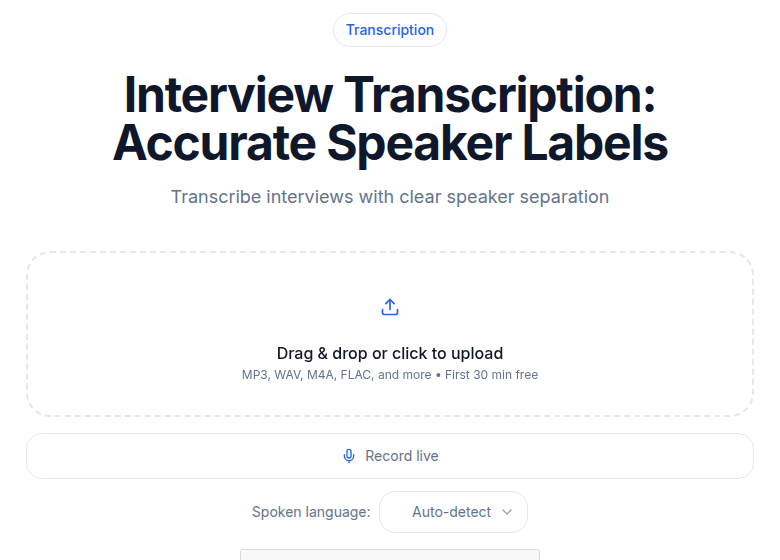 Interview transcription with speaker labels feeds the article pipeline
This is the workflow for pieces built around a single interview or a small set of sources. For the podcast-episode-to-article lane, where the source is a long-form conversation rather than a reported interview, see how to turn a podcast episode into a blog post.
Stage 1: Transcribe the Recording
Upload the audio as soon as the interview ends. The details are freshest now, and the transcript will be waiting when you sit down to write, whether that is tonight or tomorrow morning.
For a 45-minute interview, a current AI transcription tool finishes in two to five minutes. The math matters: manual transcription of that same recording takes four to six hours. Every journalist who skips AI transcription is paying that tax on every story.
If you recorded a phone interview through Zoom or a similar platform, the recording is usually available within minutes of the call ending. Tools that accept a meeting recording URL can pull the file directly, saving the download-and-upload step.
For a deeper look at what affects accuracy on recorded interviews, including audio quality, overlapping speakers, and accents, see transcription accuracy explained.
Stage 2: Mark Up the Transcript
Once the transcript arrives, scan it once at reading speed. Do not edit yet. You are looking for three things:
- The four to six strongest quotes. Mark them with a bracket notation like
[Q1]through[Q6]. You can search for these later instead of scrolling. - Verifiable claims. Any name, date, statistic, or third-party reference gets a
[FACT]tag. - The story's real starting point. Interviews rarely begin with the most interesting thing the source says. Look for the moment they stopped being careful and said something unguarded.
This pass takes eight to twelve minutes on a 45-minute transcript. It replaces the 40 minutes of re-listening you would otherwise do while writing.
One practical note on speaker labels: AI-generated transcripts typically output "Speaker 1," "Speaker 2." Do a find-and-replace for each speaker tag immediately after the transcript arrives. Fix proper nouns and place names as you encounter them in the quotes you actually want to use, not before. Cleaning the full transcript costs 60 minutes of time you will spend on text you will never publish.
Stage 3: Verify Quotes Before You Write
This is the stage most writers skip and most editors catch. Run this checklist before opening a blank document:
Does the quote match the audio word for word? AI transcripts handle most speech accurately, but they err on proper nouns, technical terms, and accented speech. Every quote you plan to publish needs one listen-back against the original recording. Not a listen-back to the full file. A listen-back to the specific timestamped section.
Is the quote in context? A quote that reads one way in isolation can mean something different in the exchange around it. If the sentence before or after it changes the meaning, include that context in your notes and consider whether a paraphrase plus a shorter direct quote serves the reader better.
Are titles, affiliations, and spellings current? People change jobs. A title accurate at the time of the interview may be wrong by the time you publish. Check LinkedIn and the organization's website. One third-party source is better than one.
Are statistics still valid? Numbers older than 18 months need a fresh check against primary sources. If the source cited a study, find the study. If you cannot, note the limitation.
My take: most misquoting in journalism is not deliberate. It comes from paraphrasing a quote from memory while writing fast, then convincing yourself the quote was sharper than it actually was. The transcript exists precisely to prevent this. Use it.
A note on quote approval
Allowing a source to review quotes before publication is not standard practice across all news organizations, and most ethics guidelines distinguish sharply between an accuracy check (acceptable) and quote approval (a handover of editorial control). If a source asks to approve quotes, you can offer to read the quote back over the phone to verify accuracy without sending a written copy for editing. That distinction is worth knowing before your first high-stakes interview.
Anonymous sources require an additional layer of care. Do not store their transcripts in any cloud service that retains data indefinitely. Export locally, confirm the recording is deleted from any third-party platform, and document whatever verification process supported the decision to grant anonymity.
Stage 4: Build an Outline From Themes, Not Chronology
Interviews are chronological by nature. Articles rarely are. Once you have marked quotes and verified them, copy them into a separate document and group them by theme rather than by when they appeared in the conversation.
A 45-minute interview typically produces three or four natural clusters: motivation or background, conflict or obstacle, resolution or response, broader implication. Treating each cluster as a potential section lets you see whether you have enough material in each before you write a single paragraph.
If you find all your best material concentrated in one cluster and thin in the others, that is a reporting signal: you need a follow-up question or a second interview, not a longer introduction.
For pieces built around repurposing the output rather than publishing it as an article, including show notes, newsletters, or content calendars, the process from this point diverges. That lane is covered in content repurposing from audio.
Stage 5: Write From the Transcript, Not From Memory
Keep the marked-up transcript open in a second window while you write. The temptation to paraphrase a quote from memory, especially one you heard five times during the interview, is strong. The transcript is what you quoted. The memory is a compression.
For a 900-word feature, expect to use 80 to 150 words of direct quotation. The rest is context, narrative, and your own analysis. If you reach for quotes to pad word count, you do not have enough reporting.
The lead almost always comes from one of two places: the strongest quote in your entire transcript, or the moment the source said something they did not plan to say. Find that first. Write everything else around it.
For a worked example of this process applied to a pre-recorded conversation rather than a sourced interview, see how to transcribe an interview recording.
Tools Worth Knowing
Three categories matter here, and you do not need all three.
Recording. A dedicated recorder beats a phone for in-person interviews at any price point above $80. The audio quality difference translates directly into transcription accuracy. For phone and video calls, record both sides through the platform's built-in recording rather than a third-party screen recorder where possible.
Transcription. Otter.ai's free tier gives you 300 minutes per month but caps file imports at 3 lifetime (free) or 10 per month on their annual Pro plan. That limit bites fast if you upload pre-recorded interviews rather than use Otter's live meeting bot. Trint's Starter plan has been listed around $80 per seat per month in recent roundups, with a cap of 7 files per month, and the Advanced tier at around $100 per seat per month for unlimited files. Both prices are per-seat, so a small team multiplies quickly. Trint does not publish pricing directly on a public page, so treat those figures as orientation only and verify against their sales team before budgeting.
If you just need a clean, timestamped transcript without a meeting bot or team workspace, ConvertAudioToText runs at $14.99 per month (or $99.99 a year billed annually) with no seat math, and it handles long recordings (links and videos up to 24 hours). Useful for one- or two-person shops who upload recordings rather than run live meeting capture.
Quote organization. A plain text document with your [Q1]-[Q6] notation works for most stories. For investigative pieces with ten or more interviews, a shared spreadsheet with columns for source, quote, theme, and verification status beats trying to search across a folder of transcript files.
A Realistic Timeline
For a 1,200-word feature based on a single 45-minute interview:
| Stage | Time |
|---|---|
| Recording and post-interview notes | 60 min |
| AI transcription and speaker-label cleanup | 15 min |
| Markup and quote extraction | 25 min |
| Quote verification and fact-check | 60 min |
| Outline | 20 min |
| First draft | 90 min |
| Edit pass | 60 min |
| Total | ~5.5 hours |
Transcription is the smallest line item. But every stage after it runs slower without a clean, timestamped transcript. If your process takes closer to 12 hours, the bottleneck is almost always the markup and quote-extraction stage. Improve accuracy there and you shave time everywhere else without rushing anywhere it matters.
FAQ
How do I handle quotes when AI transcription gets a word wrong?
Correct the word before using the quote in your article. Match it against the audio, then update the text. If you are uncertain about a word or phrase, paraphrase the passage rather than publish a quote you cannot verify. A paraphrase with a short, verified direct quote is cleaner than a mangled sentence in quotation marks.
Can I clean up a source's grammar in a direct quote?
Standard practice is no. Direct quotes are the speaker's words, not your edited version. If the quote is hard to read as spoken, paraphrase the meaning and use a tighter pull quote that does not require editing. Some style guides allow removing filler words ("um," "uh") when they do not affect meaning, but that is the limit.
What is the difference between a source accuracy check and quote approval?
An accuracy check means you read a quote back to the source to confirm they are not misrepresented. Quote approval means the source gets to revise or veto the quote before publication. Most news ethics codes support accuracy checks and prohibit or discourage quote approval, because approval hands editorial control to the source.
How should I store interview recordings when sources are sensitive or anonymous?
Export the transcript locally and delete the recording from any third-party cloud service after you publish. Do not store sensitive interview files in services that retain data for training, analytics, or indefinite backup. Confirm your outlet's data retention policy before the interview if the source's identity is at risk. For speaker identification across multiple sources, speaker diarization explained covers how automated labeling works and where it fails.
Sources
- Otter.ai Pricing Page - verified plan limits and prices directly (accessed 2026-07-02)
- ConvertAudioToText Pricing Page - verified plan tiers and prices directly (accessed 2026-07-02)
- Brass Transcripts: Interview Transcription Guide for Journalists - workflow stages and quote accuracy standards
- SPJ Code of Ethics - attribution and accuracy principles
- Online News Association: Quotations - ethics of direct quotes vs. paraphrase
- Amberscript: Accurate Interview Transcription - A Journalist's Guide - verification workflow details
Try transcription free
Convert any audio or video to clean, unwatermarked text — speaker labels, timestamps, and AI summaries included. First 30 minutes free, no account.
Related Articles

How to Transcribe an Interview Recording 2026
Interview transcription in 2026: AI gets a 60-min draft done in 5 minutes (vs 4–6 hours by hand), with an 8–12% word error rate needing a 15-min edit pass. Tool comparison from free to $1.50–$2/min human.
Transcription Tips for Investigative Reporting (2026 Workflow)
Investigative transcription practices: verbatim standards, archive searchability, source protection, and secure handling.