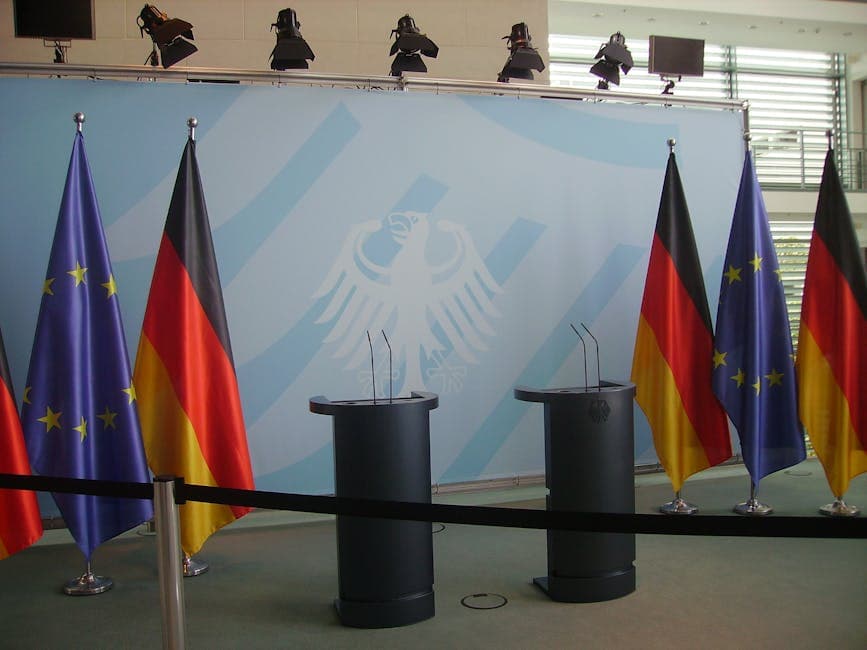
Press Conference Transcription: Workflow for Multi-Speaker Chaos
Summarize this article with:
Press conference audio is genuinely hard: crosstalk, off-mic reporter questions, and room reverb can push AI transcription accuracy below 60% in bad conditions. The practical path is upload immediately after the briefing ends, verify every quote you plan to publish, and use a tool with real speaker diarization rather than one that outputs a single block of text. This guide covers the five-step workflow, where the official transcript falls short, and which tools hold up under deadline pressure.
The fastest path to a publishable quote from a press conference is a clean transcript with speaker labels within five minutes of the briefing ending. That is achievable with any modern AI tool if you know the failure modes going in.
This is a workflow guide, not a tool roundup. Start at the upload step. If you want the tool comparison first, jump to the table below.
Why Press Conference Audio Is Harder Than It Looks
Generic transcription tools are calibrated on podcasts, call recordings, and studio interviews. Press briefings break every assumption those calibrations make.
Crosstalk between reporters causes disproportionate accuracy loss. When two voices overlap, the word error rate can spike 15-30% for that segment. Real-world data from GoTranscript's 2026 benchmark shows AI tools drop below 60% accuracy on noisy, overlapping-speaker audio, versus 95-98% on clean studio speech. A tool rated at 95% in vendor marketing can land at 78% on a real city hall briefing.
Three conditions make it worse:
- Distance to the podium mic. Reporter questions come from 20-40 feet away, picked up by room microphones or your phone. The official at the podium sounds clear; every question sounds like a murmur.
- Similar-sounding speakers. Six reporters in the same row with similar vocal registers will generate merged or mislabeled speaker segments. State-of-the-art diarization error rates hover around 3.8% in ideal conditions but climb fast in real-world multi-speaker settings with overlapping speech.
- Wireless mic dropout. Lavalier and podium mics in crowded venues drop signal. Short gaps confuse the diarization model about who's speaking when the audio returns.
Understanding this gap before you upload stops you from trusting a transcript you haven't verified. It also tells you where to spend your manual review time: the reporter question segments, not the official's prepared statement.
The Official Transcript Problem
Press offices publish transcripts for most federal and state briefings, and the temptation is to use those instead of transcribing yourself. There are three reasons that strategy fails on deadline.
First, delay. White House and agency transcripts typically post 30-90 minutes after a briefing, sometimes longer. If you have 45 minutes to file, the official version does not exist yet.
Second, selectivity. Official transcripts occasionally omit or clean up stumbles, false starts, and the follow-up exchange that actually made news. A reporter's question may be partially or loosely rendered. For a routine announcement, this does not matter. For a story that turns on precise wording, it matters a great deal.
Third, availability. As of mid-2025, some press offices began reducing or removing transcript archives from official websites. Self-transcribing gives you a permanent record that lives in your project folder regardless of what any press office does with its own site.
The working practice: cross-reference the official transcript if one exists, but treat your own recording as the primary source for any quote you publish.
A Five-Step Workflow Under 45-Minute Deadline Pressure
This workflow assumes a 30-minute briefing, a phone recording, and 45 minutes before you need to file.
Step 1: Upload Before You Leave the Room
Do not wait until you are back at your desk. Upload from your phone as soon as the briefing ends. A 30-minute file takes 2-4 minutes to transcribe. That processing time runs in parallel with your walk back to the car or your press row seat.
If you recorded on Zoom or Teams, use the platform recording directly. Separate audio channels per participant improve speaker diarization accuracy substantially, from the 80-88% range for a mixed room recording to near-perfect separation when channels are isolated.
Step 2: Rename Speaker Labels Before You Read
The transcript will come back with labels like Speaker 1, Speaker 2, Speaker 3. Do this immediately before you read for content. Map each label to the person: scroll to a passage where you know who was speaking and rename the label. Doing this first means you read the entire transcript with correct attribution instead of going back to relabel retroactively.
For an 8-speaker briefing with good audio, expect 6-9 distinct labels. Some low-volume reporters at the back of the room may merge with each other. Note those segments for manual review.
Step 3: Pull Your Quote Candidates First
Read for quotes, not for summary. Identify the 4-6 lines most likely to drive your story and note their timestamps. Do not read the entire transcript sequentially on deadline: that takes 15-20 minutes for a 30-minute briefing. Jump between the sections you flagged in your notes.
The lead quote is almost never the prepared statement at the top. It is almost always the answer the official gave after the third follow-up question, when the prepared lines ran out. Look for moments where the speech rhythm changes. That is where the news is.
Step 4: Verify Every Quote Against the Recording
This step is non-negotiable, regardless of which tool you use. AI transcription is not verbatim at the word level. Numbers, proper nouns, and titles are where errors concentrate. "Two point four million" can come out as "two point four billion" if the speaker rushes. A bill number, a date, a name spelled phonetically instead of correctly: all of these are failure modes.
Scrub the recording at the timestamp of any quote you plan to publish. This takes 90 seconds per quote and is the professional standard. See how to extract quotes from interview audio for a detailed workflow on this step.
For more on the underlying accuracy limits, transcription accuracy explained covers what drives the gap between vendor numbers and real-world performance.
Step 5: File, Then Archive
Save the audio file and the full transcript together, named consistently. Something like 2026-07-02-mayor-housing-briefing.mp3 and the matching .txt. You will need both when a source disputes a quote six months later, when a follow-up story revisits the same briefing, or when you hand off to a colleague covering the same beat.
Tool Comparison for Press Conference Use
 Multi-speaker presser audio: transcribe first, attribute carefully after
The five tools used most often by journalism teams for press conference transcription differ primarily on speaker diarization quality, live transcription capability, and per-seat cost.
| Tool | Diarization | Live Transcription | Best For | Cost Model |
|---|---|---|---|---|
| Trint | Yes, editor UI built around it | Yes (Trint Live, Advanced+) | Newsrooms, verification workflow | Per-seat subscription, approx. $80-100/seat/mo |
| Rev (human) | Human reviewers handle it | No | High-stakes quotes, legal accuracy | $1.99/min per audio minute |
| Sonix | Yes | No | Fast turnaround, per-project billing | $10/hr pay-as-you-go; $25/mo Core (5 hrs included) |
| Otter.ai | Yes, voice profiles improve accuracy | Real-time recording | Meeting-style briefings, team sharing | Free (300 min/mo); Pro $16.99/mo |
| Google Pinpoint | No separate speaker labels | No | Search and organize large document sets | Free (Google account required; apply at journaliststudio.google.com) |
A few notes on the table.
Trint is purpose-built for journalism: its Verification Mode lets you annotate quotes pre-publication and its Story Builder assembles quotes from multiple files into a narrative. The per-seat cost is high for an individual stringer but reasonable for a newsroom team with a contracted subscription. Verify current pricing directly at trint.com since their page was unavailable during research for this piece.
Rev's human transcription at $1.99/minute is expensive at scale: a 30-minute briefing costs $59.70. The value is that a human reviewer handles crosstalk and muffled questions that would defeat an AI model. For a story where a single word determines meaning, that cost is justified.
Sonix sits in a middle position: AI accuracy, faster than human review, per-hour billing without a per-seat subscription. For a freelancer who transcribes 2-3 briefings per month, $10-20 per event may be more economical than a monthly subscription.
Otter's 300 free minutes per month covers roughly six 30-minute briefings before you hit the cap. At that point the $16.99 Pro tier unlocks 1,200 in-app recording minutes and 10 file imports per month.
Google Pinpoint has no diarization but lets you search across a large collection of documents and audio files, which makes it useful for investigations where a press conference is one of 50 sources. Access requires a Google account; journalists and academics can apply for a Professionals account.
For more on the pricing tradeoffs across these categories, transcription pricing comparison 2026 covers the full cost-per-hour breakdown.
Handling the Hardest Audio
Three specific problems degrade press conference transcripts more than anything else, and each has a practical fix.
Reporter cross-talk. When two reporters speak simultaneously, mark it in your notes during the briefing with a quick timestamp or signal so you know to skip that segment during review. No tool handles simultaneous overlapping voices cleanly. If the official's answer to that question matters, request the section from the press office directly.
Wireless mic dropout. Brief signal dropouts create gaps that the diarization model fills by guessing or merging the speaker label with whoever spoke before the gap. Run a free noise-reduction pass in Audacity or similar before uploading: two minutes of cleanup can recover a few percentage points of accuracy on dropout-heavy audio.
Foreign-language briefings. For briefings in French, Spanish, German, or other languages, check that your tool of choice supports that language at a model level, not just as a translation feature. Some tools transcribe in English first and then translate, which introduces errors at the transcription layer before translation begins. Transcribe in the original language first, then use the model's translation as a working draft for your editor. Verify every direct quote in the translation against the original audio.
When to Request the Official Transcript
The official transcript is useful in one specific scenario: when you have already filed and need to double-check a quote against a second source before a correction runs. Cross-referencing your transcript with the official version is a good practice, but note the caveats above: official versions can lag, be incomplete, or reflect editorial cleanup rather than verbatim speech.
For investigations where you need a verbatim record that could potentially be used in documentation, consult how journalists use transcription for standards around verbatim accuracy and notation conventions.
My take: the official transcript is a secondary check, not a primary source. Treat your own recording and transcript as the authoritative version. If the two disagree, go back to the audio.
Speed-to-Publish: What Actually Slows You Down
Most journalists who time themselves discover the bottleneck is not the transcription itself. AI tools process a 30-minute file in under 5 minutes. The bottleneck is the verification step.
Verification takes as long as you need to listen to each quoted passage at normal speed. Four quotes at 30-45 seconds each is 2-3 minutes. Ten quotes is 8-10 minutes. This is where the time goes on deadline, and it is the step that cannot be compressed without risking accuracy.
The practical implication: do not transcribe more than you need. Upload the full file for the archive, but focus your reading time on the sections you flagged in your briefing room notes. That discipline, more than any tool choice, is what gets a clean story filed on time.
If you just need a clean multi-speaker transcript fast without a per-seat newsroom subscription, ConvertAudioToText handles audio uploads directly and returns speaker-labeled output. It covers occasional briefings without a recurring monthly cost and works across languages.
For reporters on a political or government beat who transcribe daily, a Trint or Rev subscription pays for itself in time saved. For stringers and freelancers transcribing a few events per month, the per-hour tools are the better math.
How accurate is AI transcription for press conferences with multiple speakers?
Can I use the official press conference transcript instead of transcribing myself?
Which tool is best for real-time press conference transcription?
How should I handle a briefing recorded in a foreign language?
FAQ
How accurate is AI transcription for press conferences with multiple speakers?
Accuracy varies significantly with audio conditions. On clean audio with 2-4 well-separated speakers, top AI tools reach 90-95% accuracy. In real press conference settings with crosstalk, off-mic reporter questions, and room reverb, accuracy typically drops to 75-85% and can fall below 60% in the worst conditions. Overlapping speech specifically can increase word error rate by 15-30% for those segments. Verifying every quote you intend to publish against the original recording remains the professional standard.
Can I use the official press conference transcript instead of transcribing myself?
Official transcripts are useful as a secondary check but should not replace your own recording and transcript. They typically post 30-90 minutes after a briefing ends, which is too slow for deadline work. They also occasionally omit false starts, informal exchanges, and follow-up questions, which are often where the newsworthy content lives. Some press offices have also reduced their transcript archives in recent years, making your own archived record more important as a long-term source.
Which tool is best for real-time press conference transcription?
Trint Live, available on their Advanced plan, is the most established option for live transcription during events and is built specifically for newsroom workflows. Otter.ai also supports real-time in-room recording, which is more practical for a single reporter at a briefing. For post-event transcription (uploading a recording), Sonix, Rev, and most AI tools produce results in a few minutes, which is fast enough that live transcription is rarely the bottleneck.
How should I handle a briefing recorded in a foreign language?
Transcribe in the original language first, then use a translation feature as a working draft for your editor. Do not rely on tools that translate before transcribing, as this compounds error rates at both steps. Verify every direct quote in your published translation against the original audio. If the briefing mixes two languages, note the timestamps where the language switches and check that your tool handles code-switching or if you need to split the file.
Sources
- Rev pricing: https://www.rev.com/pricing
- Otter.ai pricing: https://otter.ai/pricing
- Sonix pricing: https://sonix.ai/pricing
- Trint pricing (attempted fetch returned 404; approximate figures from secondary sources): https://trint.com/pricing
- Google Pinpoint for journalists: https://journaliststudio.google.com/pinpoint/about/
- GoTranscript AI accuracy benchmarks 2026: https://gotranscript.com/en/blog/ai-transcription-accuracy-benchmarks-2026
- Sonix press conference tool guide: https://sonix.ai/resources/transcription-tools-press-conferences/
- AssemblyAI speaker diarization overview: https://www.assemblyai.com/blog/top-speaker-diarization-libraries-and-apis
Try transcription free
Convert any audio or video to clean, unwatermarked text — speaker labels, timestamps, and AI summaries included. First 30 minutes free, no account.
Related Articles

Ethics of Interview Transcription: Core Obligations
A practical guide to the ethics of interview transcription for researchers: IRB consent scope, anonymization vs pseudonymization, cloud processing disclosure, retention, and participant review.

Fact-Checking From Transcripts: A Practical Workflow (2026)
How journalists and researchers fact-check from interview transcripts. Covers claim extraction, timestamp citation, ASR homophone errors, and audio verification workflow.