
Transcription and Roam Research: Block-Ref Workflow for Audio Notes
Summarize this article with:
Transcripts into the Graph
Roam Research treats the paragraph, not the page, as the atomic unit of knowledge. That single design choice changes what an audio archive looks like. When you paste a transcript into Roam, every speaker turn becomes a block with its own permanent ID, every concept you tag becomes a page, and six months later those blocks surface automatically on topic pages you never explicitly organized. This post covers the practical workflow and the specific patterns that make it work.
Why Roam Fits Audio Differently from Obsidian or Notion
Three tools dominate networked note-taking in 2026: Obsidian, Notion, and Roam. Obsidian is free for personal use and stores plain Markdown files locally. Notion has a generous free tier and strong collaboration. Roam costs $15/month (or $165/year, checked July 2026) with no free tier beyond a 31-day trial.
The thing Roam does that neither rival matches natively: block-level backlinking from day one. In Obsidian, links are page-to-page by default; block-level references exist but feel like an add-on. In Notion, references are almost entirely page-level. Roam was designed so that any block anywhere in your database can be referenced from, or embedded into, any other block. For audio archives where the interesting unit is a specific quote rather than an entire transcript page, that matters.
My take: if you are already paying for Roam and using it daily, adding audio is one of the highest-leverage additions to your graph. If you are choosing a tool for the first time and budget or mobile workflow is a priority, Obsidian is the honest first recommendation.
The Roam Mental Model in 60 Seconds
Three concepts underpin everything:
Pages are topics or dates. The "Customer Feedback" page is created the first time you type [[Customer Feedback]] anywhere in the graph. Daily notes pages appear automatically.
Blocks are single paragraphs. Each block carries a unique nine-character identifier. Reference a block from another page and the relationship is bidirectional.
Linked References are the payoff. The bottom of any page shows every block across the entire database that links to it. Open the "Pricing" page and you see every mention of pricing, across every note, from every recording, without any manual filing.
Setting Up the Transcript Workflow
Step 1: Create a Transcript Template
Roam's native template system uses the #roam/templates tag. Create a page called something like "Transcript Template" and tag it with #roam/templates. Any blocks nested under it become the template body, triggered by the template name in the ;; insert menu.
A template that works for most recording types:
- Type:
- Date:
- Participants:
- Project:
- Duration:
- Summary
    -
- Action Items
    -
- Key Quotes
    -
- Full Transcript
    -
Every line in Roam is a block. The [[Project]] and [[Participants]] page links in those fields automatically create backlinks so you can find all recordings tied to a project from the project page.
Step 2: Transcribe the Recording
Use the audio to text tool to generate a clean transcript. For recordings with multiple speakers, the meeting transcription tool adds speaker diarization, labeling each turn by speaker. The output is text with timestamps and speaker labels you can paste directly.
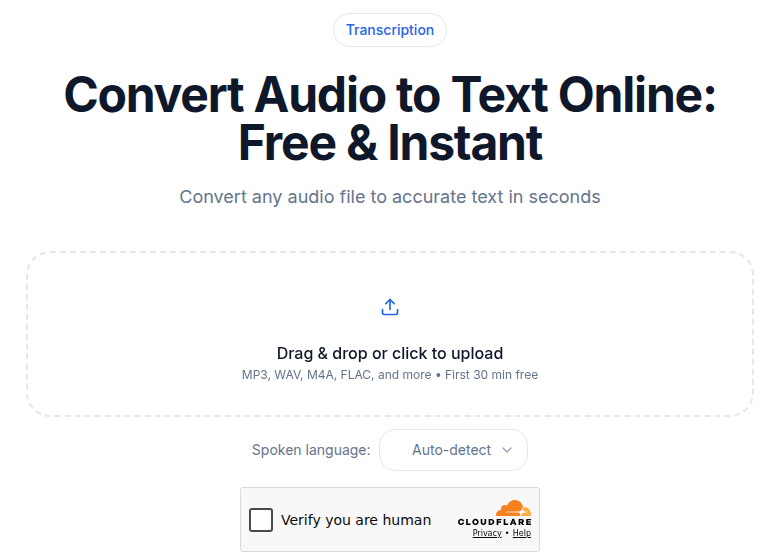 The audio upload tool at ConvertAudioToText produces speaker-labeled output ready for Roam block structure
Step 3: Atomize the Transcript
Paste the full transcript under the "Full Transcript" block, one speaker turn per child block:
- Full Transcript
    - Alice (00:01:23): The onboarding was confusing. We almost gave up.
    - Bob (00:01:45): What specifically was confusing?
    - Alice (00:02:01): The first screen asks for five things before we even see the product.
Each speaker turn is now a referenceable block. You can embed Alice's second quote into a "Conversion Friction" research page six months from now and it will render inline, linked back to the original recording.
Step 4: Add Topic Tags and Summary
In the "Summary" section, write a 3-5 sentence summary. In "Key Quotes", lift the 2-3 most important blocks by reference (copy the block's nine-character UID from its right-click menu, then paste it as ((uid))).
In the Full Transcript itself, add topic tags to the blocks that mention recurring themes:
- Alice (00:01:23): The onboarding was confusing. We almost gave up. [[Customer Onboarding]] [[Conversion Friction]]
That single tag connects this block to every other note mentioning Customer Onboarding, automatically, with no folder structure required.
The Four Patterns That Make This Compound
Topic Backlinks Over Time
Tag consistently across recordings and the topic pages fill themselves. The "Customer Onboarding" page after 30 interviews holds 40-60 quoted blocks from different conversations, all surfaced without you remembering which interview said what. This is the pattern the transcription for knowledge management post calls passive aggregation: the structure does the filing while you do the thinking.
Block References for Research Synthesis
When writing a project report or research synthesis, pull specific transcript quotes in via block reference rather than copy-paste:
Pricing concerns surfaced in five interviews this month:

((GGv3cyL6Y))
((Hk2mPqR3Z))
((Xr9nBwT5A))
Each reference renders the original quote inline, linked to its source recording. Your synthesis page becomes a curated view of primary sources, not a document full of orphaned quotes.
Daily Notes as a Chronological Index
Roam opens on the current day's daily note. Link each recording to the daily note the moment you process it:
- 2026-07-02
    - Transcripts processed
        - [[2026-07-02 Customer Interview - Reena]]
        - [[2026-07-02 Team Planning Call]]
        - [[2026-07-02 Voice Memo - Feature Idea]]
Three months later, browsing that daily note week shows every recording from that period in one view. For the weekly review from voice memos use case, this is the natural landing zone.
Emergent Concept Pages
Roam's strongest property for audio archives: pages you care about accumulate content without any upfront schema. A series of podcast interviews might produce "MEV", "Layer 2 scaling", "Validator economics" as organic concept pages because you tagged those blocks when they felt relevant. The graph reflects your actual intellectual territory, not a taxonomy you guessed at when you started.
What Roam Does Less Well in 2026
Performance degrades past about 5,000 to 10,000 blocks. Reviewers and users consistently report that search slows, page loads take several seconds, and sync becomes less reliable in large graphs (per multiple 2026 reviews). If every sentence of every transcript becomes its own block, a year of active recording will hit this range. The practical fix: keep full transcripts as a single collapsed block or a linked file, and only break out the summary and key quotes into individual blocks.
Development pace has slowed. Roam shipped significant feature velocity in its early years, but multiple independent reviewers note that major updates slowed after 2023. Feature requests from that era remain open. The product works for its core use case, but if you need a roadmap with predictable shipping velocity, that is a real consideration.
Mobile is secondary. Roam has iOS and Android apps, and both have improved with better sync and UI polish, but the product is web-first. For a workflow that involves capturing voice memos on a phone and processing them immediately on the same device, Notion or Apple Notes is smoother. The practical answer: capture on phone, sync to cloud, process on desktop.
A Concrete Weekly Workflow
For a researcher or writer with a regular recording habit:
- During the week: Record voice memos, interviews, or calls. Files go to cloud automatically.
- Processing session (15-20 minutes, 2-3x per week): Open each recording in the audio-to-text tool, generate transcript and summary, paste into Roam under that day's daily note using the transcript template.
- Tagging (2 minutes per recording): Read through the summary blocks, add
[[topic]]tags to the 3-5 most relevant blocks in the full transcript. - Weekly synthesis: Browse the week's daily notes. Any topic page with new blocks this week is worth reviewing. Block-reference the best quotes into a weekly synthesis note.
Three months of this rhythm and the topic pages start doing real work. Searching for a concept you have talked about across 12 different recordings surfaces all of it in one place.
If you want to start without the full template setup, the minimum viable experiment is: transcribe one recording with the audio to text tool, paste it into today's Roam daily note, and add one [[Topic]] tag to any block that mentions something you have written about before. Check that topic page immediately. If there is existing content there, the value is visible in under five minutes.
2026 Addition: Roam's API and MCP Integration
Roam's API access (included in all paid plans) now enables a community-built MCP server called roam-research-mcp. It lets AI assistants and CLI tools write blocks directly into your graph via standard Model Context Protocol. For users who want to automate the paste step, scripting the transcription output to land in today's daily note automatically, this is a viable path in 2026. The setup requires an API token from your Roam graph settings and the ROAM_GRAPH_NAME environment variable.
Automation of this kind is optional. The manual workflow above is fast enough that most users never need it.
Common Questions
Does Roam Research have a free plan?
No. Roam offers a 31-day free trial on both its monthly and annual plans, but there is no permanent free tier. After the trial you need a Pro subscription at $15/month or $165/year, or a one-time $500 Believer plan that covers five years.
How do block references work for transcript notes?
Every paragraph (block) in Roam is assigned a unique nine-character identifier. You can embed any block into another page by typing its UID in double parentheses: ((block-uid)). The embedded block renders its original text inline, stays linked to the source, and updates everywhere if you edit the original. For transcripts, that means a specific speaker quote can appear in a project summary, a research synthesis, or a concept page without copy-paste.
What is the biggest downside of keeping transcripts in Roam?
Database performance. Roam slows noticeably past roughly 5,000 to 10,000 blocks, and long transcripts broken into per-sentence blocks add up fast. The practical fix: keep the full transcript as a single collapsed block or a linked file, and only atomize the summary, action items, and key quotes into separate referenceable blocks.
Can I automate getting transcripts into Roam?
Yes, with some setup. Roam's API and the community-built roam-research-mcp server (available as of 2026) let AI assistants and CLI tools write blocks directly into your graph. The basic manual workflow, though, is still fast: transcribe with an audio-to-text tool, copy the structured output, paste into a Roam daily note, and add topic tags. Most users find the manual step takes under two minutes per recording.
Sources
Try transcription free
Convert any audio or video to clean, unwatermarked text — speaker labels, timestamps, and AI summaries included. First 30 minutes free, no account.
Related Articles

Transcription for Knowledge Management: The Audio Brain
How to turn meetings, interviews, and voice memos into a searchable, linked knowledge base using transcription. The capture-to-retrieve loop, tool stack, and pitfalls explained.
Spotify Transcript Extractor: How to Copy and Download Episode Text
Get a Spotify podcast transcript you can copy and download: paste a public episode link, 30 minutes free with no signup, TXT or SRT files on eligible plans.