
Transcription for Knowledge Management: The Audio Brain
Summarize this article with:
Audio is where the highest-density institutional knowledge lives, but most teams never capture it in a searchable form. Transcription closes the gap: convert spoken conversations to text, enrich with summaries and tags, store in a queryable system, and retrieve by keyword or question. This guide covers the full capture-to-retrieve loop, the right storage pattern for your team size, how PARA and Zettelkasten apply to audio-sourced notes, and the four pitfalls that erode knowledge base quality over time.
Most teams have a written knowledge base. Many have a video library. Almost none have a searchable audio archive. Yet the spoken word is where the highest-density institutional knowledge tends to live: customer interviews, internal debates, decision-making calls, training sessions, and one-on-one mentoring. Audio rarely makes it into the knowledge base because audio is not searchable.
Transcription closes that gap. Every recorded conversation becomes text. Every text becomes searchable. Every search hit links back to the original audio with a timestamp. This post covers the full capture-to-retrieve loop, the storage patterns that fit different team sizes, how two established knowledge management frameworks apply directly to audio, and four pitfalls that quietly erode knowledge base quality over time.
The Loop: Capture, Transcribe, Structure, Retrieve
The audio knowledge base runs as a repeating cycle with four phases. Understanding all four before picking tools saves a lot of rework.
- Capture. Recording the audio with the metadata downstream processing needs.
- Transcribe. Converting audio to speaker-labeled, timestamped text.
- Structure. Enriching the raw transcript with summaries, tags, and links.
- Retrieve. Making the corpus searchable and usable by your team.
Each phase has options. The right choices depend on team size, content sensitivity, and tooling you already have in place.
Phase 1: Capture
Good capture discipline is what separates a knowledge base that compounds in value from one that becomes a junk drawer.
The criteria worth enforcing:
- Every recording includes metadata at creation time. Date, participants, meeting purpose, project tag. This cannot be reliably reconstructed after the fact.
- Multi-track audio when possible. Separate tracks per speaker improve diarization accuracy significantly. For a deeper look at how speaker separation affects output quality, speaker diarization explained covers the mechanics.
- Consistent file naming. A convention like
YYYY-MM-DD_topic_participantsis workable and sortable. - Cloud storage the rest of the pipeline can read. The recording needs to be reachable by whatever automation you wire downstream.
For most teams the capture source is already in place: Zoom or Meet recordings, Riverside or Squadcast for interviews, Loom for async. The change is consistency in naming and metadata, not new recording tooling.
Phase 2: Transcribe
The transcription step converts audio into searchable, quotable text. The minimum useful output for a knowledge base includes:
- Full text with speaker labels
- Word-level timestamps for precise quoting
- Structured metadata: duration, language, speaker count
- Export formats (TXT, SRT, JSON) so the record can land in multiple destinations
For a knowledge base, the metadata fields are as important as the transcript text itself. Search, filtering, and linking all depend on having consistent structured fields attached to each file.
If you just need a clean transcript without building a full pipeline, ConvertAudioToText's audio-to-text tool handles 99 languages with speaker diarization and supports direct export.
Phase 3: Structure
Raw transcripts are searchable but not navigable. The structure phase is where they become genuinely usable knowledge.
Summary
A short summary at the top of each record makes the file scannable. Match the summary template to the content type: a customer interview needs a different summary shape than a training session. Most teams get good results from a three-field structure: what was discussed, what was decided, what follows.
Tags
A small, stable taxonomy of tags makes filtering possible. Keep it to three or four dimensions: project, content type (interview, meeting, training), status, related team. The narrower the taxonomy, the more consistently people apply it.
Linked Topics
This is where knowledge management frameworks enter. Two work especially well for audio-sourced notes.
PARA (Projects, Areas, Resources, Archives), developed by Tiago Forte as part of his Building a Second Brain methodology, gives each transcript a logical home based on how actively you need it. A transcript from a live customer discovery call lives in Projects. A foundational onboarding session belongs in Resources. A completed research sprint moves to Archives. The system keeps your active workspace uncluttered without discarding anything.
Zettelkasten is the slip-box method used by German sociologist Niklas Luhmann, who produced over 70 books and 400 academic articles using a physical index card system he built across decades. The core principle is linking: each note connects to other notes by topic or argument, forming a non-linear network rather than a hierarchy. Applied to transcripts, it means cross-referencing each file to other transcripts that cover the same project, the same speaker's claim, or the same recurring theme. Over time the links surface patterns that keyword search alone misses.
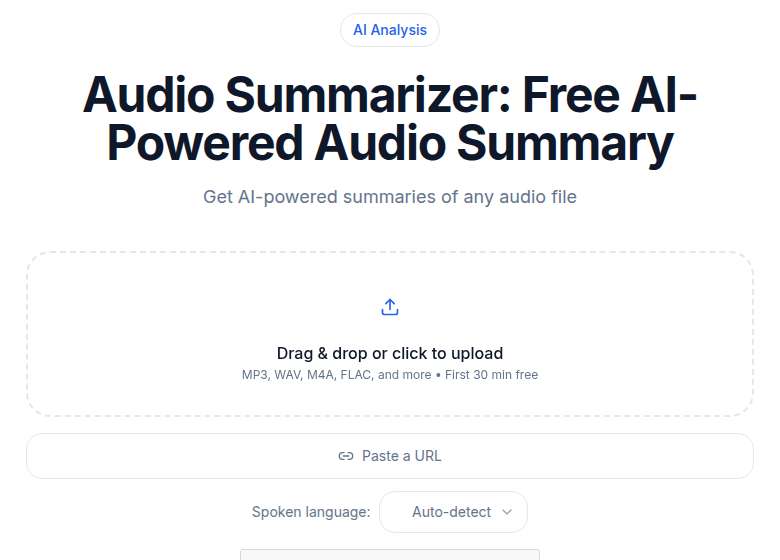 Audio summarizer tool that extracts key points from transcripts
Key Quotes
Pull moments from the transcript that capture a distinctive claim, a decision, or a customer's exact phrasing. These become the raw material for product briefs, research reports, and internal memos. The note-taking with AI post covers extraction workflows that automate this step.
For audio-specific workflows in Obsidian or Notion, integrating transcription with Notion and building a second brain with audio cover the specifics of getting transcripts into each tool's structure. Note that Obsidian's audio transcription capability comes from third-party plugins (Note Companion, the Whisper plugin), not from native Obsidian features.
Phase 4: Store
Three storage patterns fit different team sizes and technical appetites.
Pattern 1: Notion or Confluence
For most teams, a structured database in Notion or Confluence is the right starting point. Each transcript is a row with fields for metadata, the transcript text, and the enrichments. Built-in search, easy sharing, and low setup cost make this the default.
One important nuance: Notion's standard search is basic. Notion AI Enterprise Search, which queries across Slack, Google Drive, and other connected apps, is available only on Business and Enterprise plans. If cross-tool search matters from the start, factor that plan cost in.
Pattern 2: Self-Hosted Search Index
For teams with hundreds of transcripts where database search starts to feel slow, a self-hosted search index gives faster, more configurable querying. Meilisearch (Rust, disk-backed, excellent developer experience) and Typesense (C++, RAM-indexed, highest throughput) are both purpose-built for this use case and far simpler to operate than Elasticsearch for transcript-scale workloads.
The transcripts feed into the index; queries return ranked results with snippets and timestamps. The searchable audio archive with transcripts post covers the full implementation.
Pattern 3: Vector Database for Semantic Search
For semantic retrieval across a large corpus, "find me the conversation where someone mentioned API rate limiting in a pricing context," a vector database stores embeddings of transcript chunks. Each transcript is split into 200-500 word segments, each segment becomes an embedding, and the embeddings live in Pinecone, Weaviate, or Chroma. Queries become embeddings and retrieve the closest segments.
This is the most powerful retrieval mode and the most complex setup. It makes sense when your corpus exceeds a few hundred transcripts and keyword search misses too much.
Phase 4: Retrieve
The retrieval layer is what people actually touch. Three modes to plan for:
Browse lets users navigate by category, project, or date. Useful for finding "all customer interviews from Q3" without formulating a search query.
Keyword search returns transcripts with matching passages and direct links back to timestamps. Fast, familiar, and sufficient for most queries.
Ask questions is the newest mode. Users submit a natural-language question and a retrieval-augmented generation (RAG) pipeline searches the corpus to produce a cited answer. Enterprise tools like Glean do this across all company systems. For custom builds, open-source RAG frameworks can run the same pattern against your transcript index specifically.
For a knowledge base with more than a few hundred transcripts, question-answering mode is the highest-leverage retrieval because users do not need to know in advance what they are looking for.
A Working Workflow
For a team running weekly customer interviews and weekly internal meetings:
Weekly intake
- 4-8 customer interviews per week, recorded via Zoom
- 5-10 team meetings per week
- Voice memos from individual contributors throughout the week
Processing pipeline (automated)
- Recording finishes; Zapier or n8n picks up the file URL
- File submits to transcription with diarization enabled
- Transcript completes in 3-5 minutes
- AI summary runs using the appropriate template
- Tags are applied based on metadata and content
- Record is inserted into the Notion database with linked topics from related transcripts
- Notification posts to the relevant Slack channel
Manual layer
A researcher reviews customer interview summaries and may add links to related transcripts. Meeting attendees scan their summaries and flag inaccuracies. Anyone can search the corpus for prior conversations.
The convert voice memos to text guide covers the voice memo portion of this intake specifically.
Privacy and Access Control
Knowledge bases that contain customer voices and internal debates need tiered access.
Access tiers that work:
- Public to team: training sessions, published podcast episodes, general documentation
- Restricted to project: customer interviews tied to active research
- Restricted to leadership: strategy and hiring discussions
- Personal only: voice memos and one-on-one conversations
Notion and Confluence support this natively. Custom search indexes need to enforce access at query time, not just at document creation.
Consent. In the United States, 38 states plus Washington D.C. operate under one-party consent rules, meaning only one participant's consent is required to record. About 12 states require all-party consent, including California, Florida, Illinois, Massachusetts, and Pennsylvania. For customer conversations, always disclose that the call will be recorded and provide an opt-out path regardless of where participants are located. For internal recordings, a clear team policy ("meetings may be recorded for knowledge management") handles the expectation-setting.
Retention. Most teams keep transcripts indefinitely but rotate raw audio after one or two years. The transcript is the searchable asset; the audio is for verification and replay.
Four Pitfalls That Hurt Knowledge Base Value
Pitfall 1: Inconsistent Tagging
If half the customer interviews get tagged "customer-research" and half get tagged "user-interview", search returns half the relevant results. Pick a taxonomy, document it in a visible place, and enforce it during the review step.
Pitfall 2: No Review Step
AI summaries are accurate most of the time, not all the time. Without a quick review pass, errors propagate into a corpus that downstream users treat as authoritative. Five minutes per file is enough to catch the failures that matter.
Pitfall 3: Searchable but Not Findable
A good search index is useless if people do not know it exists or do not think to use it. Active promotion, a Slack announcement when a new transcript lands, integration into the onboarding checklist, drives the adoption that makes the corpus valuable.
Pitfall 4: Capturing Without Curating
Recording everything without ever reviewing produces a corpus full of low-value files. Meetings that did not produce a decision, a commitment, or a new insight probably do not need a permanent home in the knowledge base. Curate as you go.
The 10-Hour Setup
For a team starting from zero, the path to a working pipeline:
- Hours 1-2: Agree on the file naming convention, set up the cloud folder, choose the storage tool.
- Hours 3-4: Wire the Zapier or Make.com automation for new file processing.
- Hours 5-6: Run five test files through the full pipeline. Iterate on summary prompts and tag taxonomy.
- Hours 7-8: Document the workflow for the team. Walk two colleagues through a search.
- Hours 9-10: First week of live usage with light monitoring for dropped files or summary failures.
After 10 hours of setup and one week of live use, the pipeline is functional. Quality compounds over the following months as the corpus grows, the tagging matures, and the PARA structure or Zettelkasten links become dense enough to surface non-obvious connections.
The conversations your team has already had are a permanent resource for anyone who joins later. The cost per conversation captured is low. The value compounds.
FAQ
What is transcription for knowledge management?
It is the practice of converting audio recordings, such as meetings, interviews, and voice memos, into searchable text and storing that text in a structured knowledge base. The result is an audio layer your team can search, browse, and query just like written documents.
Which knowledge management frameworks work with audio transcripts?
Two frameworks map well. PARA (Projects, Areas, Resources, Archives), developed by Tiago Forte, gives each transcript a logical home based on how actively you need it. Zettelkasten, the slip-box method used by sociologist Niklas Luhmann to produce over 70 books and 400 articles, emphasizes linking each note to related notes, which works naturally for cross-referencing transcripts by theme or speaker claim.
How long does it take to set up a working audio knowledge base?
For most small teams starting from zero, a functional pipeline takes around 10 hours spread over two weeks: a few hours for naming conventions and storage setup, a few more for automation wiring, and a few rounds of test files to tune prompts and tags. Quality compounds over the following months as the corpus grows.
What storage tool should I use for transcript knowledge management?
For teams of under 20, a Notion or Confluence database is the lowest-friction option. For teams with hundreds of transcripts whose search starts to feel slow, a self-hosted Meilisearch or Typesense index delivers faster, more flexible querying. For semantic search across large corpora, a vector database such as Pinecone or Weaviate stores embeddings of transcript chunks and enables meaning-based retrieval.
Do I need to get consent before recording a meeting for a knowledge base?
In the United States, 38 states plus Washington D.C. follow one-party consent rules, meaning only one participant needs to consent to the recording. About 12 states require all-party consent, including California, Florida, Illinois, and Massachusetts. Always disclose recording to participants and offer an opt-out path, especially for external conversations. For your jurisdiction, verify against current state law.
Sources
- Tiago Forte, PARA Method: https://www.buildingasecondbrain.com/para
- Tiago Forte, Building a Second Brain: https://www.buildingasecondbrain.com/
- Niklas Luhmann, Zettelkasten introduction: https://zettelkasten.de/introduction/
- US recording consent laws by state (2026): https://www.recordinglaw.com/united-states-recording-laws/one-party-consent-states/
- Two-party consent states (2026): https://www.recordinglaw.com/party-two-party-consent-states/
- Notion Enterprise Search documentation: https://www.notion.com/help/enterprise-search
- Meilisearch vs Typesense comparison: https://www.meilisearch.com/blog/elasticsearch-vs-typesense
- Glean enterprise search and RAG: https://www.glean.com/perspectives/best-rag-features-in-enterprise-search
Try transcription free
Convert any audio or video to clean, unwatermarked text — speaker labels, timestamps, and AI summaries included. First 30 minutes free, no account.
Related Articles
How to Transcribe a Google Meet Recording
Turn a Google Meet recording into searchable text, speaker-labeled notes, action items, and subtitles with a clear step-by-step upload or URL workflow.
How to Remove Filler Words from a Transcript
Discover exactly how to remove filler words from a transcript. Follow this practical guide to clean up um, uh, and like for polished, professional, broadcast-ready text.