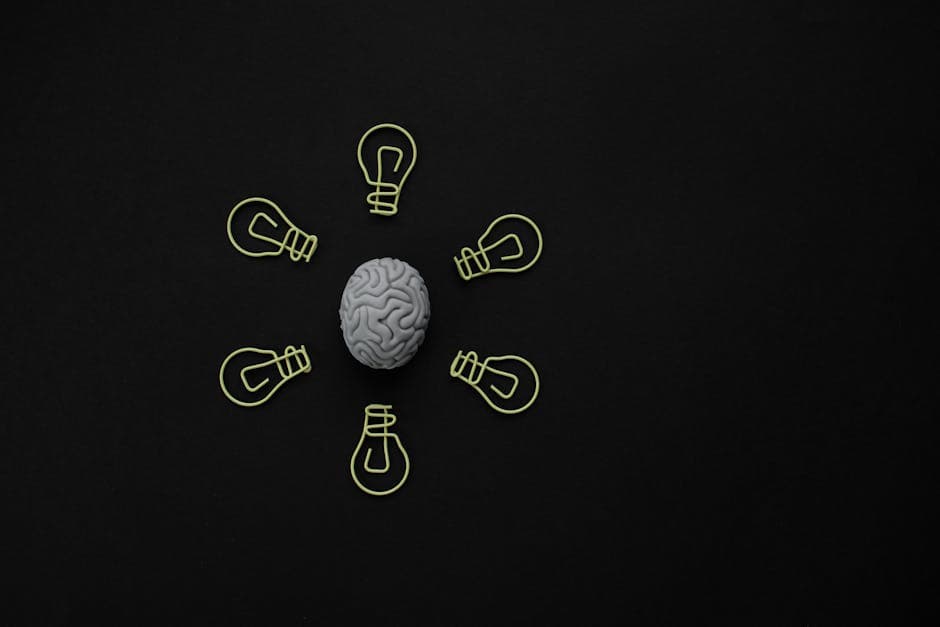
Building a Second Brain With Audio: The 2026 Workflow
Summarize this article with:
Audio as the Capture Layer
Voice is the lowest-friction input a knowledge worker has. You can record a 90-second idea while walking, in the gap between meetings, or in the car as a passenger. The transcript arrives in your notes app before you sit back down. That single shift, from text-first to audio-first capture, is what makes a second brain actually sustainable for most people.
The rest of this post covers the full workflow: from the moment you hit record to a navigable archive that pays dividends a year later.
What "Second Brain" Means Here
Tiago Forte's framework, described in his book and on fortelabs.com, calls the system CODE: Capture, Organize, Distill, Express. He pairs it with PARA for categorization: Projects (active, time-bound), Areas (ongoing responsibilities), Resources (reference topics), Archives (completed or paused). Both CODE and PARA are Forte's inventions, and attribution matters when you adapt them.
The framing in this post follows CODE closely. The "Connect" step sometimes added by the PKM community is not part of Forte's original framework; it comes from the older Zettelkasten tradition (Niklas Luhmann's card-linking system from the 1950s). You can borrow from both without conflating them.
Why Voice Beats Text at Capture Time
Three reasons:
Speed. Tapping a phone's microphone and talking is faster than opening any note app and typing. The gap is not small: a 200-word idea takes about 90 seconds spoken and 4-5 minutes typed by most people.
Access during motion. Walking, running, cooking, commuting as a passenger. Text capture requires you to stop. Audio capture does not.
Closer to raw thought. Writing forces compression and editing mid-idea. Talking lets you ramble toward clarity. For early-stage thinking, the ramble has value. You distill later, in text, when you can see the whole shape.
The trade-off is that audio is not searchable on its own. That gap closes at the transcription step, covered below.
Capture Habits That Hold
A capture system that breaks under load is not a system. These patterns are durable:
Phone voice memos. iPhone Voice Memos syncs automatically to iCloud when you enable it in Settings > [your name] > iCloud. Every recording appears on your Mac and iPad within minutes, no manual transfer. Android users get similar sync via Google Drive. The discipline is to record more than feels necessary. The cost of a redundant memo is low; the cost of a missed idea is permanent.
Consent-based meeting capture. With participant consent, every important conversation feeds the archive. The meeting transcription tool handles speaker diarization, which becomes critical for multi-voice captures.
Dedicated hardware. Users who think out loud daily often find a small recorder (Sony ICD series, Zoom H1) reduces the phone-distraction pattern. One more device, but the habit becomes cleaner.
Skip smart speaker capture unless you are stationary and hands-occupied. Audio quality from distance capture tends to degrade enough that transcription accuracy suffers on filler words and proper nouns.
The Transcription Step
Capture without transcription is an audio pile, not a second brain. The text step is non-negotiable because it makes the archive searchable.
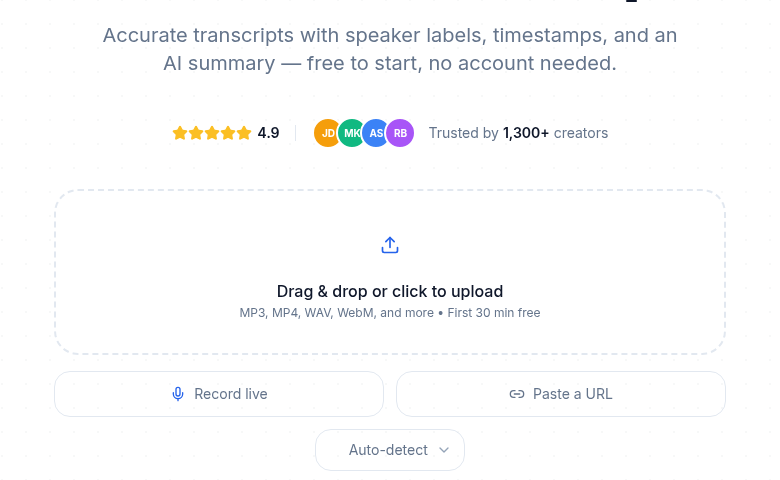 Voice capture is the lowest-friction input; the system starts at upload
For voice memos specifically, the audio to text tool at ConvertAudioToText handles uploads without requiring any setup. Free accounts get their first file on the premium engine (up to an hour), and then keep transcribing free: up to 30 files a day, up to 30 minutes each. Reading and copying transcripts stays free. The $14.99/month plan handles longer recordings (links and videos up to 24 hours) and suits daily capture habits. For fuller context on how to handle the voice-memo-to-text bridge, the convert voice memos to text post covers the format, batch processing, and file-naming patterns in detail.
For meetings and longer conversations, the create meeting minutes from audio workflow is more appropriate than treating meeting recordings the same as solo voice memos.
Automate the transcription step before you build the capture habit. Zapier and Make.com both support trigger-on-new-file workflows that pull from Google Drive or iCloud-exposed folders and push to a transcription service. If the transcription step requires manual action, the habit will eventually break.
Distillation: Where AI Earns Its Keep
The original CODE framework asks you to distill your captures into progressive summaries: layer by layer, from raw text to bolded key sentences to a single-paragraph executive summary. Forte's "progressive summarization" technique is the method. AI now does a first pass at this faster than any human.
For a voice memo, a useful AI distillation produces:
- One sentence stating the core claim or question.
- The supporting reasoning in the order it appeared.
- Any action items or next steps.
- Open questions worth revisiting.
That four-part output is what goes into your PKM tool, not the raw transcript. The raw transcript belongs in an archive folder or linked as a source, searchable but not cluttering your active notes.
My take: the distillation step is where most audio second brain workflows fail. People transcribe but skip summarization, leaving walls of spoken-word text in their notes. A paragraph summary plus a link to the full transcript is almost always more useful than the full transcript as the primary note.
The note-taking with AI post covers the prompt patterns that produce reliable distillations from transcripts, including how to handle rambling single-speaker voice memos versus structured multi-speaker conversations.
Organizing With PARA
PARA works for audio-sourced notes the same way it works for text: every note belongs to exactly one category at a time.
Projects hold notes directly tied to an active outcome with a deadline. A voice memo about a product feature belongs here if you are actively building that feature.
Areas hold notes for ongoing responsibilities without a defined end. Weekly team reflections, ongoing client context, personal health tracking.
Resources hold reference material: everything you captured because it might be useful someday. Most voice memos start here.
Archives hold completed projects and inactive material. The archive is not the trash; it is still searchable. Many of the most useful retrievals come from archive notes when a past context becomes relevant again.
The discipline is to assign each distilled note to one category when you create it. Over-categorization (tagging the same note into three buckets) weakens retrieval because you stop trusting the system.
PKM Tool Options
Obsidian. Local Markdown files with bidirectional linking. Suited to users who want full data ownership, graph-view browsing, and a large plugin ecosystem. As of early 2026, Obsidian crossed 1.5 million users. The transcription and Obsidian/Notion post covers the import workflow from transcript to Obsidian note.
Notion. Cloud database with structured fields. Suited to users who need collaborative access, mobile-first workflows, and filterable database views. Notion's AI features (including AI Meeting Notes) sit behind the Business plan at $20 per member per month billed annually; the Plus plan at $10 per member per month covers basic database use without AI features. The same transcription and Obsidian/Notion post covers the Notion database setup for transcripts.
Roam Research. Block-level linking with daily notes as the organizational spine. Suited to writers who prefer emergent structure and block references over folders. Roam runs $15 per month (standard) or $500 for five years (Believer plan). No free tier beyond a 31-day trial. The transcription and Roam Research post covers the block-import pattern. Honest caveat: Roam's AI integration in 2026 is community-driven rather than native, which means more manual setup than Obsidian or Notion.
Hybrid. Some users keep raw transcripts in cloud storage and structured notes in their PKM tool. The transcript lives in Drive or S3; the distilled note lives in Obsidian with a link back. This keeps the PKM tool lean when capture volume is high.
Linking and Retrieval
A second brain starts earning its keep when notes link to related notes, not just when they exist. For each new distilled note, three linking actions:
- Tag the main concept. A voice memo about pricing strategy gets tagged
[[pricing]]or the equivalent in your PKM tool. - Search the archive for prior notes on the same concept. Two minutes of search before closing the note.
- Add a link in both directions. The new note references the old one; add a back-link from the old to the new.
After six months, a search for [[pricing]] returns a chronological thread of how your thinking evolved. That is what makes the archive useful rather than a flat pile of transcripts. The searchable audio archive with transcripts post covers the file-naming and folder conventions that make retrieval reliable at scale.
The Express Step
CODE ends with Express: creating something from your accumulated material. For an audio-driven second brain, the usual outputs are:
Blog posts and articles. A topic with a dozen supporting transcript chunks becomes a draft outline. The voice memos are the research; the synthesis is the writing.
Decision memos. A recurring question that has appeared in five voice memos over three months gets written up as a one-page memo. The archive surfaces the reasoning thread; the memo proposes a path.
Weekly reviews. The weekly review from voice memos workflow turns the week's transcripts into a structured review. What surfaced? What is moving from Project to Archive? What patterns appeared twice?
The Express step is the only one that requires deliberate human time. Capture, transcribe, and distill run on autopilot. Synthesis needs you.
Daily and Weekly Maintenance
Daily (15 minutes or less):
- Morning: Scan yesterday's distilled notes. Any action items to carry forward?
- Throughout the day: Record voice memos when ideas surface.
- Evening: The automated pipeline has transcribed and summarized the day's captures. Tag and link the relevant ones. Delete noise.
Weekly (30 minutes):
- Review the week's additions by project. What moved forward?
- Scan Resource notes for any synthesis worth writing.
- Move completed project notes to Archive.
The rituals are what separate a working second brain from a growing pile of disconnected notes. The capture-transcribe-distill loop can run without you. The synthesis loop requires a weekly slot.
Three Failure Modes to Avoid
Capture without process. Recording prolifically and never transcribing. The audio pile grows; the searchable archive does not. Fix: set up automated transcription before you record anything.
Process without synthesis. Every capture becomes a note; no note ever becomes output. The archive grows but the value extraction never happens. Fix: block 30 minutes every week for the express step.
Over-tagging. Tagging every concept obsessively produces a web so dense that nothing is findable. Tag for concepts you expect to return to. Most mentions do not qualify.
A Working Tool Stack
| Role | Tool |
|---|---|
| Capture | iPhone Voice Memos (iCloud sync) or dedicated recorder |
| Transcription | ConvertAudioToText or similar AI transcription |
| Automation | Zapier or Make.com (new audio file triggers transcript job) |
| Distillation | AI assistant (Claude, ChatGPT) with a structured summary prompt |
| PKM storage | Obsidian, Notion, or Roam (pick one, commit to it) |
| Retrieval | Full-text search within PKM tool plus link graph |
Total monthly cost for personal use sits in the range of $20 to $50, depending on your PKM tool subscription and transcription volume. None of this requires enterprise pricing or specialized integrations. The tools exist and are ready.
What Compounds Over Time
A consistent audio capture habit produces 100 to 500 transcripts in the first year for a typical knowledge worker. That archive becomes useful in three specific ways:
Decisions get easier. Half the work of any new decision is recalling context. The archive surfaces prior reasoning in seconds.
Writing gets faster. Drafts pull from existing voice memos rather than starting blank. The hard thinking is already done.
Patterns become visible. Topics that surface across many voice memos over months reveal priorities and preoccupations you did not consciously track.
The first month feels thin because the archive is sparse. By month four it starts to pay. By year two, the compounding is hard to imagine giving up. The system is not a productivity trick; it is a long-term knowledge asset built one 90-second recording at a time.
Common Questions
Do I need to transcribe every voice memo, or just the important ones?
Transcribe everything. The cost of transcribing an unimportant memo is a few seconds of processing time. The cost of not transcribing an important one is losing it forever. Auto-process all captures and delete the obvious noise afterward, at the text level where deletion is fast.
Which PKM tool works best for an audio-driven second brain?
The best tool is the one you already use. Obsidian suits people who want local ownership and graph-based linking. Notion suits people who need cloud access and database views. Roam Research suits writers who prefer daily-note and block-reference workflows. None of them is meaningfully better than the others at storing transcripts; the differences show up in how you retrieve and connect notes over time.
How long before an audio second brain starts feeling useful?
Most people find the first month feels thin, because the archive is sparse. Month three to four is when search starts returning results that save real time. The second year is when the compounding becomes obvious: decisions surface prior reasoning, writing pulls from existing voice memos, patterns emerge across time. The system is a long-term investment, not a week-one payoff.
What is the biggest mistake people make when building an audio second brain?
Capture without process. Recording fifty voice memos a week and never converting them to searchable text leaves you with an audio pile, not a knowledge base. Set up automated transcription before you record anything. If the transcript step is not automatic, the habit will eventually break.
Sources
- Tiago Forte, "Building a Second Brain" overview and PARA method: fortelabs.com/blog/basboverview and fortelabs.com/blog/para (verified 2026-07-02)
- Apple Support, Voice Memos iCloud sync: support.apple.com/guide/iphone (verified 2026-07-02)
- Notion pricing plans: notion.com pricing page, corroborated by eesel.ai/blog/notion-pricing (verified 2026-07-02)
- Roam Research pricing: costbench.com/software/note-taking/roam-research (verified 2026-07-02)
- Zettelkasten method and Luhmann attribution: zettelkasten.de/introduction (verified 2026-07-02)
- Obsidian 1.5 million users milestone: nxcode.io/resources/news/obsidian-ai-second-brain-complete-guide-2026 (secondary source; primary Obsidian announcement not separately fetched)
Try transcription free
Convert any audio or video to clean, unwatermarked text — speaker labels, timestamps, and AI summaries included. First 30 minutes free, no account.
Related Articles
How to Transcribe a Google Meet Recording
Turn a Google Meet recording into searchable text, speaker-labeled notes, action items, and subtitles with a clear step-by-step upload or URL workflow.
How to Remove Filler Words from a Transcript
Discover exactly how to remove filler words from a transcript. Follow this practical guide to clean up um, uh, and like for polished, professional, broadcast-ready text.