
Transcription Export Formats: TXT, SRT, VTT, JSON
Summarize this article with:
Each transcription export format has a single best use case: SRT for video platforms, VTT for HTML5 web players, TXT for blog posts and show notes, DOCX for clients and legal work, JSON for developers building on top of a transcript, and PDF for fixed-layout deliverables. Pick by what the downstream recipient needs, not by what seems most complete. Netflix requires TTML, not SRT, so check platform requirements before assuming a subtitle format will be accepted.
A finished transcript can ship in half a dozen formats, and the right one depends entirely on what comes next. Embed in a video player? Use SRT or VTT. Drop into a blog post? TXT or DOCX. Feed into another tool? JSON. This reference covers what each format actually contains, where it gets used, and the quirks that catch people out.
TXT: The Plain Text Default
The simplest format. Just words, optionally with speaker labels and paragraph timestamps.
[00:00:00] Speaker 1: Welcome back to the show. Today we're talking about pricing.

[00:00:18] Speaker 2: Thanks for having me. Pricing is one of those topics...
TXT is the fastest path from audio to readable text. No special player or library needed. Copy-paste into any editor, CMS, or email client.
What TXT trades away:
- No fine-grained timing for video sync.
- No machine-readable structure (everything is a string).
- Different tools produce slightly different layouts, which matters for batch processing.
Use TXT for blog posts, show notes, meeting minutes, any context where humans will read the file. For a deeper look at when this tradeoff is worth making, see free vs paid transcription services.
DOCX: TXT With Formatting
Microsoft Word format. Same content as TXT but with styled headings, speaker bolding, and sometimes a header with metadata (file name, date, duration).
DOCX is the standard deliverable for human transcription services. Court reporters, legal transcribers, and academic transcription companies almost always send DOCX. It is the format most non-technical clients expect to open.
For AI tools, DOCX is just TXT with styling. The accuracy and content are identical; the file just looks nicer in Word. If the recipient will edit the text, DOCX is better than PDF because Word's track changes and comment features work properly.
SRT: The Universal Subtitle Format
SubRip Subtitle. The most widely supported subtitle format in common use. YouTube, Vimeo, Premiere, Final Cut, and DaVinci Resolve all accept SRT.
Format:
1
00:00:00,000 --> 00:00:03,500
Welcome back to the show.

2
00:00:03,500 --> 00:00:09,200
Today we're talking about pricing models for small businesses.
Each cue has four parts:
- Cue number (1, 2, 3, ...).
- Start time --> End time in HH:MM:SS,mmm format (note the comma decimal, not a period).
- Text (one or more lines).
- Blank line to separate cues.
SRT quirks:
- Comma decimal, not period.
00:00:03,500, not00:00:03.500. This is the single most common SRT syntax error. Many parsers will reject a file that uses a period instead. - No speaker labels in the spec. Most tools embed speaker labels in the text as
Speaker 1: Welcome back. Some players display this inline; others may strip it. - Line breaks matter. Most players show 1-2 lines per cue. Three-line cues can be cut off or obscure more of the video than intended.
- Character limits per line. Convention is 32-42 characters per line for readability on smaller screens.
- Cue duration. Typical 2-7 seconds per cue. Single-word cues feel choppy; cues over 7 seconds require too much reading speed.
One platform that does NOT accept SRT for professional delivery is Netflix. Netflix requires TTML1 (with a .xml or .ttml extension) for subtitle delivery. SRT, VTT, and SCC are not accepted for Netflix deliveries without an explicit exception from a Netflix representative. This is a common misconception.
Use SRT for YouTube uploads, video editor import, and most consumer video platforms.
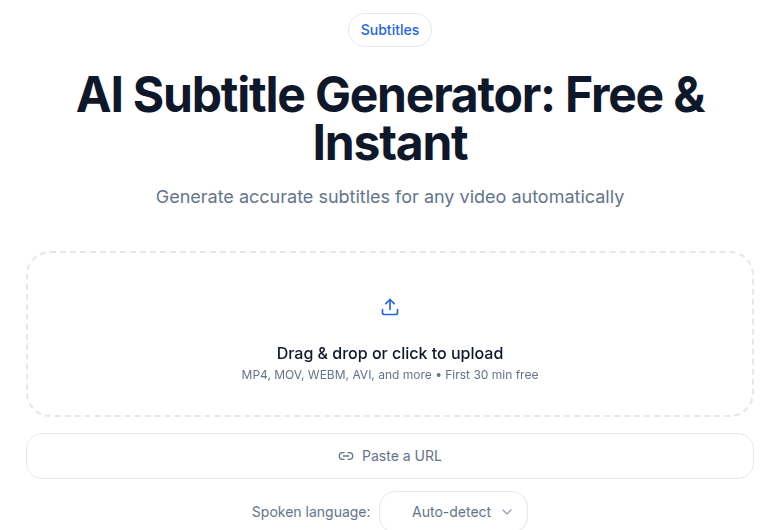 Subtitle generator tool showing SRT export option
VTT: SRT's Web-Native Cousin
WebVTT. The HTML5 standard for in-browser captions, defined in the W3C specification. Functionally similar to SRT but with notable differences in structure and capability.
Format:
WEBVTT

00:00:00.000 --> 00:00:03.500
Welcome back to the show.

00:00:03.500 --> 00:00:09.200
Today we're talking about pricing models for small businesses.
Key differences from SRT:
- Period decimal, not comma.
00:00:03.500. The opposite of SRT. This is the most frequent source of confusion when converting between the two. - Mandatory
WEBVTTheader. The file must begin with the string "WEBVTT" followed by two or more line breaks. Without it, the file is not valid VTT. - Cue identifiers are optional. Unlike SRT, where cue numbers are conventional (if not strictly required), VTT does not require them.
- Supports voice tags.
<v Speaker 1>Welcome back.</v>is a proper W3C-defined way to label speakers. Players can style each voice differently via CSS pseudo-elements. - Supports styling. HTML-like tags for italics, bold, and color work inside cues.
- Supports cue settings. Position, alignment, and vertical text can be specified per cue.
VTT is what the HTML5 <track> element expects. If you are embedding captions on a website using the native video element, VTT is the format the browser understands natively. YouTube accepts VTT but recommends SRT for new creators.
For a deeper comparison of these two formats plus TTML, see SRT vs VTT vs TTML.
TTML: The Broadcast Standard
Timed Text Markup Language. The W3C XML-based format that professional broadcasters and streaming platforms require. Also known as DFXP (Distribution Format Exchange Profile), which is a specific profile of TTML.
TTML supports complex styling, precise screen positioning, metadata for accessibility (SDH markers, speaker identification), and multiple language tracks inside a single file. Netflix requires TTML1 for all languages; BBC iPlayer and Hulu also require it for professional delivery.
For most creators uploading to YouTube or embedding on their own site, TTML is not needed. It matters when you are delivering content to a broadcast partner or platform that has a formal delivery specification. YouTube does accept TTML and DFXP, but SRT or VTT covers most creator workflows.
JSON: The Machine-Readable Format
For developers, JSON is the lossless export. Everything the transcription engine knows, structured and queryable.
{
  "transcript": "Welcome back to the show...",
  "words": [
    {"word": "Welcome", "start": 0.020, "end": 0.380, "confidence": 0.998, "speaker": 0},
    {"word": "back", "start": 0.380, "end": 0.640, "confidence": 0.997, "speaker": 0}
  ],
  "utterances": [
    {"speaker": 0, "text": "Welcome back to the show.", "start": 0.020, "end": 1.880}
  ],
  "metadata": {
    "duration": 1845.2,
    "language": "en",
    "model": "whisper-large-v3"
  }
}
JSON contains what SRT and TXT cannot carry: word-level timestamps, per-word confidence scores, speaker assignments, utterance groupings, and model metadata. Optional fields from AI-enabled engines include topics, sentiments, and summaries.
Use JSON when you are building anything on top of a transcript: custom video players, search indexes, AI pipelines, or data analysis. The format is verbose but lossless. If your transcription service stores the JSON, you can re-export to SRT or TXT later without re-running the audio through the engine.
PDF: The Polished Deliverable
PDF transcripts are generated by exporting DOCX to PDF. They look professional, lock in formatting, and are the expected deliverable for many legal and academic clients.
Use PDF for:
- Legal and court filings.
- Academic research deliverables.
- Client reports where a fixed layout matters.
- Archival (assuming the text is embedded, not scanned).
Do not use PDF if:
- The recipient will edit the text. PDF editing is slow and error-prone; give them DOCX instead.
- The recipient will feed it into another tool. JSON or TXT is more compatible.
When to Use Which Format
| Use case | Right format |
|---|---|
| Podcast show notes | TXT |
| Blog post from interview | TXT or DOCX |
| YouTube video captions | SRT |
| HTML5 video on your website | VTT |
| TikTok or Instagram Reel | SRT |
| Netflix delivery | TTML (per delivery spec) |
| Legal or court deliverable | DOCX or PDF |
| Academic research data | JSON + TXT |
| Building a search index | JSON |
| Custom NLP or AI pipeline | JSON |
| Client wants to edit content | DOCX |
| Email to a colleague | TXT |
| Archival with fixed layout |
When unsure, export both TXT and SRT. They are small files; having both gives you optionality for video and text workflows without re-running the transcription.
Cue Length and Line Breaks
This is the topic that bites first-time captioners. Default settings from many tools produce SRT or VTT files with cues that are too long, too short, or wrap awkwardly on smaller screens. For timing decisions in particular, see when to use timestamps in transcription.
Best practices:
- Cue duration: 2-6 seconds. Single-word cues feel choppy; cues over 7 seconds push reading speed too high.
- Characters per line: 32-42 is the convention. Above 42, the line wraps poorly on mobile.
- Lines per cue: 2 maximum. Three-line cues cover too much of the video.
- Words per minute: Aim for 160-180 wpm reading speed, adjusting cue duration to match the speaker's pace.
Most modern tools produce sane defaults. If cues are coming out wrong, look for a "line length" or "reading speed" setting before manually editing.
Format Conversion
Going between formats is mostly free, but not always lossless:
- TXT to/from DOCX: Word handles both natively. No information lost.
- SRT to/from VTT: Trivial text transformation: swap commas for periods (or the reverse), add or remove the WEBVTT header. One-liner with any scripting language.
- JSON to TXT/SRT/VTT: Most transcription tools do this automatically. JSON is the source of truth; all other formats are derived from it.
- TXT to SRT/VTT: Requires aligning text back to audio, which needs the original timing data. Not possible without the audio or the original JSON.
- PDF to anything: Only reliable when the PDF was generated from text. Scanned PDFs require OCR and lose formatting.
If you are using ConvertAudioToText, it exports TXT, SRT, VTT, JSON, and DOCX from a single transcription job, so you only re-run the engine if you change settings like language or speaker count. You can also generate subtitle files directly at the subtitle generator tool.
FAQ
What is the difference between SRT and VTT?
Both are timed caption formats with a nearly identical structure. SRT uses a comma as the decimal separator in timestamps (00:00:03,500) and requires cue numbers. VTT uses a period (00:00:03.500), makes cue numbers optional, requires a WEBVTT header at the top of the file, and adds support for voice tags, CSS styling, and screen positioning. SRT works across more platforms by default; VTT is the native format for HTML5 video elements.
Which format should I use for YouTube?
SRT is the practical default for YouTube. YouTube also accepts VTT, SBV, TTML, and several broadcast formats, but SRT is the format YouTube's own help documentation recommends for creators new to captioning. It is widely supported by export tools and requires no special configuration.
Does Netflix accept SRT files?
No, not for professional delivery. Netflix requires TTML1 (with a .xml or .ttml extension) for subtitle files. SRT, VTT, and SCC are not accepted without an explicit exception from a Netflix representative. If you are delivering content to Netflix, check the Netflix Partner Help Center for the current TTML specification.
What does a JSON transcript contain that SRT and TXT do not?
JSON carries word-level timestamps, per-word confidence scores, speaker assignments, utterance groupings, and model metadata. SRT carries only timed text blocks without word-level detail. TXT carries only the words with optional speaker labels and paragraph timestamps. If you need to build search, run NLP analysis, or power a custom player, JSON is the only format that contains the full data.
Can I convert between transcript formats without re-running transcription?
For most conversions, yes. SRT, VTT, TXT, and DOCX can all be regenerated from the original JSON without touching the audio again, provided your transcription service stored the JSON. The conversion that cannot go backward is TXT to SRT or VTT: without word-level timing data, there is no way to place timestamps accurately.
Sources
- W3C WebVTT specification: https://www.w3.org/TR/webvtt1/
- Netflix Timed Text Style Guide (General Requirements): https://partnerhelp.netflixstudios.com/hc/en-us/articles/215758617-Timed-Text-Style-Guide-General-Requirements
- Netflix IMSC 1.1 Text Profile: https://partnerhelp.netflixstudios.com/hc/en-us/articles/360053755033-Netflix-IMSC-1-1-Text-Profile
- YouTube supported subtitle and closed caption files: https://support.google.com/youtube/answer/2734698
- MDN WebVTT API documentation: https://developer.mozilla.org/en-US/docs/Web/API/WebVTT_API/Web_Video_Text_Tracks_Format
Try transcription free
Convert any audio or video to clean, unwatermarked text — speaker labels, timestamps, and AI summaries included. First 30 minutes free, no account.
Related Articles
How to Transcribe a YouTube Video to Text
Turn any YouTube video into text. Paste the URL into CATT, review the auto transcript, and export TXT, SRT, or VTT subtitles in a few very easy steps.

Subtitle Translation for Video: The Reliable Path
Translate existing subtitles the reliable way: machine pass plus review, length expansion handling, and timing re-fit.