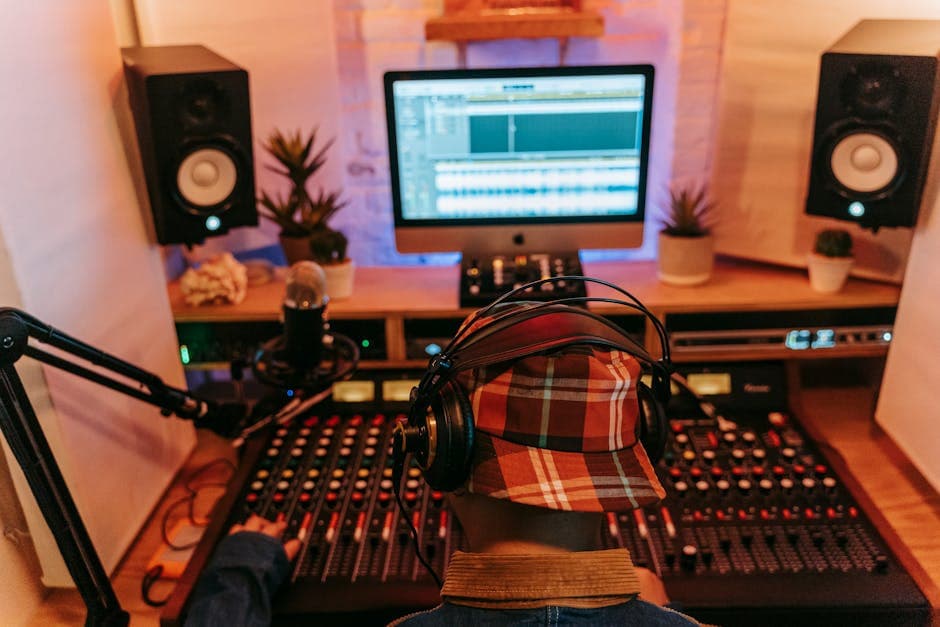
Transcription for Audio Editors: Paper Edits and Selects
Summarize this article with:
AI transcription has become the spine of modern audio editing: a text-based rough cut of a three-hour interview takes 90 minutes instead of four hours. This guide covers the core editor workflows (paper edits, filler removal, pull quotes, multi-voice productions, sound design cues), the tooling landscape with verified pricing, and where the workflow still breaks down. The claim that Whisper alone does speaker diarization is a common myth corrected here.
A podcast editor handed a raw three-hour interview is looking at four to six hours of edit time in a traditional waveform workflow. The same job done with a transcript-driven approach drops to 90 minutes for the rough cut. Transcription has shifted from "nice metadata to have" to the operational spine of dialogue-heavy editing. This guide covers what audio editors are actually doing with transcription in 2026, which integrations are verified to work, and where the workflow still has gaps.
Text-Based Editing Versus the Waveform Workflow
The traditional model puts the waveform first. You scrub the timeline, read the visual signal, and cut at zero crossings between phonemes. Experienced editors get very fast at this for music and sound design, where the waveform carries information that text cannot.
Text-based editing inverts the surface. Delete a word in the transcript and the corresponding audio is removed from the timeline. Descript made this mainstream for podcasters. Adobe Premiere Pro (not Audition) added its own native text-based editing workspace, including an automated filler-word detection panel. Those are the two paid suites an audio editor can build a full workflow on today. The third implementation is our own free browser editor, covered further down, which runs the same cut-by-deleting-words mechanic and nothing else.
ScreenFlow does not offer transcript-driven editing as of mid-2026. Reduct Video is a video research platform aimed at user-research teams rather than an audio editor replacement. If you are editing podcast episodes or long-form interview audio, these are not substitutes for Descript or Premiere Pro.
The practical split: text-based editing is two to three times faster for dialogue-heavy content. For music production or sound design where the spectral view matters, waveform editing remains the right tool.
If you want to try the mechanic before committing to either subscription, our own text-based audio editor runs the cut-by-deleting-words loop free in a browser tab, with no account and nothing uploaded. It is a single-track tool driven by an on-device speech model, so treat it as a way to learn the workflow rather than a replacement for Premiere Pro.
Paper Edits: The Core Efficiency Gain
The paper edit predates digital audio, but transcripts make it practical at scale. A paper edit is a pass through the transcript where the editor marks what to keep, what to cut, and what to reorder before touching the timeline.
Reading a full transcript is faster than listening in real time. A 20,000-word transcript from a two-hour interview takes 30 to 45 minutes to read and annotate. Listening to the same interview takes two hours, during which you cannot skim or search.
The workflow:
- Transcribe the source file and export with speaker labels and timestamps.
- Read the full transcript. Mark keepers with a highlight or inline annotation.
- Note timestamps for any passages that need reordering.
- Use those marks either to drive cuts in your text-based editor or to build a cut list for your DAW.
For any DAW that is not Descript or Premiere Pro, step 4 is a manual cut list. That is slower than deleting words in Descript, but still faster than scrubbing the raw recording with no notes. The transcript is the time investment that pays off.
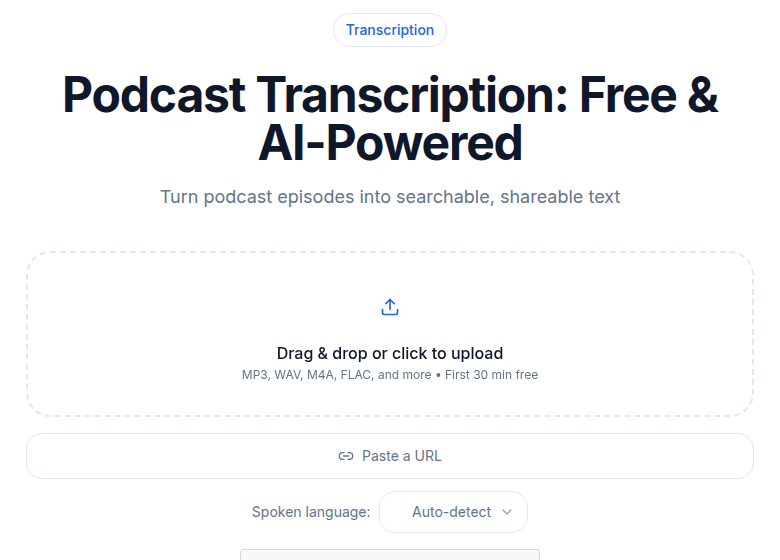 Podcast audio tool on ConvertAudioToText, showing file upload and speaker-labeled output
Removing Filler Words
"Um," "uh," "you know," "like," "I mean." Every audio editor spends time on these.
Adobe Premiere Pro's text-based editing workspace includes a Filter panel that auto-detects filler words across the transcript. Once flagged, you can review and bulk-delete them. This is a native feature in Premiere Pro, confirmed in Adobe's updated documentation from January 2026.
Descript's automated filler word removal works similarly: one click highlights every instance of a custom word list across the recording. Per Descript's pricing page (checked July 2026), this feature is "Limited" on Free and Hobbyist plans. Full access requires the Creator plan at $24/month billed annually.
For editors who do not use either tool, generate a transcript with word-level timestamps, use Cmd-F (or the transcript search) to step through each "um" or "uh," confirm the hit, and note the timestamp for the cut. It is slower than one-click removal but faster than scrubbing the waveform to locate each filler instance by ear.
Realistic automated accuracy: 85 to 95 percent for clearly spoken English. The edge cases missed are usually fillers that occur mid-word or are so brief the model transcribed them as silence. A fast review pass catches these before export.
Pull Quotes and Clip Generation
Most podcast episodes ship with three to eight short clips for promotion. Finding quotable moments by scrubbing waveforms is the slowest part of this step.
The transcript-driven workflow:
- Skim the transcript for surprising lines, strong claims, statistics, or moments of audible energy.
- Mark timestamps around promising candidates.
- Pull 30 to 60 second clips around each mark.
- Use the transcript text directly as caption source material.
For editors running multi-show pipelines, this saves 30 to 60 minutes per episode. The transcript is also searchable across episodes, which matters if a producer asks "did anyone say X in this season?" and the answer is buried in 40 hours of recording.
For caption generation from those clips, the transcript text is already there. A subtitle generator that accepts the existing timestamped export can burn in captions without a second transcription pass.
Multi-Voice Productions
Productions with three or more speakers get harder to edit at the rate of voices added. Without a transcript, you spend significant time scrubbing back to establish who is speaking.
Speaker diarization solves this. It is important to get the underlying mechanics right before committing to a tool:
- Deepgram Nova-3 includes speaker diarization as an add-on at the API level. It works well for up to eight speakers in good conditions.
- Whisper alone does not diarize. This is a common misconception. The base Whisper model produces a transcript with no speaker labels. WhisperX, an open-source library, combines Whisper with pyannote (a separate diarization model) to assign speaker turns. If you are running a self-hosted pipeline, you need both.
- Descript runs its own transcription and diarization and can detect up to eight speakers, per their current pricing page.
Accuracy in good conditions (distinct voices, separate microphones) runs roughly 85 to 95 percent. It degrades when speakers overlap heavily, have similar vocal registers, or share a physical microphone. A manual cleanup pass on a good diarization output still costs far less time than labeling speakers from scratch.
For deeper background on how diarization works and where it fails, the post on speaker diarization explained covers the mechanics.
Sound Design and Effects Cuing
For narrative podcasts, audiobooks, and scripted audio dramas, the transcript serves a second function: a cue sheet for the sound design pass.
The workflow:
- The dialogue editor produces and locks the dialogue track.
- A transcript is generated from the locked track.
- The sound designer reads the transcript and annotates cue points: a door opens, footsteps cross the room, a car passes at line 347.
- The annotated transcript drives the sound design session.
This is particularly useful for productions that hand off between separate editors and designers. A transcript with timestamp annotations is a clearer handoff document than a session file with unnamed markers. The designer does not need access to the editor's project to understand the structure.
Tooling Choices in 2026
Three categories show up consistently in editor stacks.
| Category | Examples | Best for | Transcription limit |
|---|---|---|---|
| Text-based editors | Descript, Adobe Premiere Pro | Integrated transcript-to-edit workflow | Descript Creator: 30h/mo; Premiere Pro: subscription-based, no separate transcription cap |
| Pure transcription, standalone | ConvertAudioToText, TurboScribe | Generating transcripts for any DAW | CATT Pro: unlimited; TurboScribe Unlimited: $10/mo billed annually |
| Video research platforms | Reduct Video | Searchable video archives, UX research | Not a DAW replacement |
Editors doing volume work usually settle on one of two stacks: Descript end-to-end for podcast-heavy operations, or a standalone transcription tool feeding into whatever DAW they already use. The decision mostly comes down to whether you want to move your edit workflow into Descript's environment or stay in Pro Tools, Logic, or Premiere.
For a head-to-head on Descript versus the standalone path, the post on Descript vs Otter covers the practical tradeoffs in the integrated-editor category.
Accuracy Baselines by Source Type
These are typical ranges, not vendor specifications. Actual results vary by model, language, and acoustic conditions.
| Audio source | Typical word error rate | Cleanup time per hour of source |
|---|---|---|
| Studio podcast, individual microphones | 3 to 6 percent | 5 to 10 min |
| Remote recording (Riverside, Zencastr) | 5 to 9 percent | 10 to 15 min |
| Phone or VOIP interview, older recording | 8 to 15 percent | 20 to 30 min |
| Field recording, lavalier microphones | 6 to 12 percent | 15 to 25 min |
Cleanup time covers the manual pass for speaker labels, proper nouns, and obvious substitution errors. It does not include the paper edit itself.
For a detailed breakdown of what drives these numbers, transcription accuracy explained is the reference.
Cost Math for Working Editors
Editors handling 20 to 40 hours of source audio per week need flat-rate pricing. Per-minute billing becomes expensive fast at this volume.
30 hours of weekly source audio at a hypothetical $0.25 per minute comes to $450 per week. On a flat-rate unlimited plan, TurboScribe runs $10/month billed annually (per their pricing as of mid-2026); Descript Business (unlimited transcription) runs $50/month billed annually. The math on per-minute pricing simply does not work for editors doing volume work.
For a full comparison of per-minute versus flat-rate structures, the post on unlimited vs metered transcription pricing walks through the break-even math at different throughput levels.
If you just need a clean transcript to drive cuts in your existing DAW without a meeting bot or integrated editor, ConvertAudioToText runs on the same flat-rate model at $14.99/month for unlimited Pro access. The free tier lets you test accuracy on your own audio first: your first file runs on the premium engine up to an hour, then a free account transcribes up to 30 files a day, up to 30 minutes each.
FAQ
Can I use a regular DAW like Pro Tools or Logic alongside text-based transcription?
Yes. The transcript-driven path works even if you never switch away from your DAW. Generate a transcript with word-level timestamps, use it as a paper edit to mark in and out points, then make those cuts on your timeline. You get most of the time savings without changing your core tool.
Does Whisper do speaker diarization on its own?
No. The base Whisper model transcribes speech but does not separate speakers. To get speaker labels, you need WhisperX (which combines Whisper with pyannote, an open-source diarization library) or a fully managed API like Deepgram Nova-3 that bundles diarization as an add-on feature.
What accuracy can I realistically expect for a studio podcast recording?
Studio recordings with individual microphones typically land at 3 to 6 percent word error rate on current models. That translates to roughly 5 to 10 minutes of manual cleanup per hour of source audio, mainly for proper nouns, technical terms, and the occasional speaker-label correction.
Is Descript's filler word removal available on its free plan?
Only in limited form. Per Descript's pricing page checked July 2026, filler word removal is listed as "Limited" on the Free and Hobbyist plans. Full automated filler word removal comes with the Creator plan ($24/month billed annually) and above.
Sources
- Descript Pricing Page (checked July 2026)
- Adobe Premiere Pro: Detect and delete pauses in transcripts (Adobe, updated January 2026)
- TurboScribe Pricing (referenced via third-party review, mid-2026)
- Reduct Video: Text-based Video Editing
- WhisperX on GitHub
- ConvertAudioToText Homepage (checked July 2026)
Try transcription free
Convert any audio or video to clean, unwatermarked text — speaker labels, timestamps, and AI summaries included. First 30 minutes free, no account.
Related Articles
How to Create Podcast Show Notes Automatically (2026 Workflow)
Turn any podcast recording into complete show notes in under an hour. Step-by-step automation pipeline: transcript, AI summary, timestamps, links, and final polish.
How to Promote a Podcast With Transcripts: 8 Tactics (2026)
Transcripts unlock podcast promotion beyond SEO: quote graphics, guest-shareable excerpts, newsletter pull-quotes, and community answers that actually grow your audience.