Transcription for Twitch Streamers: VOD-to-Content Workflow (2026)
Summarize this article with:
A streamer who goes live four times a week for four hours each generates 64 hours of VOD per month, almost none of it searchable or repurposed. Transcript-based clip discovery lets you find the best moments by reading text instead of scrubbing video, cutting clip-finding time from 20 minutes to under one minute. This post covers the full VOD-to-content pipeline: clip mining, YouTube uploads, live and post-stream captions, multi-language considerations, and the cost math that makes unlimited plans the only sensible structure for active streamers.
If you stream four hours four times a week, you produce 64 hours of VOD per month. Almost none of that audio is being indexed, searched, or turned into anything. Transcription is the lever that changes that ratio.
Why the Cost-Benefit Changed
The historical objection was that long-form streaming audio is too unstructured to process usefully. A four-hour VOD has game audio, alerts, dead air, and actual talking mixed together.
Two things shifted. First, models like Whisper Large-v3 and Deepgram Nova-3 handle multi-hour, noisy audio without quality degradation. Second, short-form clips became the main growth engine for streamers. If you publish to TikTok, YouTube Shorts, and X, you need to find the good moments fast. A transcript makes that fast.
The math also changed. Four hours per stream, four streams per week is about 960 minutes per month before any auxiliary content. At Rev's pay-as-you-go AI rate of $0.25 per minute (per Rev pricing, checked July 2026), that is $240 per month for transcription alone. Flat-rate unlimited plans, which run $10 to $20 per month, are the only sensible structure at streaming volumes.
The Core Workflow: VOD to Clip Database
The pattern that works for most growing channels looks like this:
- Stream ends. Twitch saves the VOD if "Store past broadcasts" is enabled in your settings.
- Download the VOD before it expires. For partners, Twitch stores VODs for 60 days; affiliates get 14 days; non-affiliates get 7. Use TwitchDownloader (free, cross-platform, CLI and GUI) or your local recording if you captured it in OBS.
- Upload the MP4 directly to a transcription tool. No audio extraction needed for most services, including the video-to-text tool.
- Get a timestamped transcript, ideally with speaker labels if you have a co-host or regular guest.
- Save the transcript file alongside the date and stream title.
Step five is the one most people skip, and it is the one that compounds. Two years of transcripts is a searchable archive of everything you have ever said on stream.
The clip-finding step replaces scrubbing. Instead of watching the VOD at 2x speed hoping you remember where the funny bit was, you Cmd-F for "wait" or "this is insane" or whatever your community phrases tend to be, and the timestamp tells you exactly where to cut.
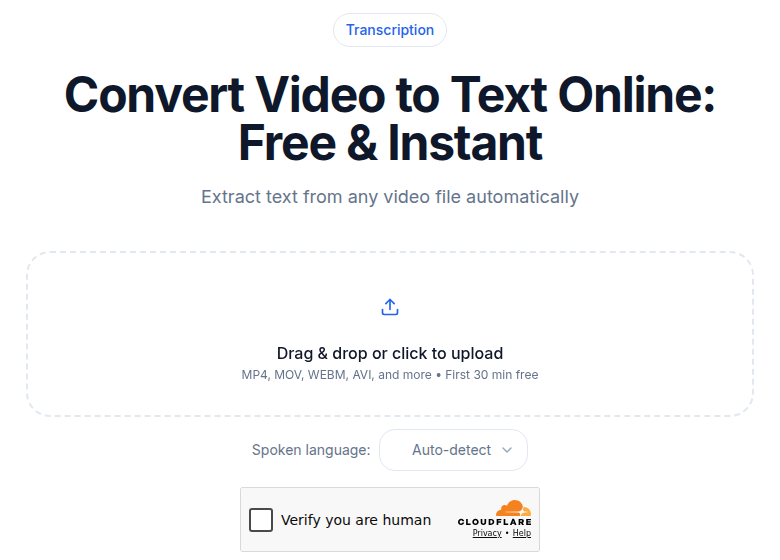 Transcribing a video file for clip discovery and VOD repurposing
Clip Workflow Comparison
Three setups cover most streamers' needs. They are not mutually exclusive.
| Setup | Best moments it catches | Time to find a clip |
|---|---|---|
| Manual scrubbing | Anything, but you need to remember it | 5-20 minutes per clip |
| Engagement-signal tools (Eklipse, Twitch Auto Clips alpha) | Chat spikes, audio reaction peaks, emote bursts | Automatic, but misses quiet content |
| Transcript search | Analysis, jokes, topic moments, anything you can phrase | Under 1 minute per clip |
Eklipse's free tier gives you up to 15 clips per stream at 720p with 14-day storage. Its Premium plan ($19.99/month as of July 2026) adds 1080p, unlimited processing, and 90-day storage. Twitch's own Auto Clips tool is still in alpha testing as of mid-2026, so availability is channel-dependent.
The transcript approach finds what engagement signals miss: a genuinely funny line during a quiet stretch, a well-reasoned piece of analysis, a moment that lands because of context rather than noise. The two approaches complement each other.
Generating YouTube Uploads from VODs
Northernlion has run a daily-upload VOD model for years, streaming Monday through Friday and publishing split VODs to YouTube the following day. The transcript drives two pieces of that workflow directly.
Chapter markers. A four-hour stream needs 8-15 chapter timestamps for YouTube's chapter UI. Reading a transcript top to bottom, you can identify "intro," "first match," "viewer questions," and "final review" in under 15 minutes. Scrubbing video for the same job takes an hour.
Video descriptions. YouTube's algorithm benefits from a 200-300 word description that reflects the spoken content. Pulling that from a transcript is faster than writing it from memory, and it is more accurate.
The same transcript also populates the SRT you attach when uploading to YouTube, so you get captions on the YouTube version without any additional work. Accurate captions on YouTube improve both accessibility and search indexing, which pays off over time on a back catalog.
Captions on Twitch: What Actually Exists
The existing post noted that Twitch added native auto-captions in 2024. This needs a correction. Twitch ran an AI captioning pilot in 2023 and has iterated on it, but as of mid-2026, the platform has not deployed automatic captions to all channels by default. The native CC button only appears for viewers when the streamer is actively pushing caption data into the broadcast.
Two practical approaches for live captions:
Path one: OBS LocalVocal. This plugin by royshil runs Whisper.cpp locally on your CPU or GPU, transcribes your speech in real time across 100 languages, and can push captions directly into the RTMP stream so the Twitch CC button activates for viewers. It updated to version 0.6.2 in April 2026 with broader CPU compatibility and works with no cloud account, no per-minute cost, and no data leaving your machine. The tradeoff is CPU load during streaming.
Path two: the OBS Closed Captions plugin by ratwithacompiler, which routes through Google Speech-to-Text. Slightly lower latency in practice for many setups, but adds a cloud dependency and potential cost at volume.
For most streamers, live captions are optional while post-stream SRT files are worth doing every time. The SRT generated from your VOD transcript covers accessibility for VOD viewers, YouTube uploads, and any clips you post. That is 80 percent of the accessibility value for about 10 percent of the operational work.
See the subtitle generator for turning a finished transcript into a ready-to-upload SRT or VTT file.
Multi-Language Audience Building
Spanish and Portuguese are two of Twitch's most active non-English language segments. As of June 2026, Spanish-speaking creators occupy multiple spots in the platform's top 10 most-followed channels globally, including Ibai (19.8M followers) and Auronplay (17M followers), per TwitchTracker. Brazilian Portuguese content is growing at similar pace.
For streamers in those languages, native transcription of the original language is more reliable than translating from English. Models trained on Spanish and Portuguese handle gaming jargon and regional vocabulary better than a translation chain does.
For multilingual streamers who code-switch mid-stream, which is common in Brazilian, Mexican, and Spanish-language channels, Whisper handles language switching gracefully on most clips. Running the transcript through a single pass usually captures both languages in context.
If you serve an international audience and want English-friendly clips from a non-English stream, a transcription-plus-translation pass on the VOD gives you ready-made captions for both versions, without re-recording anything.
Building a Searchable VOD Archive
A streamer with two years of archive has 1,000+ hours of audio history and zero of it is searchable today. That changes the moment you start saving transcripts.
The archive setup is straightforward:
- Transcribe each VOD as it lands, before it expires from Twitch.
- Save each transcript file in a folder named with the date and stream title.
- Search using any text tool. On Mac, Spotlight searches file contents. On Linux, ripgrep searches across hundreds of transcript files in under a second. Notion's full-text search works if you paste transcripts there.
Fans regularly ask "remember when you said X about Y?" and your answer goes from guessing to a one-second search. Sponsors and collaborators sometimes want to verify what topics you covered. A transcript archive makes both trivial.
It also helps with YouTube SEO over time. If you are uploading VODs to YouTube, having a text record of what each stream covered makes it easier to write accurate metadata without re-watching hours of footage.
Common Stumbling Blocks
Three issues break streaming-specific transcription more often than others.
Game audio dominating the mix. If in-game audio is louder than your voice in the recording, transcription quality drops. Your voice should be 10-15 dB louder than game audio in the recorded track. OBS makes this straightforward with audio track mixing; set it up once and it applies to every stream.
Jargon and proper nouns. Character names, game titles, and community in-jokes transcribe wrong on the first pass. Keep a short find-and-replace list for your most common terms and run it after each transcript. Three minutes of cleanup saves confusion when you are searching months later.
Long silent sections. Background music, queue screens, and dead air produce timestamps with no content. The transcript is still usable; those sections just have sparse output. Most tools handle this cleanly. It is worth knowing so you do not interpret silence-period gaps as a transcription failure.
Where to Start
Pick one stream from last week. Upload the MP4 to a tool that supports podcast and long-form audio, run a 10-minute sample first if you want to check quality on your audio, then process the full file. The first transcript will show you whether clip discovery alone justifies the cost at your volume, and for most active streamers, it does.
If you just need a clean timestamped transcript without a meeting bot or editor subscription, ConvertAudioToText handles VODs directly: upload the MP4, read, copy and download your transcript as plain text for free on a free account (files up to 30 minutes), or upgrade to Pro for $14.99/mo to export SRT files and transcribe VODs up to 24 hours long.
Common Questions
Do I need to extract audio before transcribing a Twitch VOD?
No. Most transcription tools accept MP4 files directly and handle the audio extraction themselves. Download your VOD, upload the MP4, and get a transcript. Some tools also accept URLs, so you can paste the VOD link without downloading at all.
What transcription pricing model makes sense for a full-time streamer?
Per-minute pricing gets expensive fast. At $0.25 per minute (Rev's pay-as-you-go AI rate), four hours of streaming four times a week costs around $240 per month. Unlimited flat-rate plans in the $10-$20 range are the correct structure for anyone streaming more than a few hours per week.
How do I add live captions to my Twitch stream?
Twitch does not provide automatic captions for every channel by default. The two main approaches are: the OBS LocalVocal plugin, which runs Whisper.cpp locally on your CPU or GPU with no cloud cost, and the OBS Closed Captions plugin by ratwithacompiler, which uses Google Speech-to-Text and pushes captions into the RTMP feed so the native Twitch CC button appears for viewers. Both require OBS.
How do transcripts help with clip discovery compared to AI highlight tools?
AI highlight tools like Eklipse or Twitch's own Auto Clips (still in alpha) key off engagement signals: chat velocity, emote bursts, audio reaction spikes. They find reactive moments well but miss quieter high-value content: strong analysis, funny throwaway lines, moments that land because of context. A transcript lets you search for specific words, phrases, or topics and jump directly to the timestamp, catching moments engagement signals never surface.
Sources
- Rev pricing (AI and subscription): https://www.rev.com/pricing (checked July 2026)
- TurboScribe pricing: https://turboscribe.ai/pricing (verified via third-party aggregation, July 2026)
- Descript pricing: https://www.descript.com/pricing (checked July 2026)
- Eklipse pricing: https://eklipse.gg/help/how-much-does-eklipse-premium-cost/ (checked July 2026)
- Twitch VOD storage policy: https://help.twitch.tv/s/article/video-on-demand (via secondary sources, July 2026)
- Twitch closed captions status: https://stream-rise.com/blog/guide-to-closed-captions (checked July 2026)
- OBS LocalVocal plugin: https://github.com/royshil/obs-localvocal (checked July 2026)
- TwitchTracker Spanish/Portuguese rankings: https://twitchtracker.com/channels/ranking/spanish (June 2026 data)
- Northernlion streaming schedule and YouTube workflow: streamrecorder.io/twitch/northernlion (verified July 2026)
Try transcription free
Convert any audio or video to clean, unwatermarked text — speaker labels, timestamps, and AI summaries included. First 30 minutes free, no account.
Related Articles
Spotify Transcript Extractor: How to Copy and Download Episode Text
Get a Spotify podcast transcript you can copy and download: paste a public episode link, 30 minutes free with no signup, TXT or SRT files on eligible plans.
Call Transcription for Customer Support QA: A Practical CATT Workflow
Use call transcription for customer support QA to review calls faster and coach agents. Upload audio or a meeting URL, get speaker labels and AI summaries.