Best Transcription for Podcasts in 2026: Honest Tool Guide
Summarize this article with:
Pick by production rhythm, not feature count: Descript if you edit audio by editing text, Otter for two-speaker interview shows, Happy Scribe for European languages and a human-accuracy tier, TurboScribe ($10/mo annual) for long files and solo shows on a budget, Castmagic for show notes and social posts, Riverside if you record remotely there anyway, and Buzzsprout to keep hosting plus transcription on one bill. There is no single best tool, only a best tool per workflow.
The Short List
The best podcast transcription tool depends on your production rhythm, not on which product has the most features. Descript is the clear pick if you edit audio by deleting words in a transcript. Otter wins for two-speaker interview shows that need a searchable archive. Happy Scribe covers European languages and human-tier accuracy. TurboScribe handles long files cheaply with no fuss.
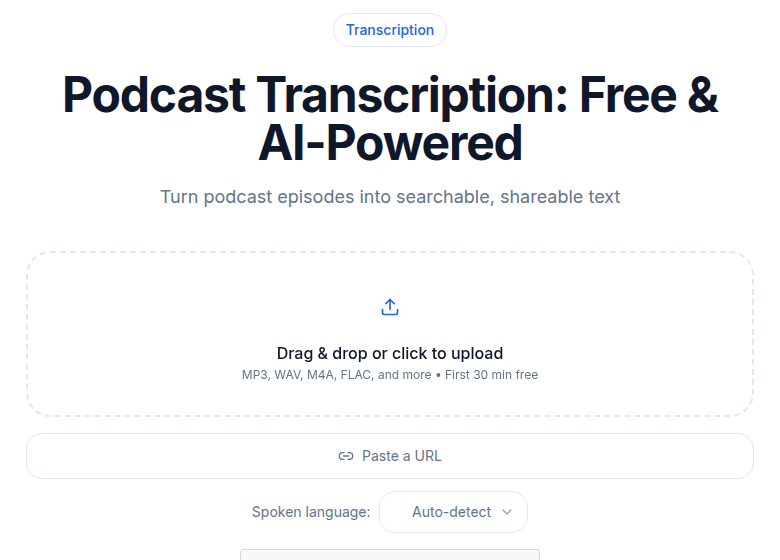 Purpose-built podcast transcription handles long episodes and speaker labels
The rest of this guide maps each tool to the workflow it actually fits, with verified pricing and honest notes on where each falls short.
Quick Comparison
| Tool | Starting price | Best for | Speaker labels | Key exports |
|---|---|---|---|---|
| Descript | $24/mo (monthly) or $16/mo (annual) | Audio editing via transcript | Yes, per track | MP3, MP4, SRT, TXT |
| Otter.ai | $16.99/mo (monthly) or $8.33/mo (annual) | Two-speaker interview shows | Yes | DOCX, SRT, TXT |
| Happy Scribe | €17/mo Basic (€8.50 annual) | European languages, human tier | Yes | SRT, VTT, DOCX, PDF, 15+ |
| TurboScribe | $20/mo (monthly) or $10/mo (annual) | Long files, solo shows, batch | Yes | TXT, SRT, DOCX |
| Castmagic | $21/mo (annual) | Show notes and social posts | Yes | Multiple |
| Riverside | $29/mo (monthly) or $24/mo (annual) | Remote recording quality | Yes | SRT, TXT |
| Buzzsprout | Included on paid hosting plans | Hosting + transcription bundled | Yes | RSS-ready VTT |
Descript: Best for Edit-While-Transcribe
Descript is the only paid suite in this list where deleting a sentence from the transcript cuts that audio out of the file. That single capability separates it from every other subscription here and makes it the obvious choice for podcasters who polish episodes before release. Our own free browser editor runs the same mechanic on a single track with no account, which is a fair way to try the workflow before paying for it.
The Creator plan ($24/month or $16/month annual) gives 30 media hours per month. The Hobbyist plan ($24/month or $16/month annual) covers 10 hours. Filler-word removal across a full episode runs in one click. Speaker tracks are separated, not just labeled, so you can edit one voice without touching the other.
Where Descript struggles: it is heavy software (not browser-only), resource-intensive on older machines, and overkill for any workflow where transcription is just an output rather than an editing surface. If you export your audio from Premiere or Logic and just want a text file, you are paying for a lot of functionality you will never use.
Good sibling read if you produce long raw takes: how to transcribe a 30-minute podcast quickly.
Otter.ai: Best for Interview-Style Shows
Otter's strength is its searchable, persistent transcript archive, combined with clean two-speaker diarization and tight Zoom integration. For interview podcasters who want every episode indexed and searchable across the entire catalog, no tool in this tier does it more smoothly.
Pricing as of mid-2026: free at 300 minutes/month with a 30-minute cap per conversation. Pro at $16.99/month (or $8.33/month on annual billing) lifts that to 1,200 minutes per month and 90 minutes per meeting. Business at $30/month (or $19.99/month annual) removes the per-session cap entirely, allowing meetings up to 4 hours.
Where Otter struggles: three-plus speakers. Otter diarizes reliably for one or two voices; panel shows and roundtables produce more labeling errors. Show notes generation is also thin compared to tools built specifically for post-production content workflows.
Happy Scribe: Best for European-Language and High-Stakes Podcasts
Happy Scribe is the only tool in this comparison with a credible human transcription tier at scale, across 65+ languages. AI accuracy runs around 85% (their own published figure), which is honest and lower than the 95%+ claims you see elsewhere. For clean English audio, that is fine. For accented speech or low-resource languages, the human proofreading tier (from €1.75/minute) is what makes it worth the premium.
Plans (priced in euros): Basic at €17/month (€8.50/month annual) covers 120 AI minutes. Pro at €29/month (€19/month annual) covers 600 minutes with 15+ export formats including VTT, DOCX, and FCPXML. Business at €89/month (€59/month annual) covers 6,000 minutes. Overage at €0.20/minute.
Export depth is the other differentiator. The Pro plan's 15+ formats include formats for video editors (FCPXML, EDL) that other tools in this list do not touch.
Where Happy Scribe struggles: cost at high volume. At €0.20/minute overage, a 60-episode back-catalog at 45 minutes each is €540 in overages beyond what your plan covers. For English-only, high-volume podcasting, there are cheaper options.
For more on what speaker diarization looks like under the hood: speaker diarization explained.
TurboScribe: Best for Long Files and Solo Shows
TurboScribe handles files up to 10 hours long at $10/month on annual billing, which makes it the most straightforward option for long-form interview shows, audio books, and lecture recordings. There is no per-session cap on the Unlimited plan.
The free tier allows three files per day, up to 30 minutes each, with no credit card required. The Unlimited plan is $20/month billed monthly or $10/month billed annually ($120/year). Bulk uploads to 50 files at once are included on the paid tier.
Speaker diarization is included: you can set a specific number of speakers or let the system auto-detect. The 98+ language support covers most podcast markets.
Where TurboScribe struggles: it is a transcript-only tool. No editing integration, no show notes, no export pipelines beyond TXT, SRT, and DOCX. If you need downstream content generation from the transcript, you are copying and pasting into another tool.
Castmagic: Best for Show Notes and Social Posts
Castmagic is built around the content that comes after the transcript, not the transcript itself. Episode summaries, chapter markers, pull quotes, LinkedIn posts, and Twitter threads are generated from the upload. The transcription engine is a means to that end.
Pricing is structured in hours per month. The Hobby plan starts at $21/month (billed annually) for 5 hours/month. The Starter plan is $79/month (annual) for 20 hours/month. These are the verified figures from the Castmagic pricing page as of July 2026.
Where Castmagic struggles: if best-in-class transcript accuracy is the goal, the core transcription quality is similar to what you get elsewhere. The wrapper adds content generation, not transcription improvement. Also, the entry-level 5 hours/month is a tight cap for a weekly show with hour-long episodes.
More on automating show notes from your transcript: how to create podcast show notes automatically.
Riverside: Best for Remote Recordings First, Transcription Second
Riverside's main value is per-track recording: each speaker's audio is captured locally on their device rather than compressed through a video call. Transcription accuracy benefits directly from this cleaner input.
Riverside's Pro plan is $29/month (or $24/month annual). Transcription is included in paid tiers, with SRT and TXT export. The platform is a recording tool first, so the transcription features are a bonus rather than the centerpiece.
Where Riverside struggles: if you are not already using Riverside to record, switching hosting for transcription alone makes no sense. The transcription features are solid but not better than dedicated transcription tools, and you pay for the recording infrastructure whether you use it or not.
Buzzsprout: Best for Hosting-Plus-Transcription in One Bill
If you already host on Buzzsprout, transcription is included on paid hosting plans (starting at $12/month), which makes it the easiest path to transcript publishing. The podcast RSS transcript tag is handled automatically, so your transcript appears in Apple Podcasts and Spotify without any extra steps.
Where Buzzsprout struggles: as a standalone transcription tool, it is not competitive. Accuracy is functional rather than excellent. If you are not on Buzzsprout hosting, there is no reason to use their transcription. For show notes generation and social content, the Cohost AI add-on (approximately $5-10/month) helps, but dedicated tools like Castmagic go further.
How to Pick for Your Specific Workflow
The tool choice comes down to what is most painful about your current workflow:
Your bottleneck is editing time, and you polish every episode: Descript. The transcript-as-editor is unique.
You publish weekly interview conversations in English and want an archive: Otter Pro. The searchable workspace across all episodes pays off quickly.
Your show publishes in French, German, Spanish, or another European language, or you need provably accurate transcripts: Happy Scribe. The human tier makes this a different product category.
You record long-form conversations or batch-process a back-catalog: TurboScribe. The 10-hour file limit and $10/month annual price are hard to beat for this specific need.
Your bottleneck is writing show notes and social content from each episode: Castmagic. Transcription is just the input.
You record remotely with guests in different locations: Riverside for the recording quality, with transcription as a benefit.
You want one invoice for hosting and transcription: Buzzsprout, if you are already hosting there.
If you just need a clean transcript with speaker labels and SRT/VTT output without any meeting-bot or DAW integration, audio to text handles the upload-and-export flow directly.
A Few Things Every Podcast Transcript Workflow Needs
Regardless of which tool you pick, three habits produce consistently better outputs.
Add the RSS transcript tag. Apple Podcasts, Spotify, and Pocket Casts all read the podcast:transcript element from RSS feeds. The export from any tool in this list can populate that tag.
If you are after a transcript of someone else's show rather than your own, that is a different problem with different tools: paste the episode link into our Spotify transcript generator, or see how to get a Spotify podcast transcript for free for every route. To copy the text or download it as a TXT or SRT file, follow the Spotify transcript extractor guide.
Spot-check proper nouns. Guest names, sponsor brand names, and topic-specific jargon are where AI transcription fails most reliably. A 60-second proofread per episode catches the worst errors before they embarrass you in show notes.
Rename speaker labels before publishing. "Speaker 1" and "Speaker 2" look sloppy in a published transcript or episode page. All the tools above support renaming, and it costs thirty seconds per episode.
My take: in 2026, every tool on this list produces a usable transcript. The differentiator is workflow fit, not accuracy. Pick the tool that removes friction from the specific step in your production where time disappears, and you will recover that time within a few episodes.
Frequently Asked Questions
What is the best free transcription tool for podcasters?
TurboScribe's free tier is a solid choice for one-off episodes: three files per day, up to 30 minutes each, with a free account. Most episodes run past 30 minutes, so you split them first. Otter's free tier covers 300 minutes per month but caps individual conversations at 30 minutes, which is too short for most interview formats. For quick testing without an account, audio to text transcribes the first 30 minutes of any file free with no signup.
Do podcast transcription tools support speaker labels for multi-person shows?
Yes, all the tools in this comparison support speaker diarization to some degree. Descript is the most sophisticated, separating speakers into individual audio tracks. TurboScribe and Otter handle two-speaker interviews well. Three-plus speaker panel shows are harder: most tools label reliably up to four speakers, but accuracy drops with more voices, similar-sounding guests, or overlapping speech. See speaker diarization explained for more on how the technology works and where it fails.
What export formats do I need for a podcast transcript?
For publishing the transcript on your episode page: TXT or DOCX. For the podcast RSS transcript tag (readable in Apple Podcasts and Spotify): VTT is the most widely accepted format, though SRT works in many hosts. For video podcasts or subtitle burns: SRT is standard. For video editing software integration: FCPXML or EDL, which only Happy Scribe provides among the tools here. Most workflows need TXT for the episode page and VTT for the RSS tag.
How accurate is AI podcast transcription in 2026?
Clean, single-speaker English audio in a quiet environment typically reaches 95%+ accuracy across the major tools. Two-speaker interviews with minimal crosstalk run 90-95%. Accuracy drops meaningfully with heavy accents, technical jargon, multiple simultaneous speakers, or low audio quality. Happy Scribe publishes an 85% figure for their AI tier, which is honest. Tools that claim 99%+ are usually measuring best-case studio audio. For anything below 90% source quality, the human proofreading tier from Happy Scribe or a quick manual edit pass will save you more time than chasing a higher-accuracy engine.
Is Descript worth it just for transcription?
No. Descript's value is the integration of transcription and audio editing in one surface. If your workflow is "upload audio, get transcript, export text," Descript is expensive for what you need. TurboScribe or ConvertAudioToText deliver that workflow at a fraction of the cost. Descript earns its price when you use the text-based editor to cut audio, remove filler words, or overdub corrections.
Should I publish my full podcast transcript on my episode page?
Yes, and it is one of the higher-return steps a podcaster can take. Audio is not indexed by search engines. A full episode transcript on the page makes all your spoken content crawlable and searchable. Short chapters and timestamps also help listeners navigate long episodes. Any of the tools in this guide can produce a TXT export ready for your episode page. Combine it with the podcast RSS transcript tag for maximum reach across listening apps and search.
Sources
- Descript pricing page: https://www.descript.com/pricing
- Otter.ai pricing page: https://otter.ai/pricing
- Happy Scribe pricing page: https://www.happyscribe.com/pricing
- TurboScribe pricing (via third-party review, direct page returned 403): https://turboscribe.ai/pricing
- Castmagic pricing page: https://www.castmagic.io/pricing
- Riverside pricing page: https://riverside.com/pricing
- Buzzsprout pricing: https://www.buzzsprout.com/pricing
- Adobe Podcast plans: https://podcast.adobe.com/en/plans
- ConvertAudioToText: https://convertaudiototext.com/
Try transcription free
Convert any audio or video to clean, unwatermarked text — speaker labels, timestamps, and AI summaries included. First 30 minutes free, no account.
Related Articles

Best Zoom Transcription Tools 2026, by Workflow
Zoom transcription tools ranked by actual workflow: live bots, native Zoom AI, and post-upload. Verified prices, free-tier limits, and honest trade-offs for 2026.

Best Transcription Tools in 2026: Honest Picks by Use Case
The best transcription tools in 2026 ranked by use case: podcaster, student, journalist, and team. Verified pricing, honest trade-offs, no hype.