
Best Transcription Tools in 2026: Honest Picks by Use Case
Summarize this article with:
The best transcription tool in 2026 depends on what you do with the transcript, not on which product claims the highest accuracy. Descript leads for podcast editing, Trint for newsroom workflows, Otter or Fireflies for team meetings, and TurboScribe or Rev for students and journalists who just need clean text fast. Most tools now run on Whisper Large-v3 or Deepgram Nova-3 under the hood, so the differentiator is workflow fit and pricing model. Run one hard audio sample through your top two candidates before committing to a subscription.
The best transcription tool in 2026 is the one that fits how you actually use transcripts, not the one with the highest claimed accuracy. For podcast editing, that's Descript. For team meeting notes with CRM sync, Fireflies or Otter. For a student or researcher who needs raw text fast and cheap, TurboScribe or Rev. This guide picks by workflow, not by benchmark.
 File-based transcription: upload, pick a language, download the transcript
My take: most tools now share the same engines (Whisper Large-v3 for batch, Deepgram Nova-3 for real-time), so the only real differentiation is workflow integration and pricing model. Spend ten minutes running your actual, difficult audio through your top two options before you commit.
Use-Case Matrix: Which Tool Fits Which Persona
The four personas below cover the majority of transcription use cases. Match yourself to one, then read the section that follows.
| Persona | Primary need | Top pick | Runner-up | Budget option |
|---|---|---|---|---|
| Podcaster | Editing + show notes | Descript ($24/mo, Creator) | TurboScribe ($10/mo) | TurboScribe free (3 files/day) |
| Student | Fast raw text, affordable | TurboScribe ($10/mo, annual) | Rev free tier (45 min/mo) | Otter free (300 min/mo) |
| Journalist | Accuracy, speaker labels, quote extraction | Trint (~$80/seat/mo, Starter) | Rev AI ($25.49/seat/mo, Essentials) | Rev human transcription ($1.99/min) |
| Team (sales, CS, ops) | Meeting bots + CRM integration | Fireflies Business ($19/seat/mo) | Otter Business ($19.99/seat/mo) | Otter Pro ($8.33/seat/mo) |
For Podcasters: Editing is the Differentiator
Descript is the right tool if you edit your audio, not just archive it. The Creator plan ($24/month billed annually, $35 monthly) lets you edit audio by editing its transcript. Delete a sentence of text and the corresponding audio disappears. This alone makes it worth the premium over generic transcription for anyone who produces the show themselves.
Transcription is capped at 30 media hours per month on Creator (plus a 5-hour bonus). The free tier gives 60 minutes with watermarked exports.
TurboScribe is the leaner alternative if you only need the transcript. At $10/month billed annually (or $20 monthly), it offers unlimited Whisper transcription with no file caps. The free tier allows 3 files per day up to 30 minutes each. There is no native audio editor.
For more on podcast-specific picks, see best transcription tools for podcasts in 2026.
For Students: Speed and Price Beat Features
TurboScribe at $10/month annual is the clearest student pick. Unlimited files, Whisper-powered, no per-minute billing, 98-plus language support. The free tier (3 files per day, 30 minutes max each) handles a few lectures per week without paying anything.
Otter's free tier gives 300 minutes per month, but conversations are capped at 30 minutes each and you get only 3 lifetime audio file imports. That limit kills it for long lectures or recorded seminars.
For one-off critical recordings, Rev's free tier covers 45 AI minutes per month for English. Beyond that, their Essentials plan is $25.49/month billed annually for 5,000 AI minutes per seat.
Local Whisper (running on your own machine) is free and private, but requires technical setup and offers no structured output. Worth it if you process dozens of lectures per week and have a capable computer.
For tools you can use without creating an account, see best no-signup transcription tools.
For Journalists: Accuracy and Attribution First
Trint's Starter plan (~$80/seat/month) is built for newsrooms that work from multiple recordings. Story Builder lets you drag quotes from different transcripts into a single article view. Speaker diarization is strong. The 7-file monthly cap on Starter is a real constraint for high-volume beat reporters.
Rev's AI tier ($25.49/seat/month annual, 5,000 minutes) is a solid mid-range choice. Accuracy on good-quality recordings is comparable to Trint at roughly half the price. The human transcription service at $1.99/audio minute is worth using for the one critical interview where every word will be cross-checked, just not for the routine daily call.
Avoid free or ultra-budget tools for publishable journalism. Speaker misattribution on multi-voice recordings is the common failure mode, and correcting it manually costs more time than the subscription saves.
See also: AI vs human transcription and transcription accuracy explained.
For Teams: The Meeting Bot Tier
Fireflies Business ($19/seat/month annual, $29 monthly) or Otter Business ($19.99/seat/month annual, $30 monthly) are the right picks for sales and customer success teams. Both join Zoom, Meet, and Teams calls automatically, produce transcripts with speaker labels, and push summaries to Slack.
The meaningful difference is CRM integration depth. Fireflies has native HubSpot and Salesforce connectors with field mapping. Otter's integrations are broader but shallower. Pick based on your CRM stack.
For lighter use, Otter Pro ($8.33/seat/month annual) gives 1,200 transcription minutes per month and covers most individual contributor needs. Fireflies Pro ($10/seat/month annual) offers 8,000 minutes of storage and unlimited transcriptions, though the free tier cuts storage to 400 minutes total.
For a direct comparison, see Otter vs Fireflies honest comparison and best transcription tools for Zoom in 2026.
If you just need to transcribe a recording without a meeting bot joining live, drop the file into ConvertAudioToText's uploader and skip the calendar integration entirely.
Pricing Comparison at a Glance
| Tool | Free Tier | Entry Paid | Billing model |
|---|---|---|---|
| TurboScribe | 3 files/day, 30 min max each | $10/mo (annual) | Unlimited flat |
| Descript | 60 min/mo, watermarked | $16/mo Hobbyist (annual) | Hour-capped tiers |
| Otter.ai | 300 min/mo, 30 min/conversation | $8.33/seat/mo (annual) | Minute-capped tiers |
| Fireflies.ai | 400 min storage total | $10/seat/mo (annual) | Storage + AI credits |
| Rev | 45 AI min/mo | $25.49/seat/mo (annual) | Minute-pooled tiers |
| Happy Scribe | 10-min trial | €17/mo, 120 AI min (annual) | Minute-capped tiers |
| Trint | 7-day trial, 3 files | ~$80/seat/mo | File-capped tiers |
| ConvertAudioToText | Up to 30 files a day, up to 30 min each | $14.99/mo | Unlimited flat |
For a deeper look at how per-minute vs unlimited pricing affects real costs, see transcription pricing models explained and cheapest transcription tools.
What to Care About (and What to Ignore)
Care about:
- The specific output you need: raw text, structured show notes, CRM-ready summary, subtitle file
- Speaker diarization quality if your recordings have more than one voice (this varies considerably by tool on difficult audio)
- Language support if you work in anything beyond English or Spanish; Whisper Large-v3 covers more languages more reliably than proprietary engines
- Pricing model that matches your volume: per-minute billing gets expensive above a few hours per month; unlimited flat-rate plans pay off at moderate volume
- Export formats you actually use (SRT for captions, DOCX for editing, TXT for archiving)
Do not waste time comparing:
- Marketing-claimed accuracy percentages. Every tool claims near-100% accuracy. Real-world Word Error Rate on difficult audio (accents, background noise, crosstalk) is 8-20% on the best engines
- Language count above 30. Coverage beyond that threshold matters only for specific underserved languages
- AI summary quality on cherry-picked demos. Test with your own recordings on your own typical content
- "Trusted by" logo grids
How to Pick in Five Minutes
Two questions narrow the field immediately:
1. What do you do with the transcript?
- Edit a podcast: Descript
- Pull quotes for articles: Trint or Rev AI
- Auto-push to CRM: Fireflies or Otter Business
- Legal or court-filed accuracy: Rev human transcription
- Just need the text: TurboScribe or Rev free tier
2. What is your volume and budget?
- Occasional use (under 3 hours/month): free tiers cover you
- Moderate use (3-10 hours/month): $10-20/month flat-rate (TurboScribe, Descript Hobbyist)
- Heavy professional use: Trint, Rev Pro, Otter Business, or Fireflies Business
- Team use across multiple seats: calculate per-seat cost carefully; Otter and Fireflies scale linearly by seat
Run one real recording, with your actual typical audio quality, through your top two candidates before subscribing. Marketing demos use studio-quality audio. Your recordings probably do not.
Frequently Asked Questions
Which transcription tool is the most accurate in 2026?
Accuracy differences between the top tools (Whisper Large-v3, Deepgram Nova-3, AssemblyAI Universal-2) are small on clean English audio. Real-world Word Error Rate for Whisper Large-v3 sits around 8-12% depending on audio quality, and Nova-3 is broadly competitive. The bigger accuracy killer is your audio: background noise, heavy accents, and multiple overlapping speakers hurt every tool equally. Run the same hard recording through your finalists and compare output directly.
What is the cheapest transcription tool that is still accurate?
TurboScribe at $10/month (annual billing) gives unlimited Whisper transcription with no per-minute charges. For occasional use, Rev's free tier covers 45 AI minutes per month, and Otter's free tier gives 300 minutes. For the full picture on budget picks, see our guide to the cheapest transcription tools. ConvertAudioToText's Weekly Pass at $9.99 one-time for 1,200 minutes (20 hours, valid 7 days) is the cheapest no-setup option at $0.50/hour.
Which tool is best for transcribing podcast episodes?
Descript at $24/month (Creator, annual) is the strongest choice if you also edit audio, because editing the transcript edits the waveform directly. If you only need a raw transcript plus structured show notes, TurboScribe at $10/month is a leaner option. Our dedicated guide to the best transcription tools for podcasts covers this in more depth.
Can I transcribe a Zoom or Google Meet recording without a meeting bot?
Yes. Download the recording as an MP4 or audio file, then upload it to any file-based transcription tool (TurboScribe, Rev, Descript, or ConvertAudioToText). Meeting bots like Otter and Fireflies join calls live, which is convenient for teams but unnecessary if you already have the recording. See our guide on how to transcribe a Zoom meeting.
Do transcription tools support languages other than English?
Yes, but quality varies sharply by language. Whisper Large-v3 has the broadest language coverage (around 99 languages) and is notably stronger on African and South Asian languages than competing engines. Descript, TurboScribe, and Rev AI all use Whisper variants. Tools using proprietary engines often quietly drop in accuracy on non-English or accented audio.
What is the difference between AI and human transcription?
AI transcription costs a fraction of human transcription (typically free to $0.25 per minute for AI vs. $1.99 per minute for human at Rev) and returns results in seconds to minutes. Human transcription gets closer to 99% accuracy on difficult audio, handles heavy accents and technical vocabulary better, and is preferred for legal, medical, or court-filed documents. For most everyday use, AI accuracy is sufficient. See our full comparison of AI vs human transcription.
Is a free transcription tier enough for regular use?
Rarely. Otter's free tier gives 300 minutes per month but caps individual conversations at 30 minutes. Rev gives 45 AI minutes. TurboScribe's free tier allows 3 files per day up to 30 minutes each without a subscription. These work for light, occasional use but break down quickly for journalists, students, or anyone with weekly recordings. If you transcribe more than a few hours per month, a paid plan pays for itself in time saved. For a fuller breakdown, see is free transcription worth it.
Sources
- Descript Pricing - verified July 2026
- TurboScribe Pricing - verified via search results July 2026
- Otter.ai Pricing - verified July 2026
- Rev Pricing - verified July 2026
- Fireflies.ai Pricing - verified July 2026
- Happy Scribe Pricing - verified July 2026
- Trint Pricing - verified via search results July 2026
- Deepgram Pricing - verified July 2026
- ConvertAudioToText Pricing - verified July 2026
Try transcription free
Convert any audio or video to clean, unwatermarked text — speaker labels, timestamps, and AI summaries included. First 30 minutes free, no account.
Related Articles
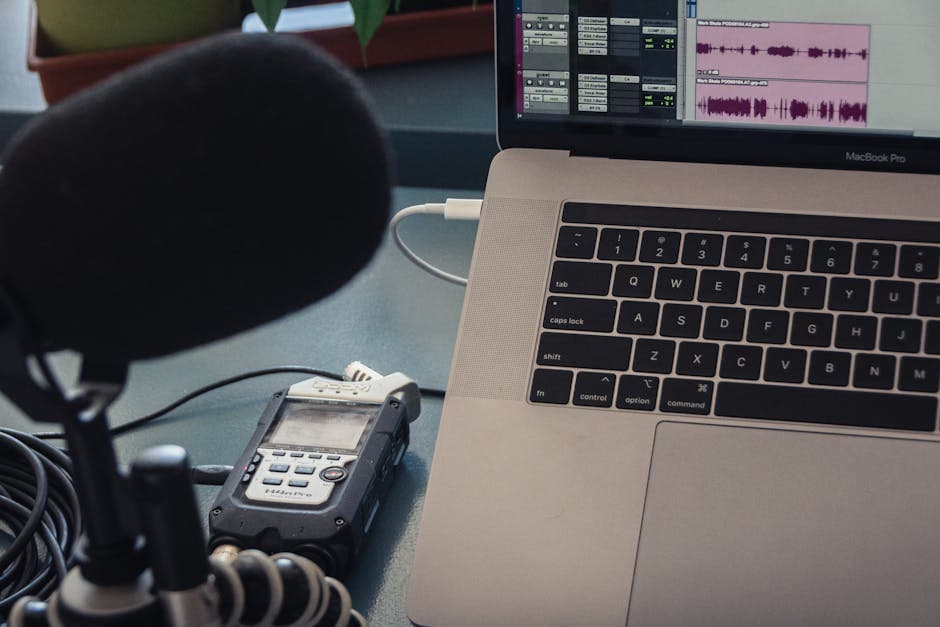
Best Transcription for Podcasts in 2026: Honest Tool Guide
The transcription tools that fit podcasters: long files, speaker labels, exports. Ranked honestly by use case with verified pricing.

Best Zoom Transcription Tools 2026, by Workflow
Zoom transcription tools ranked by actual workflow: live bots, native Zoom AI, and post-upload. Verified prices, free-tier limits, and honest trade-offs for 2026.