
6 Best Free Subtitle Generators in 2026 (Free Tiers Verified)
Summarize this article with:
Six tools make it easy to generate subtitles without paying, but the free-tier limits vary wildly. Kapwing and VEED.io cap auto-subtitling at 10 minutes with watermarked video exports, while Descript gives you a full hour of transcription with clean SRT/VTT file exports. Zubtitle allows only 2 videos per month, and Happy Scribe's "free" is a one-time 10-minute trial, not a renewable tier. SubtitleBee blocks SRT downloads entirely on the free plan. For a subtitle file without watermarks or video editor overhead, ConvertAudioToText gives you 10 free minutes at signup, given once, then keeps transcribing free on the standard engine: up to 3 files/day, 10 minutes per file, with free TXT downloads and file exports available on paid plans.
The best free subtitle generator depends almost entirely on what "free" actually gives you, and those limits are not always obvious from the homepage. This post covers six tools with every free-tier restriction verified against the live pricing pages as of July 2026: minutes cap, watermark policy, and whether you can actually download a clean subtitle file.
Quick Comparison
| Tool | Free minutes | Watermark on video export | SRT/VTT download | Signup required |
|---|---|---|---|---|
| Kapwing | 10 min auto-subtitle; 1-min video export | Yes | Yes (clean file) | Yes |
| VEED.io | 30 min/month; 10-min per video | Yes | Yes (clean file) | Yes |
| Descript | 60 min/month transcription | Yes (video only) | Yes (clean file) | Yes |
| Zubtitle | 2 videos/month, 20-min max | Yes | Yes (SRT only) | Yes |
| Happy Scribe | 10 min one-time trial | Yes (video) | Yes (SRT) | Yes |
| SubtitleBee | 10 min/month | Yes | No (paid only) | Yes |
One important distinction running through this table: watermark on the exported video is not the same as a watermark on the subtitle file. Several tools will give you a clean SRT or VTT file for free but stamp their logo on any MP4 export. If you plan to upload a separate subtitle track to YouTube or another platform, the video watermark is irrelevant.
1. Kapwing
Kapwing is a browser-based video editor whose auto-subtitle feature is genuinely usable on the free plan. You get up to 10 minutes of AI-generated captions per video, and you can download the resulting subtitle file as SRT, VTT, or TXT without any watermark. The catch is on the video side: the free plan caps exported video at one minute and stamps a Kapwing watermark on every export. Total monthly subtitle generation is 30 minutes across all projects.
The subtitle editor itself is clean. You can correct errors inline, adjust timing, change fonts and colors, and resize the canvas for TikTok (9:16) or Instagram (1:1) before exporting. If you need a stylized burned-in caption video for social media, the one-minute export cap is a real obstacle. If you need a clean subtitle file to upload separately, Kapwing's free tier is generous.
Best for: Creators who need SRT or VTT files for YouTube uploads and want a capable editor without paying. Not practical for burning styled captions into videos longer than a minute.
Free tier: 10 min auto-subtitle, 1-min video export, watermark on video, clean SRT/VTT file download.
2. VEED.io
VEED.io pitches itself as the simplest online video editor, and the subtitle workflow lives up to that. Upload a video, click "Auto Subtitle," and captions appear in under a minute. The editor lets you style captions, translate them into another language, or burn them into the video with a single click.
The free plan caps you at 10 minutes per video and 30 minutes total per month. Every exported video carries the VEED watermark. The subtitle file (SRT, VTT, TXT) can be downloaded separately without watermarks, which is the workaround most creators use. VEED's translation feature is available in a limited form on the free plan: the exact minute cap for translation credits changes with plan updates, so check the pricing page before relying on it.
One limitation the existing guides understate: exporting the video even to review it triggers the watermark, and there is no preview mode that bypasses it. If you are evaluating caption quality on a 10-minute clip, you will see the branding throughout.
Best for: Quick social media clips where you want karaoke-style animated captions. The SRT download path is clean even on the free plan.
Free tier: 30 min/month subtitles, 10-min per video cap, watermark on video exports, clean SRT/VTT file.
3. Descript
Descript takes a different approach entirely. Instead of a subtitle tool bolted onto a video editor, it is built around editing video by editing text. The transcript is the interface: delete a word in the text, and that segment disappears from the video.
The free plan gives you one hour of transcription per month, which is the most generous raw allowance on this list. Speaker detection is included. You can export subtitles as SRT or VTT at no extra cost, and those files come out clean without watermarks. The watermark only applies to video exports.
The tradeoff is workflow overhead. Descript is not a subtitle-in-30-seconds tool. It is a full editing environment, and first-time users spend time learning it before getting to the subtitle output. If you already use Descript for podcast or video editing, the subtitle export is a bonus. If you only want subtitles, the learning curve is not worth it compared to simpler tools.
There is a desktop app for Mac and Windows. A browser version exists but the desktop app is the primary experience.
Best for: Podcasters and video editors who already need transcription and editing. One hour per month of clean, watermark-free SRT export is hard to beat on a free plan.
Free tier: 60 min/month transcription, watermark on video exports, clean SRT/VTT file, desktop app preferred.
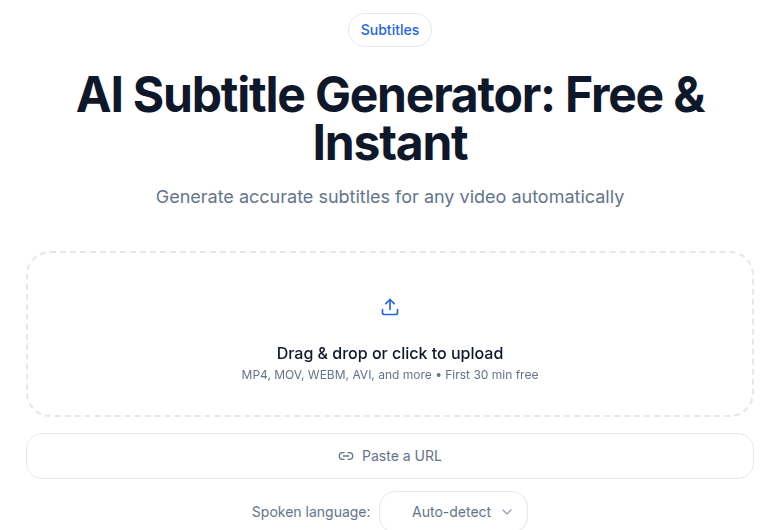
4. Zubtitle
Zubtitle is built specifically for short social media videos. The free plan allows two videos per month with a maximum of 20 minutes per clip. Every video export carries the Zubtitle watermark. You can download an SRT file, which is the most useful thing the free tier offers.
The strengths are in social-media formatting: auto-resizing for different aspect ratios, progress bar overlays, headline text, and brand color customization are all included even on the free plan. These features are largely what you would get from a paid tier elsewhere.
The limit of two videos per month makes this impractical as a primary tool. It works well as a secondary option for the occasional short clip that needs platform-specific formatting.
Best for: Social media marketers producing short clips (under 5 minutes) who want platform-ready output. The two-video monthly cap is a real constraint for regular use.
Free tier: 2 videos/month, 20-min max per video, watermark on video, SRT download available.
5. Happy Scribe
Happy Scribe is a professional transcription and subtitle platform aimed at broadcast and enterprise work. It supports 150+ languages, offers a strong interactive editor with waveform display, and provides broadcast export formats (STL, EBU-STL) on higher-tier plans.
The "free" tier is a one-time 10-minute trial, not a renewable monthly allowance. Once you use those 10 minutes, you are on a paid plan or nothing. This is a meaningful distinction that several comparison posts misrepresent. The trial is useful for evaluating accuracy and the editor on one short video, but it does not constitute an ongoing free tier.
Within the trial: SRT export is available, video export carries a watermark. Plans are priced in euros: Basic at €8.50/month (annual) or €17/month, Pro at €19/month (annual) or €29/month.
If you need broadcast-quality subtitles, STL format, or GDPR-compliant data handling for client work, Happy Scribe is a strong paid choice. As a free option, it is strictly a test drive.
Best for: Professional and broadcast users evaluating the tool before subscribing. Not a usable free tier for regular subtitle work.
Free tier: 10-minute one-time trial (not monthly), SRT export within trial, watermark on video.
6. SubtitleBee
SubtitleBee's free plan allows 10 minutes of auto-subtitling per month. The watermark appears on video exports. The critical limitation: you cannot download SRT, VTT, or any subtitle file on the free plan. SRT downloads are locked behind paid tiers. You can view and edit the subtitles in the browser editor, but the only way to get them out of SubtitleBee without paying is to screenshot or manually copy the text.
The tool supports 120+ languages and offers one-click subtitle translation, which is its main differentiator. The translation workflow is genuinely fast. For anyone who needs translated subtitle files, the barrier is that you have to pay to download the result.
The interface is functional but dated compared to Kapwing or VEED. Timestamp accuracy can drift on longer segments, though within the 10-minute cap this is rarely a serious problem.
Best for: Users testing the translation feature before deciding to subscribe. Not recommended as a free subtitle solution because the download gate makes it largely unusable.
Free tier: 10 min/month, watermark on video, SRT/VTT download locked to paid plans.
How to Pick the Right Tool
If you need a clean SRT or VTT file to upload to YouTube or another platform, Descript is the strongest free choice (60 min/month, clean file export). Kapwing is a solid second (10 min, clean file). VEED.io works too if you stay within 30 minutes per month.
If you need burned-in captions for TikTok or Instagram, accept that every free tool adds a watermark to the video. VEED.io and Kapwing both produce good-looking stylized captions. Export the video watermarked for review, then upgrade when the content is ready to publish.
If you produce longer content (30+ minutes) and need a subtitle file without paying, the free tiers on every tool in this list fall short. Descript's 60-minute monthly allowance stretches furthest, but it resets monthly, not per-file.
For a more detailed look at subtitle file formats and when each matters, the SRT vs VTT subtitle formats guide covers the tradeoffs. If you are generating subtitles specifically for YouTube, how to generate subtitles for YouTube walks through the upload process for each format.
Tips for Better Results on Any Free Tool
The free-tier minute caps make audio quality more important, not less. You cannot afford to re-run a 10-minute clip because the background noise tripped up the AI.
- Record in a quiet space. Background music and HVAC noise are the top causes of transcription errors.
- Speak at a moderate pace. Rushed speech and overlapping speakers cause more errors than accents do.
- Review the output before publishing. Budget roughly 5 minutes of review per 10 minutes of content.
- Check line length. Aim for 42 characters per line maximum and two lines per subtitle block. Most editors let you set this automatically.
- Use sentence case. All-caps subtitles are harder to read and look unprofessional on most platforms.
If you need subtitles burned into the video rather than as a separate file, our guide on burning subtitles into video covers both browser-based and desktop approaches.
A Note on ConvertAudioToText
If you want a clean subtitle file without a video editor wrapped around it, ConvertAudioToText's subtitle generator gives you a 10-minute preview with no account, then 10 free minutes given once when you sign up, then keeps transcribing free on the standard engine: up to 3 files/day, 10 minutes per file, with free TXT downloads and other file formats available on paid plans. It is not a video editor, so it does not belong in the same card-by-card comparison above, but it is the path of least resistance if your only goal is a subtitle file.
FAQ
Can I get a clean SRT file without watermarks on any free plan?
Yes, but only a few tools allow it. Descript exports SRT and VTT files without watermarks even on its free plan (only the video export carries a watermark). Kapwing also lets you download SRT/VTT files on the free plan, though video exports include branding. SubtitleBee blocks SRT downloads entirely on the free tier. ConvertAudioToText generates clean SRT and VTT files with no watermark; file downloads are available on the 7-day free trial or any paid plan.
What subtitle format should I use: SRT or VTT?
SRT works with virtually every platform: YouTube, Facebook, LinkedIn, most video editors. VTT (WebVTT) is the better choice for HTML5 web video players and supports extra styling options. When in doubt, export SRT first. You can always convert it later. See the full breakdown in our guide to SRT vs VTT subtitle formats.
Is Happy Scribe's free tier actually usable for regular subtitle work?
Only for a one-off test. The 10-minute AI transcription credit is a one-time trial, not a monthly allowance that resets. Once you use those 10 minutes, the service moves to paid-only. It is worth trying on one short video to evaluate accuracy and the editor, but it should not be counted as an ongoing free tier.
Do free subtitle generators work for non-English audio?
Most do, but the language range varies. Descript supports 25 languages on the free plan. Kapwing and VEED.io both support multilingual auto-subtitling. Happy Scribe covers 150+ languages even in the trial. For translation (original language to a second language in the subtitle file), VEED.io and Kapwing include limited translation minutes on the free tier.
Can I burn subtitles into a video file for free?
Yes, but almost every tool that does this adds a watermark on the free plan. VEED.io, Kapwing, and SubtitleBee all burn subtitles into video for free, but the output includes branding. Descript adds a watermark to video exports on the free plan as well. If you need a watermark-free burned video, you either need to upgrade or use a separate desktop tool like Handbrake combined with a clean SRT file. Our guide on burning subtitles into video covers both approaches.
Sources
- Kapwing Pricing - free plan limits verified July 2026
- VEED.io free plan watermark policy - verified July 2026
- VEED.io pricing 2026 via Flowith - verified July 2026
- Zubtitle Pricing - free Bootstrapper plan verified July 2026
- Happy Scribe Pricing - one-time trial vs monthly allowance verified July 2026
- SubtitleBee FAQ - SRT download restriction on free plan verified July 2026
- Descript Pricing - 60 min/month free, SRT export without watermark verified July 2026
- ConvertAudioToText Pricing - free tier limits verified August 2026
Try transcription free
Convert any audio or video to clean, unwatermarked text — speaker labels, timestamps, and AI summaries included. First 10 minutes free, no account.
Related Articles

Subtitle Editor Comparison 2026: Pick by Workflow
Subtitle editors compared by workflow: desktop power tools vs web editors, and when generating beats editing.
Best Transcription for Podcasts in 2026: Honest Tool Guide
The transcription tools that fit podcasters: long files, speaker labels, exports. Ranked honestly by use case with verified pricing.