
Fireflies vs Otter 2026: Honest Pricing and Feature Comparison
Summarize this article with:
Fireflies and Otter both handle meeting transcription, but they are built for different buyers. Otter wins on speaker identification, live captions, and polished mobile apps for small teams. Fireflies wins on language breadth, sales-team features like conversation intelligence and CRM field mapping, cross-meeting AI search, and storage volume per dollar. Neither is a clear winner on transcription accuracy alone. This post goes through the details that the marketing pages skip.
Fireflies wins for sales teams and global meetings. Otter wins for small teams with consistent participants and a need for polished live captions. That is the honest summary. What follows is the detail that actually matters when you are deciding where to send your monthly budget.
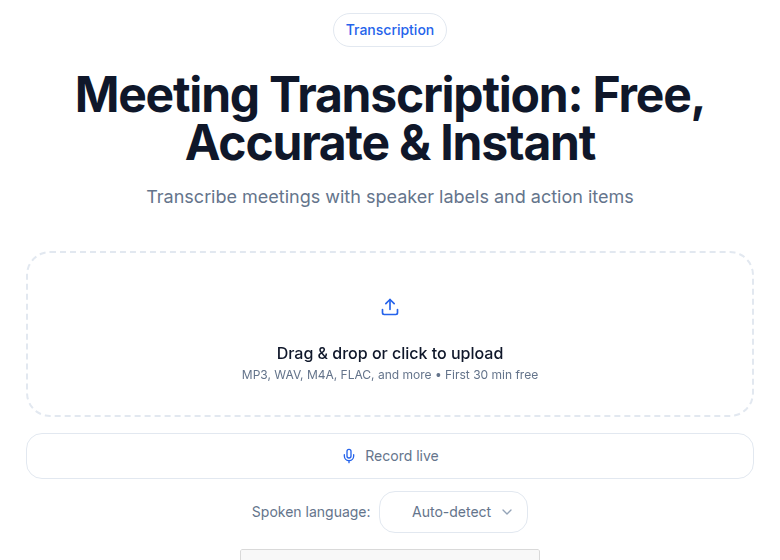 Post-meeting file upload works with any platform and no bot in the call
For a quick feature and pricing matrix without the depth, see Otter vs Fireflies head-to-head. This post is the in-the-trenches view: what breaks, what the marketing page does not say, and which tool makes life easier for which kind of team.
How They Compare at a Glance
| Otter.ai | Fireflies.ai | |
|---|---|---|
| Free storage | 300 min/month, 30 min/session cap | 800 min/seat total, unlimited transcription |
| Pro (annual) | $8.33/seat/month, 1,200 min/month | $10/seat/month, 8,000 min/seat |
| Business (annual) | $19.99/seat/month, unlimited meetings | $19/seat/month, unlimited storage |
| Enterprise | Custom pricing | $39/seat/month, HIPAA, SSO |
| Languages | 6 (English, Spanish, French, German, Japanese, Simplified Chinese) | 100+ |
| CRM auto-push | Enterprise only (OtterPilot for Sales) | Pro and above, field-level mapping |
| Speaker voice prints | Yes, on all paid plans | No, generic diarization only |
| Live captions | Yes, real-time during meeting | No live caption panel |
| Cross-meeting AI search | Business tier and above | All plans via AskFred |
| Mobile app quality | Strong, offline iOS transcription | Functional but secondary to web |
| Real-time coaching | No | Yes, via Live Assist (Pro and above) |
Otter.ai: Strengths, Weaknesses, Who It Is For
Strengths
Voice prints are Otter's clearest competitive advantage. You tag each participant once after a meeting, Otter learns the voice pattern, and from that point forward it attributes speech correctly in future meetings. With a consistent team, accuracy on speaker attribution reaches 90-95% within two to three weeks of regular use. This matters in practice: a transcript that reads "Sarah: let's move the launch to September" is useful. One that reads "Speaker 2: let's move the launch to September" requires you to reconstruct who was in the meeting every time.
Otter's live caption panel is genuine accessibility infrastructure, not a gimmick. With a 2-3 second delay during meetings, deaf or hard-of-hearing participants can follow along in real time. Fireflies has no equivalent.
The mobile app transcribes in-person conversations without a meeting bot, works offline on iOS, and is meaningfully more polished than Fireflies' mobile experience.
UI quality is consistently cited as better than Fireflies across independent reviews. The dashboard is less cluttered, and the daily workflow involves fewer clicks.
Weaknesses
Language support is a hard limit: six languages as of mid-2026. If anyone on your team meets in Arabic, Portuguese, Korean, or most other languages, Otter cannot serve them.
CRM integration is Enterprise-only. Salesforce and HubSpot sync through OtterPilot for Sales, and that feature lives behind a custom enterprise contract. Teams that want automated CRM logging without an enterprise procurement process will not find it on Otter.
The free plan is more restricted than Fireflies: 300 minutes per month total, 30-minute session cap, and only 3 lifetime file imports (not 3 per month).
Cross-meeting AI search is limited to Business tier. On Pro, AI chat only covers the individual meeting you have open.
Who It Is For
Small to mid-size teams (under 20 people) who meet internally in English or one of the six supported languages, where consistent participants means voice prints will pay off, and where live accessibility captions matter. Solo professionals who want good mobile transcription. Teams with Slack as the primary external integration.
Fireflies.ai: Strengths, Weaknesses, Who It Is For
Strengths
Language breadth is not a talking point, it is a real differentiator. 100-plus languages means you can send Fred to a meeting in Tokyo, Sao Paulo, or Warsaw and get a usable transcript. No other mainstream meeting bot at this price tier matches that range.
For sales and customer-success teams, Fireflies has a category of features Otter does not offer at any comparable price. Conversation intelligence tracks talk time per speaker, flags long monologues (a signal the rep is talking too much), and surfaces sentiment trends across calls. Topic Tracker alerts you when specific keywords (a competitor's name, a pricing objection, a product feature) appear across team meetings. Soundbites let you clip 30-60 seconds of audio by URL and share it with a product team without exporting a full recording.
AskFred cross-meeting search is available on all plans, not just premium tiers. Ask "when did we last discuss the Q4 budget?" and Fred searches your entire meeting archive. For teams with dense meeting schedules, this is genuinely useful and is meaningfully ahead of Otter's single-meeting chat on Pro.
CRM field-level mapping is available from Pro up, not gated to Enterprise. Contacts, deals, and action items from Fireflies push to Salesforce or HubSpot records automatically.
Live Assist (Pro and above) provides real-time coaching during calls: prompts to pause when a monologue runs too long, surface answers from your knowledge base without leaving the meeting window, and alerts during live sales calls. Otter has no equivalent.
Storage volume per dollar is better at every tier. Free users get 800 minutes of total storage (compared to Otter's 300 monthly minutes with a 30-minute session cap). Pro users get 8,000 minutes per seat.
Weaknesses
Speaker identification is generic diarization: "Speaker 1," "Speaker 2," "Speaker 3." Fireflies learns names from past meeting labels with limited reliability, landing around 70-80% on speaker identity in follow-up meetings. For teams where knowing who said what matters more than conversation volume, this is a meaningful gap versus Otter's voice print system.
Fred has a documented reliability problem: the bot sometimes joins late or fails to join. When a meeting bot misses the first ten minutes, the transcript is incomplete and the summary is unreliable. Otter's bot fails less often in day-to-day use.
No live caption panel. If accessibility during meetings is a requirement, Fireflies cannot deliver it.
The free plan's 800 minutes of storage sounds generous, but it is a one-time pool across all your meetings, not a monthly reset. Regular daily users fill it in four to six weeks.
Who It Is For
Sales, customer success, and revenue teams who need CRM auto-logging, talk-time analytics, and competitor keyword tracking. Global teams with multilingual meeting participants. Organizations with 10-plus seats where storage volume and cross-meeting search justify the per-seat cost. Teams already using HubSpot or Salesforce who want the integration without an enterprise contract.
Bot Behavior: What Participants Actually See
Both tools send a bot to your meeting. Otter's bot appears as "Otter.ai Notetaker" and announces itself in chat. Some hosts disable the announcement, but the bot remains visible as a named participant.
Fireflies sends "Fred" (or "Fireflies.ai Notetaker" depending on your settings) with a somewhat less branded icon. Fred does not announce in chat by default. Some participants find this less intrusive; others notice mid-meeting and feel more surprised.
Neither bot is invisible. Any claim that either tool is "discreet" overstates things. Both make participants aware they are being recorded. The difference is cosmetic branding, not whether consent is visible.
One practical note: Fred's auto-join settings are aggressive by default. Without careful configuration in your Fireflies dashboard, Fred can join private 1-on-1s you did not intend to record. Review the auto-join settings when setting up the account.
Speaker Identification: The Quiet Differentiator
This is where the two tools diverge most clearly, and it shows up in every transcript.
Otter's voice print system trains on three seconds of captured speech per participant. After two to three tagged meetings, Otter identifies that speaker with 90-95% accuracy in future calls. For a stable team, transcripts shift from "Speaker 2: let's launch on Friday" to "Sarah: let's launch on Friday." The difference matters when you are searching for who committed to what.
Fireflies uses generic diarization. Labels are "Speaker 1," "Speaker 2," etc., with manual renaming required each time. The system carries forward some memory from past sessions, but accuracy on speaker identity drops to roughly 70-80% on follow-up meetings. For a five-person weekly team meeting, that is a meaningful manual burden over time.
My take: if your meetings involve a consistent set of participants and you care about attribution in meeting records, Otter's voice print system alone can justify the choice over Fireflies. It is the single feature that Fireflies has no equivalent for and has not announced plans to build.
See speaker diarization explained for more on how the underlying technology works across tools.
Accuracy on Real Audio
On clean audio with native English speakers and a good microphone, the two tools perform within statistical noise of each other: both in the 94-97% word-level accuracy range depending on the testing method. Neither is meaningfully better on easy audio.
On harder audio, the picture shifts:
- Accented English and noisy environments: Fireflies holds speaker labels slightly better on crosstalk; Otter degrades more gracefully on overall word accuracy.
- Phone dial-in audio: Both drop accuracy noticeably. Expect 85-92% at best.
- Non-Western names, product names, places: Both fumble. Use custom vocabulary in whichever tool you pick.
- Numbers (prices, dates, quantities): Both transcribe digits inconsistently. Verify numbers before sharing or actioning any transcript.
Marketing pages quote 95-99% accuracy. Those numbers apply to clean conditions. Real meetings vary.
AI Summaries and Action Items
Neither tool produces summaries that substitute for reading the transcript.
Otter summaries are paragraph-form and capture the general topic arc. They miss specific decisions and leave out named owners more often than they include them.
Fireflies summaries are slightly more structured, producing bullets for topics, a decisions section, and a separate action item list. In practice, Fireflies extracts action items more aggressively and catches roughly 60-70% of true action items. Otter catches around 50-60%. Neither is reliable enough to skip manual review before sharing with the team. Plan to verify action items every time.
Verdict: Fireflies has a small edge on summary structure and action item extraction. Neither tool is good enough that you can stop reading transcripts for anything consequential.
AskFred vs Otter AI Chat
Both tools added conversational AI for meeting content, and the gap is significant.
Otter AI Chat answers questions about a single open meeting. It works well for "what did we decide about X" if you are already looking at that meeting. On Pro, that is the limit. On Business and Enterprise, cross-meeting search becomes available.
Fireflies AskFred searches across your entire meeting archive on all plans. Ask "when did we discuss the infrastructure budget?" and Fred returns the relevant meetings with timestamps. For teams with many meetings, this is the more useful product by a wide margin, and it is available to free and Pro users, not locked behind a premium tier.
The Sales Team Case
If your team uses Fireflies for sales calls, the conversation intelligence features are the reason to stay:
- Talk-time breakdown per speaker shows if a rep is dominating the call (a coaching flag, not a positive signal)
- Long monologue detection sends a live nudge via Live Assist during the call
- Sentiment trends across calls are aggregated in team analytics
- Topic Tracker flags competitor mentions across all team calls in aggregate
- CRM field mapping sends specific outputs (action items, objections, next steps) to specific Salesforce or HubSpot fields automatically
Otter's equivalent (OtterPilot for Sales) requires Enterprise pricing, which means a custom contract and a procurement process. Fireflies delivers most of this at the Business tier for $19/seat/month.
For sales teams, Fireflies is the right choice unless the team is specifically on Otter Enterprise already.
Mobile Apps
Otter's mobile app is the stronger product. Offline transcription works on iOS, which means in-person meetings without a network connection still produce a usable transcript. The app has been iterated more deeply than Fireflies' mobile offering.
Fireflies' mobile app is functional but the primary experience is web-based. If you use meeting apps primarily from a laptop, this does not matter. If you need to capture conversations from your phone in the field, Otter wins.
When Neither Tool Fits
Both Fireflies and Otter are built around the meeting bot model. If you are transcribing uploaded files (interviews, podcast recordings, lectures, voicemails) rather than live meetings, both tools add overhead without adding value. You pay for meeting features you do not use and work around bot-centric interfaces that are not designed for file uploads.
If you just need a clean transcript from an uploaded audio or video file, ConvertAudioToText's uploader handles it directly, no bot, no meeting calendar to configure. It also works well for longer recorded files that exceed Otter's 90-minute Pro session cap. CATT's free account transcribes up to 30 files a day, up to 30 minutes each. See our Fireflies.ai comparison and Otter.ai comparison for how CATT stacks up against each on pricing and output.
For more context on when a dedicated transcription tool makes more sense than a meeting notetaker, see when to pay for transcription services and how to transcribe an interview recording.
Frequently Asked Questions
Honestly, which has fewer annoying bugs?
Both have bugs. Otter's are more cosmetic: UI glitches, occasional speaker mis-attribution. Fireflies' bugs tend to be functional: Fred not joining the meeting, summary delivery delays, CRM push timeouts. Otter feels more polished day-to-day in 2026 for standard meeting use.
Which has better customer support?
Both are slow on free tiers. Both become reasonably responsive on paid plans. Fireflies offers faster response at Enterprise. No strong differentiator at Pro or Business tier for either.
Can I migrate historical meetings between them?
Both export transcripts as TXT or DOCX. Neither provides a native import path for historical meetings from the other tool. If you switch, plan to start fresh and keep exports as read-only archives.
What about Zoom AI Companion or Google Meet Gemini?
If you only meet on one platform, the built-in option is free with your existing subscription and does the basics fine. For cross-platform workflows, CRM pushes, or meeting archives spanning multiple tools, Fireflies or Otter still add value the built-ins don't cover.
Is Fireflies Business really unlimited storage?
Yes, storage is unlimited on Business and Enterprise. On the free plan, storage is capped at 800 minutes per seat. Pro gives 8,000 minutes per seat. If you record daily meetings for a team, the free plan fills in roughly four to six weeks.
Does Otter's CRM sync require Enterprise?
Yes. OtterPilot for Sales, which handles Salesforce and HubSpot field-level sync, is an Enterprise-only feature. Pro and Business users can integrate manually but do not get the automated deal-syncing that makes it useful for sales teams.
Which is better for non-English meetings?
Fireflies, by a wide margin. Fireflies supports 100-plus languages. Otter supports six: English, Spanish, French, German, Japanese, and Simplified Chinese. If your team includes speakers of other languages, Otter is not a viable option.
Sources
- Fireflies.ai pricing page: https://fireflies.ai/pricing
- Fireflies free plan knowledge base: https://guide.fireflies.ai/articles/4027724828-learn-about-the-fireflies-free-plan
- Fireflies AskFred documentation: https://docs.fireflies.ai/askfred/overview
- Fireflies Live Assist: https://guide.fireflies.ai/articles/6032274417-learn-about-fireflies-live-assist-get-real-time-suggestions-answers-and-notes-live-during-the-meeting
- Otter.ai pricing page: https://otter.ai/pricing
- Otter.ai speaker identification help: https://help.otter.ai/hc/en-us/articles/21665587209367-Speaker-Identification-Overview
- Otter.ai supported languages: https://help.otter.ai/hc/en-us/articles/360047247414-Supported-languages
- Otter.ai free plan limits: https://help.otter.ai/hc/en-us/articles/360047538094-Conversation-import-and-app-limits-on-the-Basic-free-plan
- OtterPilot for Sales: https://otter.ai/blog/otterpilot-for-sales
Try transcription free
Convert any audio or video to clean, unwatermarked text — speaker labels, timestamps, and AI summaries included. First 30 minutes free, no account.
Related Articles

Otter.ai vs Fireflies.ai: Quick Decision Guide (2026)
Otter vs Fireflies compared on pricing, bot behavior, CRM integrations, and AI features. Pick the right meeting transcription tool in under 5 minutes.
Rev vs Otter.ai (2026): Two Very Different Tools, Compared Honestly
Rev sells transcription with a human safety net at $1.99/min. Otter sells a meeting bot from $8.33/user/month. Verified 2026 pricing, the consent question, and the third option file-upload users actually need.