Best Free Transcription Tools in 2026: Every Cap Verified
Summarize this article with:
Free transcription in 2026 ranges from genuinely unlimited (local Whisper) to frustrating one-time trials (Sonix, Happy Scribe file upload). Otter.ai gives 300 minutes per month for meetings. TurboScribe gives 3 files per day for file uploads. Whisper is the only fully unlimited option but requires technical setup. ConvertAudioToText gives a 10-minute no-signup preview plus a free account that keeps transcribing on the standard engine: up to 3 files/day, 10 minutes per file, and free TXT downloads.
The best free transcription tool in 2026 depends on what "free" means to you. Some tools give you hundreds of minutes per month. Others offer a one-time trial. A few require no account at all. And one option, self-hosted Whisper, is genuinely unlimited but demands real technical effort.
This guide covers the tools worth your time, with verified caps and honest assessments of each.
Free Tier Comparison at a Glance
| Tool | Free Allowance | Account Required | Export Formats (Free) | Languages | File Upload |
|---|---|---|---|---|---|
| TurboScribe | 3 files/day, 30 min/file | Yes | TXT, SRT, VTT | 98+ | Yes |
| Otter.ai | 300 min/mo, 30 min/session | Yes | TXT, MP3 | 6 (EN, ES, FR, DE, JA, ZH) | 3 lifetime imports |
| Fireflies.ai | Unlimited meeting transcription, 800 min storage | Yes | View only (no download) | 100+ | Yes (100MB/150 min) |
| Whisper (local) | Unlimited | No | TXT, SRT, VTT, JSON | 99 | Local only |
| Notta | 120 min/mo, view first 3 min only | Yes | None (view only) | 58 | Yes |
| Google Docs Voice Typing | Unlimited (live only) | Yes (Google account) | DOCX | 100+ | No |
| Happy Scribe | 10 min AI trial, unlimited meetings (45 min/session) | Yes | TXT, SRT (watermarked MP4) | 150+ | Yes (trial only) |
| Transkriptor | Limited trial (~90 min total) | Yes | TXT, SRT | 100+ | Yes |
| Sonix | 30 min one-time trial | Yes | TXT, SRT, VTT | 49 | Yes |
| ConvertAudioToText | 10 min preview (no account), 3 files/day at 10 min/file (free account) | No (for preview) | TXT free (other formats paid) | 99+ | Yes |
TurboScribe: Most Generous for File Uploads
TurboScribe's free tier is the most practical for anyone who primarily uploads files. Three transcriptions per day, each up to 30 minutes, means you can process a significant volume of audio without paying. That works out to up to 90 minutes of audio per day on the free plan.
Strengths
- 3 transcriptions per day, up to 30 minutes each
- TXT, SRT, and VTT export all included on the free tier
- 98+ languages with automatic language detection
- No credit card required to start
Limits
- Each file capped at 30 minutes (longer files need a paid plan)
- One upload at a time on free tier
- Account creation required
Who it fits
Podcast editors, researchers, or anyone with a steady stream of short-to-medium recordings who wants a cloud tool without paying. The daily reset model rewards regular users more than sporadic ones.
Otter.ai: Most Useful for English Meetings
Otter.ai gives 300 minutes per month, enough to cover roughly five one-hour meetings, and its meeting bot joins Zoom, Google Meet, and Teams automatically. The limit per session is 30 minutes, which means you will hit a hard stop in longer meetings.
Strengths
- 300 minutes per month with no daily cap
- Real-time meeting transcription with automatic speaker identification
- Meeting bot for Zoom, Teams, and Google Meet
- Searchable transcript library
- Supports English, Spanish, French, German, Japanese, and Chinese (Simplified)
Limits
- 30-minute cap per session cuts off longer meetings
- Only 3 lifetime file imports for uploaded recordings
- Export on the free tier is limited to TXT and MP3 (no SRT or VTT)
- 25 most recent conversations stored, older ones dropped
Who it fits
Professionals with a predictable schedule of short meetings who want automated capture without manual uploading. If your meetings routinely run past 30 minutes, the session cap will frustrate you.
Fireflies.ai: Free for Meeting Transcription, Not for Downloads
Fireflies transcribes calendar meetings, app recordings, and Chrome-extension captures for free, but it stores rather than exports those transcripts. The free plan caps storage at 800 minutes per seat, and downloading transcripts requires a paid plan.
The model here is different from minute caps. You get unlimited transcription of meetings booked through calendar integrations, 20 AI credits per month for summaries and action-item extraction, and the ability to upload files up to 100MB or 150 minutes for transcription. What you cannot do on the free plan is download those transcripts.
Strengths
- Unlimited transcription for calendar-integrated meetings
- 100+ languages supported
- 20 AI credits per month for summaries and AskFred queries
- Good meeting bot with app integrations (50+ apps)
Limits
- 800 minutes of total storage per seat (older meetings roll off after that)
- No transcript download on free tier (view only in-app)
- AI features are credit-gated: once 20 credits are spent, you wait for next month
Who it fits
Teams that want to search and reference past meetings inside a web app but do not need to export or archive transcripts locally.
OpenAI Whisper: Unlimited, Local, and Technical
Whisper is the only transcription option with no caps whatsoever, but you run it yourself on your own hardware. The OpenAI repository is MIT-licensed, free to use for any purpose, and supports 99 languages. Optimized builds like faster-whisper can run the large-v3 model in about 3GB of VRAM with INT8 quantization, making it accessible on mid-range consumer GPUs.
On Apple Silicon, whisper.cpp with Metal acceleration is a fast local option. On CPU-only machines, expect transcription to be slower than real time for the larger models.
For more on the accuracy tradeoffs between Whisper and cloud APIs, see Whisper vs Google Cloud Speech in 2026.
Strengths
- No caps, no account, no monthly cost
- 99-language support with automatic detection
- Complete data privacy (audio never leaves your machine)
- Multiple model sizes: tiny (fast, less accurate) through large-v3 (slowest, most accurate)
- Active ecosystem: whisper.cpp, faster-whisper, WhisperX with speaker diarization
Limits
- Requires Python installation and command-line comfort to run the original repo
- Large-v3 benefits from a GPU (CPU is possible but slow for long files)
- No speaker diarization built in (WhisperX adds this but requires separate setup)
- No web interface out of the box
Who it fits
Developers, researchers, journalists, and privacy-conscious users who handle sensitive audio and have the technical baseline to run a Python script. If that description fits you, self-hosted Whisper has no real competition in this price range ($0).
Notta: 120 Minutes per Month, View-Only
Notta's free tier gives 120 minutes of transcription per month across 58 languages. The catch is significant: you can only view the first 3 minutes of any transcript in the free plan, and there are no export options. If you need to actually use the transcript outside the app, you need a paid plan.
Strengths
- 120 minutes per month, no daily sub-cap
- 58 languages
- Clean mobile app for iOS and Android
- Real-time recording and transcription
Limits
- Free users can only see the first 3 minutes of any transcript
- Zero export formats on the free tier (view-only inside the app)
- Account creation required
Who it fits
Light users who want to test Notta's interface or use short clips, and can live with in-app viewing rather than downloading full transcripts.
Google Docs Voice Typing: Unlimited Dictation, Not Transcription
Google Docs Voice Typing is frequently listed as a free transcription tool but it solves a different problem: live dictation. You speak, it types in real time. You cannot feed it a pre-recorded audio file.
My take: useful for dictating notes or drafts, irrelevant for anyone who needs to transcribe a recording they already have.
Strengths
- Unlimited real-time dictation at no cost
- 100+ languages
- No additional software beyond Chrome and a Google account
- Punctuation voice commands
Limits
- Cannot process uploaded audio files at all
- Stops listening after a few seconds of silence (requires re-clicking)
- No speaker identification
- No timestamps
- 89-92% accuracy on clear English; lower on accents, technical vocabulary, or fast speech
Who it fits
Anyone who wants to speak instead of type while writing. Not a fit for transcribing interviews, meetings, or any pre-recorded audio.
Happy Scribe: Generous for Meetings, Tight for File Uploads
Happy Scribe runs a split model: unlimited meeting recordings capped at 45 minutes each, but only a 10-minute AI transcription trial for uploaded files. Exports from the trial are available in TXT and SRT. MP4 video exports are watermarked.
The 150+ language support is the broadest of any tool on this list, which makes the 10-minute file trial more frustrating since you cannot adequately test it on anything longer than a short clip.
Strengths
- 150+ languages (widest coverage here)
- Unlimited meeting recording (Zoom, Teams, Google Meet) up to 45 minutes per session
- TXT and SRT export from the trial
- Speaker detection included
Limits
- Only 10 minutes of AI transcription for uploaded files, one-time trial
- File upload trial is not renewable after use
- Watermark on MP4 exports
Who it fits
Teams already using Zoom or Google Meet who want a lightweight no-cost meeting recorder with broad language support. The upload trial is only useful for a quick test.
Transkriptor: A Limited Trial Worth Mentioning
Transkriptor offers a free trial with roughly 90 minutes of total transcription credit (verified sources conflict on whether this resets daily or is a one-time pool). Export is available in TXT and SRT, and 100+ languages are supported. Paid plans start at $9.99/month.
The trial is functional enough to test accuracy on a real file. It is not a sustainable free tier.
Sonix: One-Time Trial
Sonix gives 30 minutes of transcription free, no credit card required. Once used, that allowance is gone. It is a trial, not a recurring free plan. The editor is polished and the 30 minutes are enough to evaluate whether the paid plan fits. Paid plans are per-minute or per-month subscription.
If You Just Need a Quick Transcript Without an Account
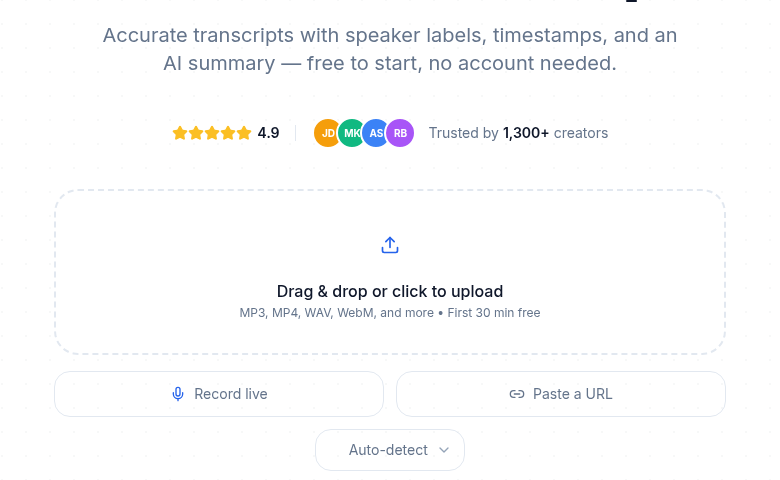
ConvertAudioToText lets you transcribe up to 10 minutes of audio or video without creating an account, with speaker detection included. Copy the text free, and TXT downloads are free on the free tier; SRT/VTT file downloads come with paid plans. A free account keeps transcribing on the standard engine: up to 3 files per day, 10 minutes per file, plus a free-finish button that completes up to 2 more hours of a long file free. It is not the biggest free tier here, but it is the fastest path from file to formatted transcript without a signup form.
How to Choose
For meeting transcription: Otter.ai's 300 minutes per month is the most practical option. If your meetings exceed 30 minutes, the session cap is a real problem and you should look at Fireflies or a paid plan.
For file uploads: TurboScribe's 3 files per day (30 min each) is the most generous recurring free option for uploaded recordings. Files longer than 30 minutes need either a paid plan or local Whisper.
For privacy and unlimited volume: Local Whisper with faster-whisper and the large-v3 model gives you everything with no caps and no data leaving your machine. The setup takes an hour but pays off indefinitely.
For multilingual audio: Happy Scribe (150+ languages) or Whisper (99 languages) are the strongest bets. Otter.ai (6 languages) is the weakest for anything non-English.
For subtitles: TurboScribe includes SRT free. ConvertAudioToText lets you copy the full transcript on its preview tier, with TXT downloads free on the free account; SRT file downloads come with paid plans. Otter.ai and Notta do not offer SRT on their free plans. See also best free transcription tools for podcasts if subtitle generation for video content is your main need.
For a broader look at cost tradeoffs once free tiers run out, see free vs paid transcription services and when to pay for transcription.
FAQ
Which free transcription tool gives the most minutes per month?
TurboScribe's free tier allows 3 transcriptions per day of up to 30 minutes each, which is up to 90 minutes per day or roughly 2,700 minutes per month on paper. For a monthly cap model, Otter.ai offers 300 minutes per month. If you need truly unlimited minutes and have the technical skills, self-hosted Whisper has no cap at all.
Can I use free transcription tools for business?
Most free tiers permit commercial use of the transcripts you generate. OpenAI Whisper is MIT-licensed with no restrictions. TurboScribe's terms allow commercial use on all plans. Always check each tool's terms of service for your specific use case, particularly if you handle sensitive client recordings.
Is free transcription private and secure?
Privacy depends entirely on the tool. Self-hosted Whisper is the most private option: nothing leaves your machine. Cloud tools like Otter.ai, TurboScribe, and Notta transmit your audio to their servers for processing. Fireflies stores meeting audio and transcripts on their servers. If your recordings contain sensitive information, self-hosted Whisper or a tool with a clear data-deletion policy is the safer choice.
Can I get free subtitles (SRT files) from a transcription tool?
Several free tools export SRT files. TurboScribe's free tier includes SRT export. Happy Scribe's free plan exports TXT and SRT for uploaded files (within the 10-minute trial). ConvertAudioToText shows the transcript free (copy included) on its 10-minute no-signup preview and free account tier, with TXT downloads free; SRT and VTT file downloads come with paid plans. Otter.ai's free plan does not include SRT export.
Do any free transcription tools work without creating an account?
ConvertAudioToText lets you upload and transcribe up to 10 minutes without signing up. Whisper (self-hosted) requires no account by definition. Most cloud tools, including Otter.ai, Notta, TurboScribe, Fireflies, and Transkriptor, require account creation before you can transcribe.
What is the most accurate free transcription tool in 2026?
Accuracy across the top tools is close enough that audio quality matters more than which tool you pick. Whisper large-v3 and faster-whisper achieve roughly 8-12% word error rate on real-world English audio, competitive with paid cloud services. TurboScribe uses Whisper under the hood. Otter.ai performs well on English meeting audio. For non-English audio, Whisper has the broadest language benchmark data with 99-language support.
Sources
- Otter.ai Pricing - free plan limits, language support, export formats
- Otter.ai Language Support Help Center - confirmed 6 supported languages
- TurboScribe Pricing - free tier files per day, minutes per file
- Fireflies.ai Pricing - free plan storage, AI credits, transcription limits
- Fireflies Free Plan Knowledge Base - storage minutes, upload limits
- Notta Pricing - monthly minutes, export restrictions
- Happy Scribe Pricing - trial limits, meeting recording caps, export formats
- Transkriptor Pricing - trial allowance details
- Sonix Free Trial - one-time 30-minute trial structure
- OpenAI Whisper GitHub - model sizes, license, language count
- ConvertAudioToText - 10-min preview, free account keeps transcribing (3 files/day, 10 min/file, free-finish up to 2 more hours), TXT free (other exports on paid plans)
Try transcription free
Convert any audio or video to clean, unwatermarked text — speaker labels, timestamps, and AI summaries included. First 10 minutes free, no account.
Related Articles
TurboScribe Free Plan Limits (2026): Exact Caps and What to Use When You Hit Them
TurboScribe's free plan is the most generous hosted free tier in transcription: 3 files a day, 30 minutes each. Here are the exact limits, the $10/mo Unlimited math, and the honest alternatives for when the caps block you.

Best No-Signup Transcription Tools (2026, No Account)
Eight transcription tools you can use without making an account, sorted by how "no-signup" they actually are. Honest 2026 limits on minutes, file caps, and where each one starts asking for an email.