Best Transcription Software 2026: Match the Type to You
Summarize this article with:
The Short Version
The best transcription software depends almost entirely on what you are trying to do with the transcript afterward. If you edit podcasts or video, Descript turns your transcript into your edit. If you live in meetings, Otter.ai or Notta join calls automatically and summarize them. If you need manual control over a recorded interview, oTranscribe gives you a keyboard-driven player with no AI involved. If you work across languages or want pay-as-you-go pricing, Sonix or Happy Scribe are worth a look. And if you just need a clean transcript from a file or URL without setting up a full editing suite, ConvertAudioToText handles that in a few clicks.
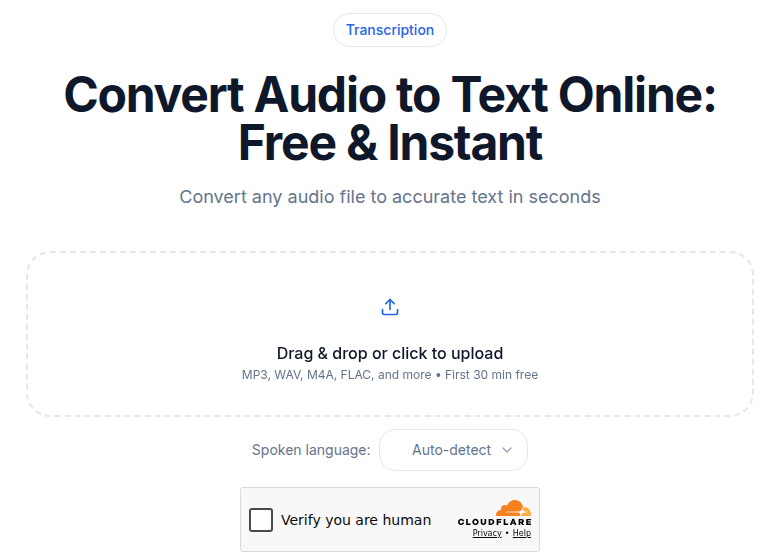
This post focuses on transcription software: the desktop editors, browser-based writing environments, and cloud platforms you use to produce transcripts. If you want to compare the underlying speech-to-text APIs that power many of these tools, see the speech-to-text API pricing comparison.
Who Should Read This
Three very different people search for "best transcription software":
- A podcast editor who wants to cut recordings by deleting sentences from a transcript.
- A journalist or researcher who records interviews and types up the words themselves, wanting only better playback controls.
- A business user who wants a meeting bot to join calls, take notes, and email a summary.
These people need completely different tools. The sections below are organized by that workflow, not by a single ranked list.
Desktop Editors: Descript
Descript makes the transcript your primary edit surface. You cut audio and video by selecting text, remove filler words ("um," "uh") in one click, and publish clips without leaving the app. That is the whole product, and everything else in the app is built around that one idea.
That is useful if you produce podcasts or YouTube videos. It is overkill if you just need a file transcribed. If the cut-by-deleting-words part is all you want, our free browser editor runs it on a single track with no account and no install.
Verified Descript pricing (July 2026)
| Plan | Monthly price | Media per month |
|---|---|---|
| Free | $0 | 60 minutes |
| Hobbyist | $24/month (or $16/month annual) | 10 hours |
| Creator | $35/month (or $24/month annual) | 30 hours + 5 bonus |
| Business | $65/month (or $50/month annual) | 40 hours + 10 bonus |
Transcription is available in 25 languages on all paid plans. The free tier is genuinely usable for a short project.
Who it is for: Podcast producers, video editors, and YouTubers who want to edit by text. See best transcription for podcasts for a deeper comparison.
Who should skip it: Anyone who only needs a transcript file. You will pay for an editing suite you do not use.
Manual Transcription Aids: oTranscribe and Express Scribe
These tools do not transcribe anything automatically. They make the process of typing a transcript yourself faster and less frustrating.
oTranscribe
oTranscribe is a free, browser-based player and text editor in one window, and nothing ever leaves your computer. You load an audio file, press a keyboard shortcut to pause or rewind, and type. Timestamps click straight into the document. No account, no install, no data sent anywhere.
It is maintained by the MuckRock Foundation under an open-source MIT license and is genuinely the best tool for the job it does: helping journalists and researchers type up their own interviews without switching between a media player and a word processor.
Cost: free.
Express Scribe
Express Scribe from NCH Software is a desktop application (Windows and Mac) aimed at professional transcriptionists, medical typists, and legal secretaries. It adds foot pedal support, playback speed control, and hot-key configuration to the same manual workflow.
The free version covers basic needs. The Professional edition is a one-time purchase of around $80 based on current NCH pricing, making it cost-effective over a long period compared to monthly subscriptions.
My take: if you transcribe your own interviews regularly and do not need AI, oTranscribe is the frictionless starting point. Express Scribe earns its place when you need foot pedal hardware or the file management features of a professional desktop app.
Meeting Bots: Otter.ai and Notta
Both tools join your video calls as an automated participant and return a transcript plus AI-generated summary.
Otter.ai
Otter integrates directly with Zoom, Microsoft Teams, and Google Meet. It live-captions as the meeting runs, flags action items, and lets teammates highlight or comment on segments.
Language support has expanded: Otter now handles English, Spanish, French, German, Japanese, and Chinese. Earlier reviews of this post said it was English-only, which is no longer accurate.
Verified Otter.ai pricing (July 2026)
| Plan | Price | Monthly transcription |
|---|---|---|
| Basic | Free | 300 minutes, 30-min cap per meeting |
| Pro | $16.99/month (or $8.33/month annual) | 1,200 minutes, 90-min cap |
| Business | $30/user/month (or $19.99 annual) | Unlimited, 4-hour cap per meeting |
Who it is for: Teams that need live captions and automatic meeting summaries. See Otter vs Fireflies if you are choosing between meeting-bot tools.
Notta
Notta competes directly with Otter but brings stronger multilingual support: 58 languages with real-time translation included on paid plans.
Verified Notta pricing (July 2026)
| Plan | Price | Monthly transcription |
|---|---|---|
| Free | $0 | 120 minutes, 5-min recording cap |
| Pro | $13.99/month (or $9.99 annual) | 1,800 minutes (30 hours) |
| Business | $27.99/seat/month (or $16.67 annual) | Unlimited |
If your team works across languages, Notta is the stronger pick between the two.
Cloud Transcription Platforms: Sonix, Happy Scribe, and Trint
These are web apps where you upload a file and get a transcript back. No meeting bot, no editor. The transcript comes in an interactive editor where you can correct errors and export.
Sonix
Sonix stands out for pay-as-you-go pricing at $10 per hour of audio, billed to the second. If your transcription volume is unpredictable month to month, that model avoids wasted subscription minutes. Subscription plans start at $25/month for 5 included hours.
Supports 49 languages, word-level timestamps, custom vocabulary, and automated translation.
Happy Scribe
Happy Scribe is a European platform with strong GDPR documentation and human transcription alongside its AI option. Pricing is in euros but widely available internationally.
Verified Happy Scribe pricing (July 2026)
| Plan | Monthly price | AI minutes included |
|---|---|---|
| Free | €0 | 10-minute trial |
| Basic | €17/month (€8.50 annual) | 120 minutes |
| Pro | €29/month (€19 annual) | 600 minutes |
| Business | €89/month (€59 annual) | 6,000 minutes |
Additional minutes cost €0.20/minute. Human transcription starts at €1.75/minute with a 99% accuracy guarantee. If GDPR compliance matters or you work primarily in European languages, Happy Scribe is worth the look.
Trint
Trint is priced for professional media organizations rather than individuals. Current plans run from roughly $80 to $100 per seat per month (billed annually), with a hard cap of 7 files/month on the entry tier.
There is no permanent free plan, only a 7-day trial. The editorial tools, including pull-quote workflows and Adobe Premiere integration, are purpose-built for newsroom use. For individual journalists or small teams, the cost-per-seat is hard to justify against Sonix or Happy Scribe.
Self-Hosted: OpenAI Whisper
Whisper is an open-source model released by OpenAI. It is free, supports 99 languages, and processes audio entirely on your own hardware, so nothing leaves your machine. The tradeoff is that there is no interface: you call it from the command line or via a third-party wrapper.
The large model requires a GPU with at least 10 GB of VRAM for practical speed. A developer-comfortable setup takes an hour or two on first install. Once running, per-hour transcription costs nothing beyond electricity.
For developers wanting to integrate Whisper via API instead, see OpenAI Whisper API pricing.
Professional Accuracy: Rev
Rev offers both AI and human transcription from the same platform, and the human option comes with a 99% accuracy guarantee. That guarantee matters for legal depositions, medical records, and broadcast captions where errors carry real consequences.
Verified Rev pricing (July 2026)
- AI transcription: Free plan with 45 AI minutes/month. Paid subscription tiers start at $25.49/seat/month (Essentials, annual) or $47.99/month (Pro, annual) with 5,000 and 10,000 AI minutes respectively. Pay-per-minute AI pricing is also available at around $0.25/minute.
- Human transcription: $1.99 per audio minute, with subscriber discounts of 10-15%.
At $1.99/minute for human transcription, a one-hour recording costs $119.40. That is the right spend when accuracy is non-negotiable. For everything else, it is a lot.
Comparison Table
| Tool | Type | Free tier | Starting paid price | Best for |
|---|---|---|---|---|
| Descript | Desktop editor | 60 min/month | $24/month | Podcast and video editing |
| oTranscribe | Manual aid | Free | Free | DIY interview transcription |
| Express Scribe | Manual desktop | Free version | ~$80 one-time | Foot-pedal professional transcription |
| Otter.ai | Meeting bot | 300 min/month | $16.99/month | Live meeting capture |
| Notta | Meeting bot | 120 min/month | $13.99/month | Multilingual meetings |
| Sonix | Cloud platform | 30 min trial | $10/hour PAYG | Variable-volume transcription |
| Happy Scribe | Cloud platform | 10 min trial | €17/month | European languages, GDPR |
| Trint | Cloud platform | 7-day trial | ~$80/seat/month | Newsroom workflows |
| OpenAI Whisper | Self-hosted | Free | Free (own hardware) | Developers and privacy-first users |
| Rev | Cloud hybrid | 45 AI min/month | $25.49/seat/month | Guaranteed accuracy |
How to Match Software to Workflow
A few questions narrow this down fast.
Do you edit the audio or video after transcribing? Start with Descript. Editing by text is the core product, and the transcription is a bonus that fits naturally.
Are you typing the transcript yourself? Use oTranscribe in the browser (zero setup) or Express Scribe if you need foot pedal support or work professionally.
Does transcription need to happen in real time during a meeting? Otter.ai for primarily English teams. Notta for multilingual teams.
Is your volume unpredictable month to month? Sonix's per-hour billing at $10/hour avoids paying for unused monthly minutes.
Do you need guaranteed accuracy for legal or medical use? Rev's human transcription at $1.99/minute with the 99% guarantee is the right answer, even at that price.
Do you want technical control and privacy? Run Whisper locally.
Do you just need a file transcribed without fitting into one of the above boxes? ConvertAudioToText's audio-to-text tool handles batch file uploads, URL-based transcription, speaker labels, and subtitle export without requiring an editing suite or a meeting bot.
For a broader look at cost-per-minute across all these options, the transcription pricing comparison puts the numbers side by side.
Common Questions
What is the difference between transcription software and a transcription service?
Transcription software is a tool you use yourself: you upload files, review the output, and export. A transcription service handles the job for you, often with human review. Rev, for example, offers both: you use their platform (software) to submit work to their human transcriptionists (service). Most cloud apps in this post are software you operate, not a service someone else runs.
Can any of these tools handle multiple speakers accurately?
Most modern cloud apps include speaker diarization, which labels different speakers in the transcript. Descript, Sonix, Happy Scribe, Notta, and Otter.ai all support it. Accuracy drops when speakers overlap or have similar voices. No AI tool consistently distinguishes more than six or seven speakers cleanly. See speaker diarization explained for a deeper breakdown.
Is oTranscribe really free with no strings?
Yes. It runs in your browser, stores your transcript in browser local storage, and no audio ever leaves your machine. The MuckRock Foundation maintains it as open-source software under an MIT license. The one limitation is that it does not transcribe anything for you: you type while the audio plays.
When does paying for human transcription make sense?
When errors have legal or professional consequences: depositions, medical dictation, broadcast captions, or published interview quotes. AI tools at their best approach 95% accuracy on clear audio, which means one error every 20 words. On a one-hour interview, that is hundreds of errors. Human transcription at $1.99/minute (Rev) costs $119.40 per hour but delivers documented 99% accuracy. For everything else, AI accuracy is good enough. The free vs paid transcription services post works through that math in more detail.
What is the cheapest way to transcribe regularly?
For DIY transcription, oTranscribe is free. For automated AI transcription, Rev's free tier gives 45 minutes/month. Sonix's $10/hour pay-as-you-go rate works out cheaper than most monthly plans if you transcribe under three or four hours a month. For higher volume, Notta Pro ($13.99/month for 30 hours) is one of the best values on a per-minute basis among the hosted tools.
Sources
- Otter.ai pricing page: https://otter.ai/pricing
- Descript pricing page: https://www.descript.com/pricing
- Rev pricing page: https://www.rev.com/pricing
- Happy Scribe pricing page: https://www.happyscribe.com/pricing
- Sonix pricing page: https://sonix.ai/pricing
- oTranscribe GitHub: https://github.com/oTranscribe/oTranscribe
- Express Scribe pricing: https://www.capterra.com/p/190970/Express-Scribe/pricing/
- Notta pricing page: https://www.notta.ai/en/pricing
- Trint pricing (Capterra): https://www.capterra.com/p/179896/Trint/pricing/
- Transkriptor pricing: https://transkriptor.com/pricing/
Try transcription free
Convert any audio or video to clean, unwatermarked text — speaker labels, timestamps, and AI summaries included. First 10 minutes free, no account.
Related Articles
Best Transcription for Podcasts in 2026: Honest Tool Guide
The transcription tools that fit podcasters: long files, speaker labels, exports. Ranked honestly by use case with verified pricing.

Best Zoom Transcription Tools 2026, by Workflow
Zoom transcription tools ranked by actual workflow: live bots, native Zoom AI, and post-upload. Verified prices, free-tier limits, and honest trade-offs for 2026.