TurboScribe vs Otter 2026: Free Plan Limits Compared
Summarize this article with:
TurboScribe ($10/mo annual) uses OpenAI Whisper to transcribe uploaded files in 98+ languages with no minute cap. Otter.ai starts at $8.33/user/mo annual and is built around an automated meeting bot that joins Zoom, Teams, and Meet calls via your calendar. They share a category but solve different problems: pick TurboScribe for file-based work, Otter for meeting automation.
The decision between TurboScribe and Otter.ai comes down to one question: do you have audio files to upload, or meetings you want a bot to join? TurboScribe ($10/mo annual) transcribes files you drag in. Otter.ai (from $8.33/user/mo annual) sends a bot into your calendar meetings. They overlap in category but not in workflow.
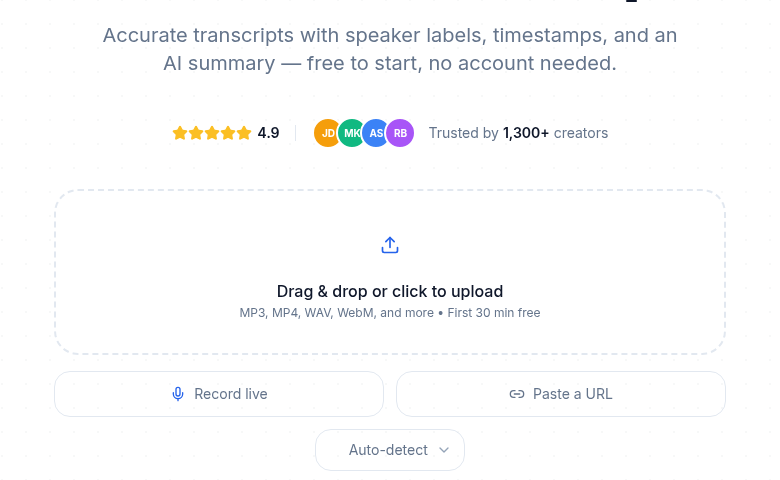 Drag-and-drop transcription without a meeting bot or account
Pricing Side-by-Side
| Plan | TurboScribe | Otter.ai |
|---|---|---|
| Free | 3 files/day, 30 min each | 300 min/mo, 30 min/meeting, 3 lifetime imports |
| Entry paid (annual) | $10/mo, unlimited | $8.33/user/mo, 1,200 min/mo |
| Entry paid (monthly) | $20/mo, unlimited | $16.99/user/mo, 1,200 min/mo |
| Higher paid (annual) | No second tier | $19.99/user/mo, unlimited meetings + 6,000 min/mo for imports |
| File limit | Up to 10 hr / 5 GB per file | 90 min/meeting on Pro, 4 hr on Business |
| Languages | 98+ transcription, 134+ translation | English-primary, limited Spanish |
TurboScribe wins on raw cost per minute once you exceed roughly 1,200 minutes per month. Otter is competitive at low volumes if the meeting bot is what you actually need.
Verified prices as of July 2026. TurboScribe has one paid tier; Otter prices are per-user.
What You Actually Do With Each Tool
The TurboScribe workflow
Open turboscribe.ai, drag in an audio or video file, pick a language, hit transcribe. You get text back in a few minutes. Download as TXT, DOCX, SRT, or PDF. That is the complete loop.
No calendar connection, no bot, no integrations. TurboScribe is a file-in, text-out tool built on OpenAI Whisper. The free tier requires no credit card. The paid plan lifts all limits and handles files up to 10 hours long. The exact free-plan caps, and what to use when you hit them, are covered in TurboScribe free plan limits.
The Otter.ai workflow
Otter is calendar-driven. You connect Google Calendar or Outlook, and OtterPilot automatically joins Zoom, Microsoft Teams, or Google Meet calls that appear in your calendar. After each meeting, Otter delivers a full transcript, an AI summary, extracted action items, and optional Slack notifications.
You can also upload files manually, but that is the secondary use case with a cap on imports (10/mo on Pro, unlimited on Business up to 6,000 minutes). The meeting bot is the product.
Accuracy
Both tools produce strong transcripts on clean audio. The underlying technology differs:
- TurboScribe runs OpenAI Whisper (Large variant), which is strong on long-form content, diverse accents, and non-English audio.
- Otter.ai uses a proprietary model trained heavily on meeting audio with named speakers.
For accented English and multilingual content, TurboScribe's Whisper base gives it a real advantage. Otter's model is specifically tuned for Zoom-style conversations and tends to perform slightly better in that narrow context, particularly at separating overlapping speakers with named voice prints you can train over time. For everything else, such as a podcast interview or a recorded lecture, the Whisper edge holds.
See how transcription accuracy is measured for a breakdown of what word error rate actually means in practice.
Speaker Diarization
Otter.ai's diarization is the strongest in the meeting-bot category. The model is trained on thousands of hours of named-speaker meeting audio. On Business and Enterprise, you can create custom voice prints for repeat participants, which cuts misattribution significantly on recurring team calls.
TurboScribe handles diarization reasonably well on 2-3 speaker interviews. With 4 or more speakers in similar acoustic conditions, accuracy drops. For speaker diarization at scale on meetings, Otter is the better choice.
AI Output Beyond the Transcript
TurboScribe
TurboScribe gives you the transcript. What it does not give you: summaries, action items, topic tagging, or structured output. If you want show notes from a podcast or themes from a research interview, you paste the transcript into a separate AI tool yourself.
Otter.ai
Otter includes a useful layer on top of the transcript:
- Automatic meeting summary (English, generic format)
- Action item extraction with assignee detection
- Otter AI Chat to query specific meetings
- Topic Tracker (Business) for keyword alerts across all team meetings
These are genuinely useful for meeting recap workflows. For non-meeting content, the summary quality is generic at best.
Integrations
TurboScribe has none that matter. It is a standalone web tool.
Otter integrates with:
- Google Calendar and Outlook Calendar (for auto-join)
- Zoom, Microsoft Teams, Google Meet (meeting bot)
- Slack (post summary to channel after meetings)
- Salesforce and HubSpot (push notes to CRM)
- Zapier (connect to anything else)
If integrations are part of your workflow, Otter wins by a wide margin. See how to create meeting minutes from audio for practical patterns that work with either tool.
Language Support
TurboScribe supports 98+ languages for transcription and can translate output into 134+ languages. The Whisper model handles European, East Asian, South Asian, and Arabic languages at production quality.
Otter.ai is English-first. Some Spanish support has been added, but other languages are either absent or produce unreliable results. For any non-English audio, TurboScribe is the clear choice.
File Size and Length Limits
TurboScribe accepts files up to 10 hours long and 5 GB in size on the paid plan. Free tier caps each file at 30 minutes.
Otter allows up to 90 minutes per recording on Pro and up to 4 hours on Business. Free tier caps at 30 minutes per meeting.
For long lectures, conference recordings, or multi-hour interview sessions, TurboScribe handles them cleanly on the paid plan.
Who Should Pick Which
Use TurboScribe when:
- You have audio or video files to upload (interviews, podcasts, lectures, voice memos)
- You need non-English transcription
- You want flat unlimited pricing with no per-seat cost
- You do not attend many Zoom calls or do not want a bot
- You want to process bulk files (up to 50 at once on paid)
Use Otter.ai when:
- You attend a lot of Zoom, Teams, or Meet calls and want automatic capture
- You want meeting summaries and action items delivered to Slack without extra steps
- Your team uses Salesforce or HubSpot and wants notes pushed to CRM automatically
- You need real-time live captions during a call
- You need custom voice prints for a recurring team
My take: if your primary job involves recorded files rather than live calls, TurboScribe at $10/mo is one of the most cost-efficient tools in the category. If your day is structured around calendar meetings, Otter earns its per-seat price through automation alone.
If you just need a clean transcript without a meeting bot or a per-seat license, ConvertAudioToText handles audio and video uploads with no minute cap on paid plans. The audio-to-text tool works for one-off files without an account. See our full TurboScribe comparison for a side-by-side of pricing, templates, and output depth against CATT.
For a broader look at what you pay across different services, see the transcription pricing comparison for 2026. Our pricing page shows CATT's current plan structure.
Frequently Asked Questions
Is TurboScribe more accurate than Otter.ai?
For long-form file transcription, podcasts, accented English, and non-English audio, TurboScribe has the edge because Whisper handles diverse audio better. For live Zoom/Meet/Teams meetings, Otter's model is tuned to that specific context and tends to edge out TurboScribe by a small margin. The gap is usually 1-3 percentage points either way.
Does Otter.ai offer unlimited transcription like TurboScribe?
Otter's Business plan ($19.99/user/mo annual) includes unlimited live meeting transcription, but imported audio and video files are capped at 6,000 minutes per user per month. There is no Otter plan with truly unlimited file upload transcription. TurboScribe's $10/mo annual plan has no such cap.
Can I use TurboScribe for Zoom meetings?
TurboScribe has no meeting bot. It cannot auto-join a call. You would need to download the Zoom recording and upload it to TurboScribe after the fact. If you want a bot that joins live, Otter is the right tool.
Can I use both TurboScribe and Otter.ai together?
Yes, and many teams do exactly this. Otter handles live meeting capture automatically; TurboScribe handles uploaded interview and podcast files. Combined cost is around $28-30/mo, which is reasonable for a two-workflow setup.
What languages does each tool support?
TurboScribe supports 98+ languages for transcription and can translate into 134+ languages, all via Whisper. Otter.ai is primarily English (US, UK, Australian), with some Spanish support added in recent updates. Non-English work should go to TurboScribe.
Is the TurboScribe free tier worth it?
Yes, for occasional use. You get 3 files per day, each up to 30 minutes, with no credit card required. That is roughly 90 minutes of audio per day, or over 45 hours per month if you use it daily. Otter's free tier gives 300 minutes per month total with a 30-minute per-meeting cap and only 3 lifetime file imports.
Sources
- TurboScribe Pricing - verified July 2026
- Otter.ai Pricing - verified July 2026
- TurboScribe Review: Features, Price and Limits (Vook.ai)
- Otter.ai Pricing: Is It Really Worth It? (tldv.io)
- Otter AI Pricing: Free, Pro and Business Plans (Claap)
- TurboScribe vs Otter.ai: Is TurboScribe Better? (Revoyant)
Try transcription free
Convert any audio or video to clean, unwatermarked text — speaker labels, timestamps, and AI summaries included. First 30 minutes free, no account.
Related Articles
Rev vs Otter.ai (2026): Two Very Different Tools, Compared Honestly
Rev sells transcription with a human safety net at $1.99/min. Otter sells a meeting bot from $8.33/user/month. Verified 2026 pricing, the consent question, and the third option file-upload users actually need.

7 Best Otter.ai Alternatives in 2026 (Honest Picks by Use Case)
Seven real Otter.ai alternatives compared honestly: unlimited file transcription, raw-transcript tools, human-verified accuracy, and meeting bots, with verified 2026 pricing and where Otter still wins.