YouTube Video Summarizer: Free AI Summaries
Paste a YouTube link and get an AI summary with key points in minutes
Only use links you have the right to use, and follow the source site's terms.
No account? The first 30 minutes of any file are free. Create a free account for premium on your first file.
Watching on YouTube? Add Transcript Panel for YouTube to Chrome
 Spotify
 Apple PodcastsYouTube
 TikTokVimeoLoomGoogle DriveDropbox
Transcribe & summarize in 99+ languages
 English
 Español
 Français
 Português
 Deutsch
 日本語
日本語 Italiano
 中文
中文 हिन्दी
 العربية+89 more
Built for students, researchers & creators
From lecture recordings to interviews and webinars, turn any video into notes you can search, quote, and share.





- 99%
- Accuracy
- 99+
- Languages
- Anytime
- Cancel, no contract
- Free
- 30 min, no signup
Why use YouTube Video Summarizer?
AI Key Points
AI extracts the most important points, arguments, and conclusions from any video automatically.
Topic Breakdown
See all topics discussed in the video organized by theme, with timestamps for each section.
YouTube URL Support
Paste any YouTube URL and get a summary without downloading or watching the full video.
Full Transcript Included
Get the AI summary alongside the complete transcript with speaker labels for deep reference.
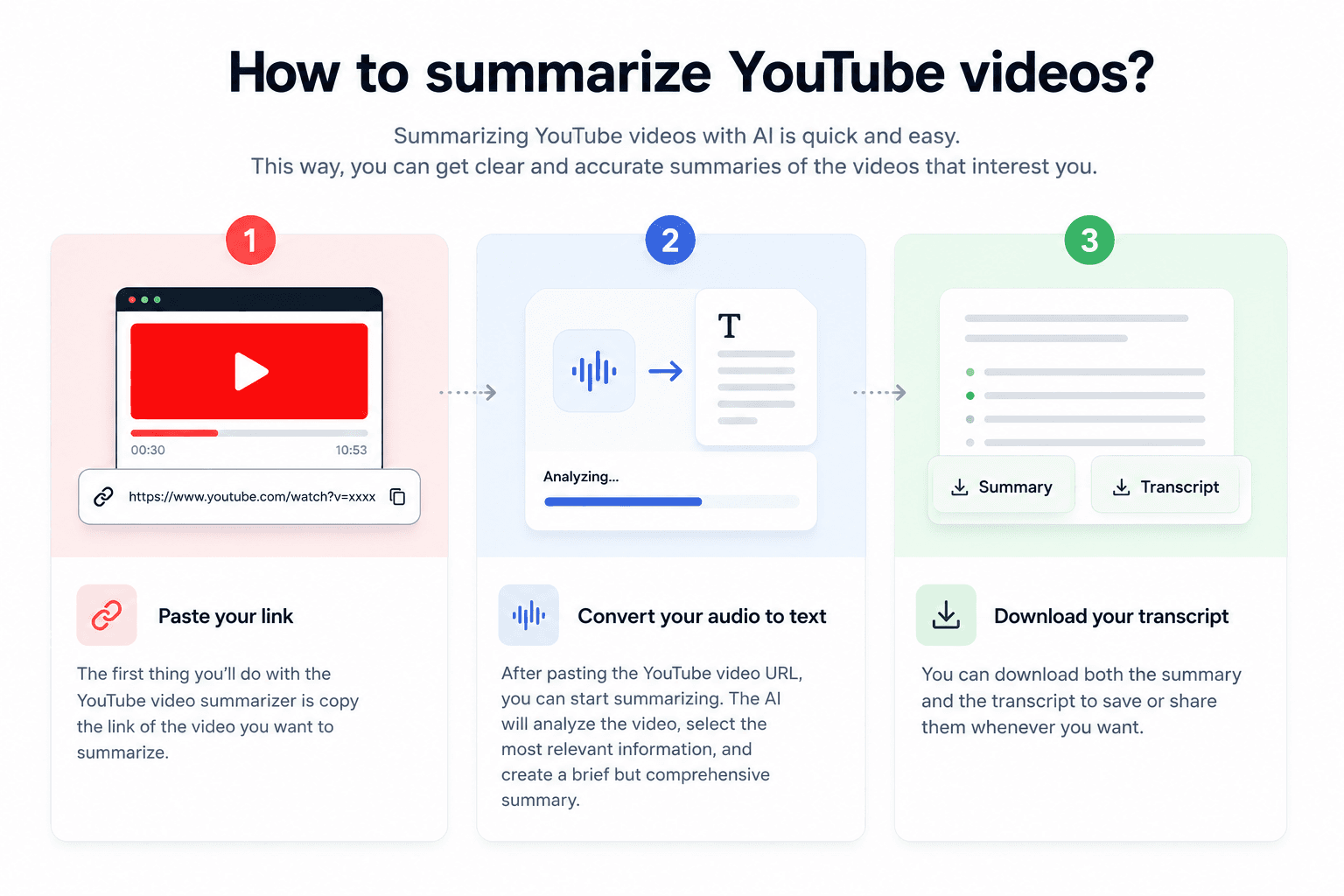
How it works
Upload Video or Paste URL
Upload a video file or paste a YouTube, Vimeo, or any video URL. We handle the rest.
AI Analyzes Content
Our AI transcribes the video, identifies key topics, and generates a structured summary with the most important points.
Read Your Summary
Review the AI summary with key points and topic breakdown. Access the full transcript for more detail.
YouTube video summaries: what you get and how
How the summary is made
We transcribe the video first, then write the summary from that transcript.
That is why every summary comes with the full text it was written from. When a point in the summary matters, you can find it in the transcript, read it in context and see the time it was said.
My take: a summary is the quickest way to decide whether a long video deserves your hour. Read it first, then jump to the parts that matter with the timestamps.
Videos worth summarizing
- Lectures and online courses you need notes from
- Long interviews and podcasts filmed for YouTube
- Conference talks and webinars you missed live
- Tutorials and reviews you want to compare before you watch
- Videos in another language, summarized in the language of the audio
To remember: a summary leaves things out by design. Check the transcript before you quote a number, a name or a claim.
Summary or full transcript?
| You need | Use |
|---|---|
| The main points of a long video | This summarizer |
| Every word, with timestamps | The YouTube transcript generator |
| The audio file itself | YouTube to MP3 |
YouTube transcript generatorYouTube to MP3Summarize an audio file or a podcast
YouTube Video Summarizer vs typing it out by hand
Why upload-and-go beats manual transcription every time.
| Capability | CATT | Manual transcription |
|---|---|---|
| Time to first draft | Minutes per file | 8 to 10 hours per audio hour |
| Accuracy | 99% on clear audio | Depends on the typist |
| Speaker detection | Automatic | Tagged by hand |
| Languages | 99+ supported | Whatever you speak |
| Exports | TXT, DOCX, PDF, SRT, VTT, JSON | Whatever you build by hand |
| Cost | Free for the first 30 minutes | Your time, every time |
Simple pricing
Free for files up to 30 minutes, no card needed. Paid plans start at $14.99.
Cancel anytime. See all plans
Frequently asked questions
Paste the YouTube link into the box above and press Summarize. We pull the audio, transcribe it, and generate a clear summary in minutes. No download, no extension, nothing to install.
You can summarize the first 30 minutes of any video for free without signing in, up to 3 videos a day. A free account saves your transcripts, and its first video runs on the premium engine for up to an hour with the summary included. Summaries on every video and full-length videos come with the Weekly Pass or a paid plan.
A concise summary of the main points plus the full, timestamped transcript, with speaker labels on the premium engine. You can copy either one, search it, or export to TXT, PDF, SRT, or DOCX.
Yes. We auto-detect the language and support 99 languages, so you can summarize lectures, interviews, and webinars recorded in most major languages.
Vimeo, Loom, Google Drive, and Dropbox links all work, as well as direct audio or video file URLs. You can also upload a file from your device.
Yes. Your media and transcript are tied to your account and never shown publicly or sold. Anonymous previews are deleted automatically.
Related tools
Video to Text
Extract text from any video file automatically
URL to Text Converter
Paste a link to an article, video, podcast, public Google Doc or PDF and get editable text
Audio Summarizer
Get AI-powered summaries of any audio file
Subtitle Generator
Generate accurate subtitles for any video automatically