
Accessibility for Online Courses: The 2026 Compliance Checklist
Summarize this article with:
This post covers accessibility requirements for online course programs broadly. It is not legal advice. Consult qualified legal counsel for institution-specific compliance guidance.
The Course Checklist
Making an online course accessible comes down to one practical question: for every piece of audio or video content in your course, does a student who cannot hear it have a quality text equivalent? That is the core of WCAG 2.1 AA as it applies to educational content, and it is now a legal requirement for most institutions, not just a best-practice recommendation.
Use this checklist as a course-level audit tool. If any item is unchecked, that is where to start.
Pre-recorded video lectures
- Synchronized captions at 99%+ accuracy after human review
- Downloadable transcript as a separate file
- Audio description or narrated script for visual demonstrations where the visuals carry meaning not spoken aloud
Pre-recorded audio content (podcast episodes, recorded interviews, audio-only readings)
- Full transcript available alongside or below the audio player
Live virtual sessions (synchronous lectures, office hours, webinars)
- Real-time captions enabled (ASR built into Zoom/Teams, or CART for high-stakes sessions)
- Post-session recording captioned before archiving
Course documents and materials
- PDFs are tagged and readable by screen readers (not scanned images of text)
- Equations and formulas have text or MathML equivalents, not just image embeds
- Slide decks include slide titles and alt text on meaningful images
Student-submitted audio and video assignments
- Policy exists for how students will provide transcripts of audio submissions
- Accessible submission format alternatives are available for students with disabilities
LMS and embed checks
- Caption tracks are embedded in the LMS player, not just available as a separate download link
- Third-party embedded videos (YouTube, Vimeo) have accurate captions, not auto-generated defaults
The Legal Landscape in 2026
The regulatory picture for online course content has sharpened over the past two years.
ADA Title II and the April 2024 DOJ rule codified WCAG 2.1 Level AA as the legal technical standard for state and local government entities, including public schools and universities. The original compliance deadlines were extended by an interim final rule published April 20, 2026. Current deadlines: April 26, 2027 for public entities serving populations of 50,000 or more; April 26, 2028 for smaller public entities and special district governments.
Section 504 of the Rehabilitation Act covers any institution receiving federal funding, including most private colleges and universities. The HHS rule (finalized May 2024, extended by an interim final rule in May 2026) sets WCAG 2.1 AA as the standard. Current deadline for recipients with 15 or more employees: May 11, 2027.
Section 508 applies to federal agencies and contractors. Universities with federal research contracts may find their contract terms bring 508 obligations into scope for specific programs.
WCAG 2.1 AA is the common technical target across all of these. For course content, the success criteria that matter most are: 1.2.2 (captions for prerecorded synchronized media), 1.2.3/1.2.5 (audio description for prerecorded video), 1.2.4 (live captions), and 1.4.3 (text contrast in documents).
My read on the current enforcement environment: OCR complaint investigations routinely surface missing captions on video lectures as the leading issue. Institutions that have deferred captioning backlogs should treat the extended deadlines as runway, not permission to wait.
For a full breakdown of jurisdiction-specific requirements, see our guide to accessibility laws by country.
What "Accessible Captions" Actually Means
Not all captions meet the compliance bar. The Described and Captioned Media Program (DCMP), which sets quality standards for educational captioning, describes the goal as near-verbatim, error-free captions that retain the original meaning and vocabulary.
Reading rate: DCMP guidelines set 120-130 words per minute for lower-to-middle educational content, up to 150-160 for adult content. Fast-talking instructors may require caption editing to stay within range.
Speaker identification: Every speaker change requires identification, especially in discussion-format or panel recordings.
Punctuation and casing: Proper punctuation and sentence casing are required. A wall of unpunctuated text from an auto-captioner is not compliant.
Sound effects and non-speech audio: Meaningful sounds (a lab alarm, a piece of music being analyzed, applause in a recorded lecture) should be noted in brackets.
On-screen text: When slides or visuals show text the speaker is not reading aloud, captions should note this or the visual must have an accessible text alternative.
Auto-generated captions from built-in LMS tools (including Panopto's ASR and Kaltura's automatic captioning) achieve roughly 80-90% accuracy with clear audio. That is not sufficient for academic content with technical vocabulary. A human review pass is required to reach the compliance threshold.
For the single-lecture production workflow in depth, see accessible lectures with transcripts.
Caption vs. Transcript: Both Are Required
Captions and transcripts serve different accessibility needs, and best practice requires both.
Captions are synchronized with the video. They satisfy WCAG 1.2.2 and serve students who are deaf or hard of hearing watching the video in real time. A caption file (SRT or VTT format) is uploaded as a track in the LMS or video host.
A transcript is a separate document, searchable and usable independently of the video player. It serves screen reader users, students who prefer reading to watching, and students in low-bandwidth situations. It also provides an SEO and comprehension benefit for all students.
The practical rule: every pre-recorded video lecture needs both a caption track and a downloadable transcript. Every audio-only resource needs a transcript.
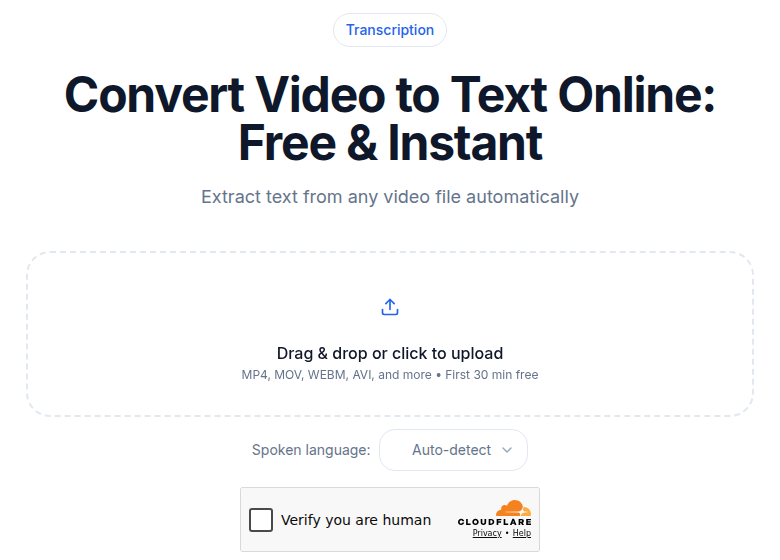 Video-to-text tool used to generate caption files and transcripts from course lecture recordings
For more on how the two formats differ, see transcription vs. captioning vs. subtitles.
Live Sessions: Real-Time Captions
WCAG 2.1 AA Success Criterion 1.2.4 requires captions for all live synchronized media. For online courses, this means synchronous lectures, live Q&As, virtual office hours that are recorded and available to enrolled students, and webinars.
Options, in ascending order of cost and accuracy:
Zoom and Microsoft Teams both have built-in live captions via ASR. Accuracy is acceptable for clear single-speaker audio with standard vocabulary; it degrades for accented speech, technical jargon, and multi-speaker discussions.
CART (Communication Access Real-time Translation) uses a professional human captioner providing real-time text via stenographic typing. Pricing for remote CART ranges from roughly $90 to $185 per hour depending on provider, session type, and complexity; onsite CART runs $160 to $290 per hour (rates from published vendor schedules, 2024-2025). CART is the right choice for thesis defenses, lectures with dense technical content, or sessions where a specific student's accommodation requires it.
A hybrid approach, ASR with a human reviewer making real-time corrections in a caption editing interface, sits between the two in cost and accuracy.
The practical pattern for most institutions: ASR as the default for routine sessions, CART reserved for accommodation requests and high-stakes events.
After a live session, the recording needs captions reviewed before it is posted as an archive. The live ASR output is a starting point, not the final artifact.
Course Types and Specific Challenges
Lecture-heavy courses are the straightforward case. A single speaker, clear audio, and consistent vocabulary. AI transcription handles this well. A 20-30 minute human review pass per hour of content is typically sufficient.
Discussion-based courses with multiple speakers talking across each other are harder. Speaker diarization from automated tools is imperfect in overlapping speech. Multi-microphone recording setups at session time reduce the problem downstream. Plan for more review time.
Lab and demonstration content often has meaningful visual information that is not spoken aloud. A narrated script that describes the visual steps doubles as an audio description track and a text alternative document. Captions alone are not sufficient when the point of the video is the procedure being shown.
Math and science courses require subject matter expertise in the review pass. AI transcription reliably produces "x squared plus three" rather than "x squared plus 3," but the formatting of spoken equations, statistical notation, and chemical formulas requires manual attention. Equations embedded in video visuals need MathML or alt text on the slide, not caption text.
Language courses with mixed-language content benefit from processing each language segment separately and merging, rather than expecting a single AI pass to handle code-switching accurately.
Cost Structure
For institutions producing courses at volume, the cost comparison between approaches is meaningful.
AI transcription plus human review is the current practical optimum. AI generates a rough transcript quickly. A reviewer familiar with the subject corrects terminology, punctuation, and speaker labels. Human review for a 60-minute academic lecture typically runs 30-60 minutes. At reviewer rates of $25-50 per hour, that works out to $12-50 per lecture hour in labor, plus the transcription service cost.
Full human captioning from a professional captioning service runs roughly $1.00-$2.00 per audio minute, or $60-120 per lecture hour, based on current market rates. Some services charge more for technical content or multi-speaker sessions.
CART for live sessions is the highest per-hour cost. Budget $90-185/hr for remote CART and treat it as an accommodation-driven cost rather than a routine production cost.
The economics of AI plus review are strong at any volume above a handful of courses per year. A university producing 200 hours of new content per year faces a labor cost of roughly $2,400-$10,000 for AI-plus-review, versus $12,000-$24,000 for full professional captioning.
If you need clean transcripts for course lectures without a complex toolchain, ConvertAudioToText's video-to-text tool generates timestamped transcripts you can export as SRT or VTT for LMS upload.
For a broader look at transcription pricing models, see our transcription pricing comparison.
LMS Integration
Canvas, Blackboard, Moodle, Brightspace, and Sakai all support caption file uploads for video content hosted within or linked from the LMS.
The standard workflow:
- Upload the lecture video to the LMS or connected video host (YouTube, Vimeo, Panopto, Kaltura).
- Upload the caption file (SRT or VTT) as a separate caption track.
- Verify captions display correctly in the LMS player at your institution.
- Publish the full transcript as a downloadable file alongside the video.
For institutions using Panopto or Kaltura, both platforms have built-in ASR captioning. The right approach when these tools are already deployed is to use their auto-generated output as the starting draft and run a human review pass, rather than re-transcribing independently.
Blackboard Ally provides course-level accessibility scoring, including a flag for videos without caption tracks. Ally's scoring system ranges from Low (0-33%) to Perfect (100%) and surfaces missing captions automatically without requiring manual audits. It is a useful tool for prioritizing which content to caption first in a remediation project.
Universal Design vs. Accommodations
These two concepts are often conflated and the distinction matters operationally.
Accommodations are reactive: a student with a documented disability requests captioned video access, and the institution provides it. This satisfies the legal minimum but creates unpredictable workloads and last-minute timelines.
Universal design is proactive: captions are built into every course video as part of production, whether or not any enrolled student has requested an accommodation. All students benefit. The accessibility work happens at a predictable point in the production cycle.
Universal design scales. Accommodation-by-request does not. Most institutions with mature accessibility programs have shifted to captioning all new video content by default, because the marginal cost with AI tooling is low enough that request-driven captioning no longer makes economic sense.
Auditing an Existing Course Library
For institutions with existing untranscribed content, a remediation project typically follows this sequence:
- Inventory all video and audio assets in active courses.
- Identify which have captions, which have transcripts, and which have neither.
- Prioritize by enrollment: high-enrollment courses first, then courses with enrolled students who have documented captioning accommodations.
- Run through the AI-plus-review workflow for missing artifacts, starting with the highest-priority content.
- Track completion against a defined timeline with quarterly or annual milestones.
For most mid-size institutions, this is a multi-year project. The extended ADA Title II deadlines (April 2027 and April 2028) and HHS Section 504 deadline (May 2027) provide runway, but enforcement of existing obligations under Section 504 and ADA continues regardless.
For the screen reader accessibility dimension, see transcripts for screen reader users.
FAQ
Do I need to caption every video in my online course?
Yes, if your institution is a public entity or receives federal funding. WCAG 2.1 AA (SC 1.2.2) requires captions for all pre-recorded synchronized media. Auto-generated captions from YouTube or built-in LMS tools typically do not meet compliance standards without human review for accuracy.
When does ADA Title II apply to my online course content?
ADA Title II applies to state and local government entities, including public schools and public universities. The April 2024 DOJ rule codified WCAG 2.1 AA as the legal technical standard. The compliance deadline for public entities serving populations of 50,000 or more is April 26, 2027 (extended from the original 2026 deadline by an April 2026 interim final rule).
What is the difference between captions and a transcript for a course video?
Captions are time-synchronized text overlaid on the video during playback, satisfying WCAG 1.2.2 (SC for prerecorded). A transcript is a separate text document of the full audio. Best practice is to provide both: captions for synchronous reading while watching, and a downloadable transcript for students who prefer to read or use a screen reader. See our deeper look at the distinction in our guide to transcription vs. captioning vs. subtitles.
Are live virtual lectures required to have real-time captions?
Yes under WCAG 2.1 AA Success Criterion 1.2.4 (Captions, Live). This applies to synchronous online sessions, webinars, and live broadcasts. Acceptable approaches include automated speech recognition tools built into Zoom or Teams, or Communication Access Real-time Translation (CART) provided by a professional captioner for higher-stakes content.
How accurate do course captions need to be?
The Described and Captioned Media Program (DCMP) sets the bar at near-verbatim, error-free captions as the goal for educational media. In practice, compliance reviewers and OCR enforcement expect meaningful accuracy, not a precise numeric floor, but auto-generated captions that consistently mis-transcribe technical terms are not compliant. A human review pass is required after AI transcription for any academic content with specialized vocabulary.
Sources
- ADA.gov Fact Sheet: New Rule on the Accessibility of Web Content and Mobile Apps (2024)
- Federal Register: Extension of ADA Title II Compliance Dates (April 2026)
- HHS: Extension of Section 504 Web and Mobile Accessibility Compliance Deadline (May 2026)
- W3C: Understanding WCAG 2.1 SC 1.2.4 Captions (Live)
- DCMP: Captioning Guidelines for Educational Media
- Karasch: CART Captioning Pricing and Packages
- 3Play Media: How Much Does Closed Captioning Service Cost?
- National Deaf Center: Captioning Compliance and Standards
Try transcription free
Convert any audio or video to clean, unwatermarked text — speaker labels, timestamps, and AI summaries included. First 30 minutes free, no account.
Related Articles

Accessible Lectures with Transcripts: The Delivery Guide
Recorded lectures plus transcripts as universal design: disability-services workflows and the student-facing formats that work.

Transcription for Online Courses: The Production Angle
How course creators use transcripts to meet accessibility requirements, localize for global students, improve searchability, and repurpose content for marketing.