
Agentic Transcription Systems: Real Patterns for 2026
Summarize this article with:
Agentic transcription means adding agent loops around the raw transcript: a verify-and-retry loop that catches low-confidence segments, a terminology lookup that injects domain vocabulary before re-running, and a summary chain that routes structured output to the right downstream system. These patterns exist today and work reliably when scoped narrowly. Fully autonomous cross-tool orchestration (agents committing to CRM, scheduling meetings, dispatching email) is still error-prone enough to need a human review gate.
Transcription as a standalone product is losing ground to transcription as the front door of a workflow. The raw-text file is no longer the end state. What teams actually want is the structured insight that follows: the action item, the CRM note, the summary routed to the right person.
Agentic transcription systems are how you get there. Three loop patterns exist today, work in production, and are worth understanding before you bolt things together.
The Three Loops That Actually Exist
An agentic transcription pipeline is not one large model told to "transcribe, summarize, and update the CRM." That single-prompt approach fails at production scale. The reliable architecture is a set of narrow, chained loops, each with a defined input, output, and tool set.
Loop 1: Verify and retry. After the ASR engine returns a transcript, a confidence-checking agent scans word-level scores. Segments below a chosen threshold (commonly 0.6-0.7 for named entities, 0.7-0.8 for intent-critical phrases) get flagged. The agent can then re-submit those segments with tighter parameters or escalate them to a human review queue, rather than letting low-quality output propagate downstream.
The failure mode here is a loop that retries indefinitely. Every production verify-and-retry loop needs a hard step limit, typically two re-runs maximum, before it writes a flag to the output and moves on. Without that ceiling, a consistently poor audio segment can spike token usage and stall the whole pipeline. For more on what drives accuracy differences in the first place, see why AI transcription makes mistakes.
Loop 2: Terminology lookup. Many accuracy problems are not noise or accent related: they are vocabulary gaps. A medical call mentions "Ozempic." A software team discusses "Nova-3 keyterm prompting." The base model has never seen these terms together in the way your team uses them.
The agent pattern here detects the domain from early transcript content (or from meeting metadata), fetches a glossary for that domain, and re-submits the audio with those terms injected before the final transcript is produced. Deepgram Nova-3's keyterm prompting feature supports this directly: you pass up to 500 tokens worth of key terms (roughly 20-50 focused terms per the official docs), and the model applies them contextually at inference time rather than as a simple keyword boost. The mechanism is trained, not a post-processing find-and-replace, which matters for multi-word phrases and proper nouns where context determines the right form. See Deepgram Nova-3 explained for how the model handles this under the hood.
Loop 3: Summary chains. The third loop interprets the verified transcript and produces structured output. This is where templates become important: a sales call needs a different summary structure than a research interview. A sales call summary might extract discovery questions asked, objections raised, next steps, and expected close date. A research interview extracts key themes, verbatim quotes, and open hypotheses.
The reason to use specialized templates rather than a generic "summarize this" prompt is consistency. Generic prompts produce different output shapes across calls, which breaks any downstream system that expects a predictable schema. Template-driven agents produce a known schema every time, which makes the CRM update, the Notion doc, or the Slack message format-safe.
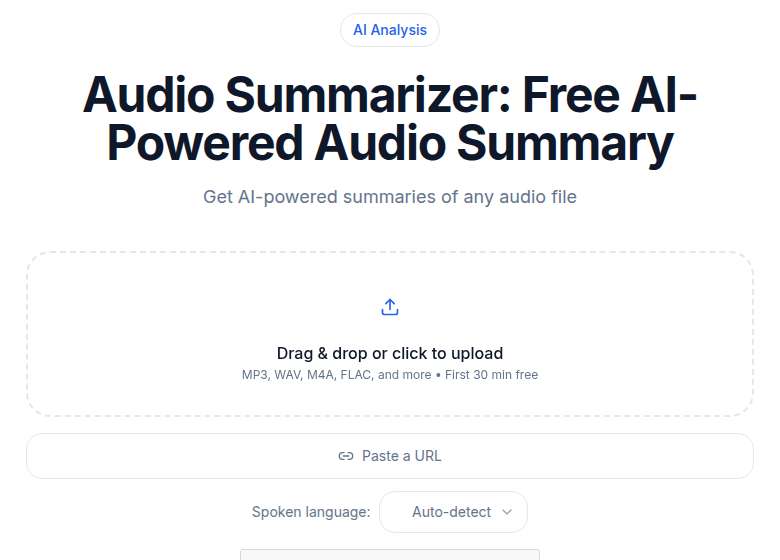 ConvertAudioToText summarizer tool, showing automated summary output from a transcribed recording
What a Full Pipeline Looks Like
A 30-minute recorded customer call moves through the pipeline like this:
- The recording lands in a watched location (Zoom cloud, shared drive, uploaded directly).
- The transcription engine returns utterance-level JSON with speaker labels, timestamps, and word-level confidence scores.
- The verify-and-retry loop flags low-confidence segments, runs up to two re-submissions with adjusted parameters, and marks any remaining uncertain segments.
- The terminology loop detects the call domain, injects relevant keyterms, and confirms the final transcript before passing downstream.
- The summary chain runs a template matched to the call type and produces structured output: a summary paragraph, a list of action items with owners, and key decisions.
- Structured output routes to the tools that need it: the CRM record, the project management tool, the team Slack channel.
None of this is a single model call. It is five distinct agents, each narrow in scope, chained in sequence.
Layer 1: Transcription and Structure
The transcription engine is the foundation. If the transcript has wrong speaker labels, garbled product names, or missing punctuation, every downstream agent inherits those errors. Engine choice matters somewhat, though the major production options (Deepgram Nova-3, Whisper Large-v3, Google Chirp) produce comparable output for clean audio. For real-world audio with jargon, keyterm prompting closes most of the gap.
For a deeper look at how the ASR step fits into the full product pipeline, how AI transcription works covers the upload-to-output chain in detail. For the technical reader who wants the model architecture underneath, how AI speech recognition works goes into encoder-decoder architecture and attention mechanisms.
The output of this layer is structured JSON: utterances, speakers, timestamps, confidence scores per word. Everything else consumes this.
Layer 2: Understanding and Summarization
The summary chain is where most of the visible user value lives. The design decisions that matter:
Match templates to content types. A sales call, a research interview, a podcast episode, and an all-hands meeting each need a different output schema. One template that tries to cover all of them produces output that is useful for none of them.
Output a known schema, not prose. An agent that returns prose is hard to route downstream. An agent that returns {"summary": "...", "action_items": [...], "decisions": [...]} is trivially machine-readable.
Keep the summarization agent's tool access read-only. It reads the transcript. It reads the template. It produces output. It does not write to CRM, schedule meetings, or send email. Those are layer 3.
Layer 3: Action and Integration
Layer 3 acts on the summary chain output. This is the most variable layer because every team has different tools. The common integrations:
| Destination | Reliable pattern | Unreliable pattern |
|---|---|---|
| Project management (Linear, Asana, Jira) | Write action items to draft state, human reviews before publish | Auto-publish without review |
| CRM (HubSpot, Salesforce) | Update specific fields from schema (next step, close date) | Rewrite freeform notes fields |
| Slack / Teams | Post summary to channel, link to transcript | @mention individuals or send DMs |
| Docs (Notion, Confluence) | Create a new document with the summary | Edit existing documents in place |
| Calendar | Suggest follow-up slot, human confirms | Auto-schedule on participants' calendars |
The pattern is consistent: reversible actions can run autonomously with audit logs; irreversible actions need human confirmation. A task in draft state is reversible. An email sent is not.
This is also where most agentic transcription failures happen in production. Agents trying to take autonomous action across multiple tools in a single shot produce duplicate tasks, misrouted notifications, and CRM records overwritten with wrong data. Most teams that have shipped these systems keep a lightweight review step before any external-facing action lands.
What Works and What Does Not
After two years of agentic transcription being practical (post-2024 model quality), some patterns have proven stable and some have not.
What works:
- Template-driven summarization for call types with consistent structure. Sales calls and project meetings produce reliable output. Brainstorming sessions and casual conversations produce noisy output.
- Action item extraction when decisions are explicit in the call. "John will send the proposal by Friday" extracts cleanly. Implied commitments often do not.
- Confidence-based routing: sending flagged segments to a human review queue rather than letting low-quality output propagate.
- Single-field CRM updates. Writing "expected close date: Q3" to a structured field is reliable. Synthesizing a relationship history across many calls is not.
What does not work yet:
- Fully autonomous task creation across multiple tools without a review step. The failure mode is duplicate or misrouted tasks.
- Cross-conversation memory. Agents that try to maintain context across dozens of calls with the same person tend to drift and hallucinate past commitments.
- Sensitive content routing without human oversight. Anything involving HR, legal, or personnel discussions should not be autonomously routed. The cost of a routing error is too high.
- Agents stuck in retry loops. Without step limits, a segment the model consistently misreads can trigger indefinite retries, burning tokens with no improvement.
When to Buy Versus Build
Most teams should not build this from scratch. The reliability engineering is substantial, the integrations are tedious, and several vendors already handle layers 1 and 2 well.
Fellow and Granola both now position explicitly as agentic: Fellow's AskFellow feature queries meeting history and automates CRM updates and follow-up docs; Granola (which raised $125M at a $1.5B valuation in March 2026) launched a personal and enterprise API for integrating meeting context into broader AI workflows. Fireflies and Otter also offer automation hooks, Slack routing, and CRM integrations at the layer 3 boundary.
The case for building is narrow: deeply specialized domain vocabulary the meeting tools cannot handle, regulatory constraints that prevent third-party audio processing, or volume that justifies the engineering investment.
For everyone else, the right path is a vendor that handles layers 1 and 2 reliably, plus custom agents for the specific workflows that vendor does not cover.
If you need a clean transcript for those custom agents to consume, without a bot joining your meeting, ConvertAudioToText's audio-to-text tool produces utterance-level JSON with speaker labels that feeds directly into a downstream agent. The meeting transcription tool is built for the same pattern with recorded calls.
What Comes Next
The trajectory through 2027 is clearer than the current state. More vendors are moving up the stack from transcription toward full workflow. On-device models are making the verify-and-retry loop faster and cheaper by handling the confidence check locally before sending uncertain segments to a cloud API. Multimodal context (screen shares, presentation slides) is beginning to feed into summary chains alongside the audio.
The future of AI transcription in 2027 covers the broader shifts. The short version for teams building now: the agent patterns that feel experimental today will be infrastructure-grade defaults in 18 months. The early advantage is not picking the right vendor; it is building the layer 3 integrations cleanly enough that they can swap the layer 1 and 2 components underneath without rewriting everything.
Transcription as a standalone step is commoditizing. The loop architecture around it is where the durable value is.
Common Questions
What is an agentic transcription system?
An agentic transcription system adds autonomous agent loops around the core ASR step. Instead of returning a text file and stopping, it can detect low-confidence output and retry with domain vocabulary, route the transcript to a summarization chain tuned to the content type, and push structured output to downstream tools. Each loop has a defined scope and can run without a human in the middle.
Which transcription loops actually work reliably today?
Three patterns have proven reliable in production: verify-and-retry on low-confidence word segments, keyterm prompting to improve recognition for domain-specific vocabulary, and template-driven summarization chains that produce consistent structured output (action items, decisions, key quotes). Fully autonomous cross-tool orchestration, such as an agent that updates a CRM and schedules a follow-up meeting and drafts an email in one shot, is still unreliable enough to warrant a human review step before any irreversible action.
When should I build an agentic transcription system versus buying one?
Buy if your use case is meeting workflows (summaries, action items, CRM updates). Products like Fellow, Granola, Fireflies, and Otter already handle layers 1 and 2 well and add integrations for layer 3. Build if you have deeply specialized domain requirements (medical, legal, technical), regulatory constraints preventing third-party audio processing, or volume that makes the engineering investment economic. For most teams, a vendor plus a few custom agents for specific workflows is the right split.
How do I keep an agentic transcription pipeline from running up token costs?
Three guardrails matter. First, set step limits per loop: a verify-and-retry agent should attempt at most two re-runs before escalating to a human flag, never loop indefinitely. Second, scope each agent's tool access narrowly: a summarization agent should not have write access to CRM or email. Third, log every agent decision and tool call. When an agent gets stuck retrying a failing strategy, the logs tell you exactly where the loop broke and what input triggered it.
Sources
- Deepgram Keyterm Prompting documentation
- Deepgram Nova-3 multilingual keyterm prompting announcement
- Fellow AI meeting notes and AskFellow feature overview
- Granola raises $125M Series C, TechCrunch, March 2026
- Granola agentic chat and search documentation
- Fireflies.ai product overview
- Otter.ai MCP server and integrations
Try transcription free
Convert any audio or video to clean, unwatermarked text — speaker labels, timestamps, and AI summaries included. First 30 minutes free, no account.
Related Articles

Transcribe Audio Overnight in Batch: Queue It and Sleep (2026)
The honest guide to overnight batch transcription: when modern AI is fast enough to skip it, and when queueing dozens of files the night before genuinely saves your day.
Automating Transcription with Zapier: Honest Reality
A practical guide to Zapier transcription automation in 2026: native connectors, webhook fallbacks, async patterns, Make.com alternatives, and honest gap coverage.