
How to Transcribe an X Space (Twitter Space) in 2026
Summarize this article with:
X Spaces do not produce a native transcript. Live captions exist during a session but vanish the moment it ends. To get a transcript, you first need the audio: hosts can retrieve it from the X data archive (expect a 24-hour wait); listeners have no official download path. Once you have the file, a transcription tool handles the rest, though multi-speaker Spaces require more editing than a typical podcast.
X Spaces does not save a transcript. Live auto-captions appear on screen during a session, but they vanish when the Space ends. Getting a transcript means two separate steps: capture the audio, then run it through a transcription tool. This post covers both, honestly.
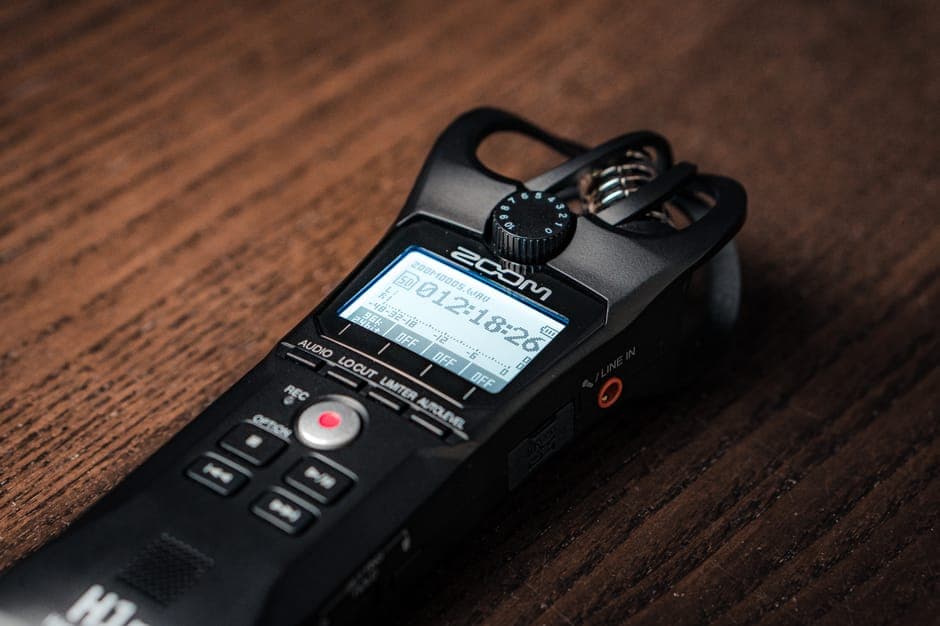
 Captured Space audio transcribes like any other file
What You Are Actually Working With
A Space is a live audio room: one or more hosts, up to 10 speakers on stage, listeners who cannot speak unless invited up. When the session ends, X holds onto the audio server-side. What no one holds is a transcript.
Key facts about the recording:
- All on-stage audio (hosts and invited speakers) is recorded.
- Listener audio is never recorded.
- No video, no separate speaker channels, all audio mixed to a single track.
- Live captions are generated on the fly and are not stored.
That single-track, multi-speaker mix is what makes Spaces harder to transcribe than a typical podcast.
Step 1: Getting the Audio File
If you are the host
The official path goes through X's data archive tool, not a quick download button. There is no direct three-dot-menu export to audio.
- Open X (web or app) and go to Settings and privacy.
- Tap Your account, then Download an archive of your data.
- Click Request archive and confirm.
- X emails you a link when the archive is ready. This can take 24 hours or longer.
- Unzip the archive and navigate to
data > spaces_media. - Your recording is there as a .ts file (an MPEG transport stream containing AAC audio).
To convert the .ts file to something a transcription tool can ingest, run:
ffmpeg -i space-recording.ts space.mp3
This is lossless for the audio content. MP3 is fine; so is leaving it as a .ts if your upload tool accepts it.
One note on retention: hosts on updated X apps (iOS 9.15 or later, Android 9.46 or later) have indefinite recording storage until they delete it. If you or your co-host is on an older app version, the 30-day expiry still applies. Download within 30 days if you are unsure.
If you are a speaker (not the host)
There is no built-in download option for co-hosts or guests. The practical path: ask the host. Most will share the archive file or send an MP3 if you ask before the Space ends. Reaching out right after the session, before the moment passes, is the easiest guarantee.
If you are a listener
This is the hardest case, and there is no clean answer. X provides no official download for listeners.
Your options, in descending order of reliability:
- Ask the host directly. Still the simplest and cleanest path. Most hosts will share the file if you ask.
- Record system audio during replay. While the replay is playing on X, capture the output with OBS, Audacity, or a screen recorder set to system audio. You get a slightly degraded copy because you are re-capturing already compressed audio, but it is usually sufficient for transcription.
- Third-party downloader tools. Tools like SpacesDown and similar scrapers can pull public Space recordings. Quality varies; these tools depend on undocumented X API behavior, and some require your X auth cookies to work. They also may violate X's Terms of Service. Use at your own discretion for publicly broadcast content.
If you attend Spaces you will want transcripts from, the standing advice is to contact the host before the event starts and ask whether they will share the recording afterward.
Step 2: Transcribing the File
Once you have the audio, the transcription workflow is the same as any other audio source.
- Upload the file. ConvertAudioToText accepts M4A, MP3, and TS files. The first 30 minutes of any file are free without an account, and free accounts can transcribe up to 30 files a day, up to 30 minutes each. Spaces longer than that need a paid plan.
- Set the speaker count explicitly. This matters a lot for Spaces. Count the hosts plus all guest speakers who appeared on stage. A Space with 2 hosts and 4 guests is 6 speakers. Auto-detection performs poorly on multi-speaker mixed audio.
- Add a vocabulary list. Put the names of all speakers and any specific product names, jargon, or acronyms mentioned. A 10-20 term list meaningfully improves accuracy on those words.
- Run it. A 60-minute Space typically processes in 3-5 minutes.
For non-English Spaces or Spaces with code-switching between two languages, see the post on speaker diarization explained for how to handle mixed-language audio.
If you just need a clean transcript without extra tooling, ConvertAudioToText's audio-to-text tool handles the upload-and-transcribe flow in one step.
The Diarization Problem on Spaces
Diarization, the process of labeling who said what, is noticeably harder for Spaces than for other audio formats. Here is why:
- Single mixed track. All speakers share one audio channel. Compare this to a podcast recorded over Riverside or Zencastr where each speaker has their own track.
- High speaker count. Five to ten people is common. More speakers means more room for the model to confuse voice clusters.
- Variable mic quality. One host on a studio USB mic, another on speakerphone. The acoustic fingerprints are inconsistent.
- Brief speaker appearances. A listener gets invited on stage, speaks for 45 seconds, then leaves. The diarizer has almost no audio to build a reliable profile from.
- Overlapping speech. Lively Spaces have frequent crosstalk. Overlapping audio on a single track is hard to disentangle.
Practical expectation: diarization on a 5-speaker Space will have errors. On a 2-3 speaker Space with experienced speakers who do not talk over each other, it is usually clean. On a large Space with many guests, plan for manual cleanup.
The Edit Pass
X Spaces transcripts need more editing than studio podcasts. The reliable pattern:
- Listen to the first 5 minutes while reading. Confirm speaker labels are correct at the start before the pattern propagates through 90 minutes.
- Replace generic labels immediately. When Speaker 2 introduces themselves as "I'm Marcus," find and replace "Speaker 2" throughout.
- Watch for brief guests. When a listener gets pulled on stage for a short segment, the diarizer often merges them with an existing speaker. Spot-check those transitions.
- Fix proper nouns. Brand names, people's names, product names. These are where AI transcription consistently makes mistakes in conversational audio.
- Mark unintelligible sections rather than guessing. A bracketed [inaudible] is more honest than a plausible wrong word.
A 60-minute Space with 5 speakers typically takes 30-45 minutes to edit thoroughly, compared to 15 minutes for a comparable podcast.
Comparison: X Spaces vs Podcast Transcription
| Aspect | Podcast | X Space |
|---|---|---|
| Audio quality | Usually high (studio setup) | Variable (mixed devices) |
| Speaker count | 1-3 typical | 2-10 typical |
| Track structure | Often multi-track or per-speaker | Always single mixed track |
| Recording availability | Direct file from host | X data archive, 24+ hour wait |
| Listener download | N/A | Not officially available |
| Diarization difficulty | Easy to medium | Medium to hard |
| Edit time per hour | ~15 minutes | 30-45 minutes |
If you produce both formats, budget roughly twice the editing time for Spaces.
Why Transcribe a Space at All
The most common reasons:
Content repurposing. Spaces hosts converting a live conversation into a newsletter, thread of highlights, or blog post. The transcript is the raw material.
Quotation and journalism. Reporters who covered a Space and need accurate attribution. A timestamped transcript is the defensible record.
Reference and search. Finding a specific moment in a 90-minute replay by scrubbing audio is slow. A searchable transcript makes it instant.
Accessibility. Deaf and hard-of-hearing followers who want the content in text form.
For long Spaces used for reference and search, the create meeting minutes from audio workflow applies well here: run the transcript through a summarization step to extract key quotes, themes, and action items.
Legal Notes
X Spaces are public audio conversations. Transcribing a public Space for personal use is generally uncontroversial. Re-publishing the transcript or using quotes commercially is a different question:
- Speakers hold copyright in their own words.
- Quoting for journalistic purposes falls within fair use, but out-of-context quotes can create liability.
- Commercial use of a speaker's voice or name typically requires permission.
For internal reference use, no special considerations apply.
FAQ
Does X Spaces have a built-in transcript export?
No. X offers live auto-captions during a Space, but they are not saved and disappear when the session ends. As of mid-2026, there is no native transcript or export feature on X.
How long does an X Spaces recording stay available?
For hosts on a current X app version (iOS 9.15+ or Android 9.46+), recordings are kept indefinitely until the host deletes them. Hosts on older app versions, and all recordings made before the June 2022 policy change, expired after 30 days. When in doubt, download within 30 days.
Can listeners download an X Spaces recording?
Not through any official X interface. Listeners can ask the host for the file, use system audio capture while the replay plays, or try third-party scraper tools, though those tools may violate X's Terms of Service and reliability varies.
Why is diarization harder for Spaces than for a podcast?
Spaces mix all speakers onto a single audio track, while podcasts are often recorded in separate channels per person. With a single mixed track, diarization models have to separate overlapping voices purely by acoustic fingerprint, with no channel separation to help. Add variable mic quality across 5-10 speakers and frequent handoffs, and the error rate climbs fast.
Sources
- X data archive download: confirmed via multiple verified guides including ytechb.com and maestra.ai, corroborating X's help documentation
- X Spaces indefinite recording policy (iOS 9.15+ / Android 9.46+): x.com/XSpaces announcement and corroborating coverage at grecrecorder.com
- .ts file format for archived Spaces: Simon Willison's TIL on exporting Spaces recordings, corroborated by ryusei.io
- FFmpeg .ts to MP3 conversion: verified via standard FFmpeg documentation and community guides
- Live captions not saved post-session: confirmed via vocap.io 2026 guide and multiple third-party transcription tool descriptions
Try transcription free
Convert any audio or video to clean, unwatermarked text — speaker labels, timestamps, and AI summaries included. First 30 minutes free, no account.
Related Articles
How to Convert AAC to Text: Streams vs M4A Explained
AAC to text: the raw-stream vs M4A container distinction that trips tools, broadcast origins, and the reliable workflow.
How to Convert FLAC to Text: Lossless Audio Guide 2026
FLAC to text for field recordings and archival interviews: why lossless helps, half-of-WAV file sizes, and the upload workflow.