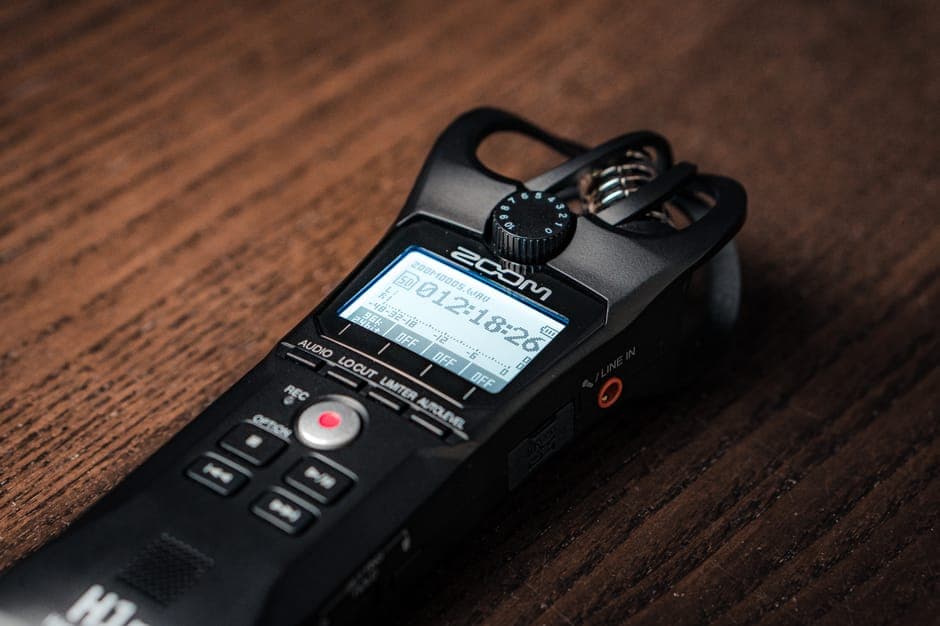
How to Convert AAC to Text: Streams vs M4A Explained
Summarize this article with:
AAC (Advanced Audio Coding) is the dominant audio codec on Apple devices, YouTube, and digital radio, but it hides under two very different packaging formats: raw ADTS streams (.aac) and M4A containers (.m4a). Both transcribe cleanly with a modern AI engine, and you do not need to convert to MP3 first. Understanding which packaging you have, and where the bitrate floor is for good accuracy, makes the difference between a clean transcript and a guesswork-ridden one.
You can transcribe an AAC file directly, without converting it to MP3 first. Upload the file, pick the language, and the engine returns a timestamped transcript in minutes. The only thing worth knowing upfront is whether your file is a raw ADTS stream (.aac) or an AAC-in-M4A container (.m4a), because that changes how some tools behave and why.
 AAC files upload directly, raw streams included
What Is the Difference Between .aac and .m4a?
This is the single most confusing thing about the format, and it trips up everyone who first encounters it.
A .aac file is a bare ADTS bitstream. ADTS stands for Audio Data Transport Stream. Each frame has a small header followed by compressed audio data. There is no metadata container: no cover art, no title tag, no chapter markers. ADTS was designed for streaming protocols like SHOUTcast and broadcast transport streams, so it carries just enough framing to let a decoder sync mid-stream.
A .m4a file is the same AAC codec, wrapped in an MPEG-4 container. That container adds metadata atoms, supports chapter markers, and is the format Apple chose for iTunes, Apple Podcasts, and iPhone Voice Memos. It is the same audio, just better packaged.
The confusion: both file types sometimes show up with the .aac extension. YouTube downloaders using yt-dlp without explicit flags can spit out either format. The extension alone does not tell you which you have. Running ffprobe yourfile.aac will: look for container: adts (bare stream) versus container: mov,mp4,m4a,3gp,3g2,mj2 (MPEG-4 container).
For transcription, the practical difference is reliability. M4A containers load cleanly in every tool. Raw ADTS streams occasionally produce garbled headers on the first few seconds, especially from broadcast-ripped or poorly muxed sources. If you get a partial transcript or strange leading gibberish from a .aac file, the fix is a container swap without re-encoding:
ffmpeg -i input.aac -c:a copy output.m4a
This rewraps the exact same audio bits into an M4A container. No quality loss. Most issues disappear.
Where AAC Files Actually Come From
Knowing the source tells you what to expect before you upload.
iPhone Voice Memos save as .m4a containing AAC-LC at roughly 64-96 kbps by default. The bitrate varies with the content: a memo of someone speaking close to the microphone encodes more efficiently than a room recording with HVAC noise. If you need better accuracy on difficult recordings, switch to Lossless in Settings > Voice Memos, which records ALAC (Apple Lossless). For an interview transcription workflow, see the guide on how to transcribe a voice memo from iPhone.
YouTube serves standard video audio as AAC-LC at approximately 126-128 kbps in an M4A container (the .m4a audio stream inside the .mp4 video). YouTube Music Premium bumps this to 256 kbps AAC-LC. When you use yt-dlp to extract audio, the default bestaudio flag usually gives you the M4A version: yt-dlp -f bestaudio --extract-audio --audio-format m4a URL. That file transcribes cleanly. Do not convert it to MP3 on the way out, you will lose quality for no benefit.
Apple Music streams at 256 kbps AAC-LC over HLS. The 256 kbps mark is well above the threshold where transcription accuracy plateaus.
Digital radio and broadcast streams often use HE-AAC (High-Efficiency AAC). HE-AAC v1 adds Spectral Band Replication to squeeze decent audio quality from 32-64 kbps. HE-AAC v2 adds Parametric Stereo and pushes that floor down to 16-48 kbps. Both profiles are used in DAB+ digital radio and internet radio services. If you have a recording from a broadcast stream, confirm the bitrate before assuming you will get clean speech. At 32 kbps HE-AAC, vocal intelligibility holds up for listening but speech-to-text accuracy drops noticeably on accented speakers.
Podcast downloads from Apple Podcasts are M4A AAC-LC, typically 128-192 kbps. They transcribe without any preprocessing.
Audio extracted from Final Cut Pro, iMovie, or QuickTime exports is AAC in an M4A container. The .mp4 extension is common here, but the audio stream is still AAC.
AAC vs MP3: Does It Matter for Transcription?
The short version: AAC wins at low bitrates, is roughly equal above 192 kbps, and you should never re-encode one lossy format to the other.
AAC uses a purely MDCT-based algorithm, which is more efficient than MP3's hybrid approach. At 128 kbps, AAC-LC sounds roughly equivalent to MP3 at 160-192 kbps. For transcription, this efficiency translates to better preserved consonant detail and sibilants at the bitrates phones actually use (64-128 kbps). A 64 kbps AAC recording of clear speech will transcribe better than a 64 kbps MP3 of the same session.
At 192 kbps and above, the codec difference is not audible and is not a meaningful transcription variable. Both formats feed STT engines fine.
What you should never do is convert AAC to MP3 (or the reverse) before uploading. Lossy-to-lossy transcoding recompresses audio that was already compressed, adding generation loss and encoding artifacts. Upload the original .aac or .m4a file directly. Modern transcription engines, including AssemblyAI Universal-2 and Whisper Large-v3, accept both natively via ffmpeg internally. The sibling format discussion in M4A to text and the MP3 to text guide cover the other containers if you have mixed formats in a project.
How to Transcribe an AAC File
One section for the mechanics, because most of it is just uploading.
1. Locate the file. iPhone Voice Memos: tap Share on the memo, choose "Save to Files," and save to iCloud Drive or On My iPhone. Podcast episodes: on macOS, right-click in Apple Podcasts and choose "Show in Finder."
2. Upload it directly. Go to ConvertAudioToText. Drag your .aac or .m4a file in. No conversion needed. Both extensions are supported along with MP3, WAV, FLAC, OGG, and WMA.
3. Set the language explicitly. Do not rely on auto-detection for clips under 60 seconds. Auto-detect works well on long files but can misidentify accented English as Irish or Welsh on short clips.
4. Review the output. Timestamps, speaker labels where audio has distinct voices, and export options (TXT, DOCX, SRT, VTT) are included. For a 30-minute Voice Memo, expect results in roughly 60-90 seconds.
Anonymous use transcribes the first 30 minutes of a file. A free account runs your first file on the premium engine (up to an hour), then keeps transcribing free: up to 30 files a day, up to 30 minutes each. Reading and copying transcripts is free. The Pro plan at $14.99/month gives unlimited transcription and handles long recordings (links and videos up to 24 hours).
AAC-Specific Transcription Gotchas
The .m4r and .m4b traps. Both are AAC audio. .m4r is an iPhone ringtone file. .m4b is an audiobook with chapter markers. Some tools reject these by extension even though the audio inside is standard AAC. Rename to .m4a and retry. If that fails, ffmpeg -i input.m4r -c:a copy output.m4a rewraps cleanly.
Voice Memo "Enhance Recording" artifacts. If you have Enhance Recording enabled in Settings > Voice Memos, the feature applies automatic EQ and noise reduction at recording time. The processed audio sounds cleaner to the ear but can introduce subtle sibilant smearing. For maximum transcription accuracy on important recordings, disable Enhance Recording and position the phone closer to the speaker instead.
Stereo-encoded mono recordings. Many mobile apps record in stereo even when both channels are identical copies of a single microphone. This doubles the file size without adding any information. If your app allows it, set mono recording. If you have an existing stereo file where both channels are the same, ffmpeg -i input.m4a -ac 1 output_mono.m4a converts it without any quality loss for transcription purposes.
HE-AAC from broadcast sources. If your file came from a recorded radio stream or internet radio, check the profile with ffprobe. HE-AAC v2 at very low bitrates will produce lower accuracy on non-standard accents or fast speech. Nothing fixes this except re-recording at a higher bitrate, but knowing the constraint manages expectations.
File size vs. duration. A 4-hour AAC recording at 128 kbps comes to roughly 230 MB. That is a large file but well within what most transcription tools handle. For recordings longer than 4-5 hours, split with ffmpeg -i long.m4a -t 3600 -c copy hour1.m4a to work in manageable chunks. The supported audio formats guide covers size limits by tool.
Container Quick Reference
| Extension | What It Is | Common Source |
|---|---|---|
.aac | Raw ADTS bitstream, no metadata | YouTube downloaders, broadcast rips |
.m4a | AAC-LC in MPEG-4 container | iPhone Voice Memos, Apple Podcasts |
.mp4 (audio-only) | AAC in MPEG-4 video container | iMovie/Final Cut exports, video files |
.m4b | AAC with chapter markers | Audiobooks |
.m4r | AAC ringtone | iPhone ringtones |
For transcription, all rows are the same codec. The container matters for tool compatibility, not audio quality. If you have an .mp4 with actual video and want to transcribe just the audio, the MP4 to text guide covers the extraction step.
My take: for new recordings intended for transcription, use iPhone Voice Memos in the default M4A mode and keep the phone within arm's reach of the speaker. The codec is efficient enough that 64-96 kbps AAC-LC produces clean transcripts for standard speech in a quiet room. Only upgrade to Lossless ALAC if you have difficult audio: heavy accents, multiple overlapping speakers, or significant background noise.
If you just need a clean transcript without installing anything, ConvertAudioToText accepts AAC and M4A directly. Upload, set the language, and the transcript is ready in minutes.
FAQ
Is AAC better quality than MP3 for transcription?
At the same bitrate, AAC (AAC-LC profile) is more efficient than MP3 due to its purely MDCT-based algorithm. At 128 kbps, AAC sounds roughly equivalent to MP3 at 160-192 kbps, so a 128 kbps AAC Voice Memo transcribes more cleanly than a 128 kbps MP3 recording of the same material. For transcription purposes the codec advantage is real below 128 kbps; above that threshold, both formats feed STT engines well.
What is the difference between a .aac file and a .m4a file?
Both contain AAC-encoded audio, but the packaging differs. A .aac file is a raw ADTS (Audio Data Transport Stream) bitstream: frame headers, audio data, no metadata container. A .m4a file wraps AAC inside an MPEG-4 container that can hold cover art, title, artist, and chapter data. iPhones save Voice Memos as .m4a; YouTube downloaders sometimes produce bare .aac ADTS files depending on the tool and its flags.
Can I transcribe AAC files for free without signing up?
Yes. ConvertAudioToText accepts AAC and M4A files and transcribes the first 30 minutes of a file without an account. Creating a free account runs your first file on the premium engine (up to an hour), then up to 30 files a day, up to 30 minutes each. The Pro plan at $14.99/month gives unlimited transcription and handles long recordings (links and videos up to 24 hours).
Why does my AAC file show garbled text at the start?
This usually points to a corrupted ADTS header in a raw .aac file. Try re-wrapping it without re-encoding: run ffmpeg -i input.aac -c:a copy output.m4a to place the same audio stream inside an M4A container. Most transcription engines handle the container-wrapped version more reliably than a bare ADTS stream.
Sources
- Advanced Audio Coding (Wikipedia)
- AAC Format Guide: AAC-LC, HE-AAC, M4A and MPEG-4 Audio Explained (KaijuConverter)
- ADTS (MultimediaWiki)
- YouTube Music Audio Quality (2026)
- What Is The Bitrate Of Apple Music? (Musconv)
- Best Audio Codec for Online Video Streaming in 2026 (AntMedia)
- How to Improve the Sound Quality of Your Voice Memos on iPhone (HowToGeek)
- ConvertAudioToText Pricing
- OpenAI Whisper GitHub discussion: supported audio formats
Try transcription free
Convert any audio or video to clean, unwatermarked text — speaker labels, timestamps, and AI summaries included. First 30 minutes free, no account.
Related Articles
How to Convert FLAC to Text: Lossless Audio Guide 2026
FLAC to text for field recordings and archival interviews: why lossless helps, half-of-WAV file sizes, and the upload workflow.
How to Convert OGG to Text (WhatsApp Voice Notes) 2026
Convert OGG files to text, including WhatsApp voice notes, Discord messages, and Audacity exports. Covers Vorbis vs Opus codecs, export paths, and transcription gotchas.