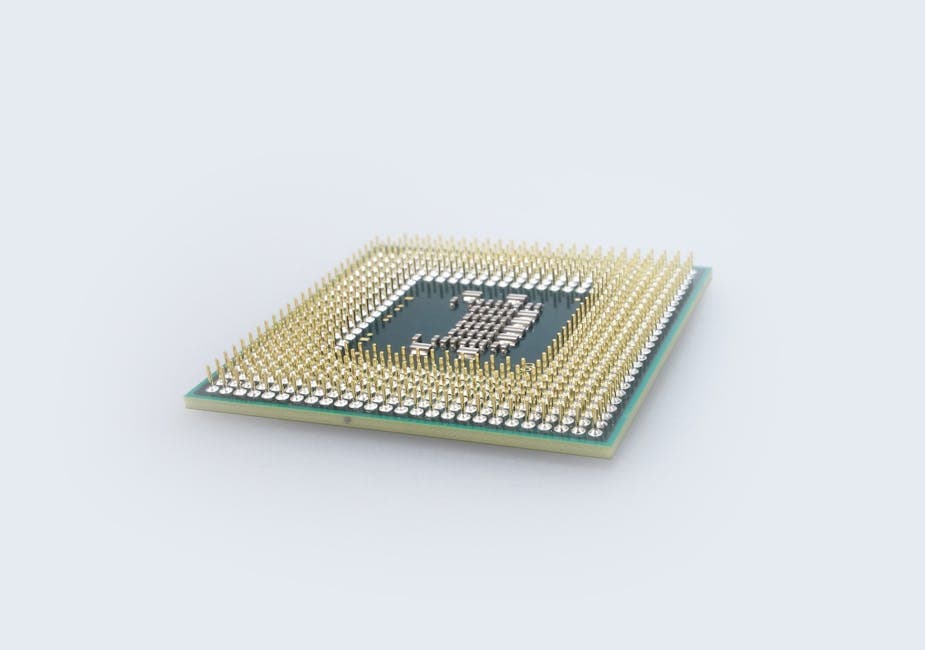
On-Device vs Cloud Transcription: The Real Tradeoff
Summarize this article with:
The Tradeoff in One Table
On-device and cloud transcription have traded places on several dimensions over the last two years. Here is where they actually stand today:
| Dimension | On-Device (Whisper.cpp / MacWhisper) | Cloud (e.g. Deepgram Nova-3) |
|---|---|---|
| Privacy | Audio never leaves your machine | Audio sent to vendor servers |
| Accuracy, clean English | Competitive (Whisper Large-v3) | Slightly better on noisy/multi-speaker |
| Batch speed (60-min file) | ~27 min on M2 Mac (Large-v3) | ~2-3 min (Deepgram Nova-3 batch) |
| Streaming / real-time | Works offline, no network dependency | 1-3 sec lag, requires connectivity |
| Per-minute cost | Zero (after hardware) | $0.0048-$0.0077/min (Deepgram PAYG) |
| Languages | 100 (Whisper), quality varies | 30-100+, vendor-dependent |
| Speaker diarization | Basic (improving) | Strong, reliable |
| Setup friction | Download model, configure pipeline | API key + HTTP call |
The short answer for most people: cloud is still the default for convenience and accuracy, but on-device is now a real option rather than a fallback for anyone with genuine privacy requirements or offline needs.
What On-Device Actually Means in 2026
Not all "on-device" tools behave the same way. The label covers a spectrum.
Whisper.cpp and MacWhisper run OpenAI's Whisper models entirely on your local hardware via a C++ port. Audio is never transmitted anywhere. MacWhisper is the easiest entry point for Mac users: the free tier is fully functional for occasional use, and the Pro tier (€59 lifetime via Gumroad, or $99.99 lifetime via the App Store as of mid-2026) adds Large-v3, Turbo, batch processing, and diarization.
Apple on-device Speech framework is more complicated. On Apple Silicon devices, most dictation requests are processed locally without leaving the device. But some language/region combinations, certain search-field inputs, and the "Improve Siri and Dictation" setting can route audio to Apple's servers. Apple does not document exactly which requests go where, making it an unreliable guarantee for strict privacy requirements. If your use case requires certainty, a local Whisper model is a cleaner choice.
Google Gemini Nano on Pixel 9 and newer devices handles on-device summarization and transcription for the Recorder app. Google has invested in quality improvements, including LoRA fine-tuning and support for recordings over 30 minutes. But the scope is narrow: it powers Google's own apps, not a general-purpose API you can build against.
NVIDIA Riva is the enterprise on-premise option, running on local GPU infrastructure. It is not consumer software. Pricing is contact-sales; it is appropriate for organizations that need full data sovereignty and have the hardware to match.
For practical individual or small-team use, the on-device story in 2026 is essentially Whisper.cpp or MacWhisper on a modern Mac.
What Cloud Transcription Looks Like in 2026
The cloud side has also evolved. Pricing has dropped and model quality has improved.
Deepgram Nova-3 is the speed benchmark for batch and streaming API work. Current pay-as-you-go pricing (verified July 2026): $0.0077/min for pre-recorded audio, $0.0048/min for streaming. The multilingual model runs slightly higher. A volume-discount "Growth" tier requires annual commitment.
OpenAI transcription now comes in two models: gpt-4o-transcribe at $0.006/min and gpt-4o-mini-transcribe at $0.003/min (both verified from OpenAI's pricing page, July 2026). The older whisper-1 endpoint is no longer listed separately.
AWS Transcribe, Google Cloud Speech-to-Text, and Azure Cognitive Services follow per-minute metered pricing with volume tiers. See the AWS Transcribe pricing breakdown and Google Cloud STT pricing for current rates.
For a broader comparison of API rates across providers, the speech-to-text API pricing guide covers the full landscape.
Privacy: The Case for On-Device Is Stronger Than Ever
Privacy is where on-device has the clearest, least ambiguous advantage. There is no contractual promise, retention policy, or encryption commitment from a cloud vendor that is equivalent to "we never received your audio."
Some specific scenarios where that distinction matters:
Legal work. Multiple bar associations and law firm ethics advisors have flagged that routing privileged attorney-client conversations through a third-party cloud service may constitute a disclosure to an outsider, which could risk inadvertent privilege waiver. On-device transcription eliminates that exposure by design. This is not legal advice, confirm with your jurisdiction's ethics authority before deploying any transcription tool on privileged matter.
Medical dictation. HIPAA's minimum necessary standard pushes toward data minimization. Even with a Business Associate Agreement in place, on-device transcription removes the breach surface entirely. A BAA with a cloud vendor is not equivalent to never exposing PHI to that vendor in the first place.
Corporate strategy sessions. Competitive sensitivity does not need a regulatory framework to be real. If you are dictating M&A plans or unreleased product details, the marginal accuracy gain of cloud does not obviously justify the exposure.
Personal recordings. Some users simply do not want to think about it. On-device transcription ends the question.
For a deeper look at what AI transcription providers actually do with your audio, the is AI transcription private post covers data retention, model training clauses, and what to look for in a vendor's privacy policy.
For non-sensitive content, cloud is fine. If you just need to transcribe a podcast interview or meeting notes and confidentiality is not a constraint, cloud transcription with a vendor that has short retention windows, and ideally a documented deletion policy, is a reasonable choice.
 ConvertAudioToText upload interface for audio files
If you want cloud transcription without setting up an API integration, ConvertAudioToText's audio-to-text tool runs your file through a cloud pipeline, deletes the source audio automatically after a limited time, and returns a clean structured transcript. It is a pragmatic middle ground for one-off use.
Accuracy: Cloud Leads, But the Gap Has Narrowed
On clean English audio from a single speaker, on-device accuracy with Whisper Large-v3 is close enough to cloud that most people cannot tell the difference in practical output. On standard benchmarks, Whisper Large-v3-Turbo (the faster pruned variant) sits within about 0.4 percentage points WER of the full Large-v3 model.
The gaps that remain are real but specific:
Multi-speaker recordings are still the hardest problem. Cloud diarization from Deepgram or AssemblyAI is meaningfully more reliable than what local Whisper models produce today, especially in overlapping speech. See the speaker diarization explained post for what to expect from each approach.
Noisy audio (conference calls with background noise, phone recordings) still favors cloud models that have been fine-tuned on degraded audio at scale.
Low-resource languages show the biggest variance. Whisper covers 100 languages, but quality drops significantly below its best-supported languages. Cloud vendors with dedicated training investments for specific languages can outperform Whisper on those.
Where on-device has closed the gap most: clean English studio or meeting audio with a single or two speakers. If that describes your use case, the accuracy argument for cloud is genuinely thin.
Latency: Hardware vs. Network
Latency is the most context-dependent dimension.
On an M2 MacBook running whisper.cpp with Metal GPU acceleration, Whisper Large-v3 processes at roughly 0.45x real-time. That means a 60-minute recording takes about 27 minutes. Large-v3-Turbo, which uses a pruned decoder with nearly identical output quality, runs about 2.3 times faster, so that 60-minute file finishes in roughly 12 minutes.
Cloud batch processing (Deepgram Nova-3) runs at approximately 25x faster than real-time for pre-recorded audio. Your 60-minute file comes back in 2-3 minutes once uploaded. That speed advantage is real, and upload time is the binding variable for longer files on slower connections.
For streaming live audio, the comparison flips. On-device can run in real-time with zero network dependency. Cloud streaming adds 1-3 seconds of latency and requires a stable connection. If you are building a live captioning tool, an app for use in areas with unreliable connectivity, or a privacy-critical real-time use case, on-device wins on latency.
Cost: The Break-Even Depends on Your Situation
Per-minute cloud pricing is low. Deepgram Nova-3 at $0.0077/min works out to about $0.46/hour of audio. OpenAI's gpt-4o-transcribe is $0.36/hour. For a detailed comparison of the full API pricing landscape, the transcription pricing comparison covers current rates side by side.
On-device has zero per-minute cost but real fixed costs: the hardware to run it (any modern M-series Mac works for low-to-medium volume), the time to set up and maintain a local pipeline, and the operational overhead of keeping models updated.
For individuals and small teams:
- Occasional use (a few recordings per month): cloud wins clearly. The fixed overhead of on-device is not worth it.
- Regular use (hundreds of minutes per month): comparable. The economics depend more on your privacy and latency requirements than on raw cost.
- High volume with existing infrastructure: on-device can significantly undercut cloud per-unit cost, but requires engineering investment to sustain.
For non-technical users, a managed cloud service with a flat monthly rate sidesteps the calculation entirely by absorbing the per-minute cost on the vendor side. The unlimited vs metered transcription pricing post covers when that makes financial sense.
When to Pick Which
My take: the framing of "which is better" misses the point. The two approaches serve different constraints.
Pick on-device when:
- Audio contains material you cannot let a third party process. Legal work, medical dictation, competitive strategy.
- You are building a product where "your audio never leaves your device" is a feature you can market.
- You need offline operation with no internet dependency.
- You have high enough volume and existing infrastructure that per-minute cloud costs add up to something meaningful.
Pick cloud when:
- You need the strongest possible accuracy on noisy, multi-speaker, or low-resource-language audio.
- You need reliable speaker diarization or AI summaries.
- You want a managed experience without owning the model deployment and its operational overhead.
- Your volume is low to moderate and the engineering cost of on-device setup is not justified.
Consider a hybrid when: Some teams are converging on a hybrid pattern: on-device for an initial pass on sensitive content to capture the substance with full privacy, then a selective cloud pass (after redacting names and identifying details) for diarization and summarization. More complex to operate, but it is a realistic path for teams with both accuracy and privacy requirements.
For most journalists, students, content creators, and small business teams, cloud transcription remains the practical default in 2026. On-device is no longer a compromise, but it still requires more setup. The meaningful shift is that the question is now genuinely worth asking for any use case with privacy sensitivity.
Common Questions
Is on-device transcription as accurate as cloud transcription?
For clean English audio, the gap is negligible. Whisper Large-v3 and Large-v3-Turbo are within about 0.4 percentage points WER of each other on standard benchmarks, and both are competitive with cloud APIs on studio-quality recordings. Cloud still leads on noisy audio, multi-speaker diarization, and low-resource languages where vendors have invested in extra training data.
Does on-device transcription really keep my audio private?
It depends on the tool. True on-device processing, such as whisper.cpp or MacWhisper running local Whisper models, never sends audio to a remote server. Apple Dictation is more nuanced: it processes many requests on-device on Apple Silicon, but certain language/region combinations and some search-field inputs can still hit Apple servers. Always verify the specific tool's architecture if privacy is the deciding factor.
How fast is on-device transcription compared to cloud?
On an M2 MacBook running whisper.cpp with Metal GPU, Large-v3 processes audio at roughly 0.45x real-time, so a 60-minute file takes about 27 minutes. The faster Large-v3-Turbo model runs about 2.3x quicker with nearly identical accuracy. Deepgram Nova-3 in batch mode is roughly 25x faster than real-time once upload completes. For streaming live audio, the comparison is different: on-device can run in real-time with zero network dependency, which cloud cannot match when connectivity is poor.
At what volume does on-device transcription become cheaper than cloud?
On-device has zero per-minute cost but real fixed costs: hardware, integration engineering, and operational overhead. At low volumes, cloud wins economically because the fixed on-device costs dominate. The crossover depends on your hardware and engineering situation, but a rough rule of thumb is that cloud is clearly cheaper below a few thousand minutes per month for a solo user or small team without existing infrastructure.
Should lawyers use cloud transcription for client conversations?
This is a question for your jurisdiction's bar authority, not this blog. The general concern raised by legal commentary is that routing privileged communications through a third-party cloud service could constitute disclosure to an outsider, which may risk inadvertent waiver of attorney-client privilege. On-device transcription eliminates that third-party exposure by design. Consult your firm's ethics counsel before using any transcription tool for privileged matter.
Sources
- Deepgram Pricing, Nova-3 rates verified July 2026
- OpenAI API Pricing, gpt-4o-transcribe and gpt-4o-mini-transcribe rates verified July 2026
- MacWhisper Pricing 2026 (Voibe Resources), free tier and Pro lifetime pricing
- Whisper Large V3 Turbo vs V3 benchmark (Whisper Notes), WER and speed comparison
- Whisper Performance on Apple Silicon (Voicci), RTF benchmarks on M2
- Apple Dictation Privacy (Yaps Blog), on-device vs server-side processing edge cases
- Deepgram Data Security, retention and deletion policies
- AI Transcription Tools: Privacy, Privilege and Ethical Pitfalls (Duane Morris), attorney-client privilege analysis
- AI Transcription Tools Under Scrutiny (Goodwin Law), privilege waiver risk analysis
Try transcription free
Convert any audio or video to clean, unwatermarked text — speaker labels, timestamps, and AI summaries included. First 30 minutes free, no account.
Related Articles

Auto-Delete Transcription Files: How Long Your Audio Is Kept
How transcription services handle file retention, what auto-delete settings exist across major tools, and how to configure storage to match your actual risk and workflow.
How to Transcribe Audio Files Stored in Google Drive (2026 Guide)
Step-by-step guide to transcribing Google Drive audio: shareable link path, download workflow, Meet recording format, and permission gotchas that block you.