
Open vs Closed Captions: How to Decide in 2026
Summarize this article with:
The Difference in One Look
Open captions are burned into the video pixels. The viewer cannot turn them off. Closed captions are a separate text track that the viewer or the player toggles on or off. Both deliver the same accessibility benefit when they appear on screen. The only difference is who controls whether they appear at all.
That single difference cascades into every other consideration: platform compatibility, accessibility law preference, update cost, and viewer experience.
How Each Format Works
Closed captions live as a separate file or embedded track inside the video container. Common formats are SRT, VTT, and TTML. The player reads the file at playback time, draws the text over the video, and respects the viewer's preferences for font size, color, and position. Viewers who find captions distracting can turn them off.
Open captions are part of the video itself. The text is rendered into the pixel data during encoding. Every frame containing a caption block has the text drawn on it before the video is saved. There is no toggle because there is no separate track.
The practical implication: open captions travel with any copy of the video file. Save an MP4 with open captions to a thumb drive, post it to a website that strips caption tracks, or embed it in an email, the captions are still there. Closed captions only show when the player surfaces the track and the track file travels with the video.
The Platform-Forced Choice
In 2026, your publishing destination often makes the format decision for you. The table below reflects what each platform actually supports, verified against platform help pages.
| Platform | Closed caption track support | Recommended approach |
|---|---|---|
| YouTube | Native SRT, VTT, SBV via Studio | Closed (upload SRT) |
| Vimeo | SRT, VTT | Closed |
| HTML5 on your site | VTT via track element | Closed |
| TikTok | No external SRT upload | Open (burn in) |
| Instagram Reels | No external SRT upload | Open (burn in) |
| Instagram Stories | None | Open |
| Facebook video (feed posts) | SRT via Captions tab | Mixed: closed for feed posts, open for Reels to be safe |
| SRT upload for personal and Page posts | Closed | |
| X (Twitter) | Single SRT file, UTF-8, web and app | Closed where possible; open for guaranteed visibility |
| Netflix, Disney+, Prime | TTML profiles per spec | Closed |
| Broadcast TV | TTML or proprietary | Closed |
The pattern is clear: long-form platforms with full player interfaces support closed captions; short-form social either does not support external caption tracks at all or has inconsistent support in specific creation flows.
A nuance worth holding onto: X now accepts one SRT file per video, which the existing "None" entries in older guides miss. Still, if your content will be viewed in embedded or shared contexts where the caption track may not travel, burning captions in provides a guaranteed fallback.
When Open Captions Are the Right Call
Open captions make sense in these situations:
- The platform strips external caption tracks. TikTok, Instagram Reels, and Instagram Stories do not accept external SRT files for uploaded content. Open captions are the only reliable path to guaranteed visibility. The captioning for TikTok and Instagram playbook covers the per-platform workflow in detail.
- The video plays in environments outside your control. Autoplaying muted ads in web feeds, video files distributed to employees via file servers, embeds on third-party sites.
- You need precise visual styling. Animated captions, color-coded speakers, branded typefaces, character-by-character reveals. None of these survive in a standard VTT or SRT file.
- The video is meant to be downloaded and redistributed. Training videos shared across teams on varied devices benefit from open captions because the player environment is unknown and inconsistent.
The downsides are real: no language switching, no viewer-driven styling adjustments, and any caption error requires re-rendering and re-uploading the entire video.
When Closed Captions Are the Right Call
Closed captions are the right choice when:
- The platform supports them. YouTube, Vimeo, LinkedIn, X, HTML5 players, broadcast TV, and OTT streaming services all render closed caption tracks correctly.
- You need language switching. One video file can carry caption tracks in 20 languages. Multilingual audiences pick their language at playback.
- SEO matters. Search engines index closed-caption text as part of a video's metadata. Open captions are pixels and do not contribute to indexing.
- Viewer control is a product value. Some viewers find captions distracting and prefer to read along selectively. Others rely on them constantly. Closed captions serve both.
- Accessibility preferences matter. Modern players respect platform-wide viewer settings: font size, color, position. A low-vision viewer who has configured their preferences once gets that experience on every video with closed captions.
- You expect to edit captions after publish. Updating a closed caption track means uploading a new SRT file. Open captions mean re-exporting and re-uploading the video.
What Accessibility Law Actually Prefers
Both open and closed captions satisfy WCAG 1.2.2 (Captions Prerecorded, Level A) when the text is accurate and synchronized with the audio. The standard does not mandate a format. Under Section 508, the same holds: either format passes as long as it meets accuracy and synchronization requirements.
That said, accessibility advocates and the W3C's own guidance lean toward closed captions where the platform supports them, for three reasons: viewers can increase font size, viewers who rely on screen readers can turn captions off to avoid redundant audio output, and multiple language tracks serve a wider range of users than a single burned render.
For platforms that strip caption tracks, open captions are the compliance path, not a workaround. A note for legal context: specific requirements vary by jurisdiction, industry, and content type. This post covers general technical and WCAG guidance, not legal advice.
The accessibility captions and ADA compliance post covers the legal angle in more depth.
The Hybrid Workflow
Most creators publishing to multiple platforms need both formats. A podcast clip going to YouTube and TikTok needs a closed SRT for YouTube and burned captions for TikTok. The key insight: generate the SRT once and use it twice.
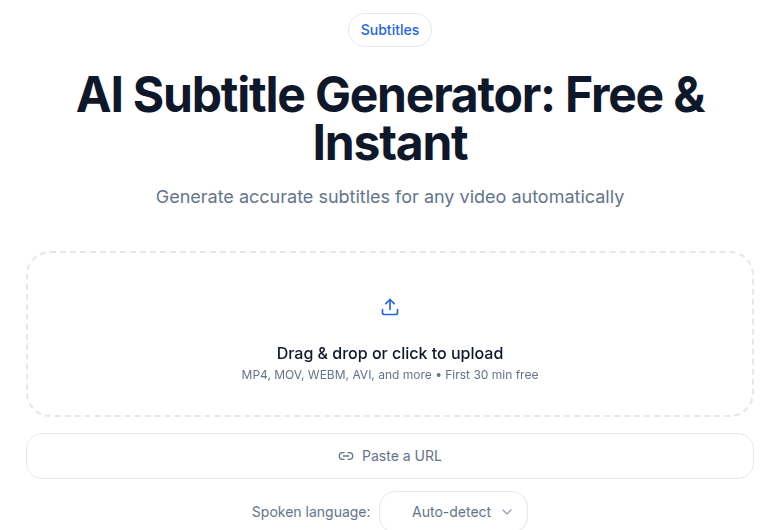 The subtitle generator tool at ConvertAudioToText produces SRT and VTT files from any audio or video upload
- Run the audio through a subtitle generator to get a clean SRT.
- Review for proper nouns, technical terms, and timing.
- For YouTube, LinkedIn, and similar platforms, upload the SRT as a closed-caption track.
- For TikTok and Instagram, use the SRT as input to a burn-in render in your video editor.
- Ship.
The SRT is the single source of truth. Open captions are a render output from it; closed captions are an upload of it. Errors need fixing only in the SRT file, once.
The Cost Difference
Closed captions are cheap to update. Edit the SRT and re-upload a few kilobytes. No video re-export.
Open captions cost more to produce and more to fix. Every video render with captions added is a separate export. If you publish in four languages, that is four renders per video. If you catch a typo after publishing, fix the SRT, re-render, re-upload.
For a creator publishing weekly to both YouTube and TikTok, the hybrid workflow adds roughly 5 to 10 minutes of render time per language per video on top of SRT generation and review. The closed-only YouTube workflow adds zero render time beyond SRT generation.
The Terminology Worth Knowing
A few clarifications that come up constantly:
- Hardcoded subtitles is a synonym for open captions. The term is common in video editing and film workflows.
- Soft subtitles is a synonym for closed captions in the same context.
- Subtitles vs captions technically differ: subtitles are dialogue transcriptions for hearing audiences (foreign films, for example); captions include non-speech sound descriptions and are intended for deaf and hard-of-hearing audiences. In practice, the terms are used interchangeably on most platforms in 2026.
The legal accessibility requirement specifically calls for captions in the accessibility sense, which includes sound descriptions and speaker labels where relevant.
My Take: Default to Closed, Burn for Social
If you publish mostly to YouTube, Vimeo, or your own site, default to closed captions. Generate the SRT, upload it, move on. No extra render step.
If you publish mostly to TikTok and Reels, burn the captions in and treat the SRT as your internal source file.
If you publish to both, the hybrid workflow is a one-time setup. The per-video overhead is small relative to everything else you have already done to produce the video. The how to create an SRT file guide walks through the SRT step, and the subtitle generator at ConvertAudioToText handles the transcription to SRT in one step without requiring an account.
Common Questions
Do open captions satisfy accessibility requirements?
Yes. WCAG 1.2.2 (Captions Prerecorded) accepts both open and closed captions as long as the text is accurate and synchronized. Accessibility advocates and most laws prefer closed captions where the platform supports them, because viewers can adjust font size, color, and position. For platforms that strip caption tracks, open captions are the compliant path.
Can I upload an SRT file to TikTok?
No. TikTok does not accept external SRT files for uploaded videos. TikTok has a native auto-caption tool, but for reliable captioning, the practical approach is to burn captions into the video before uploading.
Does X (Twitter) support closed captions?
Yes. X accepts a single SRT file (UTF-8 encoded) attached to a video post on web, iOS, and Android. The option appears below the video composer. X does not support VTT or ASS formats, only SRT.
What is the cost difference between open and closed captions?
Closed captions cost almost nothing to update: edit the SRT file and re-upload a few kilobytes. Open captions require re-rendering and re-uploading the full video every time you fix an error. For multilingual content, open captions multiply your render time by the number of languages; closed captions add only one small text file per language.
Sources
- W3C WCAG 2.2 Understanding 1.2.2: Captions (Prerecorded)
- X Help: How to upload a caption (.srt) file
- LinkedIn Help: Add Closed Captions to Videos
- Facebook Help: Add or remove captions on your video
- Descript: How to Add Captions to TikTok
- 3Play Media: Open Captioning Use
- Rev: Open Caption vs Closed Caption
Try transcription free
Convert any audio or video to clean, unwatermarked text — speaker labels, timestamps, and AI summaries included. First 30 minutes free, no account.
Related Articles

Accessibility Captions and ADA Compliance: A 2026 Guide
How to caption video for ADA compliance: the real WCAG levels, the DOJ Title II deadlines after the 2026 extension, Section 508, the EU Accessibility Act, and the AI-plus-human workflow that actually
How to Make Videos Accessible with Captions (2026 Guide)
Learn how to add accessible captions to any video: generate, correct to accessibility standard, and publish per platform. Covers WCAG, ADA, EAA, and formatting best practices.