
Transcription for Deaf and Hard-of-Hearing Users
Summarize this article with:
For Deaf and hard-of-hearing users, good transcription means 99% accuracy, clear speaker labels on every change, bracketed non-speech sounds, and readable caption timing. AI transcription clears 90-97% accuracy in ideal conditions but consistently falls short in real-world settings, particularly for live streaming. The practical workflow is AI first draft, then human review for accuracy, speaker ID, and non-speech sounds. Compliance standards like WCAG 2.1 AA describe this bar well, but the real reason to meet it is that it reflects what actually makes content usable.
For Deaf and hard-of-hearing (DHH) users, the quality of a transcript or caption file is not an aesthetic preference. It determines whether the content is usable at all. The practical standard is 99% word-level accuracy, clear speaker identification on every change, and bracketed non-speech sounds. Most AI transcription does not hit that bar without human review. This post explains what DHH users actually need, where AI helps, and what still requires human attention.
(Practical guidance, not legal advice.)
The Diversity Behind "DHH"
"Deaf and hard of hearing" covers a wide range of experiences, and what helps each person varies.
Culturally Deaf users, particularly those for whom American Sign Language (ASL) or British Sign Language (BSL) is a first language, may read English as a second language. Long, dense transcripts can be harder to follow than spoken ASL. For this audience, plain language matters as much as accuracy: shorter sentences, common vocabulary, and clear paragraph breaks. Sign language interpretation is often more accessible than captions for extended content.
Hard-of-hearing users typically read with native fluency but lose access to audio in noisy environments, over low-quality recordings, or when speakers have strong accents or overlapping speech. Captions and transcripts give them the same content access that clear audio provides others.
Late-deafened adults often prefer captions over sign language because they have strong English literacy but no signed language fluency.
The terminology note from the existing community: "Deaf" with a capital D refers to cultural identity; "deaf" lowercase refers to the audiological condition. "Hearing impaired" is generally considered negative by the Deaf community and is best avoided.
What AI Transcription Actually Delivers
Before going into what DHH users need, it is worth being honest about what AI transcription provides, because the marketing does not always match the experience.
Vendor-reported accuracy rates for AI transcription typically range from 90-97% in good conditions. Peer-reviewed research tells a more complicated story. A 2024 study measuring 11 ASR services using real university lecture recordings found wide performance variation across vendors and individual audio samples, with streaming ASR, the technology used for live captions, performing significantly worse than post-production transcription. The researchers concluded that "common services lack reliability in accuracy" and documented a clear mismatch between published industry claims and the experience DHH users actually report.
This is not an argument against using AI transcription. It is an argument for understanding its role: AI handles the bulk of words at speed, humans close the accuracy gap and add what AI cannot.
For a 90-minute lecture, an AI pass completes in about two to three minutes. Manual transcription from scratch takes six to nine hours. A human reviewing an AI draft typically finishes in two to three hours. The AI pass is still the right place to start.
The Four Things DHH Users Actually Need
The Accuracy Floor That Actually Serves DHH Users
At 97% accuracy on 1,500 words, roughly 45 words are wrong. At 95%, it is 75 errors. For general content, a reader can often infer correct meaning from context. For technical lectures, medical content, legal proceedings, or fast-paced dialogue, 5% errors break comprehension.
The DCMP and the FCC both set 99% word-level accuracy as the published standard for post-production captions, with 98.5% for real-time. That gap between standard and typical AI output is why human review exists.
For a deeper look at accuracy measurement and what word error rate actually means, see transcription accuracy explained.
Speaker Identification on Every Change
Caption conventions require a speaker label every time the speaker changes, not just the first time each speaker appears. Common formats: "SARAH:" at the start of a line, or "[Sarah]" as an inline marker. AI diarization handles two-speaker interviews reasonably well in clean audio. It struggles with three or more speakers, overlapping speech, similar voices, and audio recorded with a single far-field microphone.
Missing speaker labels in a three-person conversation make the transcript nearly unusable. A reader cannot follow who is disagreeing with whom, which is the whole point of many dialogue-heavy recordings.
For a full explanation of how speaker diarization works and where it breaks down, see speaker diarization explained.
The Non-Speech Sounds That Must Be Captioned
Captions assume the viewer cannot hear. That means all meaningful audio needs a text equivalent, not just speech.
The DCMP's captioning quality guidelines require a complete textual representation of audio, including non-speech information. In practice:
- Environmental sounds that affect comprehension: "[door slams]", "[alarm sounds]", "[crowd cheers]"
- Music with lyrics: Actual lyrics when central to the scene, not "[music playing]"
- Instrumental music: "[tense string music]" or "[upbeat piano]" when the mood is narratively relevant
- Tone and manner: "[sarcastic tone]" or "[whispered]" when reading the words without tone context changes the meaning
AI transcription almost never generates non-speech annotations. This is one of the clearest gaps between AI output and accessibility-grade captions. Every non-speech sound in a file needs manual addition during review.
 ConvertAudioToText subtitle generator tool showing caption export
Readable Timing and Line Breaks
Captions that appear before or after the speech they describe are disorienting. Caption timing should place the text during the speech, disappearing within about one second of the speaker stopping.
Reading speed matters: the DCMP sets 150-160 words per minute for adult content, with a hard ceiling of 225 wpm at the absolute maximum. The FCC recommends that captions not run faster than viewers can read. When audio moves faster than 160 wpm (fast speakers, overlapping conversation, dense legal or medical language), captions need to be edited down rather than displayed verbatim at a speed no one can follow.
Line length: no more than 32 characters per line, two lines maximum on screen at once. Break at natural clause boundaries, never mid-phrase.
Additional Questions DHH Users and Producers Ask
Where AI Output Needs Human Editing
To turn an AI transcript into an accessibility-grade caption file:
- Generate the transcript using a tool like audio to text. Export as TXT or VTT.
- Open in a caption editor (Subtitle Edit, Aegisub, or a browser-based captioning tool).
- Listen through the audio while reading. Correct misheard words. Pay close attention to proper nouns, technical terms, and names.
- Add speaker labels at every speaker change.
- Add non-speech sounds in brackets where they carry meaning.
- Check line length and break at clause boundaries.
- Verify reading speed. If a caption block is too long for its time window, trim or split.
- Export final VTT or SRT.
For an hour of audio or video, the human editing pass typically takes two to three hours. That is much faster than starting from scratch (six to nine hours for manual captioning), and the AI draft handles the volume of spoken words reliably. The human pass handles everything AI misses.
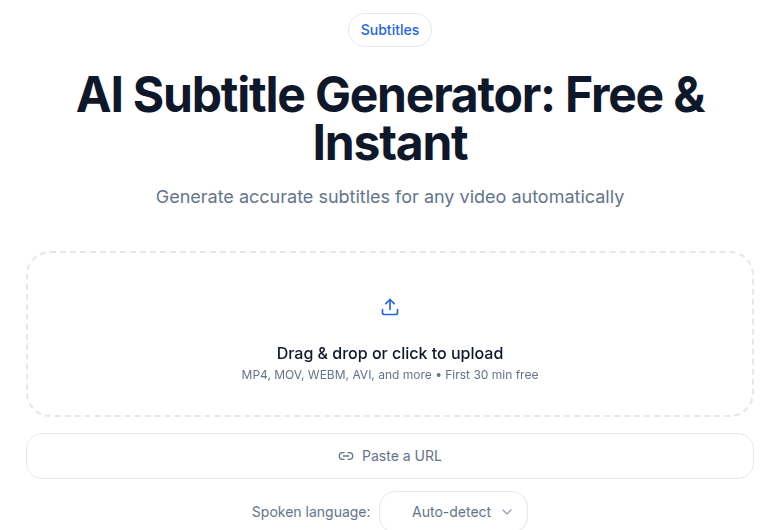
If you just need a clean transcript without building a caption file, ConvertAudioToText gets you the AI draft and exports SRT and VTT files you can take into a caption editor.
For how the subtitle generation side of this workflow looks, the subtitle generator tool exports both SRT and VTT.
Beyond Individual Caption Files
For live events and real-time settings, CART (Communication Access Realtime Translation) is the professional standard. A trained CART provider uses a stenotype machine to produce word-for-word captions in real time. CART reaches approximately 98.5% accuracy, which is the real-time standard the FCC cites. AI auto-captioning for live events has improved but remains less reliable, particularly in noisy rooms, with accents, or with multiple overlapping speakers.
For high-stakes settings (legal proceedings, medical consultations, government proceedings), AI captions are not a substitute for either CART or a qualified sign language interpreter.
Plain language versions of content help Deaf users for whom English is a second language. Summarized transcripts with common vocabulary and shorter sentences often serve this audience better than verbatim captions. Many content producers offer both.
What the Standards Encode
The compliance requirements (WCAG 2.1 AA, ADA, Section 508, European Accessibility Act) are worth understanding, but the standards are encoding what DHH users need rather than inventing arbitrary thresholds. The 99% accuracy target exists because research on DHH reading comprehension shows that error rates above 1% measurably degrade understanding for content with technical vocabulary. The non-speech requirements exist because narrative content without sound cues is incomplete for viewers who cannot hear.
The European Accessibility Act came into effect on June 28, 2025, extending captioning requirements to private-sector services in EU member states for new content. Legacy content has a transitional period through 2030. This is a meaningful expansion beyond the previous public-sector-only scope.
For a complete walkthrough of WCAG 2.1 criteria and what they require, see WCAG compliance with transcripts. For how ADA applies to specific entity types, see ADA compliance for audio content. For the broader international picture, see accessibility laws by country.
My take: the most common accessibility failure is not legal ignorance. It is the assumption that auto-generated captions are "good enough" because they capture most of the words. For DHH users who depend on text as their primary access to audio content, most of the words is not the bar. All of the meaning is the bar. The human review pass is not optional. It is the whole point.
FAQ
What accuracy level do captions need to reach to actually serve deaf and hard-of-hearing users?
The DCMP and FCC both set 99% word-level accuracy as the standard for post-production captions, with 98.5% for real-time. At 95% accuracy, a 1,500-word lecture contains around 75 errors, which is enough to break comprehension of technical content. AI transcription typically reaches 90-97% in good conditions, but published research finds that real-world performance, especially for streaming captions, falls significantly short of vendor-reported numbers. Human review after an AI draft is the reliable path to 99%.
What non-speech sounds need to be included in captions?
Any audio that carries meaning for understanding the content: background sounds that affect narrative ("[door slams]", "[phone rings]"), music with lyrics, instrumental music when it is emotionally or narratively significant ("[tense violin music]"), and speaker identification on every speaker change. AI tools almost never capture non-speech sounds. These need to be added manually during the human review pass.
What is the difference between captions and subtitles for accessibility purposes?
Captions are written for viewers who cannot hear and include all meaningful audio: dialogue, speaker identification, relevant sound effects, and music cues. Subtitles are translations of dialogue for viewers who can hear but do not understand the language, so they omit non-speech sounds. For accessibility, captions are what you need. Closed captions can be toggled on and off. Open captions are baked into the video permanently.
Do Deaf users prefer captions or sign language interpretation?
Preferences vary by individual and context. Many culturally Deaf users, especially those for whom ASL or BSL is a first language, find sign language more natural and less fatiguing than reading captions for long content. For high-stakes situations like legal proceedings or medical consultations, sign language interpreters provide better access for fluent signers. Captions serve a broader audience including late-deafened adults and hard-of-hearing users who are more comfortable with text. When possible, offering both is the most inclusive option.
Is an AI-generated transcript good enough for a WCAG 2.1 AA caption requirement?
Not on its own. WCAG 2.1 SC 1.2.2 (Level A) requires synchronized captions for pre-recorded video, and SC 1.2.4 (Level AA) requires real-time captions for live video. The guidelines specify that captions must be equivalent to the audio, including non-speech information. A raw AI transcript converted to VTT may satisfy the technical format requirement but usually misses speaker labels, non-speech sounds, and timing precision. Human review closes that gap. For a detailed walkthrough of compliance obligations by entity type, see our post on WCAG compliance with transcripts.
Sources
- WHO Fact Sheet: Deafness and Hearing Loss
- DCMP Captioning Guidelines
- Measuring the Accuracy of Automatic Speech Recognition Solutions (ACM / arXiv 2408.16287)
- W3C WCAG 2.1 Success Criterion 1.2.2: Captions (Prerecorded)
- W3C WCAG 2.1 Success Criterion 1.2.4: Captions (Live)
- FCC Closed Captioning Quality Standards
- European Accessibility Act - Digital Accessibility Summary, Davis Wright Tremaine
- NAD: Communication Access Realtime Translation
- DO-IT: How are the terms deaf, deafened, hard of hearing, and hearing impaired typically used
- National Deaf Center: Quality Standards for Captions
Try transcription free
Convert any audio or video to clean, unwatermarked text — speaker labels, timestamps, and AI summaries included. First 30 minutes free, no account.
Related Articles

Accessible Lectures with Transcripts: The Delivery Guide
Recorded lectures plus transcripts as universal design: disability-services workflows and the student-facing formats that work.
Podcast RSS with Transcripts: Add the Right Tag
Learn how the podcast:transcript RSS tag works, which apps read it in 2026, the right MIME types for VTT, SRT, and JSON, and how to host the file correctly.