
Transcription for Law Firms: Ops, Privilege, Vetting
Summarize this article with:
AI transcription fits a wide range of law firm workflows, from client intake calls to witness prep and attorney dictation, but formal depositions, court records, and CJIS-regulated content still require certified human services. The legal risk is not only error rate: a 2026 SDNY ruling confirmed that using a consumer AI tool whose terms of service permit data retention can waive attorney-client privilege. Vendor due diligence, a written data processing agreement, and a mandatory review step are the three things that separate a safe rollout from a liability.
Law firms generate more recorded speech than almost any other professional service, and most of it sits underused because turning it into text takes too long or costs too much. AI transcription solves that problem for a wide range of internal workflows. It does not solve it for every workflow. Knowing which is which is the practical task, and that question has become more important in 2026 now that a federal judge has ruled that the wrong vendor choice can waive attorney-client privilege.
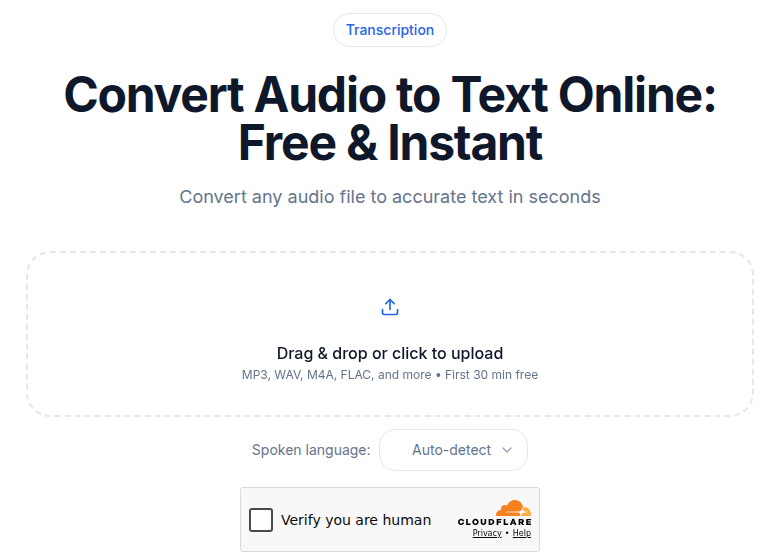 Client-intake and dictation audio flow through the same upload pipeline
Where AI Transcription Fits in a Law Firm
The following categories are well-suited to AI transcription, subject to the consent and vendor requirements below.
Client intake interviews. New client conversations where you are gathering facts. The transcript becomes part of the matter file, replacing the handwritten notes an associate would otherwise spend 30 to 45 minutes producing per hour of recording.
Attorney dictation. Many attorneys still dictate memos, correspondence, and internal notes rather than typing. AI transcription handles this well and is typically faster and cheaper than a dedicated dictation service for general legal content.
Witness preparation sessions. Internal sessions walking a witness through likely testimony. The transcript helps you track how answers evolve across prep rounds and identify phrasing that needs tightening.
Strategy meetings with co-counsel. Internal discussions about case approach, settlement options, and litigation direction. Privilege considerations apply to these specifically (see the section below on privilege and the Heppner ruling).
Expert consultation calls. Phone calls with retained experts explaining their analysis. Transcripts help associates write up the expert's position accurately rather than relying on memory.
Research interviews. Interviews conducted as part of factual investigation. A transcript captures exact statements; handwritten notes do not.
Internal training sessions. CLE-style internal training, junior attorney mentoring, partner-to-associate skills development. Transcripts accumulate into a searchable training library over time.
Where AI Transcription Does Not Fit
These are the categories where you should use a certified service instead.
Formal depositions. A certified court reporter swears in the witness, controls the record, and certifies accuracy. That certification is the legal artifact. AI is not a substitute.
Court hearings and trials. The official transcript comes from the court's reporter or an approved system. A firm's own AI transcript is supplementary at best.
CJIS-regulated content. Criminal justice information has federal compliance requirements. General-purpose AI tools are not certified for CJIS content.
Sworn recorded statements. Statements made under oath need to be transcribed by someone qualified to certify accuracy for their intended purpose.
Matters requiring specific data residency. Some matters require control over where audio is processed. Verify vendor infrastructure against the specific requirement before uploading anything.
For court-admissible records, Rev's legal transcription service is the standard option. Their pricing model uses a per-page structure: an AI rough draft runs $0.35/page, a human rough draft with 99% accuracy runs $2.25/page, and a "Ready to Certify" transcript runs $2.50 to $3.25/page depending on the review level. Rev's Unlimited plan includes CJIS compliance and HIPAA controls. Verbit is another specialized service that pairs AI with trained legal transcriptionists and certified court reporters for matters needing that combination.
The Privilege Risk That Changed in 2026
In February 2026, U.S. District Judge Jed S. Rakoff of the Southern District of New York ruled in United States v. Heppner that documents created using a consumer AI tool were not protected by attorney-client privilege. The key fact: the tool's terms of service permitted data retention and third-party disclosure. Using it exposed the content to parties outside the attorney-client relationship, which destroyed the confidentiality required for privilege to attach.
Courts in other jurisdictions have since reached different conclusions in civil contexts, so a genuine judicial split is developing. But the case establishes the core principle that matters for vendor selection: the privilege question turns on the vendor's terms, not just the nature of the content.
The practical dividing line is between consumer tools, where terms often allow training on inputs or retention for service improvement, and enterprise tools operating under contractual confidentiality obligations. An enterprise contract that prohibits training on your data, commits to deletion after processing, names sub-processors, and requires breach notification puts you in a materially different position than using a consumer app with default terms.
For a full discussion of how courts are treating this issue, see transcription and attorney-client privilege.
Vendor Vetting Questions
Under ABA Model Rule 1.6(c), you are required to make reasonable efforts to prevent unauthorized disclosure of client information. Using an AI transcription vendor without due diligence is not a reasonable effort. Before onboarding any tool for client matter content, confirm:
- Does the vendor train AI models on uploaded content? If yes, that content is being used beyond your matter.
- What is the retention policy? Is audio and transcript data deleted after processing, and within what timeframe?
- Who are the sub-processors? Are they contractually bound to the same confidentiality terms?
- What happens when the vendor receives a subpoena for your data? Will you be notified before disclosure?
- Is a written data processing agreement available, and what does it cover?
- Does the vendor offer CJIS or HIPAA certification if required for your practice area?
Get answers in writing. If the vendor's terms permit them to retain or use your content, that is your answer even without an explicit "yes."
Privilege Considerations in Practice
When you record a client communication, you are creating a privileged document. Standard precautions:
Engagement letter language. Include a clause stating that the firm may record and transcribe client communications and that transcripts are protected by attorney-client privilege. Clients should understand this before any recording begins.
Consent for recording. In roughly a dozen all-party-consent states, including California, Connecticut, Delaware, Florida, Illinois, Maryland, Massachusetts, Montana, New Hampshire, Oregon, Pennsylvania, and Washington, all parties must consent before you record a call or in-person conversation. Confirm consent verbally at the start and document it in the session memo. This list reflects the current statutory landscape; confirm the specific rule for your jurisdiction before recording, as this is not legal advice.
Internal access controls. Privileged transcripts should be accessible only to the case team. Matter management systems like NetDocuments and iManage handle this through standard access controls.
Third-party processor relationship. Rule 1.6 in most jurisdictions permits disclosure to third parties assisting in the representation, including transcription vendors, as long as reasonable precautions are taken. The precautions are the vendor vetting steps above, documented in a written agreement.
For matters involving particularly sensitive content (national security, M&A material non-public information, or healthcare data), discuss the transcription workflow with the firm's general counsel and the client before proceeding.
For related context, see transcription for legal discovery and our deposition transcription guide.
Practice Area Considerations
Litigation. Depositions, court hearings, and trials need certified services. Client interviews, witness prep, and expert calls work fine with AI.
Corporate and M&A. Due diligence calls, management interviews, and strategy sessions work well. Closing transcripts and formal records may need certified services depending on the transaction.
Family law. Client interviews and consultation calls are appropriate. Recorded statements that may be used in court should follow the court's evidence rules for that jurisdiction.
Criminal defense. Client meetings work well. Anything touching CJIS-regulated content requires a certified, CJIS-compliant service.
Immigration. Client interviews and asylum case preparation are appropriate use cases for AI transcription. USCIS submissions follow specific format requirements separate from the internal transcript workflow.
Estate planning. Client interviews and family conferences. Transcripts support clear documentation of client intentions, which is particularly useful in probate disputes.
The Workflow for AI-Appropriate Use Cases
Record. Confirm you have consent, particularly in all-party consent jurisdictions.
Upload. Audio and video formats including MP3, M4A, and MP4 are all handled by standard transcription tools. ConvertAudioToText's meeting transcription tool handles multi-speaker audio well for this type of content.
Review. An associate or paralegal checks the transcript against the recording before it goes into the file. AI accuracy on clean audio typically runs 95 to 98%. The 2 to 5% error rate matters more in legal work than in other contexts because the errors tend to cluster in names, dates, and specific terms. Build review into the standard workflow; do not treat AI output as final.
Integrate. The reviewed transcript goes into the matter management system as a privileged document.
Archive. Original recording and transcript are retained according to the firm's document retention policy.
A 1-hour client interview that used to take 12 to 24 hours for a human transcription service and 30 to 45 minutes of associate time for note-taking completes in 2 to 3 minutes with AI, leaving only the review step. For an associate billing at $400/hour, the time savings alone typically justify the cost within the first week of use.
Tool Comparison for Law Firm Use
| Tool | Best for | Pricing model | CJIS/compliance | Notes |
|---|---|---|---|---|
| Rev | Court-certified records, CJIS content, depositions | Per-page (AI $0.35, human $2.25-$3.25) | CJIS on Unlimited plan | Human rough draft and Ready to Certify tiers use trained legal transcriptionists |
| Verbit | Court-grade AI + human hybrid, multi-language | Enterprise quote | Trained legal transcriptionists | Combines AI with certified court reporter oversight |
| Otter.ai | Meeting transcription, internal notes | Free (300 min/mo), Pro $16.99/user/mo, Business $30/user/mo | No legal-specific compliance | Meeting-bot focused, per-conversation limits on lower plans |
| Trint | Editor-heavy review workflows, journalism and legal content | Starter ~$80/seat/mo (7 files), Advanced ~$100/seat/mo | ISO 27001 | Hard file cap on Starter; no permanent free plan |
| Fireflies.ai | Meeting notes, CRM sync | Pro $10/user/mo, Business $19/user/mo | No legal-specific compliance | AI credits system limits advanced features beyond transcript |
| ConvertAudioToText | Fast internal transcripts, intake calls, dictation, no bot required | Monthly flat rate | No-training, source audio auto-deleted on a schedule; DPA available | Not CJIS-certified; use for internal work product only |
My take: Rev is the right choice whenever court certification or CJIS compliance is on the table. For everything else, the choice comes down to whether you need a dedicated meeting bot (Otter, Fireflies), a browser editor for heavy review (Trint), or simply the fastest path from audio file to reviewed transcript for your matter file.
If you just need a clean, speaker-labeled transcript for internal use without adding a meeting bot to your calls, ConvertAudioToText is worth a look. The key question to ask before using any tool for client content is whether the vendor's terms permit training on or retention of uploaded audio.
A Realistic Firm Rollout
Phase 1: pilot with one practice group. Choose a group with moderate recording volume and clear internal use cases, such as corporate intake or immigration interviews. Train two attorneys and a paralegal. Run for a quarter.
Phase 2: review and adjust. Look at error rate, whether transcripts are making it into the matter management system, and whether the review step is actually happening. Common failures at this stage: accuracy lower than expected on accented or overlapping audio, transcripts stored informally outside the DMS, and attorneys skipping the review step because the transcript looked good.
Phase 3: expand to other practice groups. Different practice areas use different workflows. Litigation groups will need different templates and review standards than estate planning.
Phase 4: integrate with matter management. Auto-route transcripts into iManage or NetDocuments as privileged documents. Most enterprise transcription tools offer API access to support this. The transcript should land in the matter file automatically, not in someone's personal folder.
Total timeline from pilot to firm-wide adoption: 6 to 9 months at a firm that is being deliberate about it. Firms that skip Phase 2 tend to discover the edge cases the hard way.
What Not to Do
Do not use AI transcription as a court-admissible record. It is internal work product. The transcript is not evidence.
Do not skip the review step. Build it into the workflow as a required task for the responsible associate or paralegal. The errors that matter in legal work are proper nouns, dates, and specific terms, exactly what AI is most likely to get wrong in context.
Do not store transcripts insecurely. A privileged transcript in a personal Dropbox or email attachment thread is a confidentiality problem. Treat it with the same controls as any other privileged document.
Do not use a consumer AI tool with permissive data retention terms for client content. After Heppner, the vendor's terms are part of your privilege analysis.
For a broader comparison of when AI alone is sufficient versus when human review adds necessary value, see AI vs. human transcription.
Frequently Asked Questions
Is AI transcription safe to use for attorney-client communications?
It depends on the vendor and the terms of service. A 2026 SDNY ruling found that using a consumer AI tool whose terms of service permitted data retention and third-party disclosure waived attorney-client privilege. Enterprise tools with contractual no-training, no-retention, and breach-notification obligations sit in a materially different position. Before using any AI transcription tool for client matters, verify the vendor's data handling terms and, where the matter is sensitive, obtain a written data processing agreement.
Can I use AI transcription for depositions?
No, not as the official record. Depositions require a certified court reporter who swears in the witness and certifies the transcript. AI transcription can be used as a supplemental working copy for the case team, but it is never a substitute for the official deposition transcript.
What states require all-party consent before recording a call?
As of 2026, roughly a dozen states require consent from all parties before a conversation can be recorded, including California, Connecticut, Delaware, Florida, Illinois, Maryland, Massachusetts, Montana, New Hampshire, Oregon, Pennsylvania, and Washington. Rules vary by context, so confirm the specific statute for your jurisdiction before recording any client or witness call.
What questions should we ask an AI transcription vendor before onboarding?
Ask: (1) Does the vendor train on uploaded content? (2) How long is audio and transcript data retained, and when is it deleted? (3) Who are the sub-processors, and are they bound by the same confidentiality terms? (4) What happens if the vendor receives a subpoena for our data, and will we be notified? (5) Is a written data processing agreement available? (6) Is the platform CJIS- or HIPAA-compliant if required for your practice area? Under ABA Model Rule 1.6, you are responsible for making reasonable efforts to prevent unauthorized disclosure, which means vendor due diligence is an ethical obligation, not just a preference.
How much time does AI transcription save compared to manually writing up interview notes?
A typical attorney or paralegal spends 30 to 45 minutes writing up notes from each hour of recorded audio. With AI transcription and a human review pass, that drops to around 10 to 15 minutes per hour. At an associate rate of $400/hour, that is roughly $100 to $200 saved per hour of recording, before accounting for the quality gain from having the exact words rather than paraphrased notes.
Sources
- Rev Legal Transcription Services and Pricing: https://www.rev.com/solutions/legal
- Rev Subscription Plans: https://www.rev.com/pricing
- Verbit Legal Transcription: https://verbit.ai/solutions-legal-transcription/
- Otter.ai Pricing: https://otter.ai/pricing
- Trint for Law Firms: https://trint.com/trint-for-law-firms
- Fireflies.ai Pricing: https://fireflies.ai/pricing
- Duane Morris: AI Transcription Tools, Privacy, Privilege and Ethical Pitfalls (February 2026): https://www.duanemorris.com/articles/ai_transcription_tools_privacy_privilege_ethical_pitfalls_0226.html
- Gibson Dunn: AI Privilege Waivers, SDNY Rules Against Privilege Protection for Consumer AI Outputs: https://www.gibsondunn.com/ai-privilege-waivers-sdny-rules-against-privilege-protection-for-consumer-ai-outputs/
- ABA Model Rule 1.6 and AI Tools Guidance: https://www.americanbar.org/news/abanews/aba-news-archives/2024/07/aba-issues-first-ethics-guidance-ai-tools/
- Two-Party Consent States 2026: https://worldpopulationreview.com/state-rankings/two-party-consent-states
- Akin Gump: Federal Courts Issue Diverging Rulings on Generative AI and Privilege: https://www.akingump.com/en/insights/alerts/federal-courts-issue-diverging-rulings-on-the-use-of-generative-ai-in-the-context-of-privilege-work-product-and-protective-orders
Try transcription free
Convert any audio or video to clean, unwatermarked text — speaker labels, timestamps, and AI summaries included. First 30 minutes free, no account.
Related Articles

How to Transcribe a Phone Call in 2026 (Legally and Accurately)
How to transcribe a phone call legally in 2026: recording options per platform, consent rules first, then the transcription workflow.

Spotify Transcript Extractor: How to Copy and Download Episode Text
Get a Spotify podcast transcript you can copy and download: paste a public episode link, 30 minutes free with no signup, TXT or SRT files on eligible plans.