Transcription for TikTok Creators: Captions, Hooks, Growth 2026
Summarize this article with:
Short-Form, Fast
TikTok creators use transcription for three things: producing accurate burned-in captions before posting, finding the hookable moments buried inside long recordings, and turning a single video into usable copy for three or four other platforms. If you are doing any of those three things by hand, a transcription workflow cuts the time in half.
Why TikTok Captions Need More Care Than YouTube Captions
The viewing context on TikTok changes the math in a few ways.
A large share of the feed plays muted. Captions are not an accessibility layer on top of the content; they are the content for a substantial portion of your audience.
Captions appear overlaid on the video, large, in a fast-moving feed. A single mistranscription or strange capitalization breaks the visual and can undermine the credibility of the claim you just made.
TikTok's algorithm reads on-screen text. The platform uses multimodal analysis, scanning captions, spoken audio, and on-screen text for topical relevance. A caption that garbles a key term in your niche sends a weaker classification signal to the ranking system. TikTok SEO research in 2026 consistently identifies keyword-accurate on-screen text as one of the inputs the algorithm indexes (per Sprout Social, Hootsuite, and SEO Sherpa's 2026 TikTok algorithm guides).
TikTok's built-in auto-captions have improved meaningfully through 2024 and 2025, but they struggle on fast speech, accents, niche vocabulary, and brand names. A creator running a finance, gaming, or beauty channel will see their product names and jargon mangled most. Running finished videos through a higher-accuracy transcription engine and spot-editing the output takes less time than manually fixing the native captions in TikTok Studio.
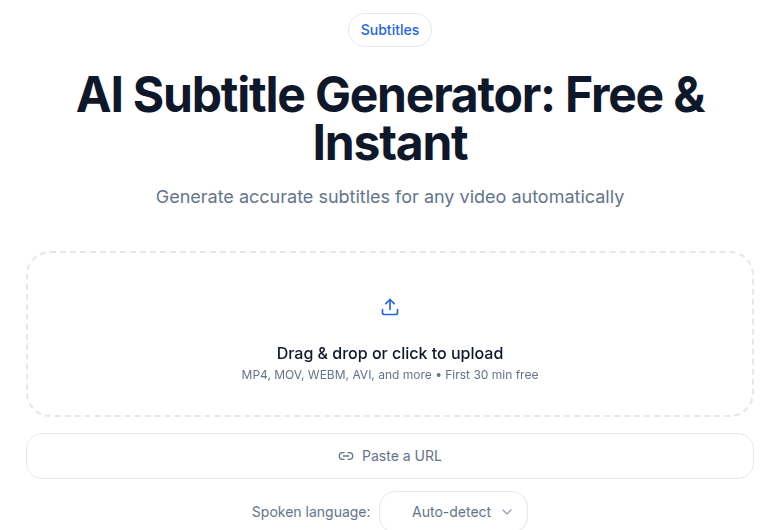 Subtitle generator tool interface showing caption output for a short video
The Pre-Publish Caption Workflow
Most creators converge on a workflow like this.
- Record and do the visual edit in your editor of choice (CapCut, DaVinci Resolve, Premiere).
- Export the full MP4 or strip the audio, and run it through a transcription tool with word-level timestamps enabled.
- Take the SRT output, import it into your caption editor. CapCut accepts SRT files via the Text panel and lets you style each word individually. TikTok Studio also accepts direct SRT import.
- Style the captions to match your brand: font weight, color, stroke. The karaoke-style word-by-word highlight is the dominant format in 2026, with white or yellow text and a black stroke. Individual words change color as they are spoken, which research from OpusClip and Captions.ai confirms correlates with higher watch time.
- Publish; copy the first two or three lines of the transcript into the description to seed keyword context.
The quality advantage over TikTok's built-in tool is most visible on niche vocabulary. Specialized terms, brand names, and proper nouns are where general-purpose auto-captions fail first. A standalone transcription engine trained on a broader dataset handles those terms better, and the accuracy gap shows up exactly where bad captions hurt the most.
Check the subtitle generator tool if you want to go directly from audio or video upload to a downloadable SRT without switching tools mid-workflow.
Caption Style That Holds Up on TikTok
Based on A/B testing data from the creator community and 2026 platform research, a few patterns hold consistently.
One to three words per line, large text, animated highlight. The karaoke format syncs the highlighted word to the spoken word. Without word-level timestamps from your transcription tool, you have to manually re-time those highlights, which is the tedious part.
High contrast. White text with a black stroke, or a solid colored background block behind the text. Thin or script fonts disappear over busy footage.
Punctuation light. On fast-moving video, periods and commas make captions look formal. Most creators drop them. Question marks and exclamation points stay because they carry emotional weight.
Match position to content type. Lower-middle-third placement works for most content. Keep the top third clear for the visual hook and the bottom fifth clear to avoid clipping on mobile browser chrome.
Hook Hunting in Long Recordings
A growing pattern is the "record long, cut short" workflow. Creators record 20 to 40 minutes of free-form talking on a topic, then extract three to five short videos from it. Transcription makes the cutting fast.
The mechanics:
- Record the long-form session. A voice memo, a Loom, or an unedited talking-head session all work as source material.
- Upload to a transcription tool with timestamps. Enable speaker labels if you have a co-host.
- Open the transcript and skim for surprising claims, strong declarative sentences, or emotional peaks. These are your hooks.
- Note the timestamps around each candidate hook and pull clips from those segments.
- Each clip becomes its own 30 to 60 second video with a clean open.
The bottleneck in short-form is not the camera, it is finding the moment worth posting. A transcript with timestamps turns a 40-minute recording into a scannable document. You read it once, mark five hooks, and you have a week of content.
This also works for repurposing podcast episodes into short clips. A 45-minute podcast becomes a transcript, the transcript becomes five TikTok clip targets, and each clip goes up with minimal re-editing.
Repurposing TikToks Across Platforms
A 45-second TikTok that performs well is the starting point for several derivative formats: an Instagram Reel, a YouTube Short, a LinkedIn carousel, a Twitter/X thread, and a blog post. Transcription is what connects them.
The transcript lets you:
- Write the LinkedIn or Twitter thread version based on the spoken content, without re-watching the video.
- Pull two or three quotable sentences for a newsletter or blog post and embed the original clip.
- Translate the captions for foreign-language reposts. Brazil has approximately 105 million TikTok users and Mexico approximately 77 million, per 2026 data. Spanish and Portuguese captions unlock those audiences at low marginal cost.
- Build a topic-cluster blog post around the same content with the video embedded.
The creator transcription workflow guide covers the broader repurposing system in more detail if you are running multiple platforms in parallel.
Volume Math
For active creators, free tiers fill up quickly. Five 60-second TikToks per week is 20 minutes of audio per month. That fits the 10-minute monthly free tier on most tools, but the moment you add a weekly podcast or a monthly long-form YouTube, you cross into paid territory fast.
A typical creator audit looks like this:
| Content type | Monthly minutes |
|---|---|
| 5 TikToks per week at 60 seconds each | 20 |
| 1 weekly podcast at 45 minutes | 180 |
| 2 monthly long-form YouTube videos at 15 minutes each | 30 |
| Monthly audio newsletter | 15 |
| Total | 245 minutes |
At 245 minutes per month, metered services add up. Per-minute pricing models (like the one Happy Scribe uses at around 0.20 per minute for overages) would cost roughly $49 monthly for that volume. A flat unlimited plan beats metered pricing at roughly the 30-minute mark, depending on the tool.
See the transcription pricing comparison for a side-by-side look at where metered vs. unlimited plans cross over for different usage profiles.
Tools Comparison
Three categories of tool, with different tradeoffs.
| Tool | Type | Transcription limit | Starting price |
|---|---|---|---|
| TikTok native auto-captions | In-platform | Unlimited | Free |
| CapCut (free) | In-platform editor | Limited; varies | Free |
| Otter.ai Basic | Standalone | 300 min/month | Free |
| Happy Scribe Basic | Standalone | 120 min/month | Around $8.50/month |
| Descript Hobbyist | All-in-one editor | 10 hours/month | $16/month |
| Descript Creator | All-in-one editor | 30 hours/month | $24/month |
| ConvertAudioToText Pro | Standalone | Unlimited | $14.99/month |
Prices verified from vendor pricing pages, July 2026. Descript and Otter.ai figures are annual-billing equivalents.
In-platform tools (TikTok native, CapCut free) are fine for occasional use. Accuracy on niche content is the weakness.
Standalone transcription tools give you higher accuracy, SRT/VTT output, and word-level timestamps without locking you into one editing environment. You keep your existing video editor and just drop the SRT in.
All-in-one editors (Descript, CapCut Pro) offer the most convenience for creators who repurpose heavily, but they embed you in their editing environment and come with media-hour caps that a high-volume creator can hit.
My take: for creators who already have an editing workflow they like, the standalone path costs less and adds friction only at the import step. If you are starting fresh and want one tool to edit and caption, Descript Creator at $24/month covers a lot of ground.
If you just need clean transcripts without installing new software, ConvertAudioToText offers unlimited audio and video transcription on the Pro plan at $14.99/month, with no file caps.
A Note on AI Avatar Pipelines
Some creators in 2025 and 2026 use AI video tools (HeyGen, Synthesia) to generate TikTok content from a script. Even in that pipeline, transcription stays relevant. Most creators draft the script by recording a voice memo of the idea, transcribing it, and editing the text, rather than writing cold. The record-transcribe-edit-generate sequence is faster than scripting from scratch.
HeyGen offers a free tier with limited videos per month, with paid plans starting around $24/month (annual). Synthesia starts at $29/month. Neither replaces the transcript-based workflow for original recorded content.
FAQ
Does TikTok read the on-screen captions for search ranking?
Yes. TikTok's algorithm uses multimodal analysis that includes on-screen text, spoken audio, and written captions. Keywords in your burned-in captions contribute to how the platform classifies your video's topic. A transcript that correctly captures your niche vocabulary is more useful than one that garbles the terms you are actually known for.
What is the best caption format for TikTok in 2026?
Word-by-word highlight style is the dominant format: one to three words per line, large bold text with a high-contrast stroke, and each word lighting up in sync with the speech. This requires word-level timestamps from your transcription source. Without them, you have to manually re-time each highlight, which is the most tedious part of caption editing.
Can I use a transcript to find viral hooks in long recordings?
Yes, and this is one of the most practical uses of transcription for TikTok creators. Record a 20 to 40 minute free-form session, run it through transcription with timestamps, then skim the text for strong claims, surprising turns, or emotional peaks. Each one becomes a short clip. The transcript turns 40 minutes of footage into a readable document you can scan in a few minutes.
When does it make sense to pay for a transcription plan?
At around 30 minutes of audio per month, metered pay-per-minute pricing starts to cost more than a flat subscription. A creator posting five TikToks per week hits roughly 20 minutes, which fits free tiers. Add a weekly podcast or monthly long-form video and you are in paid territory. At 200 or more minutes per month, an unlimited plan at $9.99 to $16 per month is cheaper than any per-minute model.
Sources
- Descript pricing page: https://www.descript.com/pricing (verified July 2026)
- Otter.ai pricing page: https://otter.ai/pricing (verified July 2026)
- Happy Scribe pricing page: https://www.happyscribe.com/pricing (verified July 2026)
- Rev pricing page: https://www.rev.com/pricing (verified July 2026)
- ConvertAudioToText pricing page: https://convertaudiototext.com/pricing (verified July 2026)
- OpusClip TikTok caption best practices 2026: https://www.opus.pro/blog/tiktok-caption-subtitle-best-practices
- Sprout Social TikTok algorithm 2026: https://sproutsocial.com/insights/tiktok-algorithm/
- Hootsuite TikTok algorithm 2026: https://blog.hootsuite.com/tiktok-algorithm/
- SEO Sherpa TikTok SEO 2026: https://seosherpa.com/tiktok-search-engine/
- Statista Latin America TikTok user data: https://www.statista.com/topics/9670/tiktok-in-latin-america/
Try transcription free
Convert any audio or video to clean, unwatermarked text — speaker labels, timestamps, and AI summaries included. First 30 minutes free, no account.
Related Articles
Captioning for TikTok and Instagram: The 2026 Creator Playbook
How to burn captions into TikTok and Instagram Reels in 2026: safe-zone measurements, workflow, native vs burned-in trade-offs, and font choices that actually work.

How to Transcribe a TikTok Video in 2026 (Paste the Link)
Step-by-step guide to transcribing TikTok videos for burn-in captions, cross-platform repurposing, and hook analysis. Three methods, verified specs, real workflows.